

Your Browsing History

Meet Your Seller


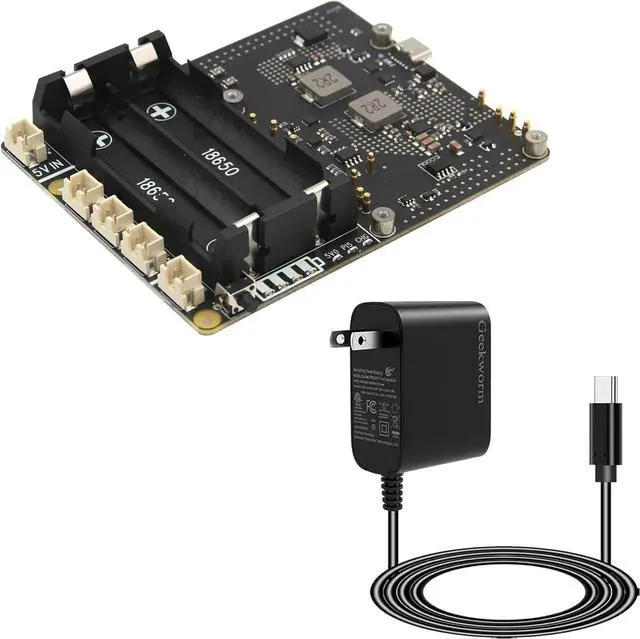
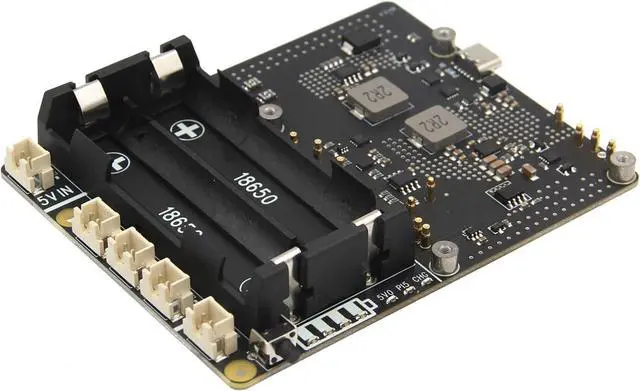
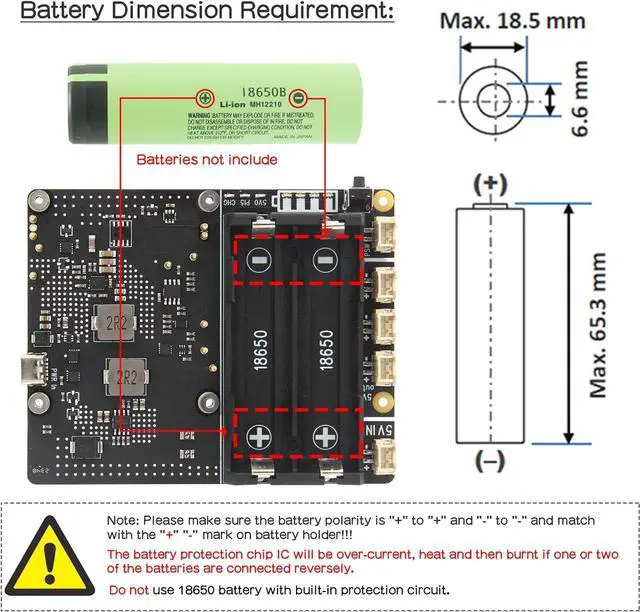
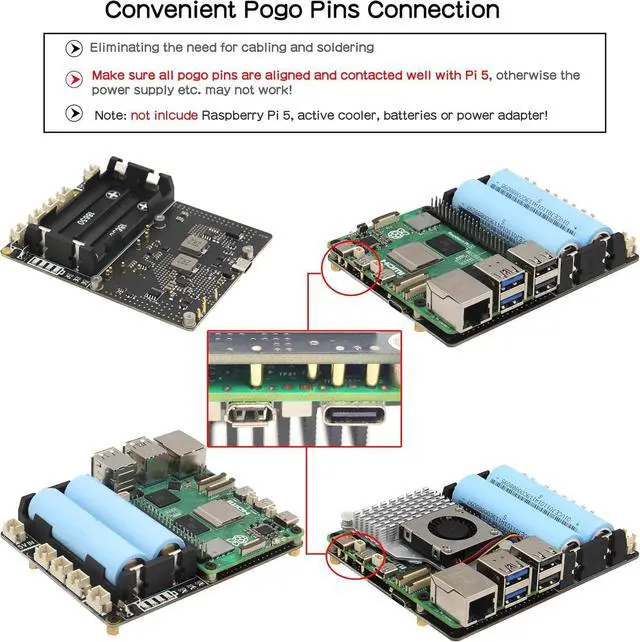
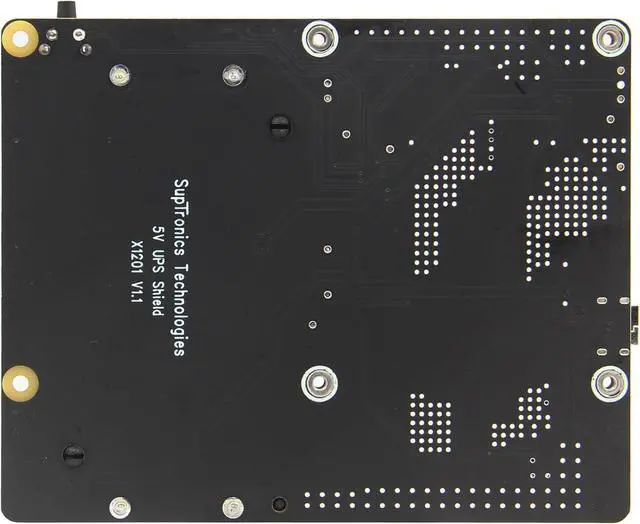


Geekworm X1201 Ultra-Thin 5V UPS Shield+PD 27W USB-C Power Supply for Raspberry Pi 5 |Max 5.1V 5A Output| Auto Power On|Safe Shutdown|Power Loss Detection
- Compatibility: Pi 5 UPS compatible with Raspberry Pi 5 8GB/4GB SBC; Model: X1201; Matching metal case is X1201-C1
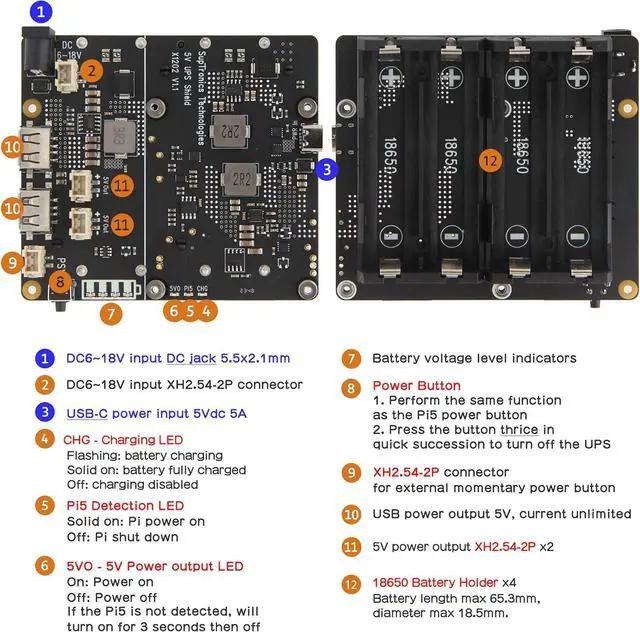
- Function: X1201 provides max 5.1V 5000mA Power Backup, intelligent and safe power management like auto power on, safe shutdown, full power-off from software, power loss and power adapter failure detection
- How to Power: Power via X1201 USB-C port: 5Vdc 5A via USB Type-C; Do not apply power to Raspberry Pi 5 via the Type-C USB socket
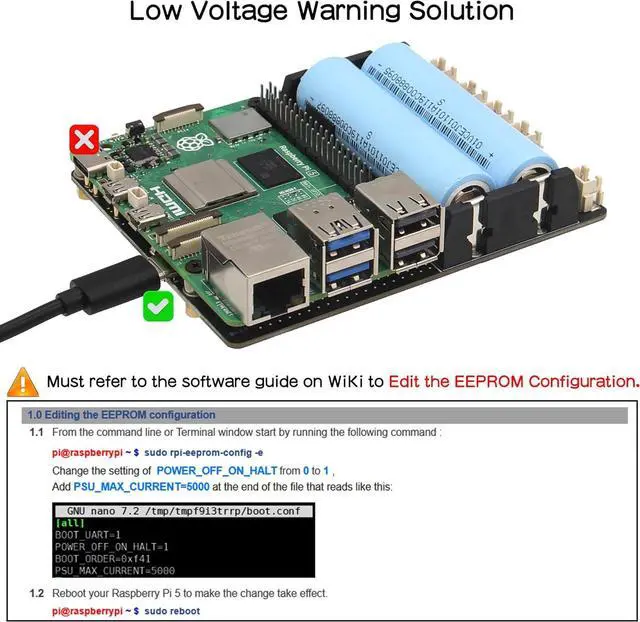
- User Manual and Low Voltage Warning Solution: Google Geekworm Wiki and search X1201; Refer to the software guide on X1201 WiKi to Edit the EEPROM configuration to solve the Low Voltage Warning issue
- Packing List: 1 x X1201 UPS Shield Board with Accessories, 1x 27W USB-C PD Power Adapter
+
+
Overview
Specs
Reviews

Any questions? Our AI mode will help you find out quickly.
Try me now
Compatibility: Pi 5 UPS compatible with Raspberry Pi 5 8GB/4GB SBC; Model: X1201; Matching metal case is X1201-C1
Function: X1201 provides max 5.1V 5000mA Power Backup, intelligent and safe power management like auto power on, safe shutdown, full power-off from software, power loss and power adapter failure detection
How to Power: Power via X1201 USB-C port: 5Vdc 5A via USB Type-C; Do not apply power to Raspberry Pi 5 via the Type-C USB socket
User Manual and Low Voltage Warning Solution: Google Geekworm Wiki and search X1201; Refer to the software guide on X1201 WiKi to Edit the EEPROM configuration to solve the Low Voltage Warning issue
Packing List: 1 x X1201 UPS Shield Board with Accessories, 1x 27W USB-C PD Power Adapter
Function: X1201 provides max 5.1V 5000mA Power Backup, intelligent and safe power management like auto power on, safe shutdown, full power-off from software, power loss and power adapter failure detection
How to Power: Power via X1201 USB-C port: 5Vdc 5A via USB Type-C; Do not apply power to Raspberry Pi 5 via the Type-C USB socket
User Manual and Low Voltage Warning Solution: Google Geekworm Wiki and search X1201; Refer to the software guide on X1201 WiKi to Edit the EEPROM configuration to solve the Low Voltage Warning issue
Packing List: 1 x X1201 UPS Shield Board with Accessories, 1x 27W USB-C PD Power Adapter
Warranty & Returns
Warranty, Returns, And Additional Information
Warranty
- Please contact the Seller directly for warranty information. Warranty information may also be found on the Manufacturer's website.
- CONTACT
Return Policies
- Return for refund within: 30 days
- Return for replacement within: 30 days
- This item is covered by HAITAO CROSS BORDER E-COMMERCE LIMITED Return Policy
Manufacturer Contact Info
- For a directory of all our manufacturers, please click below.
- Manufacturers Directory
LOADING...