


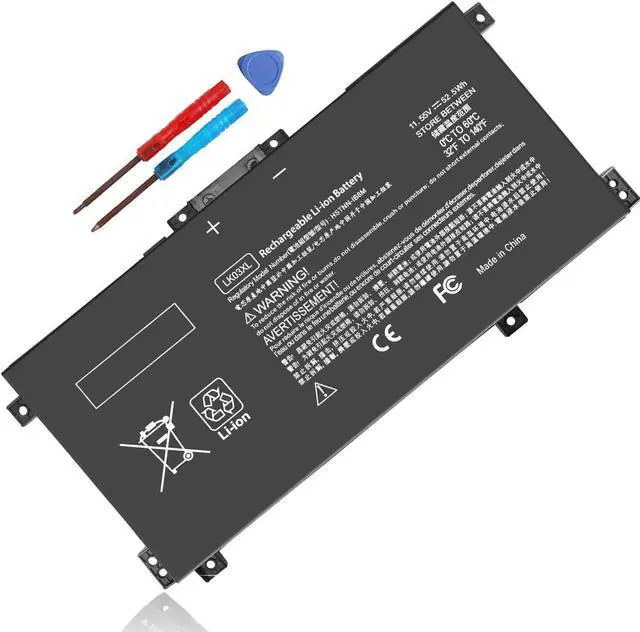
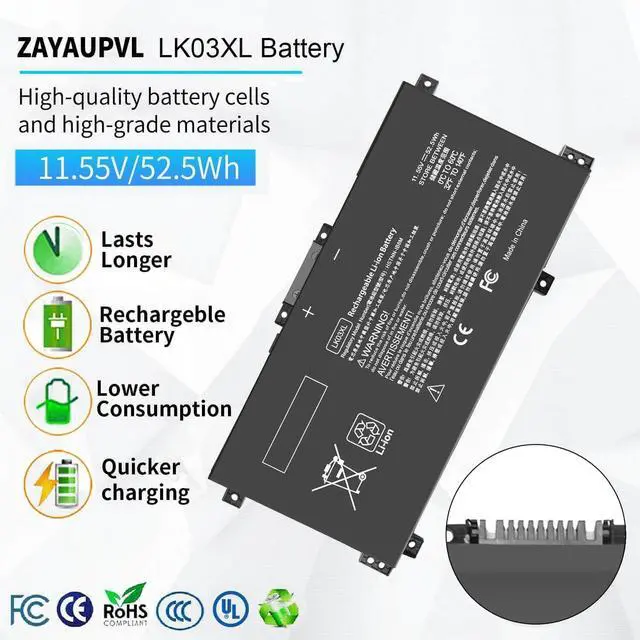
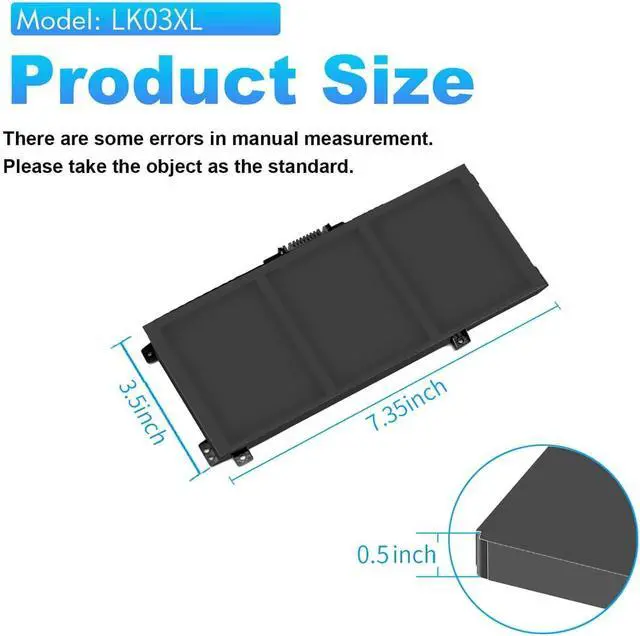


ZAYAUPVL makes notebook batteries & power adapters, selling direct to factories & consumers, skipping middlemen. We prioritize high quality, simplicity & durability. Our batteries fit all computer brands, with stable, safe, reliable performance.
Compatible with Laptop Model:(Ctrl+F to search your model)

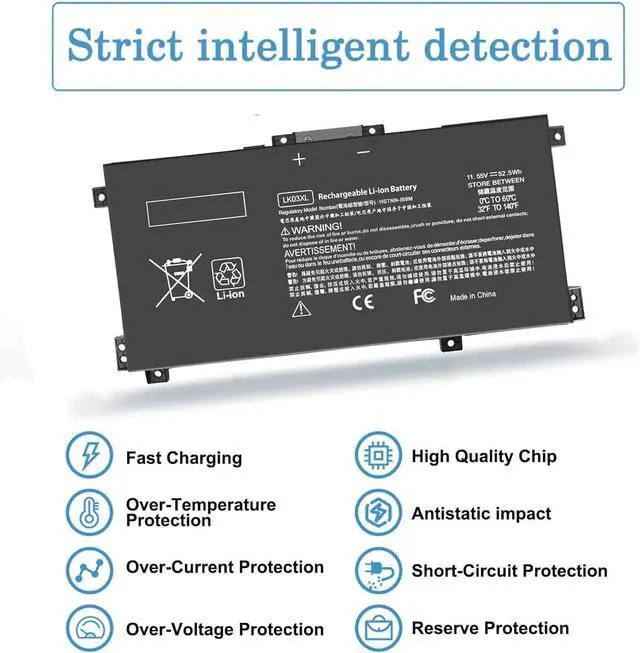
Security and Reliable
- 12 rigorous testing. Deal with accidents calmly.
- Core circuit protection design. Only for efficiency and safety.
- Data and stability. Merged into one.

Fit Perfectly
- Original machine design, OEM experience
- Systematic testing, industry standards met. Real-machine tests, Strict delivery for stability

Top Quality Battery Cells
- A+ cell structure. Excellent discharge curve and low internal resistance. Excellent cell stability. Long cycle life.

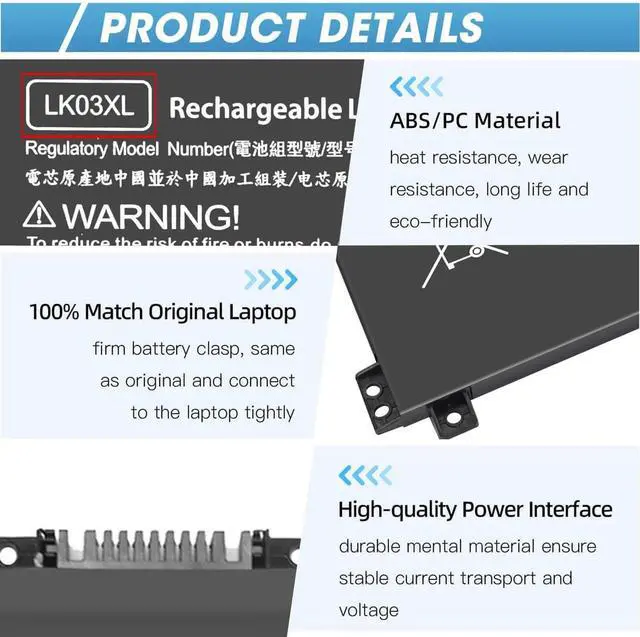
Product Details
- ABS/PC Material: heat & wear-resistant, durable
- 100% Matches Original Laptop High-Quality Power Interface: stable current & voltage.

There are two ways to choose the right battery. Which two methods are they ?
1. Search battery model: Remove the laptop case to check and confirm the shape of the original battery. (Recommended ?)
2. Search laptop model: Pressing [Window] + [R] key and entering [msinfo32] or [dxdiag]. Click OK to find "System Model".
What do we need to pay attention to using batteries for the first time?
1.The battery must be full charged before first use
2.You need to turn off your laptop and disconnect the power when you install a new battery
2.Do Discharge the new battery use to 5%/7%(not to 0%) and then charge to 95%, and cycle 3-4 times
How should I do if we received the item doesn't work?
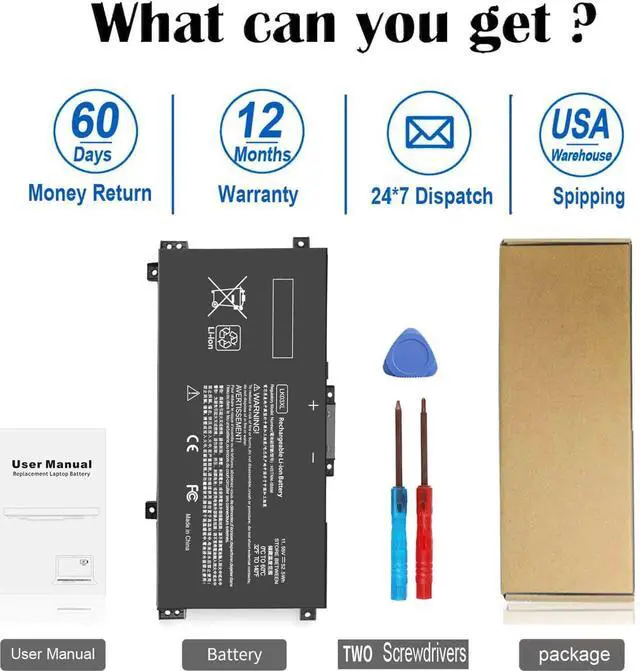
Our item has a 12-month replacement and a 60-day money-back . Please contact ZAYAUPVL INC. We will replace it with a new one for free
How should I preserve my laptop battery when I don’t use it?
The ideal preservation method is to charge the battery to about 40%.the battery should be used once a month, which can not only good preservation of the battery but also prevent the battery from being damaged by the complete loss of power
How should I charge my laptop battery?
It is suggested to charge the battery before the power runs out completely. It is best to charge when the remaining power is about 5-10%, and the battery should be charged in a relatively dry place.
Comparison
 LK03XL Laptop Battery |  MB04XL Laptop Battery |  SA04XL Laptop Battery |  HT03XL Laptop Battery |  HW03XL Laptop Battery |  HS03 Laptop Battery |  JC03 JC04 Laptop Battery | |
|---|---|---|---|---|---|---|---|
Customer Reviews | — | — | — | — | — | — | — |
Price | — | — | — | — | — | — | — |
Voltage | 11.55V | 15.4V | 15.12V | 11.55V | 11.34V | 14.8V | 14.8V (Compatible with 10.95V) |
Capacity | 52.5Wh | 55.67Wh | 55.67Wh | 41.7Wh | 41.04Wh | 2600mAh | 38Wh/2600mah |
Cells | 3cells | 4cells | 4cells | 3cells | 3cells | 3cells | 4cells |
CE/ROHS/UL certified standards | ? | ? | ? | ? | ? | ? | ? |
Long-lasting Battery Life | ? | ? | ? | ? | ? | ? | ? |

ZAYAUPVL makes notebook batteries & power adapters, selling direct to factories & consumers, skipping middlemen. We prioritize high quality, simplicity & durability. Our batteries fit all computer brands, with stable, safe, reliable performance.
Compatible with Laptop Model:(Ctrl+F to search your model)
| Specifications: | Voltage: 11.55V; Capacity: 52.5Wh; Cells: 3-cell; The package also includes 1pcs LK03XL battery, 2pcs screwdrivers, and 1pcs instruction; Ships from US Warehouse; Full refunds are available for any reason within 60 days of purchase; If it becomes defective within one year of your purchase, we offer a free exchange |
|---|---|
| Compatible Part Numbers: | LK03XL LKO3XL L09281-855 916814-855 LK03048XL LK03055XL 916368-421 916368-541 HSTNN-LB7U HSTNN-LB8J HSTNN-UB71 HSTNN-UB7I L08855-856 L08934-1B1 L08934-2C1 L09049-1B1 L09280-855 L09911-141 L09911-421 TPN-W127 TPN-W128 TPN-I129 |
| Compatible with | Replacement battery for HP Envy X360 15-bp 15m-bp Series: 15-bp0xx 15-bp1xx 15m-bp0xx 15m-bp1xx 15m-bp012dx 15m-bp011dx 15m-bp111dx 15m-bp112dx 15-bp143cl 15-bp152wm 15-bp194cl 15-bp165cl 15-bp112dx 15-bp001tx 15-bp002tx 15-bp003tx 15-bp004tx 15-bp005tx 15-bp006tx 15-bp107tx 15-bp100tx 15-bp105tx 15-bp101tx 15-bp103tx 15-bp104tx 15-bp106tx 15-bp102tx 15-bp013tx 15-bp103ur 15-bp003nx 15-bp004na 15t-bp100 15-bp195nia 15-bp101nia 15-bp102ng 15-bp109ur 15-bp017tx 15-bp030nd 15-bp104nw 15m-bp000 |
| Compatible with: | Replacement battery for HP Envy X360 15-bq 15m-bq Series: 15-bq0xx 15-bq1xx 15-bq100 15-bq200 15m-bq0xx 15m-bq1xx 15m-bq121dx 15m-bq021dx 15m-bq100 15z-bq100 15z-bq200 15-bq000nb 15-bq001na 15-bq000no 15-bq000ur 15-bq001nb 15-bq213cl 15-bq150na 15-bq075nr |
| Compatible with: | Replacement battery for HP Envy X360 15-cn 15m-cn 15t-cn Series: 15-cn0xxx 15-cn1xxx 15m-cn0xxx 15m-cn1xxx 15t-cnxxx 15t-cn000 15t-cn100 15-cn0013nr 15-cn1025cl 15-cn1035cl 15-cn1055cl 15-cn1073wm 15-cn0000tu 15-cn0000tx 15-cn0001la 15-cn0001na 15-cn0001tu 15-cn0001tx 15-cn0002tu 15-cn0002tx 15-cn0003ca 15-cn0003tu 15-cn0003tx 15-cn0004tu 15-cn0004tx 15-cn0005tu 15-cn0005tx 15-cn0006tu 15-cn0006tx 15-cn0007tu 15-cn002la 15m-cn0011dx 15m-cn0012dx 15-cn0000ne 15-cn0001ng 15-cn0003ng |
| Compatible with: | Replacement battery for HP Envy X360 15m-cp 15z-cp Series: 15-cp0xxx 15m-cp0xxx 15m-cp0011dx 15m-cp0012dx 15-cp0053cl 15-cp0000na 15-cp0000nc 15-cp0005ng 15-cp0013nr 15-cp0014au 15-cp0599na 15z-cp000 15z-cp0xxx |
| Compatible with: | Replacement battery for HP Envy X360 17-ae 17m-ae 17t-ae Series: 17-ae0xx 17m-ae0xx 17-ae1xx 17m-ae1xx 17m-ae011dx 17m-ae111dx 17m-ae011xx 17t-ae000 17t-ae100 17-ae110nr 17-ae151nr 17-ae001nf 17-ae006ng 17-ae107nb 17-ae003ng 17-ae004ng 17-ae005ng 17-ae007ng 17-ae009ng 17-ae030ng 17-ae031ng 17-ae100, 17-ae101ng 17-ae102ng 17-ae103ng 17-ae120nd 17-ae130ng 17t-ae151nr 17-ae001nb 17-ae002no, 17-ae000 17-ae131ng 17-ae142ng 17-ae120nr 17-ae001nia 17-ae011nc 17-ae101ns 17-ae102nw 17-ae155cl |
| Compatible with: | Replacement battery for HP Envy X360 17-bw 17m-bw 17t-bw Series: 17-bw0xxx 17m-bw0xxx 17m-bw0013dx 17t-bw0xx 17t-bw000 17-bw0000na 17-bw0003ca 17-bw0008ca 17-bw0011nr 17-bw0503na 17-bw0707nz 17-bw0001ng 17-bw0004na 17-bw0006nf 17-bw0012nf 17-bw0001nc 17-bw0001ni 17-bw0007ur 17-bw0200nz 17-bw0003ng 17-bw0706nz 17-bw0999na |
| Compatible with: | Replacement battery for HP Envy X360 17-ce 17m-ce 17t-ce Series: 17-ce0xxx 17m-ce0xxx 17t-ce0xx 17-ce0002ca 17-ce0003ca 17-ce0008ca 17-ce0015nr 17m-ce0013dx 17m-ce1013dx 17-ce1031nr 17t-ce000 17t-ce100 17-ce1xxx 17m-ce1xxx 17t-ce200 |
| Compatible with: | Replacement battery for HP Pavilion X360 15-cr Series: 15-cr0xxx 15-cr0037wm 15-cr0006tx 15-cr0052od 15-cr0160nb 15-cr0051od 15-cr0091ms 15-cr0035nr 15-cr0053wm 15-cr0087cl 15-cr0013nq 15-cr0014nq 15-cr0015nq 15-cr0017nr 15-cr0023nq 15-cr0027nq 15-cr0031nq 15-cr0033nq 15-cr0051cl 15-cr0055od 15-cr0056wm 15-cr0060nia 15-cr0062st 15-cr0064st 15-cr0070nb 15-cr0075nr 15-cr0076nr 15-cr0077nr 15-cr0078nr |
| Compatible with: | HP Pavilion X360 15-cr Series:15-cr0079nr 15-cr0081cl 15-cr0083cl 15-cr0085cl 15-cr0088cl 15-cr0095nr 15-cr0100ng 15-cr0130nd 15-cr0149nb 15-cr0161nb 15-cr0163nb 15-cr0211ng 15-cr0216ng |
Security and Reliable
- 12 rigorous testing. Deal with accidents calmly.
- Core circuit protection design. Only for efficiency and safety.
- Data and stability. Merged into one.
Fit Perfectly
- Original machine design, OEM experience
- Systematic testing, industry standards met. Real-machine tests, Strict delivery for stability
Top Quality Battery Cells
- A+ cell structure. Excellent discharge curve and low internal resistance. Excellent cell stability. Long cycle life.
Product Details
- ABS/PC Material: heat & wear-resistant, durable
- 100% Matches Original Laptop High-Quality Power Interface: stable current & voltage.

There are two ways to choose the right battery. Which two methods are they ?
1. Search battery model: Remove the laptop case to check and confirm the shape of the original battery. (Recommended ?)
2. Search laptop model: Pressing [Window] + [R] key and entering [msinfo32] or [dxdiag]. Click OK to find "System Model".
What do we need to pay attention to using batteries for the first time?
1.The battery must be full charged before first use
2.You need to turn off your laptop and disconnect the power when you install a new battery
2.Do Discharge the new battery use to 5%/7%(not to 0%) and then charge to 95%, and cycle 3-4 times
How should I do if we received the item doesn't work?
Our item has a 12-month replacement and a 60-day money-back . Please contact ZAYAUPVL INC. We will replace it with a new one for free
How should I preserve my laptop battery when I don’t use it?
The ideal preservation method is to charge the battery to about 40%.the battery should be used once a month, which can not only good preservation of the battery but also prevent the battery from being damaged by the complete loss of power
How should I charge my laptop battery?
It is suggested to charge the battery before the power runs out completely. It is best to charge when the remaining power is about 5-10%, and the battery should be charged in a relatively dry place.
Comparison
LK03XL Laptop Battery | MB04XL Laptop Battery | SA04XL Laptop Battery | HT03XL Laptop Battery | HW03XL Laptop Battery | HS03 Laptop Battery | JC03 JC04 Laptop Battery |
|---|---|---|---|---|---|---|
| Customer Reviews | ||||||
| — | — | — | — | — | — | — |
| Price | ||||||
| — | — | — | — | — | — | — |
| Voltage | ||||||
| 11.55V | 15.4V | 15.12V | 11.55V | 11.34V | 14.8V | 14.8V (Compatible with 10.95V) |
| Capacity | ||||||
| 52.5Wh | 55.67Wh | 55.67Wh | 41.7Wh | 41.04Wh | 2600mAh | 38Wh/2600mah |
| Cells | ||||||
| 3cells | 4cells | 4cells | 3cells | 3cells | 3cells | 4cells |
| CE/ROHS/UL certified standards | ||||||
| ? | ? | ? | ? | ? | ? | ? |
| Long-lasting Battery Life | ||||||
| ? | ? | ? | ? | ? | ? | ? |