





Product information


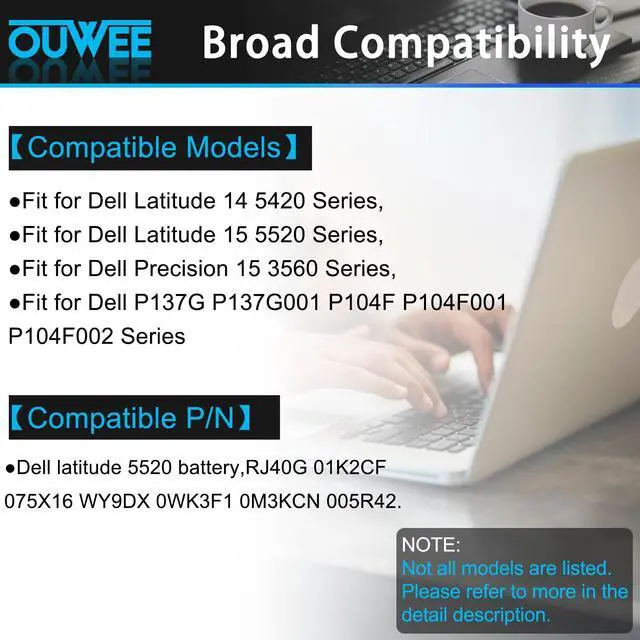
Compatible Models (use "Ctrl+F to find your model quickly")
- Fit for Dell Latitude 14 5420 series:
Dell Latitude 14 5420 CHKFM / Dell Latitude 14 5420 FDTCY / Dell Latitude 14 5420 XPC5H.
- Fit for Dell Latitude 15 5520 series:
Dell Latitude 15 5520 39V1H / Dell Latitude 15 5520 FPKNM.
- Fit for Dell Precision 15 3560 series:
Dell Precision 15 3560 3H45Y / Dell Precision 15 3560 4MTF7 / Dell Precision 15 3560 758J7 / Dell Precision 15 3560 7RV10 / Dell Precision 15 3560 F3T9T.
- Fit for Dell P137G P137G001 ,Dell P104F P104F001 P104F002 series.
Replacement for Part Number:
RJ40G / 01K2CF / 075X16 / WY9DX / 0WK3F1 / 0M3KCN / 005R42.


Common Troubleshooting Methods
Why your laptop can't detect the battery or display the battery level properly after installing the battery? It may be caused by a loose battery. Please check if the battery cable is installed correctly. It may be due to the damage of the conductive material caused by the laptop motherboard and the battery positive contact position, you can try to use the original battery to confirm. Check if the battery driver is normal, if not, please download the appropriate driver software to update.

Battery maintenance methods for optimal use
When you receive a new battery, discharge the battery to 5% (not 0%), then charge it to 95% and cycle 3-4 times to wake up the new battery. It is important to fully discharge and recharge every other month to extend battery life. Do not leave the adapter connected for long periods of time when using the battery. It may damage the battery. Avoid human impact, disassembly, crushing or puncturing. Do not put it in fire or water

Why should you choose OUWEE Batteries?
100% True Capacity No falsely labeled capacity battery The internal integrated chip is designed to take your laptop to Over-Charge,Over-Current,Over-Voltage,Short-Circuit, Temperature Protection High Quality, fast charge and Long Lasting time. Top Batteries at Great value.
Product information
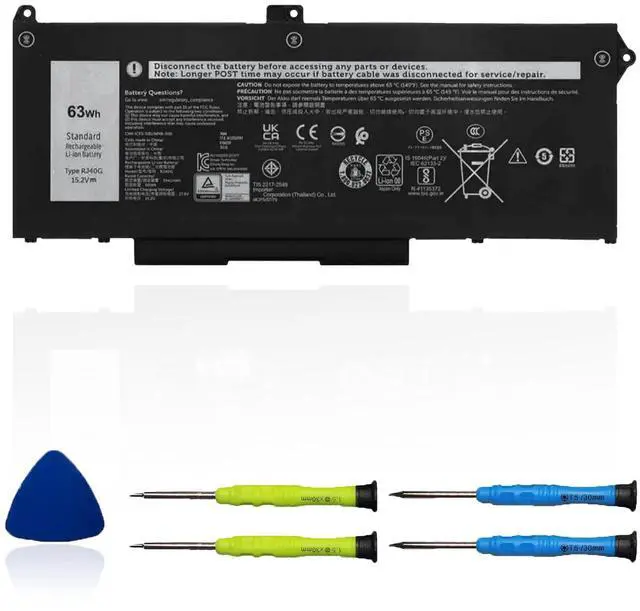
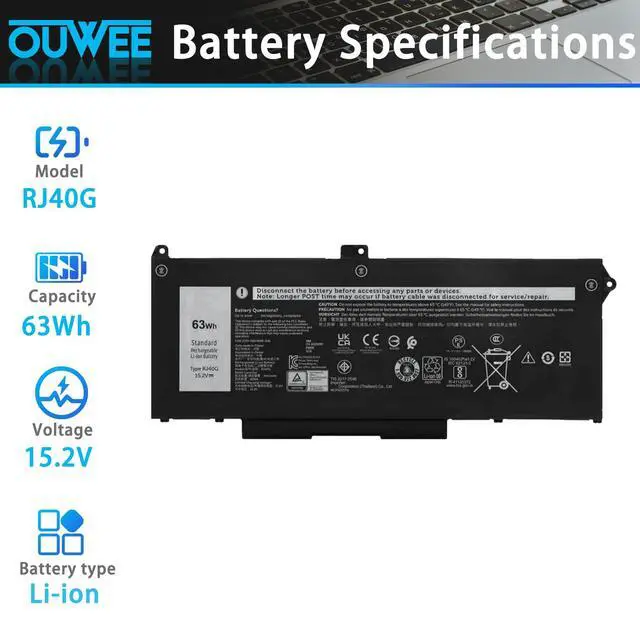
| Model | RJ40G |
| Capacity | 63Wh |
| Voltage | 15.2V |
| Type | Li-ion |
| Color | Black |
| Condition | Brand New |
Compatible Models (use "Ctrl+F to find your model quickly")
- Fit for Dell Latitude 14 5420 series:
Dell Latitude 14 5420 CHKFM / Dell Latitude 14 5420 FDTCY / Dell Latitude 14 5420 XPC5H.
- Fit for Dell Latitude 15 5520 series:
Dell Latitude 15 5520 39V1H / Dell Latitude 15 5520 FPKNM.
- Fit for Dell Precision 15 3560 series:
Dell Precision 15 3560 3H45Y / Dell Precision 15 3560 4MTF7 / Dell Precision 15 3560 758J7 / Dell Precision 15 3560 7RV10 / Dell Precision 15 3560 F3T9T.
- Fit for Dell P137G P137G001 ,Dell P104F P104F001 P104F002 series.
Replacement for Part Number:
RJ40G / 01K2CF / 075X16 / WY9DX / 0WK3F1 / 0M3KCN / 005R42.
Common Troubleshooting Methods
Why your laptop can't detect the battery or display the battery level properly after installing the battery? It may be caused by a loose battery. Please check if the battery cable is installed correctly. It may be due to the damage of the conductive material caused by the laptop motherboard and the battery positive contact position, you can try to use the original battery to confirm. Check if the battery driver is normal, if not, please download the appropriate driver software to update.
Battery maintenance methods for optimal use
When you receive a new battery, discharge the battery to 5% (not 0%), then charge it to 95% and cycle 3-4 times to wake up the new battery. It is important to fully discharge and recharge every other month to extend battery life. Do not leave the adapter connected for long periods of time when using the battery. It may damage the battery. Avoid human impact, disassembly, crushing or puncturing. Do not put it in fire or water
Why should you choose OUWEE Batteries?
100% True Capacity No falsely labeled capacity battery The internal integrated chip is designed to take your laptop to Over-Charge,Over-Current,Over-Voltage,Short-Circuit, Temperature Protection High Quality, fast charge and Long Lasting time. Top Batteries at Great value.