

Your Browsing History

Meet Your Seller

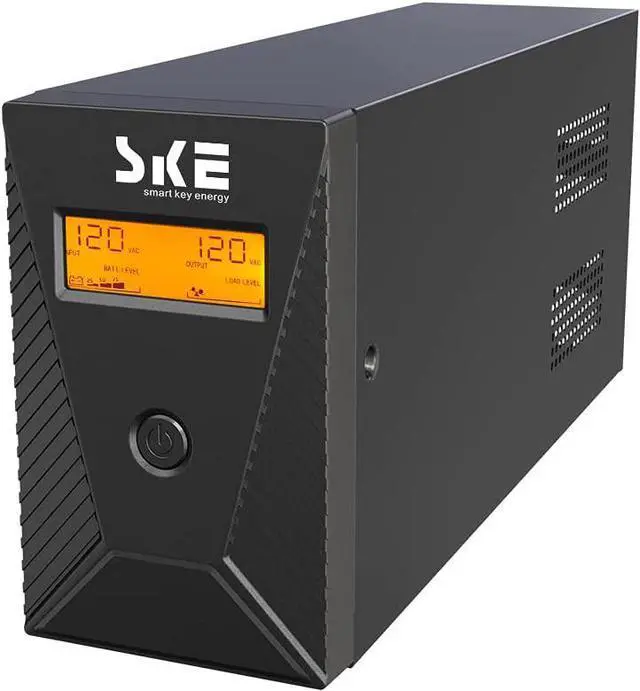
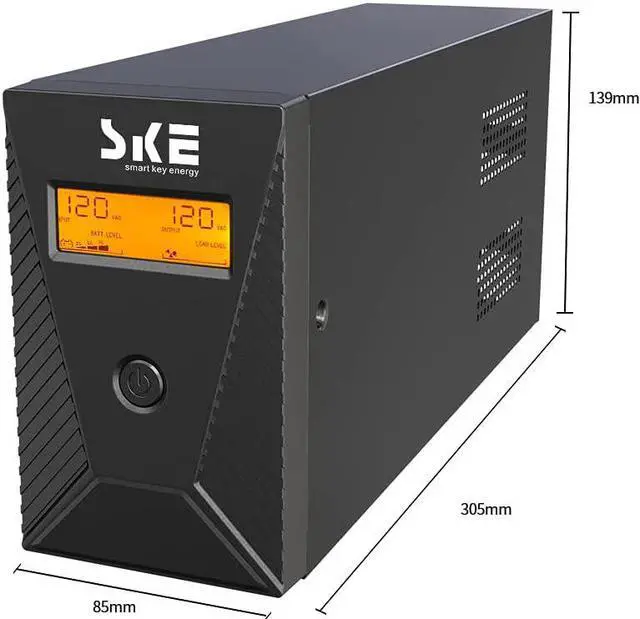
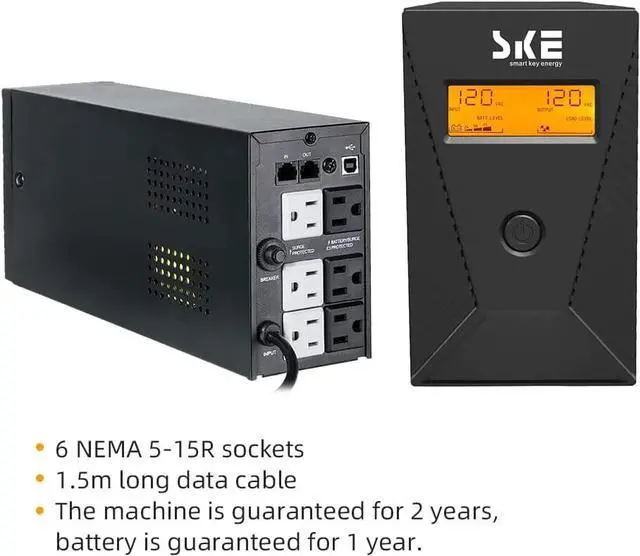
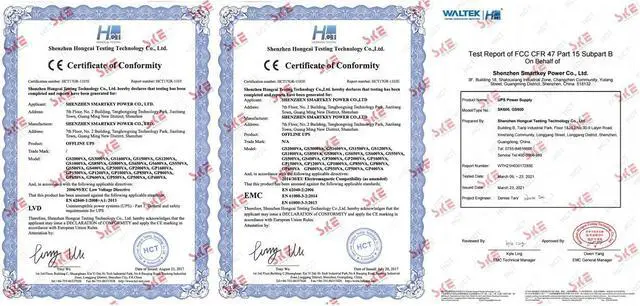
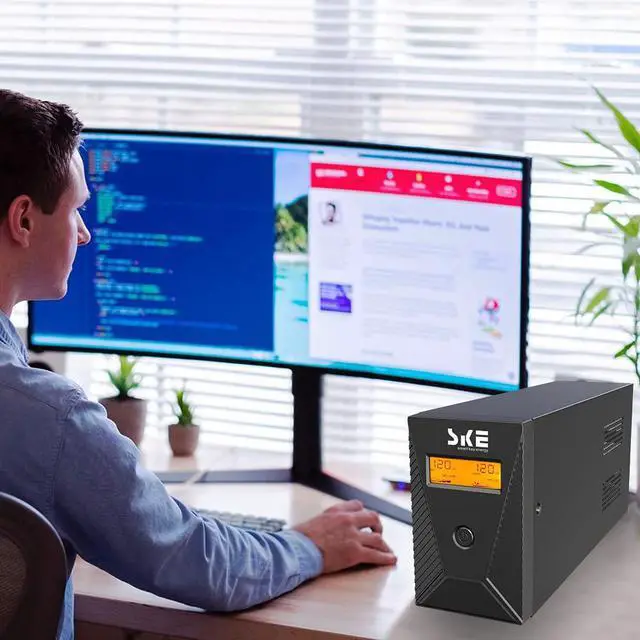


600VA/360W Ups Battery Backup and Surge Protector,Computer Uninterruptible Power Supply Units,SKE Ups Power Supply
- Protect your work and life:Protect desktop computers,workstations,networking devices,and home entertainment devices(e.g.Modem&Router,Smartphone,PC Desktop Computer,Network-attached Storage).
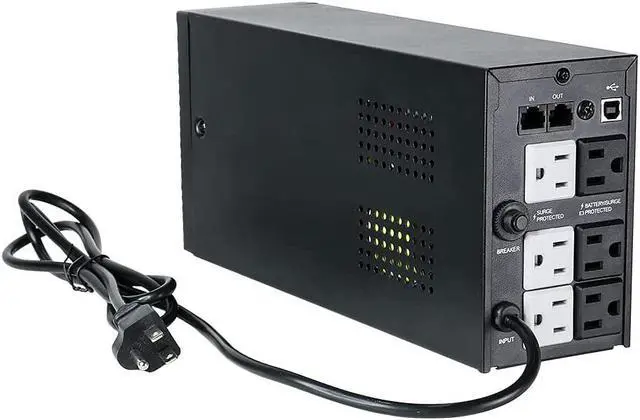
- AVR and Sockets:Automatic Voltage Regulation protects connected devices by stabilizing incoming voltage levels.6 Outlets provide battery backup and surge protection(Battery is charged),2 outlets provide surge protection only(Mains electricity is connected).
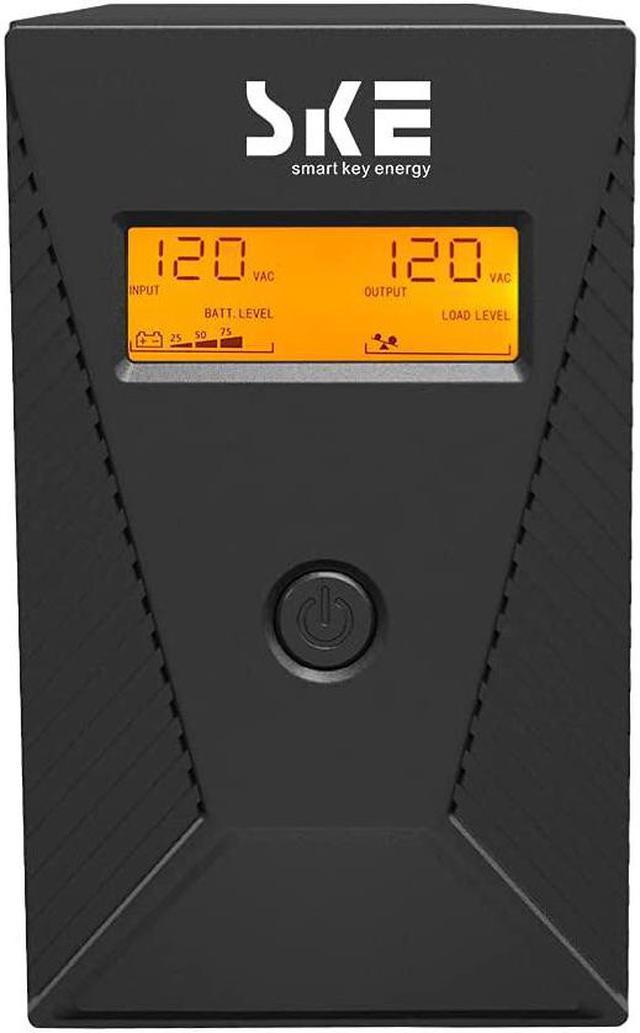
- Multi-functional intelligent LCD:Displays real-time detailed information about battery and power condition,including input voltage,output voltage,battery capacity,load capacity,etc.And can automatically extinguish the screen(Boot 30 seconds,in the state of power automatically extinguish the screen;Touch the switch and the backlight will turn on automatically).
- Eliminate noise:When the UPS is in battery mode,the beeping sound will be emitted after 6-10 seconds,which means that the UPS is in on-load state.As long as you touch the on ke
+
+
Overview
Specs
Reviews

Any questions? Our AI mode will help you find out quickly.
Try me now
Reliable battery quality
All UPS devices use the famous brand battery-Leoch,which used with 7AH batteries,quality is stable and guaranteed.
Safer AVR voltage regulator
Unstable voltage will shorten the service life of electronic equipment and make your equipment prematurely damaged.SKE AVR accepts a wider range of input voltage and reduce the occurrence of switching from UPS to battery inverter,so as to prolong the service life of battery,improve safety and reliability,and reduce the incidence of explosion failure.
More robust and secure chassis
The chassis is made of painted iron,which is more durable,do not worry about the chassis will catch fire,let you have a safe UPS.
Clearer smart LCD screen
The smart LCD panel displays input voltage,output voltage,battery level and load capacity,allowing you to have real-time detailed information about battery and power status at any time.
More intimate Settings
[Eliminate noise] When the UPS is in battery mode, the beeping sound will be emitted after 6-10 seconds, which means that the UPS is in on-load state. As long as you touch the on key lightly to turn off the sound, the display screen will display silent state. When the battery is about to run out, the UPS will continuously emit the beeping alarm until the power off.
Q: How long does the battery backup last during a power outage?
A: The backup time depends on the connected devices' voltage and current consumption. For example, it can power a basic computer (50W) for about 60 minutes or a router (10W) for around 4 hours.
Q: What does the LCD display show? Can it be turned off?
A: The LCD display shows the "input" and "output" voltage levels and the remaining battery capacity. It remains off when the device is using utility power and illuminates during backup mode.
Q: Does the UPS produce beeping sounds while operating?
A: The device emits a beep every 10 seconds when it starts operating. Pressing a button can silence it. It continuously alerts with an alarm when the battery level drops below 25%.
Q: Can it be used without downloading software? Is the software compatible with Windows 11 or macOS?
A: Yes, it can be used without software. It comes with a free software and a USB cable for control with Windows 11 or macOS.
Q: Can it be used with a refrigerator or a microwave oven?
A: No, it is not suitable for powering refrigerators, microwave ovens, or electric recliners. It is designed for electronic products like networking and computer systems.
Q: Can the battery be replaced?
A: The battery can be replaced, but self-replacement is not recommended due to safety considerations.
Q&A
All UPS devices use the famous brand battery-Leoch,which used with 7AH batteries,quality is stable and guaranteed.
Safer AVR voltage regulator
Unstable voltage will shorten the service life of electronic equipment and make your equipment prematurely damaged.SKE AVR accepts a wider range of input voltage and reduce the occurrence of switching from UPS to battery inverter,so as to prolong the service life of battery,improve safety and reliability,and reduce the incidence of explosion failure.
More robust and secure chassis
The chassis is made of painted iron,which is more durable,do not worry about the chassis will catch fire,let you have a safe UPS.
Clearer smart LCD screen
The smart LCD panel displays input voltage,output voltage,battery level and load capacity,allowing you to have real-time detailed information about battery and power status at any time.
More intimate Settings
[Eliminate noise] When the UPS is in battery mode, the beeping sound will be emitted after 6-10 seconds, which means that the UPS is in on-load state. As long as you touch the on key lightly to turn off the sound, the display screen will display silent state. When the battery is about to run out, the UPS will continuously emit the beeping alarm until the power off.
Q: How long does the battery backup last during a power outage?
A: The backup time depends on the connected devices' voltage and current consumption. For example, it can power a basic computer (50W) for about 60 minutes or a router (10W) for around 4 hours.
Q: What does the LCD display show? Can it be turned off?
A: The LCD display shows the "input" and "output" voltage levels and the remaining battery capacity. It remains off when the device is using utility power and illuminates during backup mode.
Q: Does the UPS produce beeping sounds while operating?
A: The device emits a beep every 10 seconds when it starts operating. Pressing a button can silence it. It continuously alerts with an alarm when the battery level drops below 25%.
Q: Can it be used without downloading software? Is the software compatible with Windows 11 or macOS?
A: Yes, it can be used without software. It comes with a free software and a USB cable for control with Windows 11 or macOS.
Q: Can it be used with a refrigerator or a microwave oven?
A: No, it is not suitable for powering refrigerators, microwave ovens, or electric recliners. It is designed for electronic products like networking and computer systems.
Q: Can the battery be replaced?
A: The battery can be replaced, but self-replacement is not recommended due to safety considerations.
Q&A
Warranty & Returns
Warranty, Returns, And Additional Information
Warranty
- Please contact the Seller directly for warranty information. Warranty information may also be found on the Manufacturer's website.
- CONTACT
Return Policies
- Return for refund within: 30 days
- Return for replacement within: 30 days
- This item is covered by HAITAO CROSS BORDER E-COMMERCE LIMITED Return Policy
Manufacturer Contact Info
- For a directory of all our manufacturers, please click below.
- Manufacturers Directory
LOADING...