• $117.99
  • Free 30-day Returns
  • Price alert
    Shop it at NeweggBusiness.

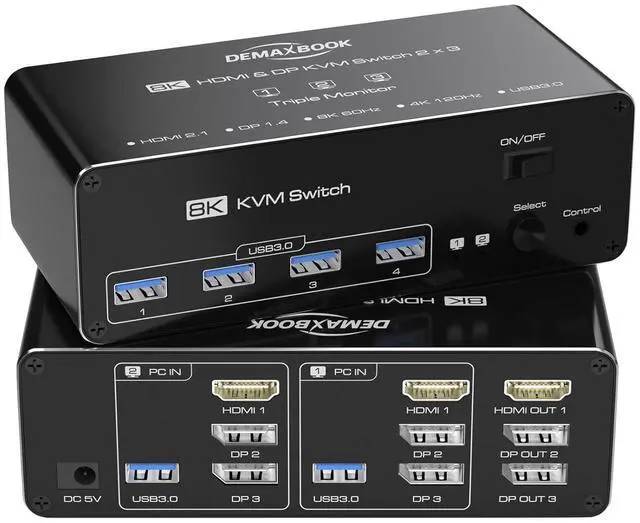
    DEMEXBOOK HDMI DisplayPort KVM Switch 3 Monitors 2 Computers 8K@60Hz, 4K@144Hz,Triple Monitor KVM Switches with 4 USB 3.0 Ports, Wired Remote, USB3.0 CablesPower Adapter Included

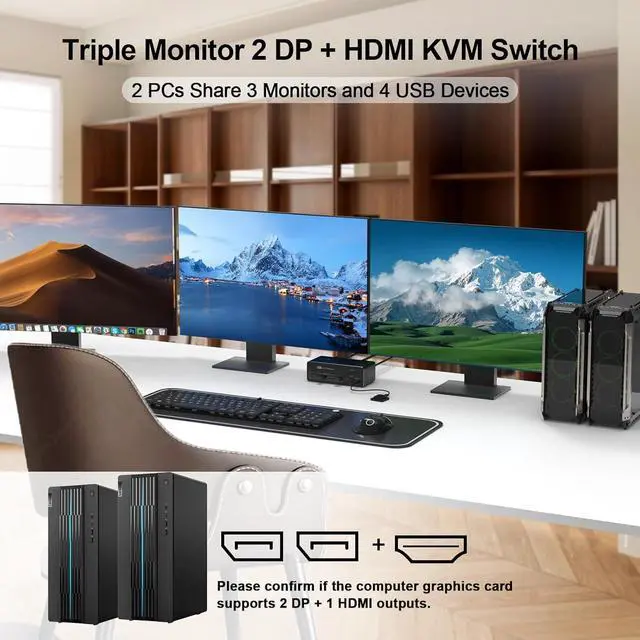
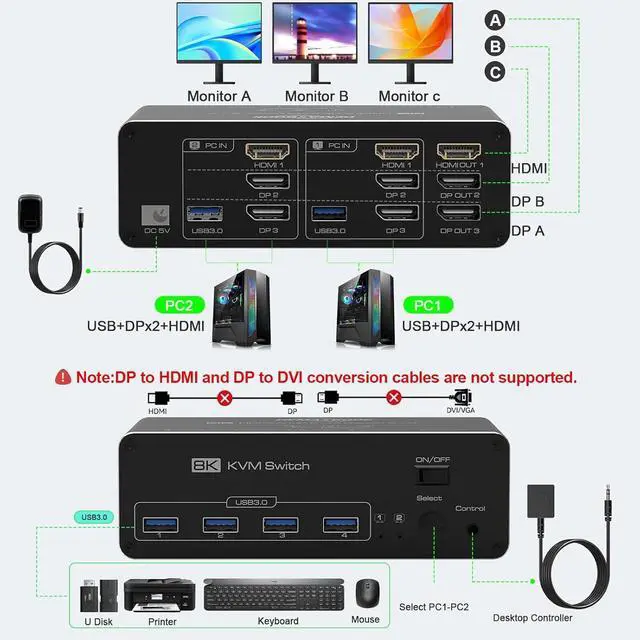
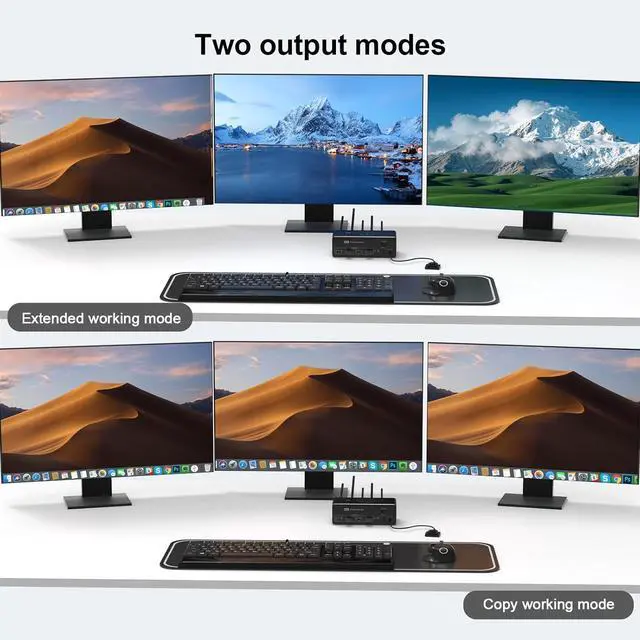
    • Triple Monitor KVM Switch for 2 ComputersThe DEMEXBOOK KVM Switch allows you to control 2 computers using one keyboard, mouse, and 3 monitors. Supports extended and duplicate display modes. Note: Each computer must have 2 DP ports and 1 HDMI port for compatibility. Perfect for multitasking, gaming, and productivity.
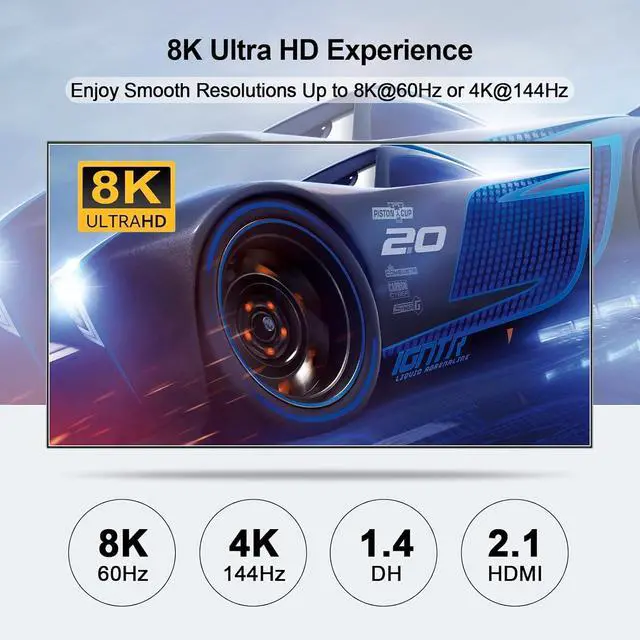
    • 8K and 4K Ultra HD VisualsTriple monitor KVM switch supports up to 8K@60Hz and 4K@144Hz resolutions, delivering sharp, high-quality visuals across 3 monitors. Backward compatible with lower resolutions such as 4K@60Hz, 2K@144Hz, and 1080P for a smooth and immersive viewing experience.Warming: Please use HDMI2.1 and DP1.4 cables, if the set distance allows,the length of cabels more short more better.
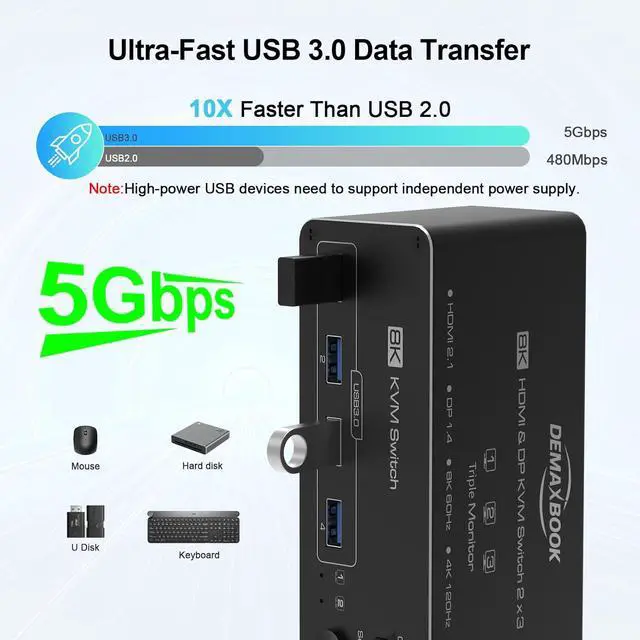
    • USB 3.0 KVM switch 3 MonitorsEquipped with 4 USB 3.0 ports, this Triple monitor HDMI+2 Displayport KVM switch supports ultra-fast data transfer speeds of up to 5Gbps, 10 times faster than USB 2.0. Share USB peripherals like keyboards, mice, printers, and external drives
    +
    +
    Overview
    Reviews
    avatar

    Any questions? Our AI beta will help you find out quickly.

    1Correct Connection2Connection Ports Display3Wide Compatibility1USB 3.0 High Speed2Extended & Mirroe Mode3Easy Switching How do I switch between two computers using the DEMEXBOOK Triple Monitor KVM Switch?
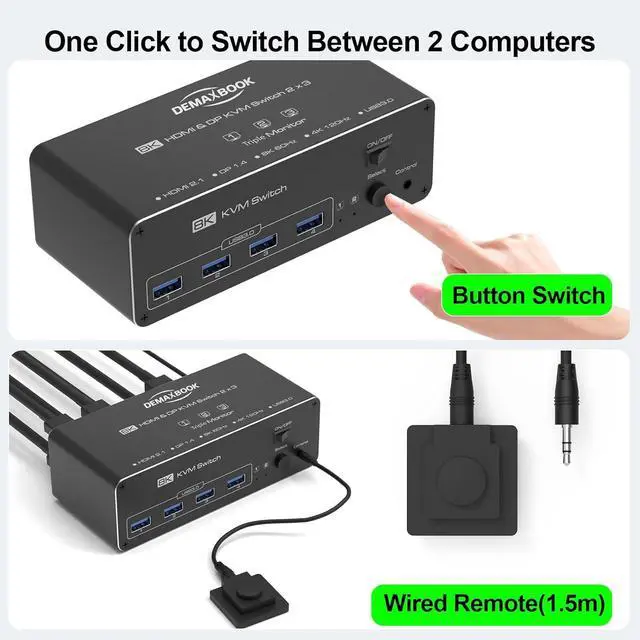
    You can switch between two computers by using the panel button on the device or the included wired remote controller. Simply press the button or remote to toggle between the two connected systems. Note: hotkey switching is not supported.

    Can I use this KVM switch with two monitors?
    This KVM switch is designed for three monitors. It can work with fewer monitors in duplicate mode, but for full functionality, three monitors are recommended.

    Is this KVM switch compatible with HDMI and DisplayPort monitors?
    Yes, it supports one HDMI and two DisplayPort monitors. Your computer needs 2 DisplayPort and 1 HDMI port for full compatibility.

    Does it work with Mac OS and Linux?
    Yes, it is fully compatible with Windows, Mac OS, Linux, and Chrome OS.

    Can I share USB devices with this KVM switch?
    Yes, the switch has 4 USB 3.0 ports to share devices like keyboards, mice, printers, and external drives between two computers.

    How do I switch between two computers using the DEMEXBOOK Triple Monitor KVM Switch?
    Can I use this KVM switch with two monitors?
    Is this KVM switch compatible with HDMI and DisplayPort monitors?
    Does it work with Mac OS and Linux?
    Can I share USB devices with this KVM switch?

    Warranty & Returns

    Warranty, Returns, And Additional Information

    Warranty

    • Please contact the Seller directly for warranty information. Warranty information may also be found on the Manufacturer's website.
    • CONTACT

    Return Policies

    Manufacturer Contact Info

    LOADING...