shipping Holiday Shipping Details & Extended Holiday Returns
  • $179.99
  • Free 30-day Returns
  • Price alert
    Shop it at NeweggBusiness.

    Meet Your Seller

    Automatic Pop Up Countertop Outlet with 15W Wireless Charger,4 Outlets,2 USB Ports,4.75" Pop Up Electrical Outlet,Home Office Power Supply,Suit Kitchen Island RV Office Conference Table

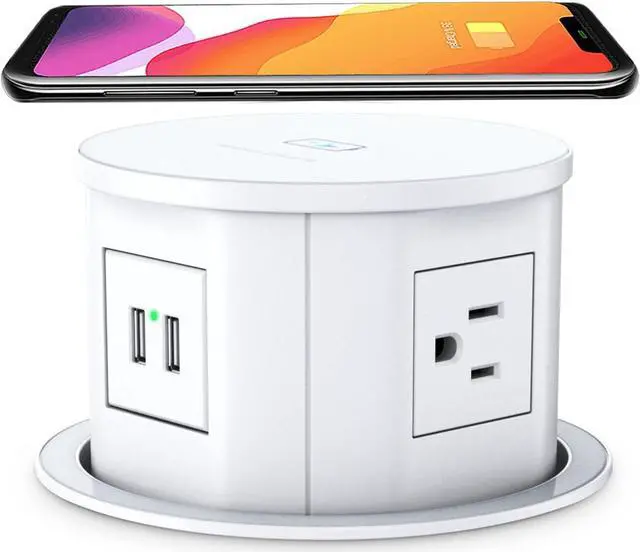
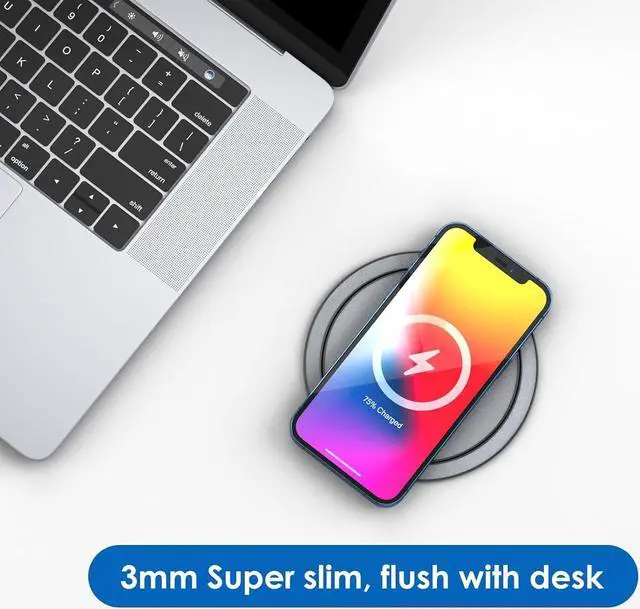
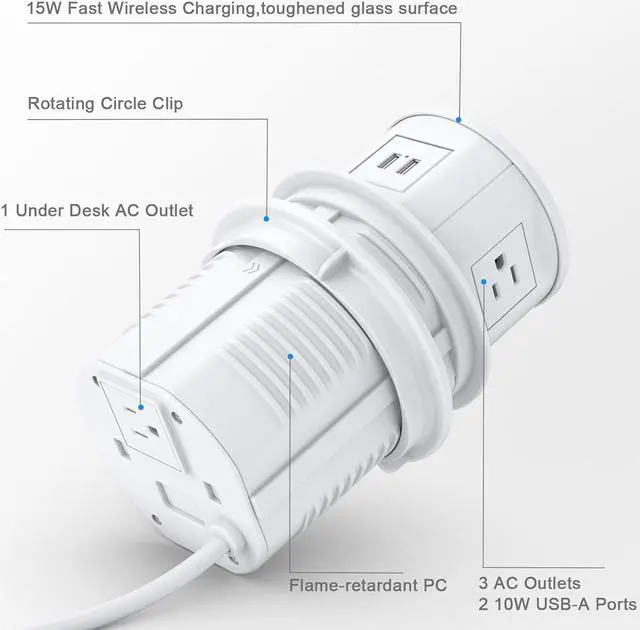
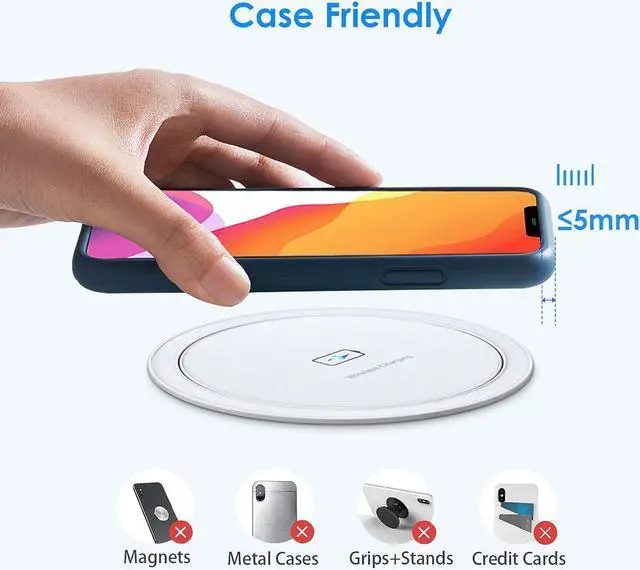
    • 15W Qi-compatible wireless charger on the top of pop up socket. Place your phone on it and charge when it's flat, or pop it up for more power options.
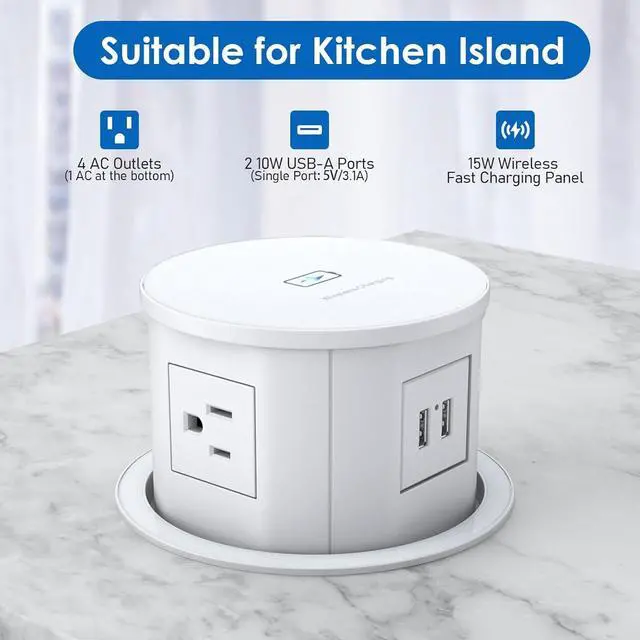
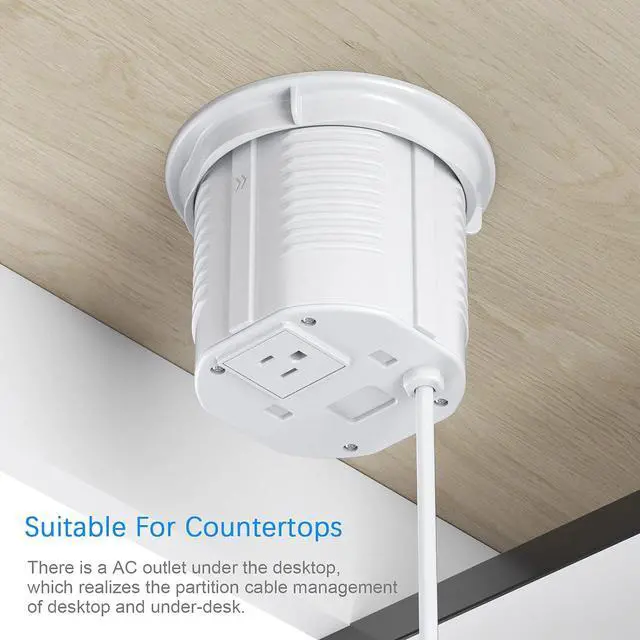
    • 3 wide-spaced AC plugs, 2 10W USB-A ports, and 1 under-desk AC plug for convenient under desk power supply. Output: 125V/15A/1500W, USB port: 5V/2.1A, 6FT 16AWG/3C extension cord.
    • The built-in spring-loaded retractable design allows this pop up power outlet for automatic rising with a simple press. Set up for desk hole, nightstand, kitchen island, granite countertop, conference table, RV table and any other places where you need electric access.
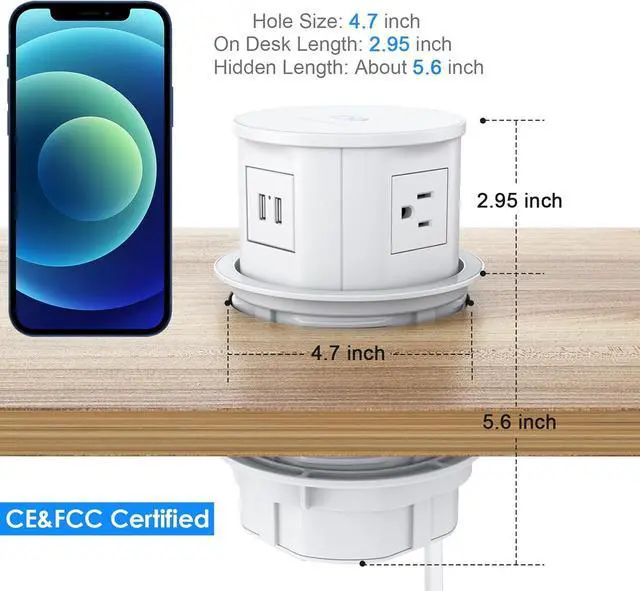
    • When the pop up outlet for countertop is concealed, it will sink to 6 inches under desk. Your table won't be clutter-free. You won't bend down looking for outlets on the ground. Keep your living and working area tidy and clean. 4 side of this pop up countertop outlet for your to plug in different angles.
    • Cut a 4.75-inch hole, slide the countertop pop up outlet body into it, tighten the ring.
    +
    +
    Overview
    Specs
    Reviews
    avatar

    Any questions? Our AI beta will help you find out quickly.

    Specification
    Wireless Charging Output 15W
    4 AC Outlet Output 125V, 12A, 1500W
    2 USB-A Port Output 5V/ 3.1A
    Power Cord 6FT 16AWG SJT Cord

    Pop Up Outlet for Quartz Installation Steps

    Step 1
    Before installing, make sure that there's a 6" depth under the desk, mark the position and cut out the hole for 120mm/4-3/4.

    Step 2
    Take off the lock ring, Install the pop up outlet into the hole and DO place the cable straight up and don't be coiled and trapped.

    Step 3
    Tighten up the lock ring clockwisely between socket and countertop.

    Step 4
    Press down on the pop up surface to pop it up or hide.

    Warranty & Returns

    Warranty, Returns, And Additional Information

    Warranty

    • Please contact the Seller directly for warranty information. Warranty information may also be found on the Manufacturer's website.
    • CONTACT

    Return Policies

    Manufacturer Contact Info

    LOADING...