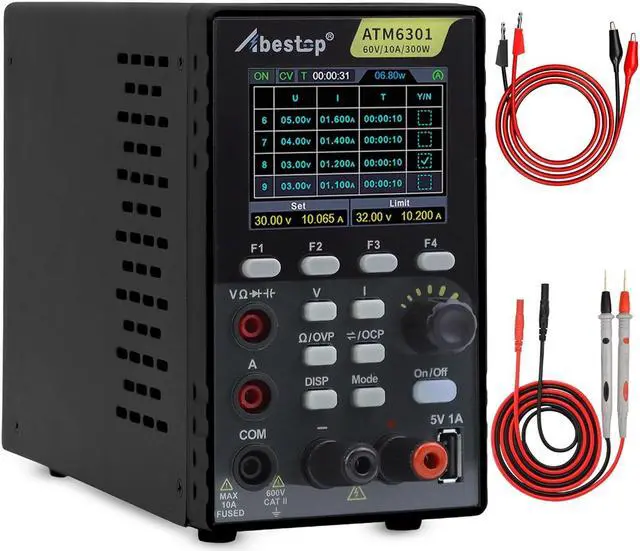
DC power supply+multimeter
Small body for easy carry
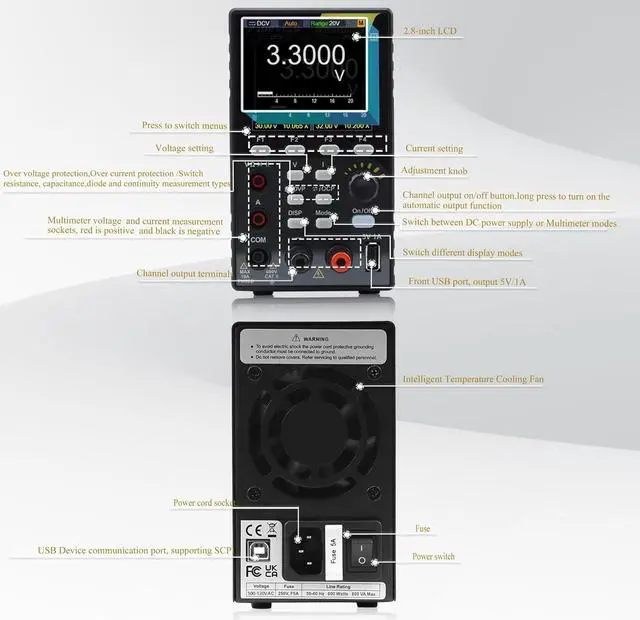
USB communication interface, support SCPl
2.8 inch LCD Display
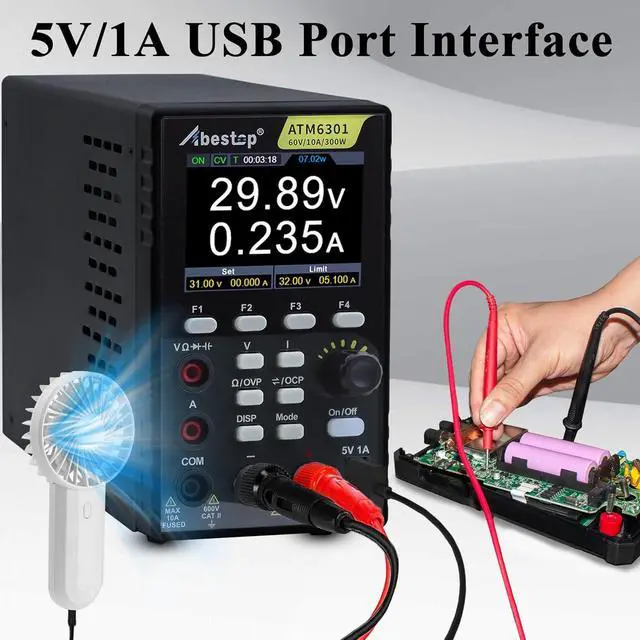
Interface: USB Device, USB Host (5V/1A)
Working Temperature: 0 - 40
Power Supply Specifications: + 300w output power + High resolution: 10mV / 1mA + List waveform editing output, editable 10 groups of timing output function + Over voltage / over current protection + Output voltage and current curve monitoring function
Multimeter Specfications: + 4 1/2 digits multimeter + Support Voltage, Current, Capacitance, Resistance, Continuity and Diode test
4 1/2Digits Multimeter
Auto Range
Support Voltage, Current, Capacitance, Resistance, Continuity and Diode test
Capacitance: 20.000nF, 200.00nF, 2.0000uF, 20.000uF, 200.00uF, 2.0000mF: ±(3.0%±10digit)
Voltage: DCV: 200.00mV: ±(0.3%±10digit), 2.0000V, 20.000V, 200.00V, 1000V: ±(0.3%±5digit)ACV: 200.00mV, 2.0000V, 20.000V, 200.00V: ±(0.8%±10digit)750V: ±(1%±10digit)
Current: DCA: 200.00mA:±(0.8%±10digit), 10.000A: ±(2.5%±10digit)ACA: 200.00mA:±(1%±10digit), 10.000A: ±(2.8%±10digit)
Impedance: 200.00, 2.0000k, 20.000k, 200.00k, 2.0000M: ±(0.8%±10digit), 20.000M: ±(1%±3digit)100M: ±(5%±10digit)
CV: Constant Voltage Output
CC: Constant Current Output
CV/CC intelligent switchingmode, effectively protect the circuit.
When the actual current exceeds the preset current value, the power supply automatically switches to CC mode to protect the circuit.
How to edit the F1-F4 parameters:
Press any F1-F4 key
Press F1
Turn the knob to move the selection
Press the V / I / /OVP / /OCP button to set the value.
Turn the knob to change the value of the current cursor, press the knob or press the V / I / /OVP / /OCP key to move the cursor.
More details on page 12/13 of the manual
List waveform editing
Press any button of F1-F4 ;
Press F2 button to enter interface of editing List waveform;
Rotate the knob under non-parameter setting state to move;
Press V / I / /OVP / /OCP buttons to set parameter;
Turn the knob under the parameter setting state to change the present value of cursor, and press the knob or V / I / /OVP / /OCP buttons to move the cursor position; press the F2 button to exit parameter setting state;
Press the knob for 3s under non-parameter setting state for confirmation. After entering the List waveform output mode, List n (n=1~10) will appear at the upper right corner of the screen; switch back to the main interface at the same time
Press any button of F1-F4 and the power supply sub-menu will be displayed at bottom of the screen; press F2 button to exit interface of editing List waveform.
More details on page 14/15 of the manual
Small body and easy to carry.
It can automatically turned on intelligent for heat dissipation to protect the devise.
You can charge your devices at work, such as: telephone, fan, earphones, watch.
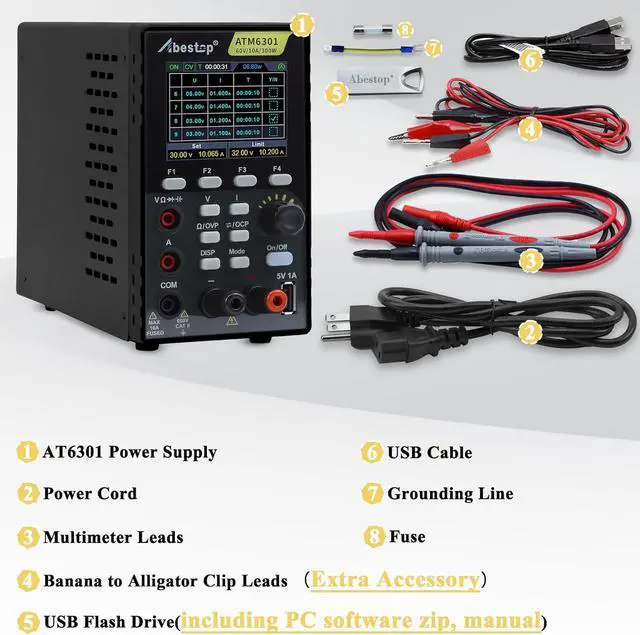
AC Input Voltage100~120V AC2 in 1 FunctionDC Power Supply + MultimeterPower Supply SpecficationsPower SupplySpecficationsOutput Voltage0-60VOutput Current0-10AOutput Power300WResponse Time1.0msWorking Temperature0 - 40 Storage4 groups of dataList waveform editing outputEditable 10 groups of timing outputMultimeter SpecificationsMultimeter SpecificationsFull Scale Reading4½ digitsAuto Range MeasureVoltage, Current, Capacitance, Resistance, ContinueDiode(0-2V) testDisplay2.8 inch color LCD displayInterfaceUSB Device, USB Host (5V/1A) 2 in 1 DC Power supply+ Multimeter, making your work more convenient Multimeter Function Multimeter Specfications Multiple settings to protect your circuit CV/CC Supports 4 groups of memory shortcut parameters for quick output Support list waveform editing output,editable 10 groups of timing output. Compact Size & Lightweight Intelligent Cooling Fan USB 5V/1A Charging Port Applications ATM6301 Pa