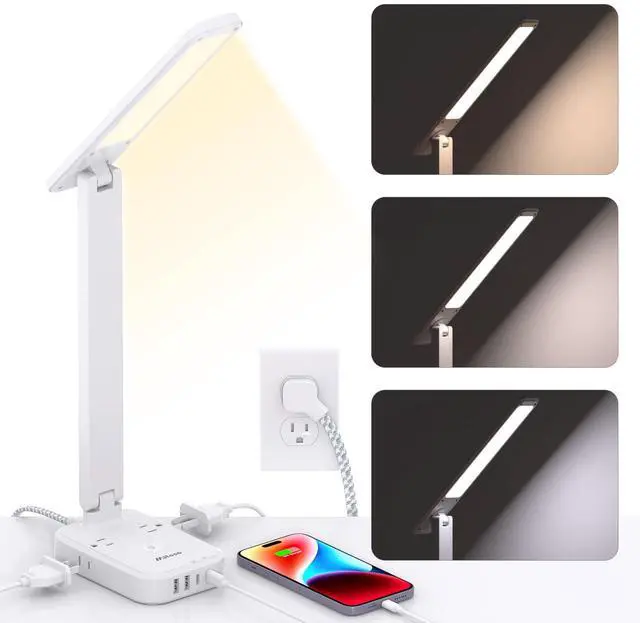
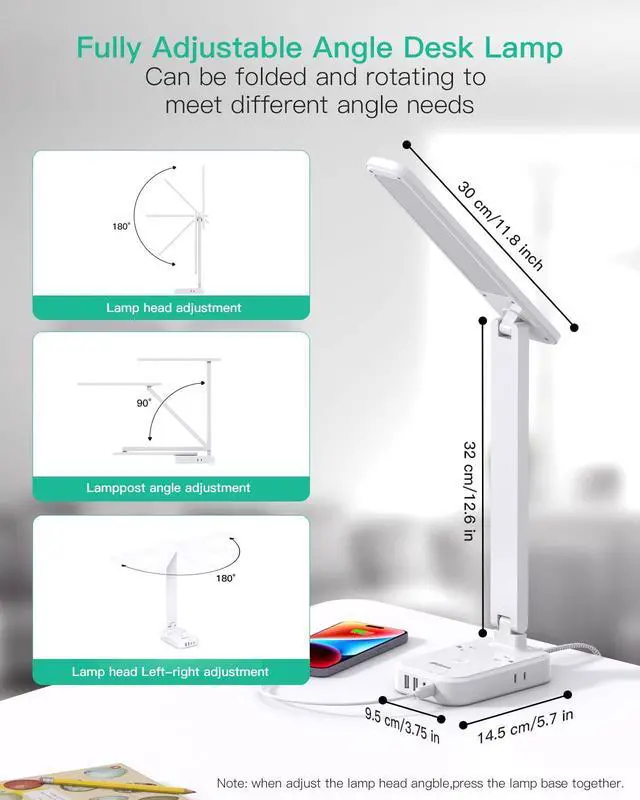
Power Strip with LED Desk Lamp, PD 30W Touch Desk Lamps, 4 Outlets 4 USB Ports(2 USB C) Small Desk Lamp 5FT Extension Cord Table Lamp for Home Office College Dorm Room Essentials Bedroom Bedside Study
Limited time offer, ends 05/07 By YingLiYingMeiKeJi
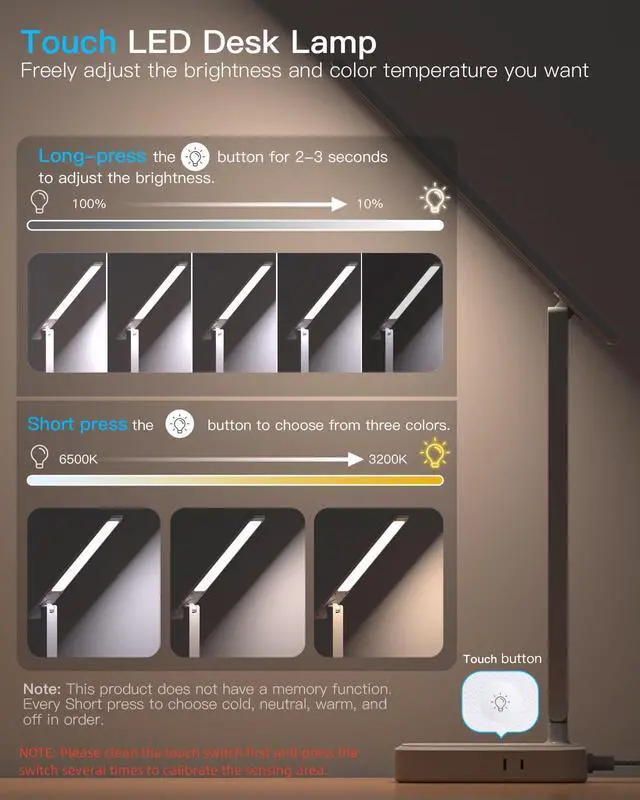
Touch LED Desk Lamp Press the Light" button to choose the light color. There are 3 colors to choose from, enabling you to customize the light to your preference. Long-press the "Light" button for two to three seconds to adjust the brightness of any color mode. In a certain light color, such as a cold color, long-press and hold the "light" button to adjust the brightness. If you want to lower the brightness, press and hold the button again. Note: This product does not have a memory function. Each short press cycles through cold, neutral, warm, and off.
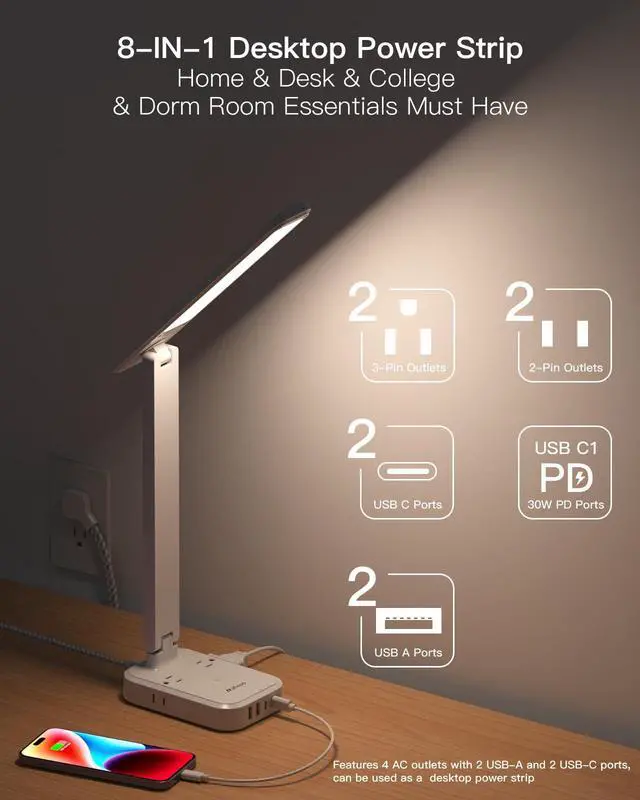
Desktop Power Strip with USB Ports This compact desk lamp is equipped with 2 USB-C ports, 2 USB-A ports, 2 3-prong AC outlets, and 2 2-prong AC outlets, allowing you to charge your phone, tablet, Kindle, watch, humidifier, and other electronic devices whether the lamp is on or off. It occupies minimal space and fits nicely on any desk, workbench, sewing table, bedside nightstand, nail station, and more.
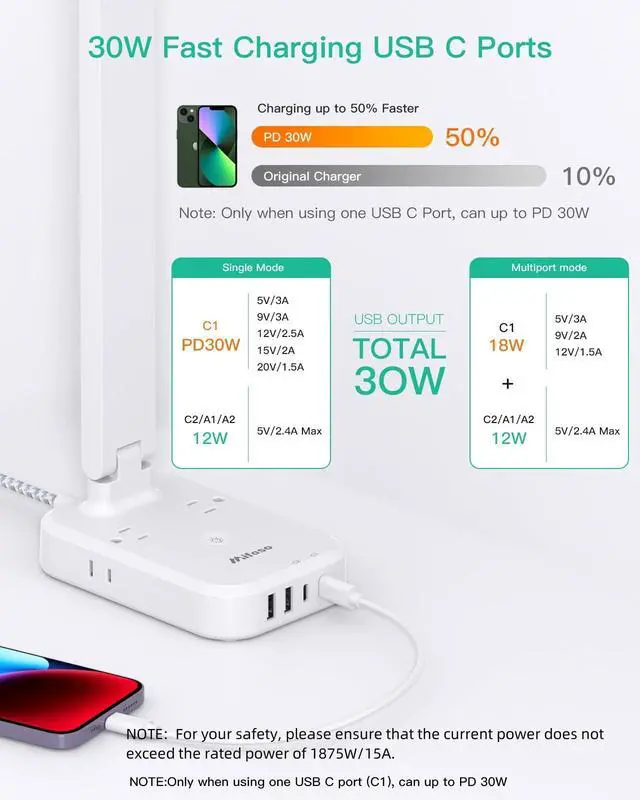
30W USB C PD Charger The 30W USB C Charging Station for Multiple Devices features Power Delivery for fast charging of phones, tablets, and even some laptops. It can deliver up to 5V/3A; 9V/3A; 12V/2.5A; 15V/2A; 20V/1.5A, charging devices up to 50% faster. The fast charging station connects the MacBook Air to the 30W USB-C1 port for full-speed charging. Note: Clean the touch switch first, then press it several times to calibrate the sensing area. If the switch does not operate properly, turn off the power
+
+
Specs
Reviews
Any questions? Our AI beta will help you find out quickly.
Try me now
Learn more about the Detailed Specifications
Additional Information
First Listed on Newegg
March 07, 2026
There are no reviews yet.
Do you own this product?
Warranty & Returns
Warranty, Returns, And Additional Information
Warranty
Please contact the Seller directly for warranty information. Warranty information may also be found on the Manufacturer's website.