




BD&M RCA to HDMI Converter, 1080P RCA Composite CVBS AV to HDMI Video Audio Converter for PS2 Wii Xbox VHS VCR Camera DVD Players

BD&M RCA to HDMI Converter
Why Choose BD&M RCA to HDMI Converter
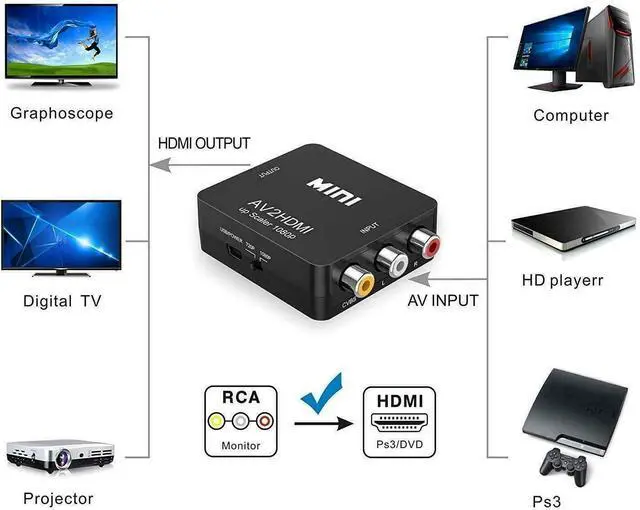
- Converter RCA signals into HDMI signals so you can watch your video on your HD Smart TV.
- No driver needed, just plug and play.
- Play your video consoles with your newer TV,then you got back to live your memories again.
- Allows you to view your favorite VHS tapes and preserve memories.
- Converter RCA signals into HDMI signals on your Smart HDTV/HDMI Monitor.
- No matter how old your composite device is, we can convert it to show on HDMI Screen, then you will get joy and happiness.
- Display the elder games(N64, Wii, PS2 etc) on your newer HDTV/HDMI Monitor, then you got back to living like a kid again.
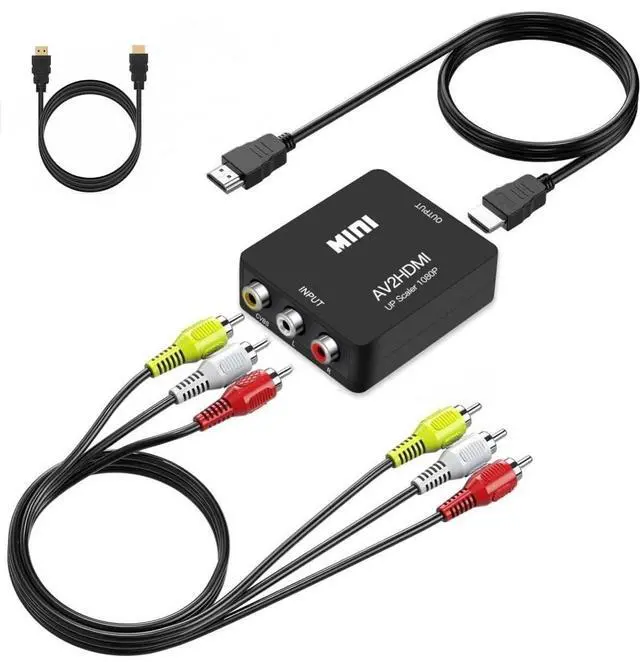
- Package content: 1xAV to HDMI Converter 1xHDMI Cable 1x RCA Cable 1xUSB Cable (Power Adapter NOT included) 1xUser Manual
User Instruction:
Step 1: Connect Your RCA Source Device
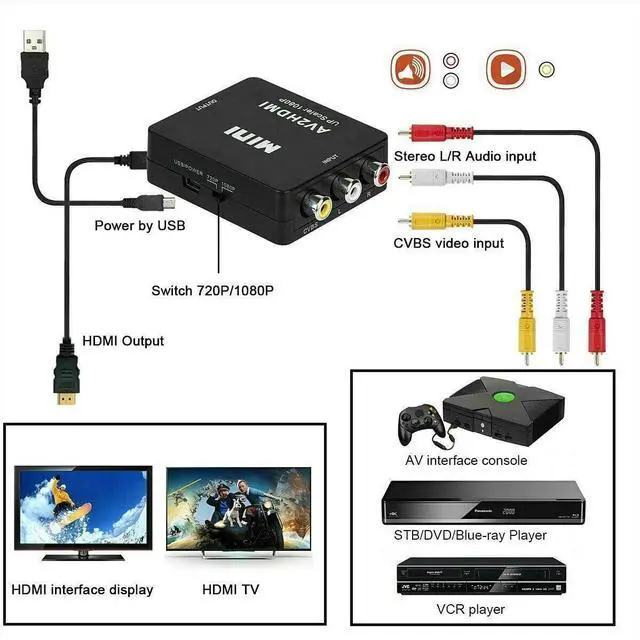
•? ?Plug the yellow (video), white (left audio), and red (right audio) cables into the AV IN ports on the converter.
•? ?Connect the other ends to your RCA device (e.g. VCR, DVD player, retro game console).
Step 2: Connect to Your HDMI TV
•? ?Plug an HDMI cable into the HDMI OUT port on the converter.
•? ?Connect the other end to your TV’s HDMI input port.
Step 3: Power the Converter
•? ?Use the included USB cable to power the converter:
- Plug it into a TV USB port or a USB wall adapter (5V recommended).
- A small LED light will turn on when powered.
Step 4: Select the Correct TV Input
•? ?Use your TV remote to select the HDMI input you connected to.
•? ?You should now see and hear the output from your RCA device.
BD&M AV to HDMI Adapter

Troubleshooting Tips
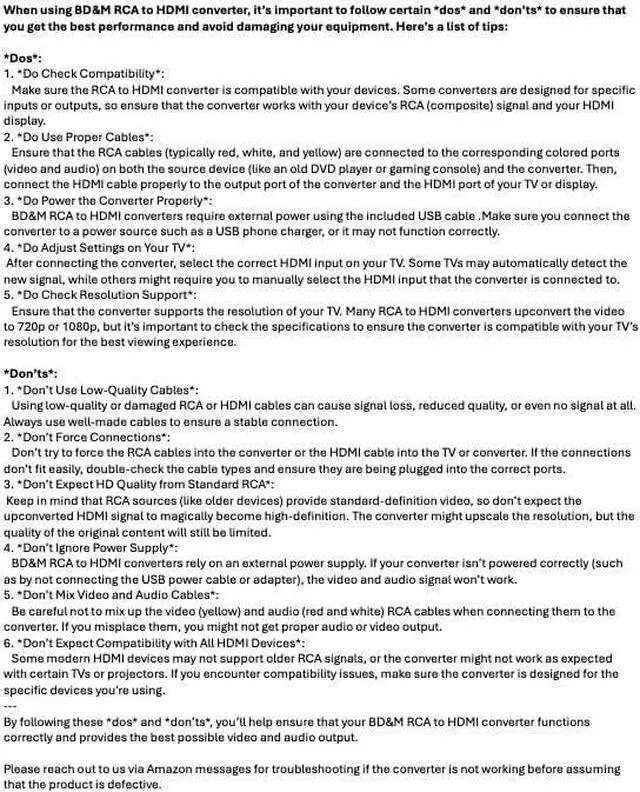
1.? ?Power Required:
- Make sure the converter is connected to a USB power source (5V). It will not work without power.
2.? ?Source Device Must Be Active:
- The converter only works when the source device is powered on and sending signal.
3.? ?Signal Format Compatibility:
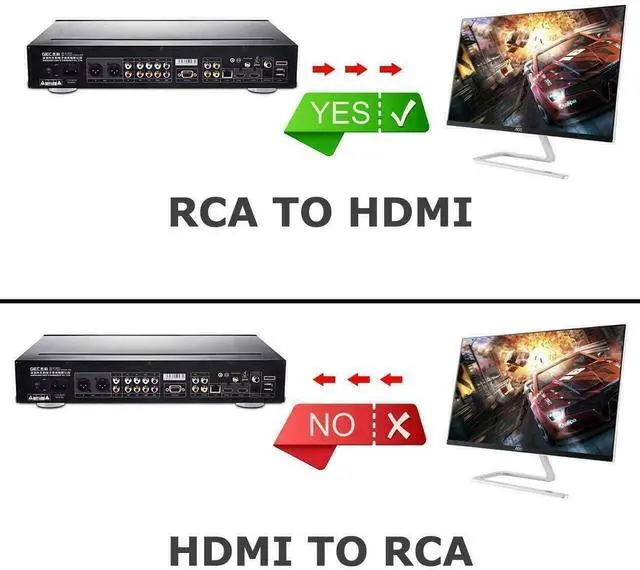
- Works only for RCA to HDMI (not HDMI to RCA).
4.? ?TV Settings:
- Set your TV to the correct HDMI input.
- If image is stretched, try changing the aspect ratio to 4:3 in TV settings.
| Problem | Solution |
| No video | Check yellow RCA cable is fully plugged in & source is playing |
| Only audio | Ensure video cable is connected to the yellow port |
| No signal | Try toggling 720p/1080p switch; verify correct HDMI input on TV |
| Flickering | Use stable 5V power source; avoid power from unstable USB ports |

Plug & Play
- No need to install drivers, portable, flexible, plug-and-play.
- Easy to use and convenient, giving users the most relaxed using experience

Smart Switch (Support 1080P or 720P Output)
- Allow you to choose the desired output resolution between 720p and 1080p for compatibility with your TV.
- When the button is in the pop-up state, the resolution is 720P, when you press it, it will change to 1080P resolution.

USB Power Supply
- Please connect the power cable(included) with 5V power source to make the Adapter work.
- Package included:1*RCA to HDMI Converter 1* HDMI Cable 1* RCA Cable 1*USB power cable (Power Adapter NOT included),1*User Manual.
BD&M RCA to HDMI Converter, 1080P RCA Composite CVBS AV to HDMI Video Audio Converter for PS2 Wii Xbox VHS VCR Camera DVD Players
BD&M RCA to HDMI Converter
Why Choose BD&M RCA to HDMI Converter
- Converter RCA signals into HDMI signals so you can watch your video on your HD Smart TV.
- No driver needed, just plug and play.
- Play your video consoles with your newer TV,then you got back to live your memories again.
- Allows you to view your favorite VHS tapes and preserve memories.
- Converter RCA signals into HDMI signals on your Smart HDTV/HDMI Monitor.
- No matter how old your composite device is, we can convert it to show on HDMI Screen, then you will get joy and happiness.
- Display the elder games(N64, Wii, PS2 etc) on your newer HDTV/HDMI Monitor, then you got back to living like a kid again.
- Package content: 1xAV to HDMI Converter 1xHDMI Cable 1x RCA Cable 1xUSB Cable (Power Adapter NOT included) 1xUser Manual
User Instruction:
Step 1: Connect Your RCA Source Device
•? ?Plug the yellow (video), white (left audio), and red (right audio) cables into the AV IN ports on the converter.
•? ?Connect the other ends to your RCA device (e.g. VCR, DVD player, retro game console).
Step 2: Connect to Your HDMI TV
•? ?Plug an HDMI cable into the HDMI OUT port on the converter.
•? ?Connect the other end to your TV’s HDMI input port.
Step 3: Power the Converter
•? ?Use the included USB cable to power the converter:
- Plug it into a TV USB port or a USB wall adapter (5V recommended).
- A small LED light will turn on when powered.
Step 4: Select the Correct TV Input
•? ?Use your TV remote to select the HDMI input you connected to.
•? ?You should now see and hear the output from your RCA device.
BD&M AV to HDMI Adapter
Troubleshooting Tips
1.? ?Power Required:
- Make sure the converter is connected to a USB power source (5V). It will not work without power.
2.? ?Source Device Must Be Active:
- The converter only works when the source device is powered on and sending signal.
3.? ?Signal Format Compatibility:
- Works only for RCA to HDMI (not HDMI to RCA).
4.? ?TV Settings:
- Set your TV to the correct HDMI input.
- If image is stretched, try changing the aspect ratio to 4:3 in TV settings.
| Problem | Solution |
| No video | Check yellow RCA cable is fully plugged in & source is playing |
| Only audio | Ensure video cable is connected to the yellow port |
| No signal | Try toggling 720p/1080p switch; verify correct HDMI input on TV |
| Flickering | Use stable 5V power source; avoid power from unstable USB ports |
Plug & Play
- No need to install drivers, portable, flexible, plug-and-play.
- Easy to use and convenient, giving users the most relaxed using experience
Smart Switch (Support 1080P or 720P Output)
- Allow you to choose the desired output resolution between 720p and 1080p for compatibility with your TV.
- When the button is in the pop-up state, the resolution is 720P, when you press it, it will change to 1080P resolution.
USB Power Supply
- Please connect the power cable(included) with 5V power source to make the Adapter work.
- Package included:1*RCA to HDMI Converter 1* HDMI Cable 1* RCA Cable 1*USB power cable (Power Adapter NOT included),1*User Manual.