




Description:
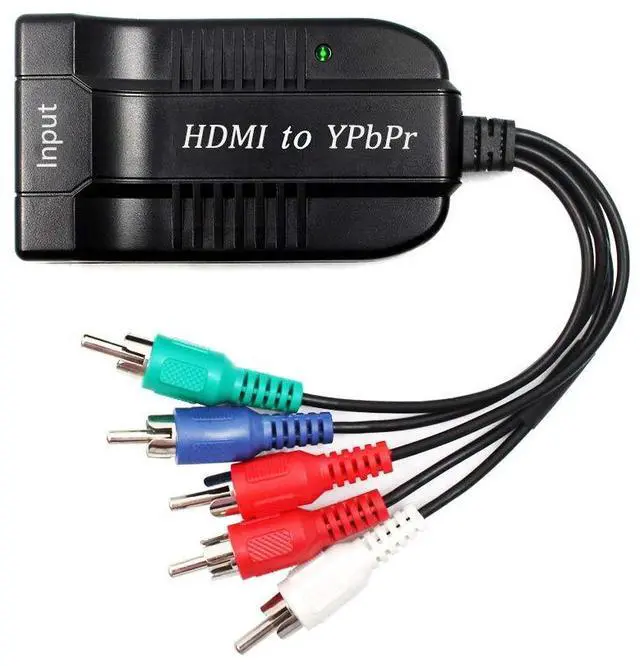
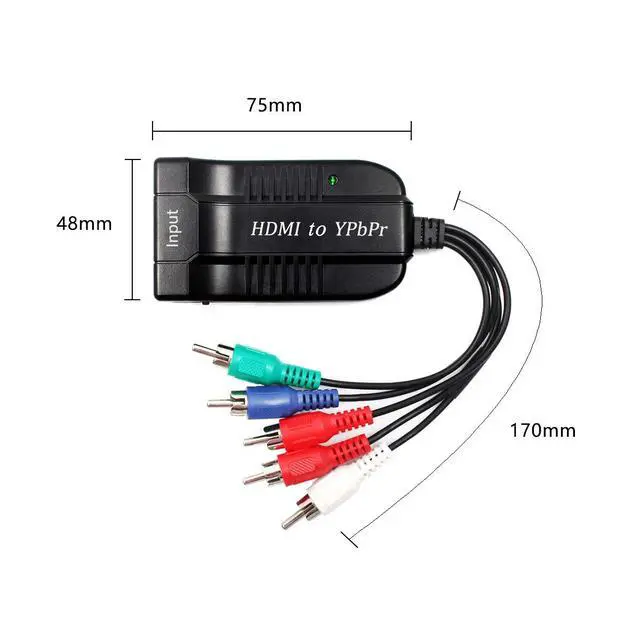
This HDMI to Component converter with scaler is designed to help user easily convert digital HDMI signal to component RGB video with R/L audio, allowing the viewing of digital video to be presented on a RGB display via standard component video cable. The device also comes with a scaler with both up-scaling and down-scaling function that will allow you to adjust the output signal to a resolution that is compatible with your RGB display.

Connection and Installation
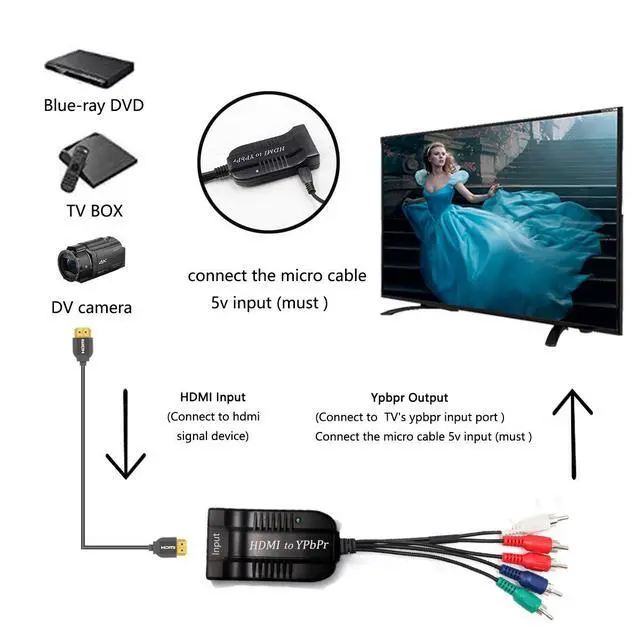
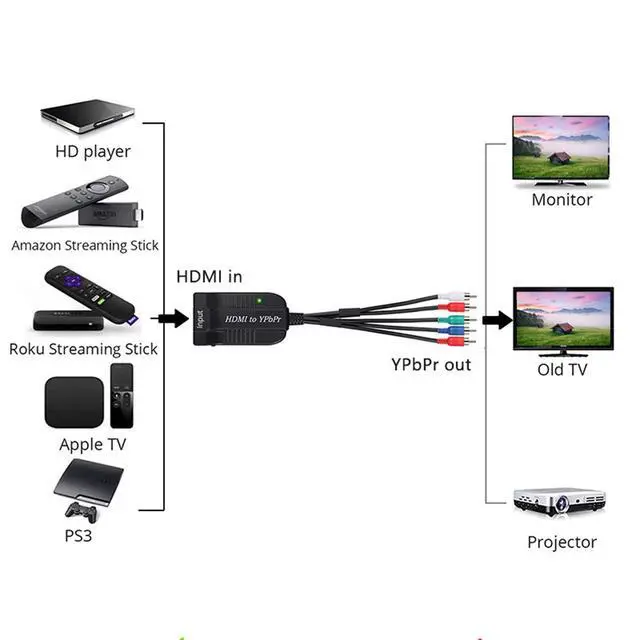
1.Connect a source such as a Blu-Ray Player , Satellite Receiver to the Converter HDMI input.
2.Connect a display such as a HDTV to the YPbPr output on the Converter.
3.Connect the audio out to the TV or audio amplifier by RCA cable.
4.Power on the device and display.
Failure Check: (You can check if the following operations are correct)
Please NOTE that the product must be properly connected before use.
*1.The signal source must support "HDMI" output.
*2.The five ports of the converter must be connected correctly.
*3.The TV needs to select the "Ypbpr" input.
*4.Please check if the product is connected to power.
*5.Please check if the product switch is turned on.
*6.The resolution should be set to 1080P. (4K is not supported, no signal is displayed)
*7.Please try to replug the power.
Features:

Port:
*1. Product Type: HDMI to YPbPr + R/ L Converter.
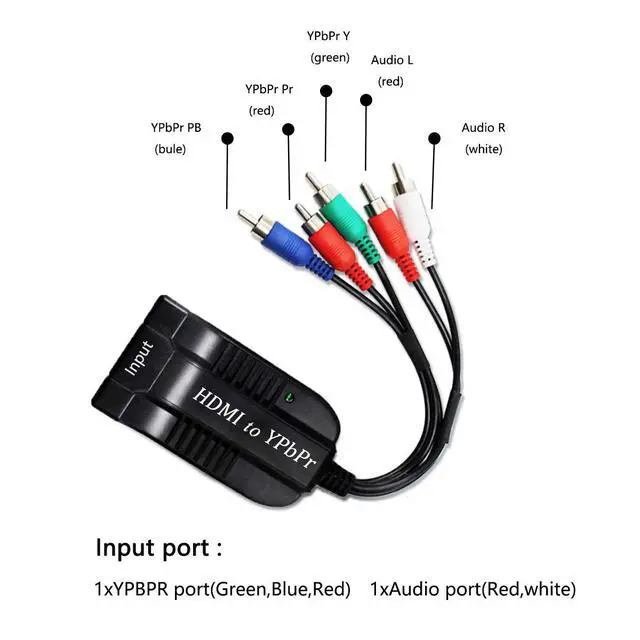
*2. Interface Type: HDMI Input YPbPr + R/ L Output

HD resolution:
*1. HDMI Input Resolutions: 480i/576i/480p/576p/720p/1080i/1080P
*2. Component Output Resolutions(switch the resolution button): 480p(60Hz), 576p(50hz), 720p(50/60Hz), 1080p(50/60Hz)
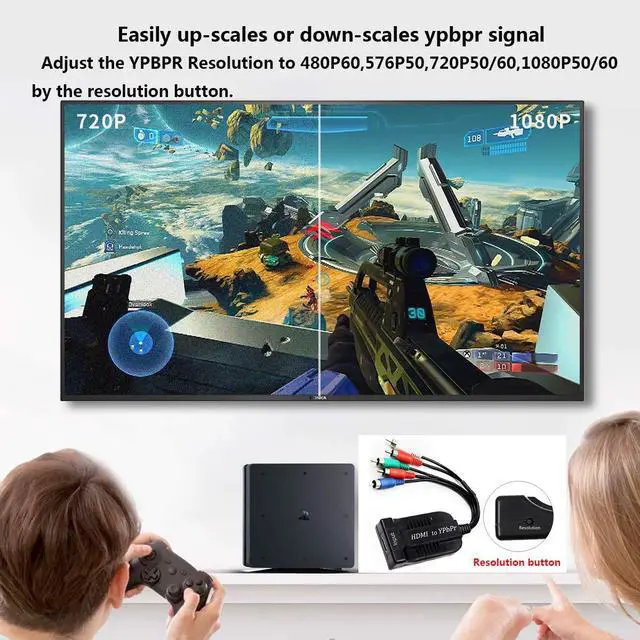
*3.Easily up-scales or down-scales ypbpr signal by the resolution button

Please note:
*1. The connector of video & audio signal must be correctly connected. Video: green connects to green(Y), blue connects to blue(Pb), red connects to red(Pr). Audio: white connects to white, red connects to red. Otherwise it will cause the screen to be abnormal.
*2. This converter can not support 4k HDMI signal input.
*3. This item is an HDMI to Component Converter, can not be reverse used.

Package contents:
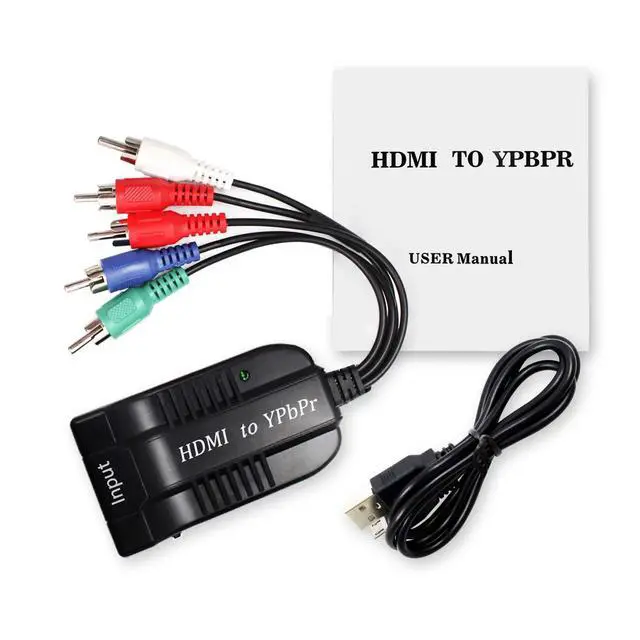
*1 x HDMI to Component Converter
*1 x micro cable
Description:
This HDMI to Component converter with scaler is designed to help user easily convert digital HDMI signal to component RGB video with R/L audio, allowing the viewing of digital video to be presented on a RGB display via standard component video cable. The device also comes with a scaler with both up-scaling and down-scaling function that will allow you to adjust the output signal to a resolution that is compatible with your RGB display.
Connection and Installation
1.Connect a source such as a Blu-Ray Player , Satellite Receiver to the Converter HDMI input.
2.Connect a display such as a HDTV to the YPbPr output on the Converter.
3.Connect the audio out to the TV or audio amplifier by RCA cable.
4.Power on the device and display.
Failure Check: (You can check if the following operations are correct)
Please NOTE that the product must be properly connected before use.
*1.The signal source must support "HDMI" output.
*2.The five ports of the converter must be connected correctly.
*3.The TV needs to select the "Ypbpr" input.
*4.Please check if the product is connected to power.
*5.Please check if the product switch is turned on.
*6.The resolution should be set to 1080P. (4K is not supported, no signal is displayed)
*7.Please try to replug the power.
Features:
Port:
*1. Product Type: HDMI to YPbPr + R/ L Converter.
*2. Interface Type: HDMI Input YPbPr + R/ L Output
HD resolution:
*1. HDMI Input Resolutions: 480i/576i/480p/576p/720p/1080i/1080P
*2. Component Output Resolutions(switch the resolution button): 480p(60Hz), 576p(50hz), 720p(50/60Hz), 1080p(50/60Hz)
*3.Easily up-scales or down-scales ypbpr signal by the resolution button
Please note:
*1. The connector of video & audio signal must be correctly connected. Video: green connects to green(Y), blue connects to blue(Pb), red connects to red(Pr). Audio: white connects to white, red connects to red. Otherwise it will cause the screen to be abnormal.
*2. This converter can not support 4k HDMI signal input.
*3. This item is an HDMI to Component Converter, can not be reverse used.
Package contents:
*1 x HDMI to Component Converter
*1 x micro cable