


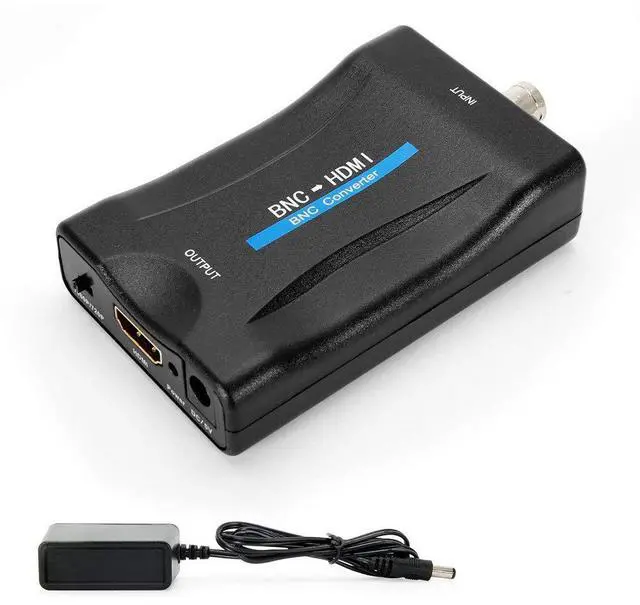


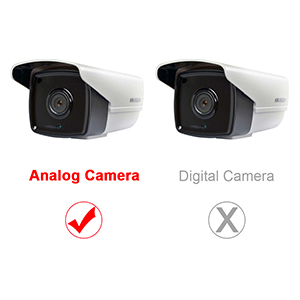
Only for Analog Camera
The BNC to HDMI converter is designed only for analog camera. Before you place a order, please make it clear that your camera is not digital. If you have a digital camera, the adapter can not fit your device because it can only convert analog signal to digital signal. Please kindly note.
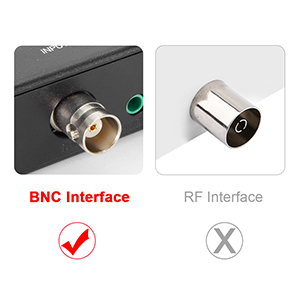
With BNC Interface
What is BNC? The BNC (Bayonet Neill–Concelman) connector is a miniature quick connect/disconnect radio frequency connector used for coaxial cable. It is different with cable TV's interface, which means that you can not use this adapter to convert cable TV signal.
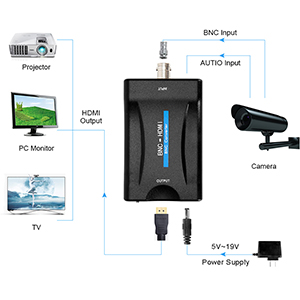
Monitor with HDMI Mode
You could use PC monitor, HDTV, or projector as a monitor. When you connect them, please remember to adjust your device to HDMI mode. Otherwise, the screen will show nothing excpet blue or NO SIGNAL.
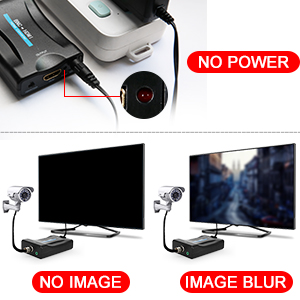
Common Troubleshooting Solution
NO POWER
- Check whether the power plug is correctly inserted into the power socket.
- Check if the power is on.
NO IMAGE
- Make sure the TV is turned on and connected to this unit.
- Whether the input signal source is on and connected well.
- Check the connection status of the system.
IMAGE BLUR
- Reconnect the connection port to prevent poor contact of the socket interface.
- Wire quality (HDMI cable requirements meet the HDMI 1.3 standard).
Only for Analog Camera
The BNC to HDMI converter is designed only for analog camera. Before you place a order, please make it clear that your camera is not digital. If you have a digital camera, the adapter can not fit your device because it can only convert analog signal to digital signal. Please kindly note.
With BNC Interface
What is BNC? The BNC (Bayonet Neill–Concelman) connector is a miniature quick connect/disconnect radio frequency connector used for coaxial cable. It is different with cable TV's interface, which means that you can not use this adapter to convert cable TV signal.
Monitor with HDMI Mode
You could use PC monitor, HDTV, or projector as a monitor. When you connect them, please remember to adjust your device to HDMI mode. Otherwise, the screen will show nothing excpet blue or NO SIGNAL.
Common Troubleshooting Solution
NO POWER
- Check whether the power plug is correctly inserted into the power socket.
- Check if the power is on.
NO IMAGE
- Make sure the TV is turned on and connected to this unit.
- Whether the input signal source is on and connected well.
- Check the connection status of the system.
IMAGE BLUR
- Reconnect the connection port to prevent poor contact of the socket interface.
- Wire quality (HDMI cable requirements meet the HDMI 1.3 standard).