




 here!
here!
I’m your shopping assistant for PC builds, upgrades, and everything tech.
Got questions? Ask away!
Start a conversation
here!
I’m your shopping assistant for PC builds, upgrades, and everything tech.
Got questions? Ask away!
Start a conversation



Any questions? Ask CelesteSM will help you find out quickly.


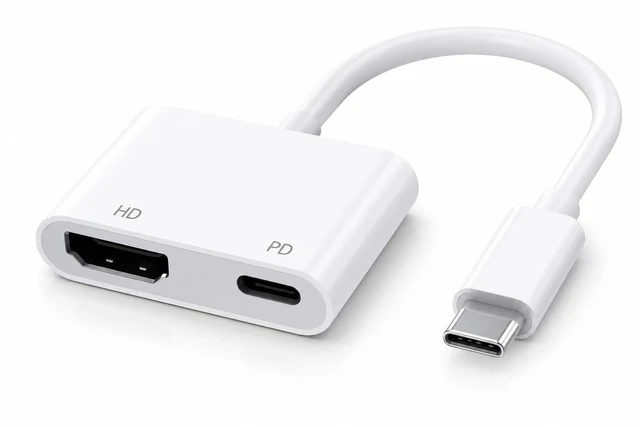
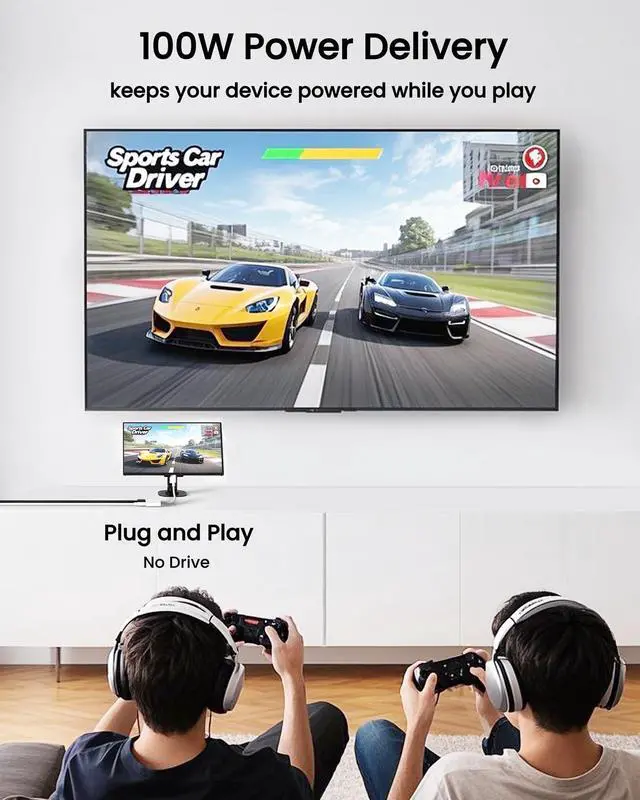
HDTV Adapter for iPhone 15 used high-performance and low-power chip, ensure the picture quality of HDTV output is clearer, without delay or frozen screen, and avoid heating much after long time use.

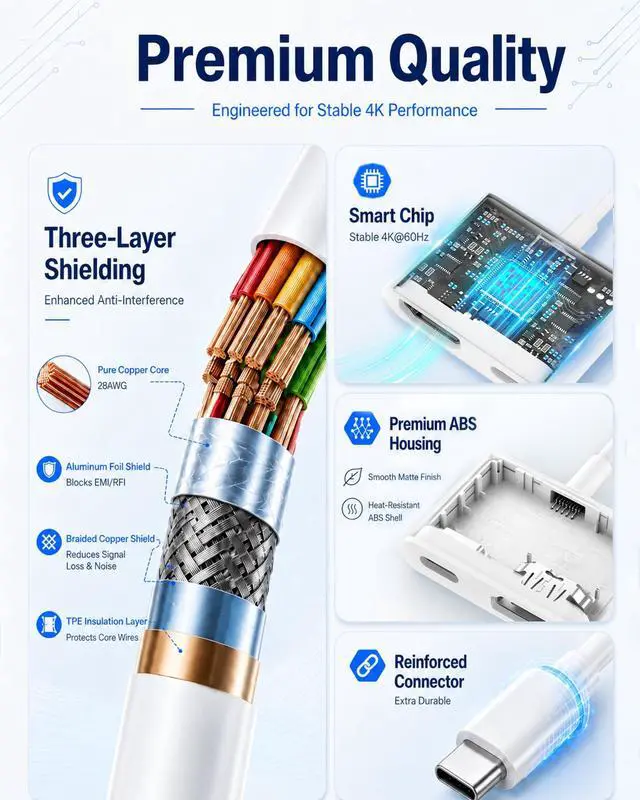
DVI-HDTV Adapters adopt thick tin-plated oxygen-free copper core and three-layer high-density shielding layer to ensure stable signal transmission and safe use.

Hdtv to usb c adapter compatible with thunderbolt3. The plug is nickel-plated, resistant to plugging and unplugging, and has stable transmission. The connector is made of strong material and PVC solid wire, which is durable and not easy to break.

Kind reminder:
This HDTV Adapter works for devices whose USB C port supports DP Alt Mode.
Please refer below compatibility list, if haven't, also can check the data of your USB C devices.
Q: Does it require any software to work?
A: No. The AIRSKY USB-C to HDTV Adapter doesn't require software, app, or driver. Simply connect it to a compatible USB-C device and HDMI display. No Wi-Fi is required for the wired connection. Your USB-C device must support video output.
Q: Does it need charging separately?
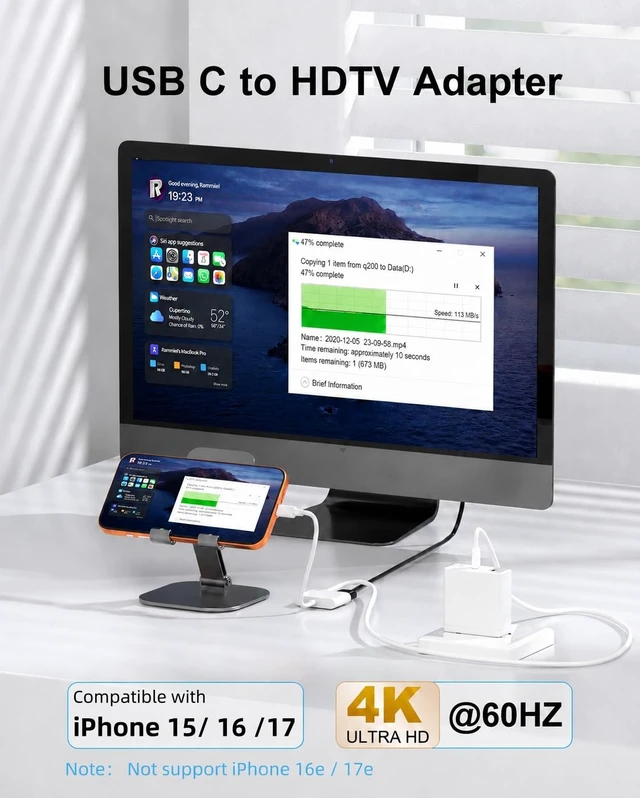
A: No. The AIRSKY USB-C to HDTV Adapter does not need separate charging. It is powered by the connected USB-C device and includes a USB-C PD pass-through port, allowing you to charge your device while using the adapter.
Q: Compatible with my iPhone?
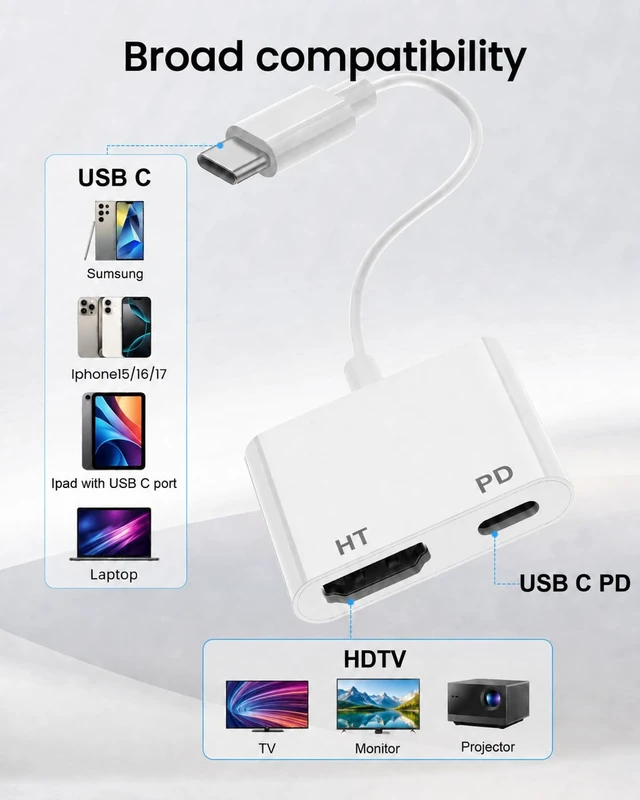
A: It depends on your iPhone model. The adapter works with USB-C iPhones that support video output, including iPhone 15, 16, and 17 series. It is not compatible with iPhone 16e, iPhone 17e, iPhone Air, or Lightning-port iPhones.
Q: Can I use this with iPad?
A: It depends on your iPad model. The AIRSKY USB-C to HDTV Adapter works with compatible USB-C iPads that support video output, including many iPad Pro, iPad Air, iPad, and iPad mini models. Lightning-port iPads are not compatible.
Q: Is this adapter compatible with MacBooks?
A: It works with MacBook models that have a USB-C or Thunderbolt port with video output, including many MacBook Air, MacBook Pro, and 12-inch MacBook models. It supports HDMI display output and USB-C PD pass-through charging while in use.
Q: Can it connect to a projector?
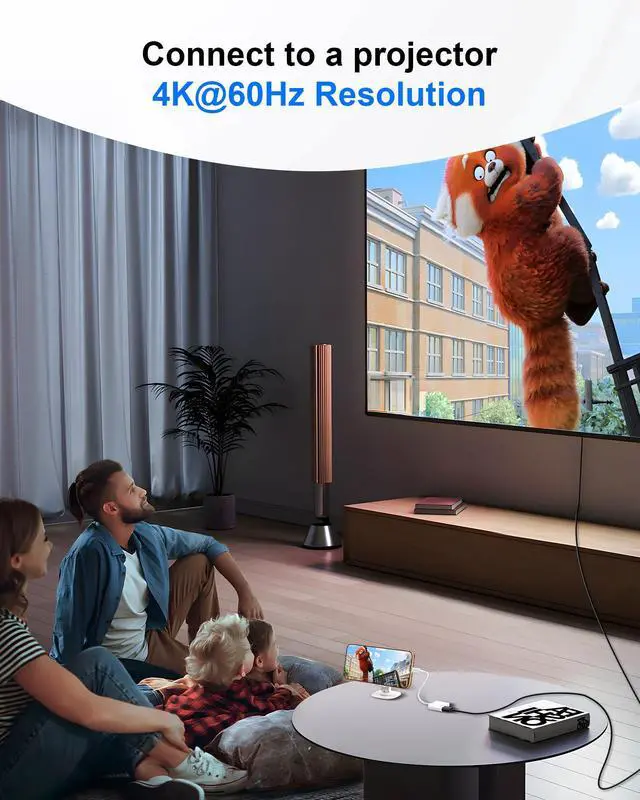
A: It can connect to a projector if the projector has an HDMI input and your USB-C device supports video output. Simply connect the adapter to your device and projector with an HDMI cable. No app or driver is required.
Q: Does it support video streaming?
A: In most cases, yes. The AIRSKY USB-C to HDTV Adapter supports video streaming from compatible USB-C devices to TVs, monitors, and projectors. Popular apps such as YouTube, Netflix, Hulu, and Disney+ can work normally, though playback may vary by app, device, or content restrictions.
Q: Does it support extended display mode?
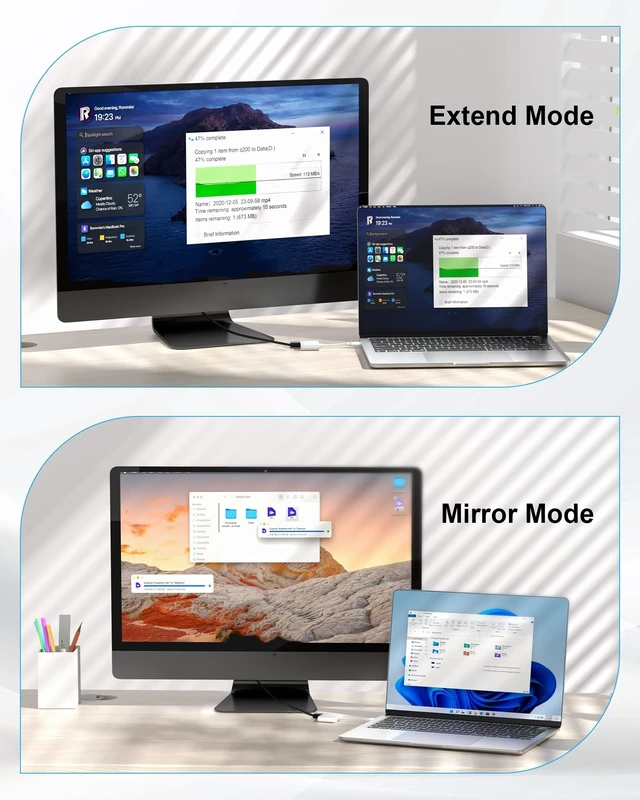
A: It supports both mirror and extended display modes on compatible devices. Mirror mode duplicates your screen, while extended mode lets you use the connected display as a separate workspace. Available display modes depend on your device and system settings.
Q: Which Phones have USB-C?
A: Many modern phones use USB-C, including iPhone 15/16/17, many Samsung Galaxy S/Note/Z Fold models, and recent Google Pixel phones. For this adapter, USB-C alone is not enough—the phone must also support DisplayPort video output.


We are an integrated company that designed, produced and sold docking stations and USB C to HDMI cable. We have been cooperating with major brands in this industry over 10 years, and our products are sold well in the United States, Europe, Southeast Asia, Australia and other markets.
Adhering to the purpose of bringing customers a richer experience, we will continue to innovate and launch new products to subvert the existing functions of market.


HDTV Adapter for iPhone 15 used high-performance and low-power chip, ensure the picture quality of HDTV output is clearer, without delay or frozen screen, and avoid heating much after long time use.
DVI-HDTV Adapters adopt thick tin-plated oxygen-free copper core and three-layer high-density shielding layer to ensure stable signal transmission and safe use.
Hdtv to usb c adapter compatible with thunderbolt3. The plug is nickel-plated, resistant to plugging and unplugging, and has stable transmission. The connector is made of strong material and PVC solid wire, which is durable and not easy to break.
Kind reminder:
This HDTV Adapter works for devices whose USB C port supports DP Alt Mode.
Please refer below compatibility list, if haven't, also can check the data of your USB C devices.
| Cellphone | Devices: |
| APPLE | iPhone 17/17 Plus/17 Pro/17 Pro Max, iPhone 16/16 Plus/16 Pro/16 Pro Max, iPhone 15/15 Plus/15 Pro/15 Pro Max(Not support iPhone 16e / iPhone 17e)) |
| SAMSUNG | Galaxy S26 / S25 / S24/S24+ Ultra/S23/S23+/S22/S22+/S21/S21+/S20/S20+/S10e/S10/S10+, Note 20/9/S9/S9+/S8/S8+, Galaxy Z Fold 7/6/5 |
| Pixel 10 / 9 / 8 XL | |
| SONY | XQ-BT52 |
| Tablets & Laptop & PC | Devices: |
| APPLE | iPad Pro 13-inch (M4), iPad Pro 11-inch (M4), iPad Pro 12.9-inch (3rd gen and later), iPad Pro 11-inch (3rd & 4th gen), iPad Air 13-inch (M3), iPad Air 11-inch (M3), iPad Air (5th gen), iPad (10th & 11th gen), iPad mini (6th & 7th gen) |
| SAMSUNG | Galaxy Tab S10 Ultra / S10+, Tab S9 / S8 / S7 / S6, Tab S5e, Tab Active5 Pro, Tab A 10.5 / A8 / A7, Tab S4 / S3 9.7, Galaxy Book 5 Pro / 360, Galaxy Book 4 / 3 Ultra, Galaxy Book Pro / Pro 360, Galaxy Book Flex, Galaxy Book Go, Samsung Plus 2, Samsung Chromebook 4 |
| HP | EliteBook 8 G1a (2026) , ENVY 13/17/X360 (2025), EliteBook x360/1030/1040/ Elite Dragonfly, Elite X2 1012 G1, Elitebook Folio G1, Spectre X360 14/16, Pavilion X360 15, Chromebook X360, ZBook 15 G3 |
| DELL | XPS 16 (2026) , XPS 13 (2026) , Latitude 7373 / 5570 / 5490 / 5400 / 5450, Precision 5510/5520 |
| MICROSOFT | Surface Pro 11 (2026) , Surface Laptop 6/5/4/3, Surface Go 4/3/2, Surface Pro 7/8/9/10, Surface Book 3 |
| Chromebook Pixel (2015), Chromebook Plus, Pixelbook, Pixel Slate | |
| ACER | Spin7, Chromebook R13,Swift 7, Switch Alpha 12, Aspire V Nitro 15 |
| LENOVO | ThinkPad X9-15p Gen 1 (2026) , ThinkPad X1 Carbon Gen 12/13, T490, Legion Slim 5/7, Yoga 900/910, IdeaPad 5 Pro 16, ThinkBook 15 G2 |
| Game Console: | Steam Deck (OLED), ROG Ally, Legion Go, Nintendo Switch, MSI Claw |
Q: Does it require any software to work?
A: No. The AIRSKY USB-C to HDTV Adapter doesn't require software, app, or driver. Simply connect it to a compatible USB-C device and HDMI display. No Wi-Fi is required for the wired connection. Your USB-C device must support video output.
Q: Does it need charging separately?
A: No. The AIRSKY USB-C to HDTV Adapter does not need separate charging. It is powered by the connected USB-C device and includes a USB-C PD pass-through port, allowing you to charge your device while using the adapter.
Q: Compatible with my iPhone?
A: It depends on your iPhone model. The adapter works with USB-C iPhones that support video output, including iPhone 15, 16, and 17 series. It is not compatible with iPhone 16e, iPhone 17e, iPhone Air, or Lightning-port iPhones.
Q: Can I use this with iPad?
A: It depends on your iPad model. The AIRSKY USB-C to HDTV Adapter works with compatible USB-C iPads that support video output, including many iPad Pro, iPad Air, iPad, and iPad mini models. Lightning-port iPads are not compatible.
Q: Is this adapter compatible with MacBooks?
A: It works with MacBook models that have a USB-C or Thunderbolt port with video output, including many MacBook Air, MacBook Pro, and 12-inch MacBook models. It supports HDMI display output and USB-C PD pass-through charging while in use.
Q: Can it connect to a projector?
A: It can connect to a projector if the projector has an HDMI input and your USB-C device supports video output. Simply connect the adapter to your device and projector with an HDMI cable. No app or driver is required.
Q: Does it support video streaming?
A: In most cases, yes. The AIRSKY USB-C to HDTV Adapter supports video streaming from compatible USB-C devices to TVs, monitors, and projectors. Popular apps such as YouTube, Netflix, Hulu, and Disney+ can work normally, though playback may vary by app, device, or content restrictions.
Q: Does it support extended display mode?
A: It supports both mirror and extended display modes on compatible devices. Mirror mode duplicates your screen, while extended mode lets you use the connected display as a separate workspace. Available display modes depend on your device and system settings.
Q: Which Phones have USB-C?
A: Many modern phones use USB-C, including iPhone 15/16/17, many Samsung Galaxy S/Note/Z Fold models, and recent Google Pixel phones. For this adapter, USB-C alone is not enough—the phone must also support DisplayPort video output.
We are an integrated company that designed, produced and sold docking stations and USB C to HDMI cable. We have been cooperating with major brands in this industry over 10 years, and our products are sold well in the United States, Europe, Southeast Asia, Australia and other markets.
Adhering to the purpose of bringing customers a richer experience, we will continue to innovate and launch new products to subvert the existing functions of market.


