• $49.99
  • Free 30-day Returns
  • Sold by Music Street

    Shipped by Music Street

    Price alert
    Shop it at NeweggBusiness.

    Meet Your Seller

    192KHz HDMI eARC/ARC to Optical Audio Converter for TV to Soundbar | 3.4ft/1.05m Long-eARC Audio Extractor Adapter-Support PCM Dolby/DTS 5.1-Plug & Play-For TV to Sound System Home Theater

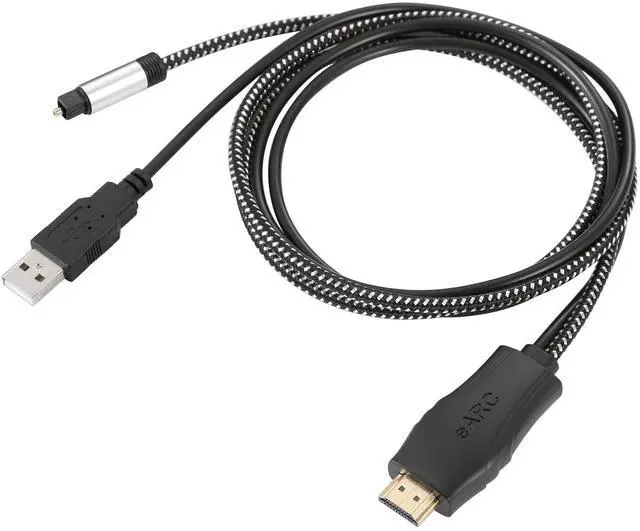
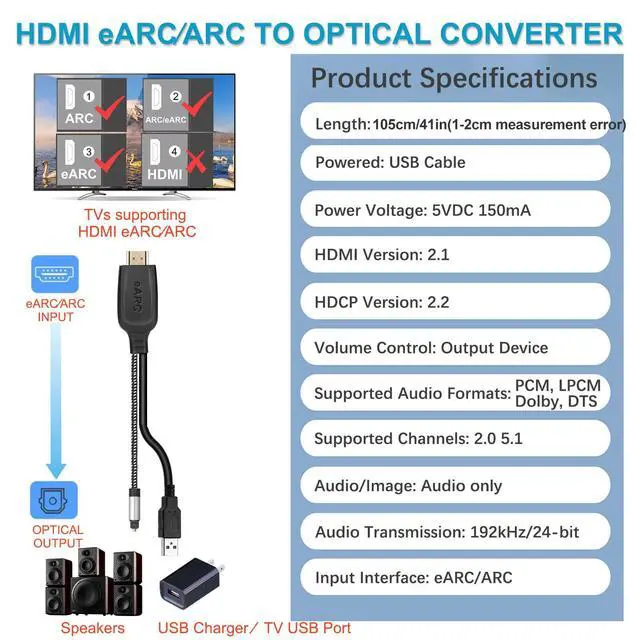
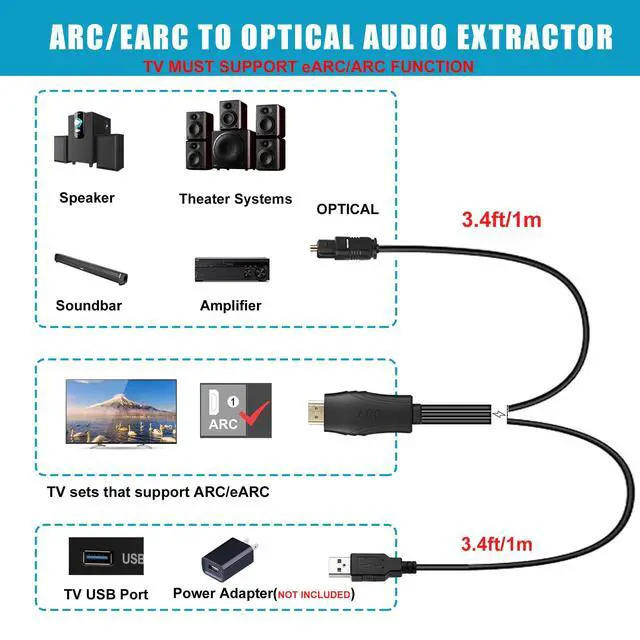
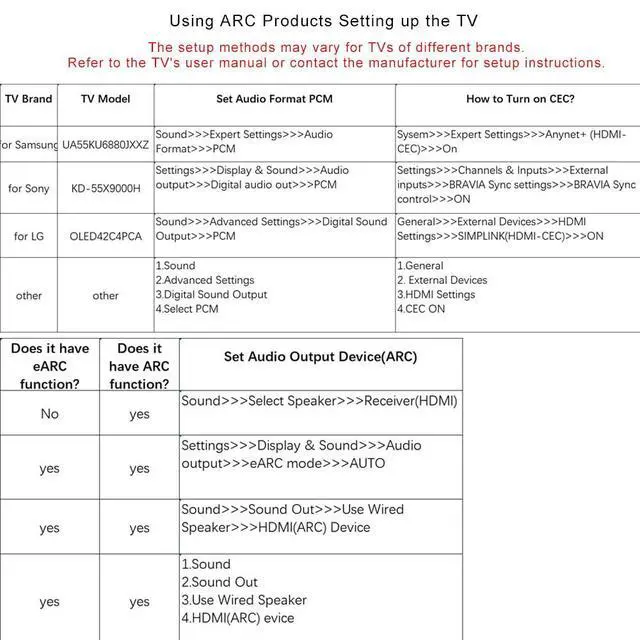
    • HDMI eARC to Optical Cable(1.05m/41in): The eARC Audio Extractor connects to an eARC or ARC-compatible TV, allowing the TV's audio to be transmitted to a sound system via the converter's built-in optical SPDIF digital audio cable. The eARC audio converter Only for TV with eARC or ''ARC'' interface. Please make sure your TV supports the ARC feature and set the audio output to ARC/EARC and set the audio format to PCM
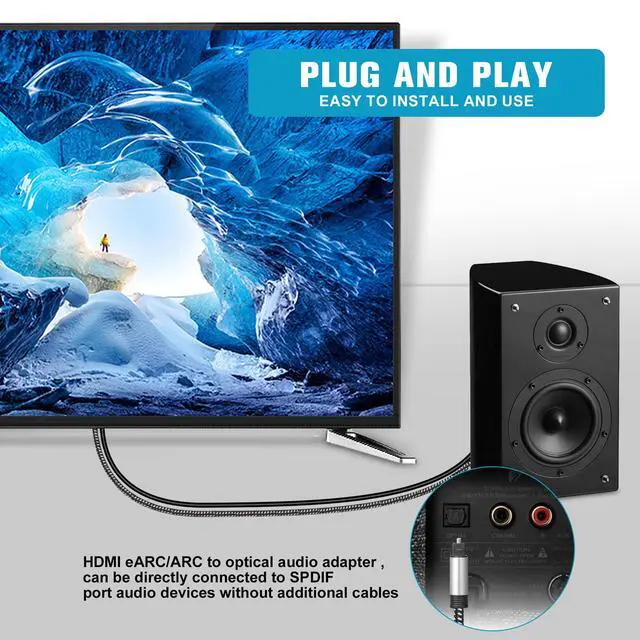
    • Plug and Play: This eARC/ARC audio converter eliminates the need for additional cables or conventers, and serves as a bridge between the TV and sound system. Plug-and-Play. Easy to install and use. It is ideal for home theaters, meeting, conference rooms, and other settings.Length Confirmation: This cable is 3 ft (approx. 41 inches) long. Please measure the distance between your TV and audio equipment.
    • Clear Sound Quality: Supports 24-bit/192kHz audio sampling rate. Ensures pure sound quality. Make the eARC Audio Connector a convenient option for your home entertainment by seamlessly connecting your TV to your soundbar
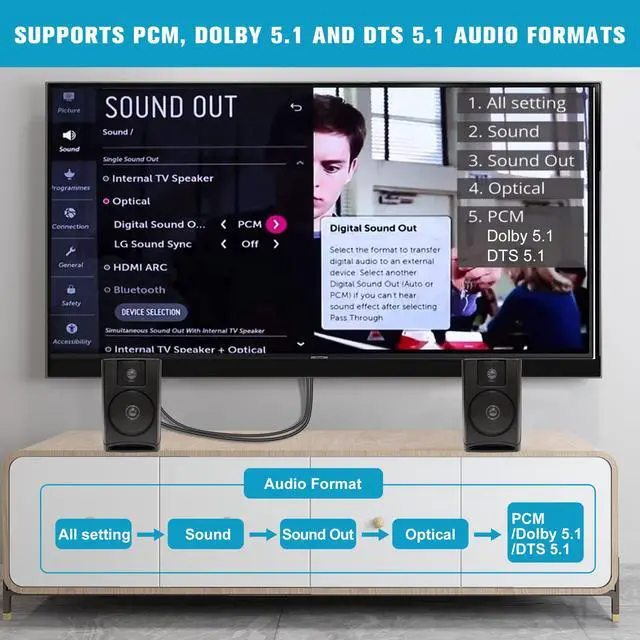
    • Audio Formats Setting: Compatible with multiple audio Formats. Set the TV Audio Formats to PCM, Dolby 5.1 or DTS 5.1. Bringing you high-quality audio for an immersive entertainment experience. If using Dolby 5.1 or DTS 5.1 audio formats, the sound system also need support Dolby Audio or DTS
    +
    +
    Overview
    Specs
    Reviews

    Any questions? Ask CelesteSM will help you find out quickly.

    HDMI eARC/ARC to Optical Audio Converter Please connect all cables:1.Plug the HDMl cable into the ARC or eARC port on your TV 2.Plug the optical cable into the speaker SPDIF port 3.Plug the USB cable into the charger or TV USB port NOTE:Not supported for reverse connections 1. Set the TV's audio output to ARC or eARC 2.Set Audio Format to PCM. 3.Turn on CECRefer to the TV's user manual for setup

    Warranty & Returns

    Warranty, Returns, And Additional Information

    Warranty

    • Please contact the Seller directly for warranty information. Warranty information may also be found on the Manufacturer's website.
    • CONTACT

    Return Policies

    Manufacturer Contact Info

    LOADING...