Your Browsing History
Meet Your Seller
Selore USB C Docking Station Dual HDMI Monitor USB C to Dual HDMI Adapter with 4K@60Hz HDMI 100W PD SD/TF USB A&C 3.0 Ports Laptop Docking Station for XPS/HP//Surface/Yoga etc
- Selore USB C Docking Station Dual HDMI Monitor USB C to Dual HDMI Adapter with 4K@60Hz HDMI 100W PD SD/TF USB A&C 3.0 Ports Laptop Docking Station for XPS/HP//Surface/Yoga etc
+
+
Overview
Specs
Reviews
Any questions? Ask CelesteSM will help you find out quickly.
Try me now
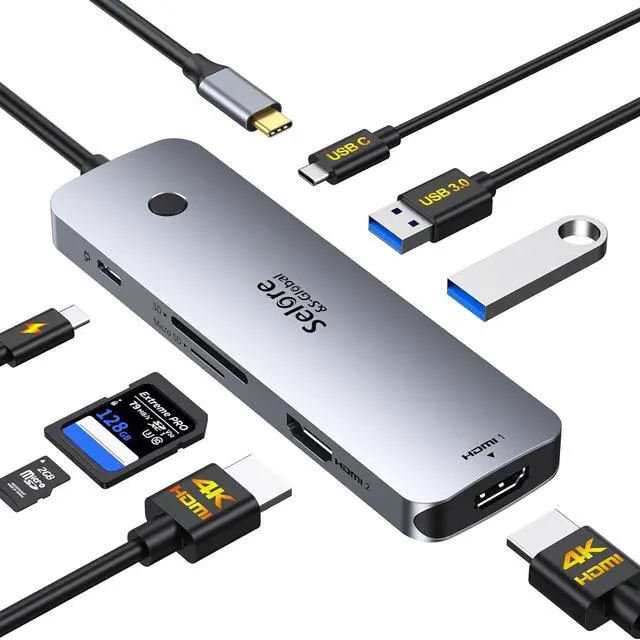
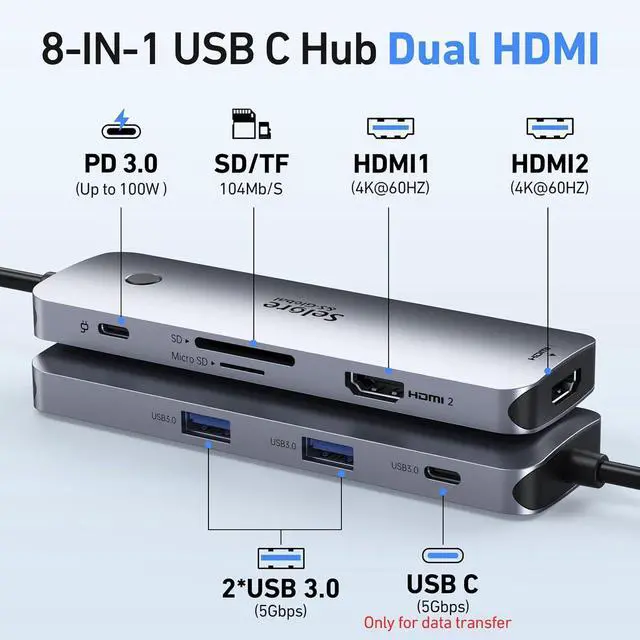
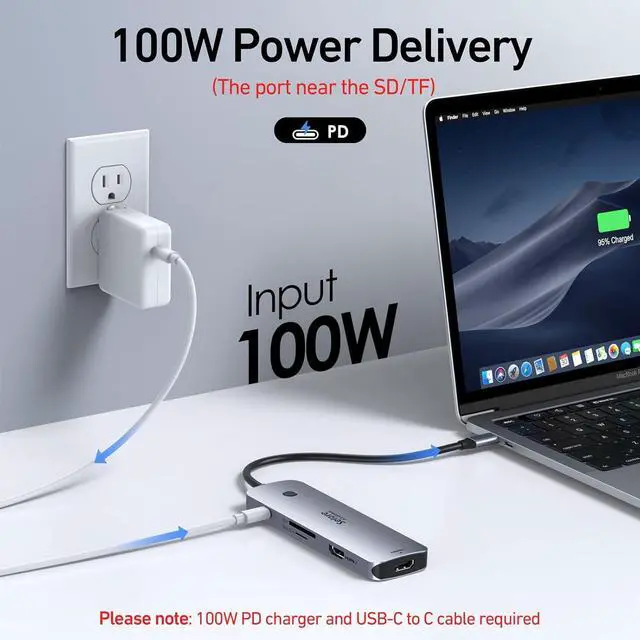
8 in 1 USB C Docking Station Dual MonitorThis Selore laptop docking station includes 2 HDMI(4K@60Hz) 2 USB-A Ports (5Gbps) USB-C Port (5Gbps) 100W PD charging and SD/MicroSD slots (104Mbps).??
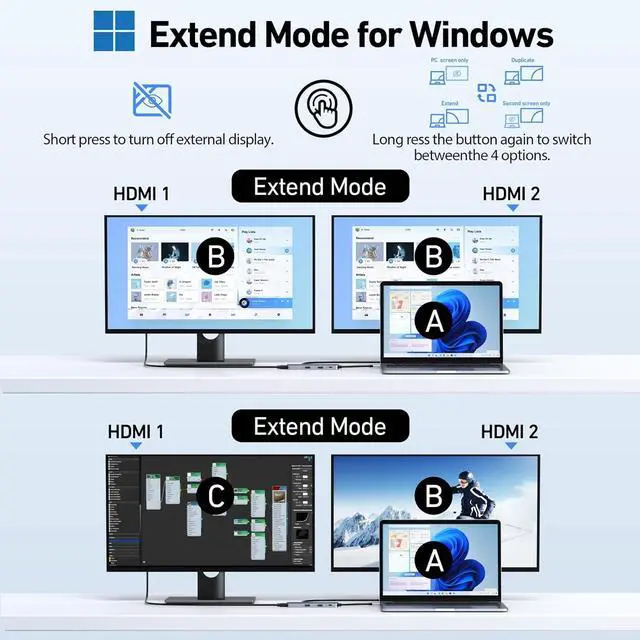
Note: Docking stations require a Thunderbolt or full-featured USB-C portStunning Dual 4K@60Hz DisplayThis USB-C docking station supports dual monitors via 2 HDMI ports with 4K@60Hz resolution making screen extension or mirroring easy.??
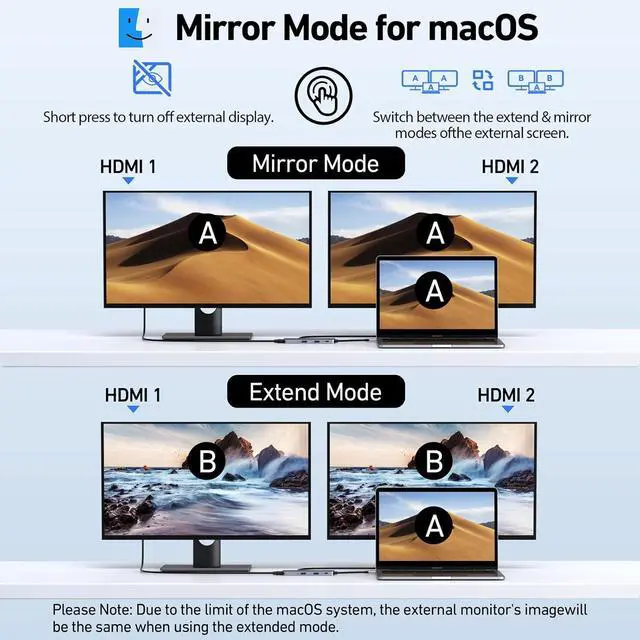
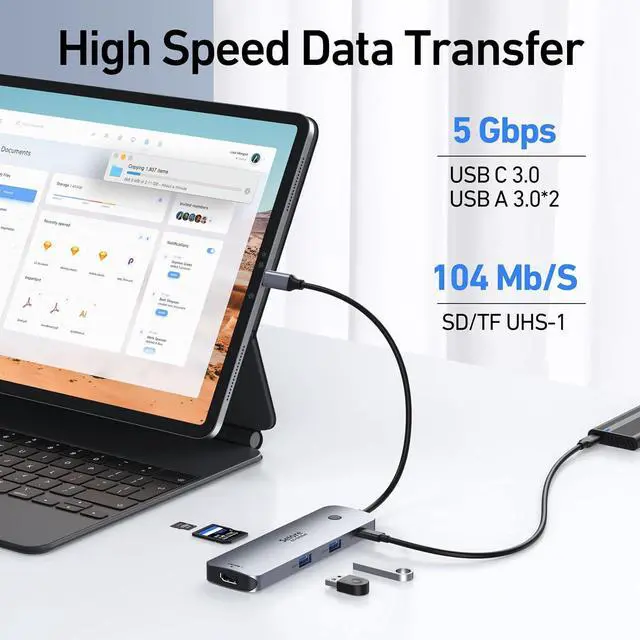
Note: macOS only supports one external monitor in Extend modeOne-Touch Control for Display Modes & PrivacyThis dedicated button simplifies your workflow. Effortlessly toggle between Mirror and Extend modes with a long press or instantly black out your monitor for privacy with a short press. Fast Speed USB C Dock1USB C port (5Gbps) 2 USB A ports (5Gbps). and SD/TF card reader (up to 104Mbps) reliable file transfers and copy photos and videos from your cameras and quickly share your beautiful momentsUniversal CompatibilityIdeal for laptops with a fully functional USB-C port. This dock provides a single-cable solution for charging your device connecting to multiple monitors and accessing all your peripherals.??
Note: For MacBook users the dock supports extending to one additional displayPre-Use Setup Guide For initial use a one-time system authorization is required. Windows users should navigate to Settings > Bluetooth & devices to enable external devices then reconnect the dock. Mac users need to grant permission in System Settings > Privacy & Security > Accessories by setting the dock to Always AllowWhat You GetSelore 8-in-1 USB-C Hub Dual Display welcome guide 18-month warranty and our friendly customer service
Warranty & Returns
Warranty, Returns, And Additional Information
Warranty
- Please contact the Seller directly for warranty information. Warranty information may also be found on the Manufacturer's website.
- CONTACT
Return Policies
- Return for refund within: 30 days
- Return for replacement within: 30 days
- This item is covered by TigerPass Return Policy
Manufacturer Contact Info
- For a directory of all our manufacturers, please click below.
- Manufacturers Directory
LOADING...