




 here!
I’m your shopping assistant for PC builds, upgrades, and everything tech.
Got questions? Ask away!
Start a conversation
here!
I’m your shopping assistant for PC builds, upgrades, and everything tech.
Got questions? Ask away!
Start a conversation




Any questions? Ask CelesteSM will help you find out quickly.
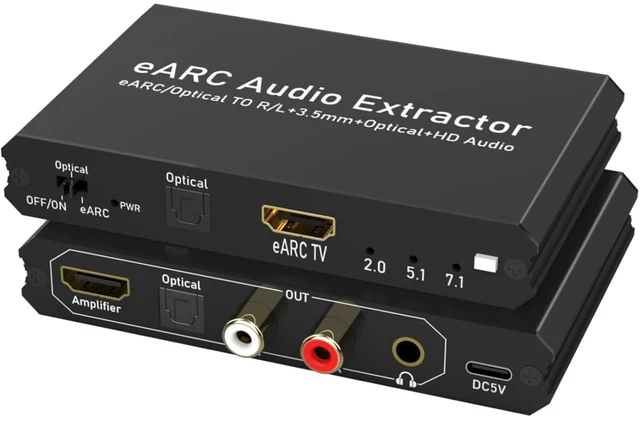
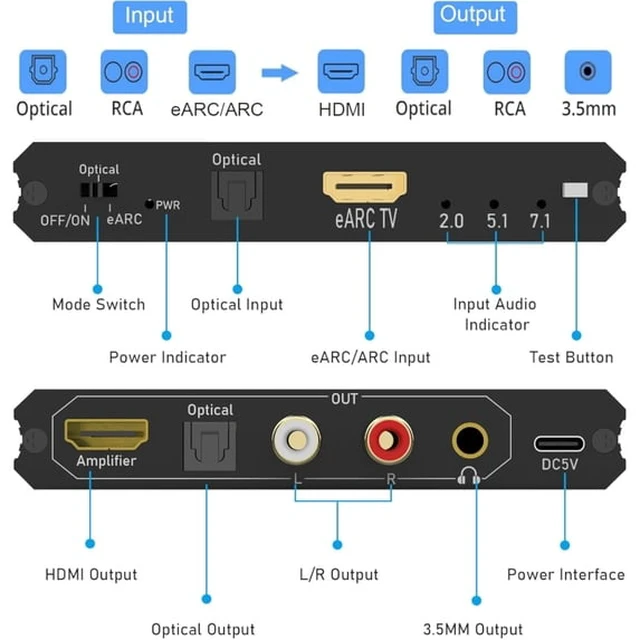
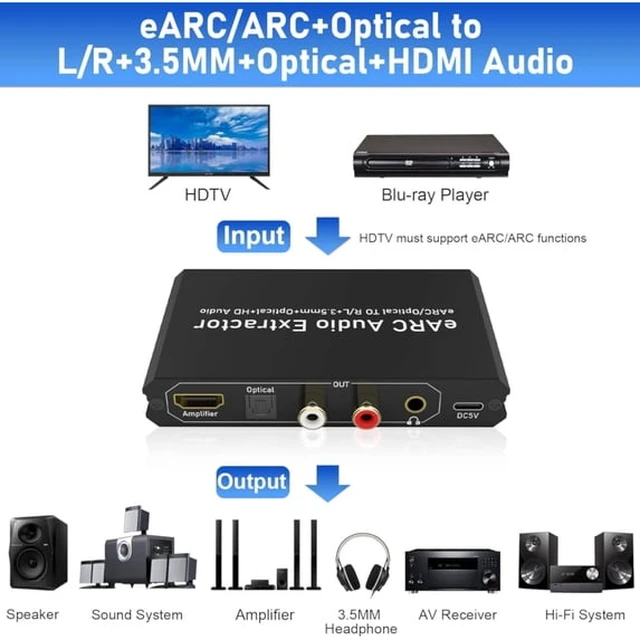
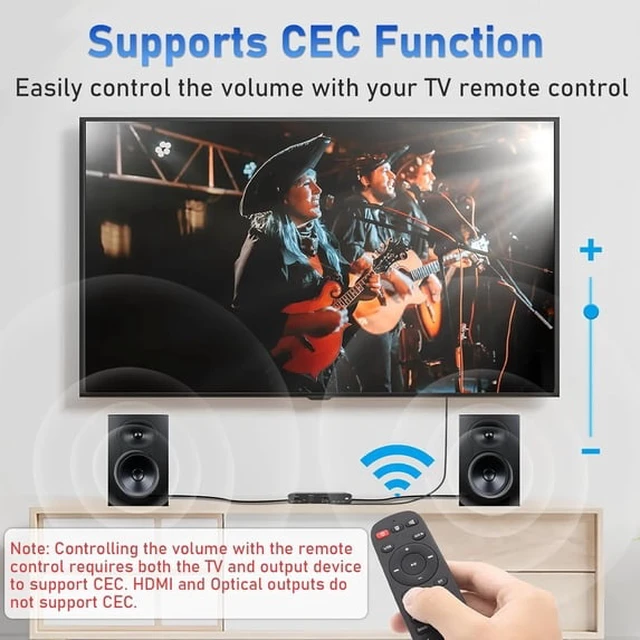
HDMI eARC/ARC Audio Extractor Digital to Analog Converter Upgrade your sound system with this compact audio extractor. It pulls audio from your eARC/ARC-enabled TV and sends it to any amplifier, soundbar, speaker, or headphones even if they don't support eARC. Key Features: 4 Output Options: HDMI, Optical (Toslink), L/R RCA, and 3.5mm stereo jack High-Resolution Audio: Supports 32192kHz sampling rate, 24-bit SPDIF Audio Formats: PCM, AC3, DTS, DD+, DTS-HD Master Audio, Dolby True HD TV Remote Volume Control: Works with RCA and 3.5mm outputs Plug & Play
Works with HDTVs (eARC/ARC), soundbars, speakers, amplifiers, gaming consoles, and streaming devices. Ideal for home theaters, bars, conference rooms, and classrooms. Note: HDMI and optical outputs do not support CEC. Multi-channel simultaneous output is not supported.


