


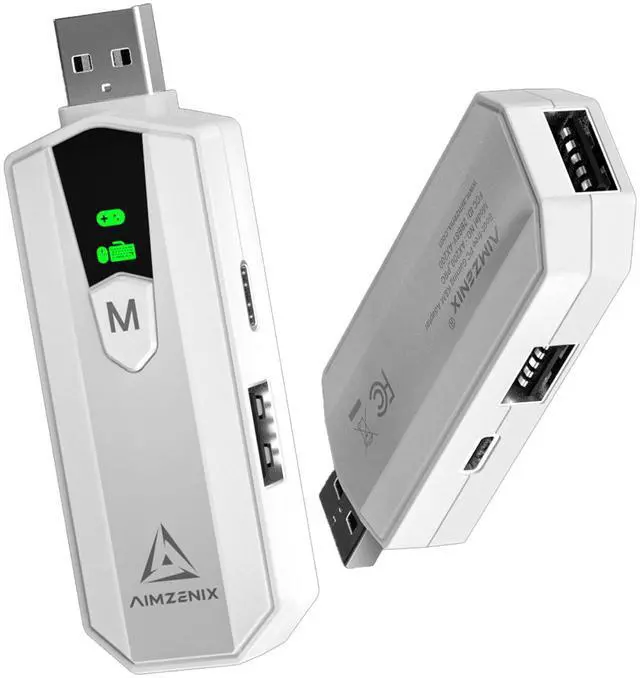
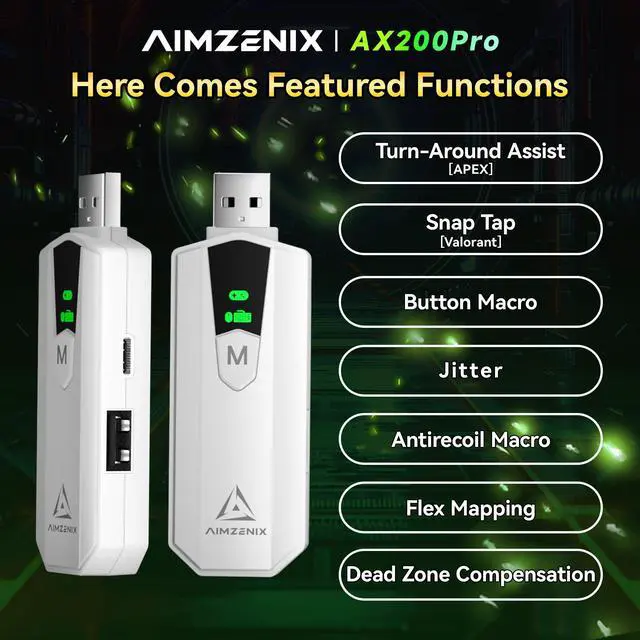
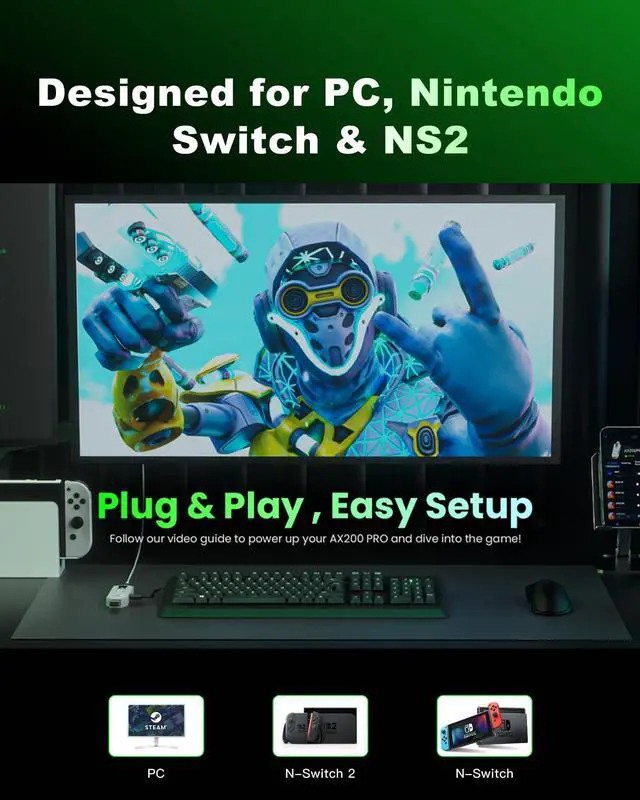


The AX200 PRO is a professional keyboard and mouse adapter for PC, Nintendo Switch & NS2, offering gamers more control. "Flex Mapping" lets users customize key functions, while multi-scene switching allows use as a keyboard, mouse, or game controller as needed.
APP connection tutorial
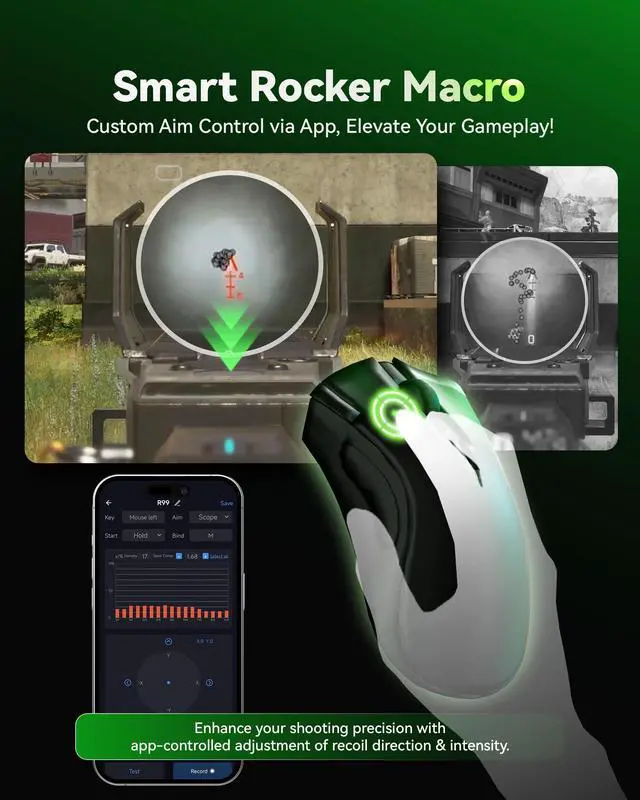
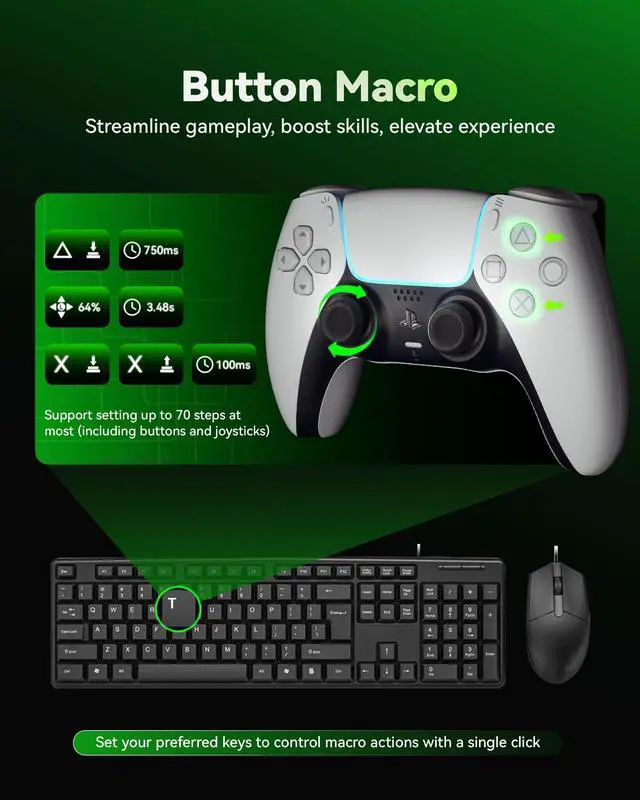
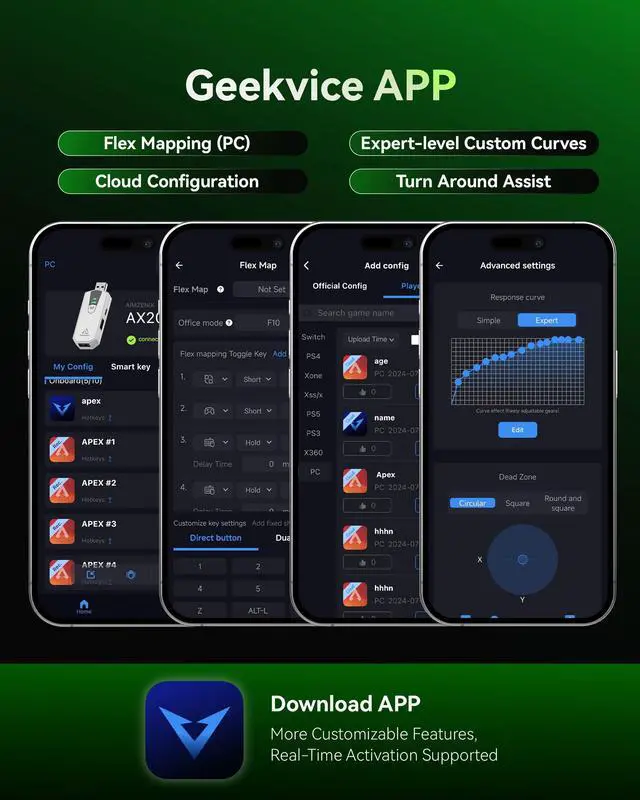
Merchant VideoThe AX200 Pro features a 1000Hz rate and real-time response curves for precise control. It includes button macros and Smart Rocker functions with a graphical macro feature for easy customization. Adjustable response curves enhance realism. All settings are managed via the "GEEKVICE" app.


AX200 Pro Connect steps
Merchant Video- Connect the keyboard and mouse via USB cable.
- Use the included extension cable to connect the AX200PRO USB male port to the PC. The indicator light will stay on to show successful startup.
- For high-power keyboard/mouse, connect to the TYPE-C port for extra power.
- Click above to view the tutorial video.

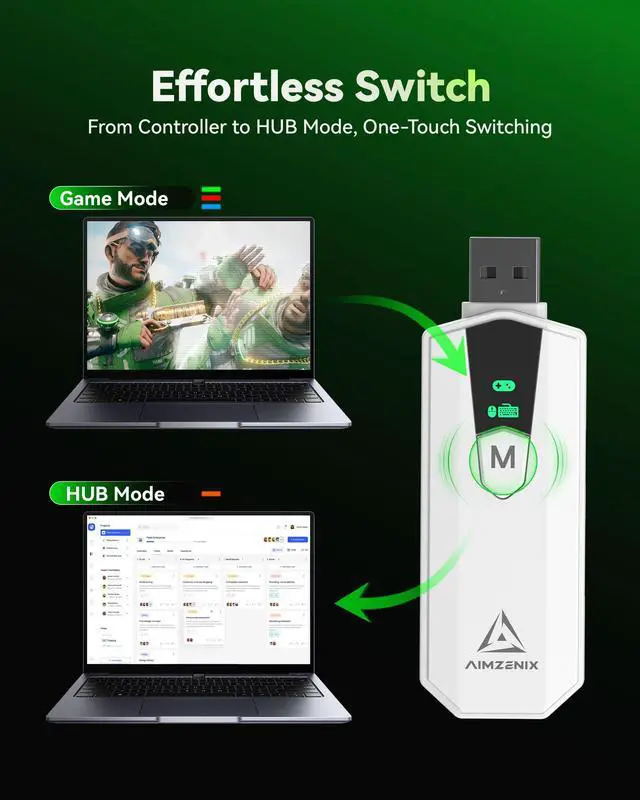
The AX200 PRO supports four modes: Green for PC-Xbox, Red for N-Switch, Blue for PC-P4, and Orange for USB hub. Plug-and-play functionality ensures easy connection. Before use, confirm your keyboard and mouse are compatible. X360 driver installation is required for PC-Xbox mode.
AIMZENIX Product Function Comparison
 AX200PRO |  AX600 -MONSTER |  AX300 -STRIKER PRO |  AX200 | |
|---|---|---|---|---|
Customer Reviews | — | — | — | — |
Price | — | — | — | — |
Product Level | PC-specific (upgraded version) | Full-featured | Universal | PC-specific |
PC/Nintendo Switch/NS2 | ? | ? | ? | ? |
Playstation 5 | ? | ? | ? | ? |
Playstation 4/3 | ? | ? | ? | ? |
XONE/XSS/XSX/X360 | ? | ? | ? | ? |
Flex Mapping(PC only) | ? | ? | ? | ? |
Smart Rocker Macro | ? | ? | ? | ? |
Button Macro | ? | ? | ? | ? |
Turn Around Assist/Snap Tap | ? | ? | ? | ? |
Curve Adjustment | Up to 15 points | Up to 15 points | Up to 15 points | Up to 4 points |
Reporting Rate | 1000Hz | 1000Hz | 1000Hz | 1000Hz |
HUB Mode | ? | ? | ? | ? |
The device doesn't respond after connection. What should I do?
Check: 1. Ensure the device is properly connected to the USB port; 2. Replace the USB port if needed; 3. Verify your mouse/keyboard is compatible.
My mouse or keyboard isn’t compatible. What should I do?
For a detailed compatibility list, please message us through . Our support team will assist you promptly.
Do I need to install a driver to use the device?
The device is plug-and-play but requires an X360 driver on your PC. If not recognized, unplug and reconnect or restart the system. Watch the video tutorial on the product page for help.
How do I switch device modes?
Long press the "M" mode switch button until the LED screen shows the desired mode. Refer to the manual or watch the video tutorial on the product page.
How can I update the firmware?
Download the "GEEKVICE" app (iOS/Android), connect the device, and follow the instructions in the “Firmware Update” section.

The AX200 PRO is a professional keyboard and mouse adapter for PC, Nintendo Switch & NS2, offering gamers more control. "Flex Mapping" lets users customize key functions, while multi-scene switching allows use as a keyboard, mouse, or game controller as needed.
APP connection tutorial
Merchant VideoThe AX200 Pro features a 1000Hz rate and real-time response curves for precise control. It includes button macros and Smart Rocker functions with a graphical macro feature for easy customization. Adjustable response curves enhance realism. All settings are managed via the "GEEKVICE" app.


AX200 Pro Connect steps
Merchant Video- Connect the keyboard and mouse via USB cable.
- Use the included extension cable to connect the AX200PRO USB male port to the PC. The indicator light will stay on to show successful startup.
- For high-power keyboard/mouse, connect to the TYPE-C port for extra power.
- Click above to view the tutorial video.

The AX200 PRO supports four modes: Green for PC-Xbox, Red for N-Switch, Blue for PC-P4, and Orange for USB hub. Plug-and-play functionality ensures easy connection. Before use, confirm your keyboard and mouse are compatible. X360 driver installation is required for PC-Xbox mode.
AIMZENIX Product Function Comparison
AX200PRO | AX600 -MONSTER | AX300 -STRIKER PRO | AX200 |
|---|---|---|---|
| Customer Reviews | |||
| — | — | — | — |
| Price | |||
| — | — | — | — |
| Product Level | |||
| PC-specific (upgraded version) | Full-featured | Universal | PC-specific |
| PC/Nintendo Switch/NS2 | |||
| ? | ? | ? | ? |
| Playstation 5 | |||
| ? | ? | ? | ? |
| Playstation 4/3 | |||
| ? | ? | ? | ? |
| XONE/XSS/XSX/X360 | |||
| ? | ? | ? | ? |
| Flex Mapping(PC only) | |||
| ? | ? | ? | ? |
| Smart Rocker Macro | |||
| ? | ? | ? | ? |
| Button Macro | |||
| ? | ? | ? | ? |
| Turn Around Assist/Snap Tap | |||
| ? | ? | ? | ? |
| Curve Adjustment | |||
| Up to 15 points | Up to 15 points | Up to 15 points | Up to 4 points |
| Reporting Rate | |||
| 1000Hz | 1000Hz | 1000Hz | 1000Hz |
| HUB Mode | |||
| ? | ? | ? | ? |
The device doesn't respond after connection. What should I do?
Check: 1. Ensure the device is properly connected to the USB port; 2. Replace the USB port if needed; 3. Verify your mouse/keyboard is compatible.
My mouse or keyboard isn’t compatible. What should I do?
For a detailed compatibility list, please message us through . Our support team will assist you promptly.
Do I need to install a driver to use the device?
The device is plug-and-play but requires an X360 driver on your PC. If not recognized, unplug and reconnect or restart the system. Watch the video tutorial on the product page for help.
How do I switch device modes?
Long press the "M" mode switch button until the LED screen shows the desired mode. Refer to the manual or watch the video tutorial on the product page.
How can I update the firmware?
Download the "GEEKVICE" app (iOS/Android), connect the device, and follow the instructions in the “Firmware Update” section.