• $13.99
  • Free 30-day Returns
  • Price alert
    Shop it at NeweggBusiness.

    Meet Your Seller

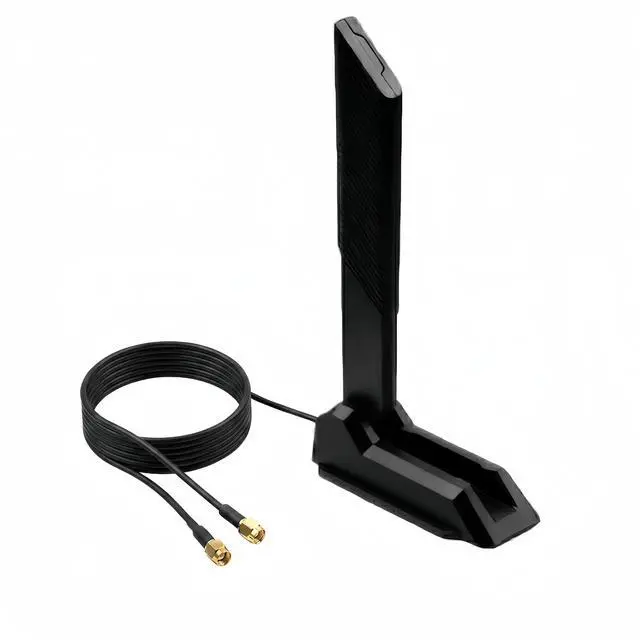
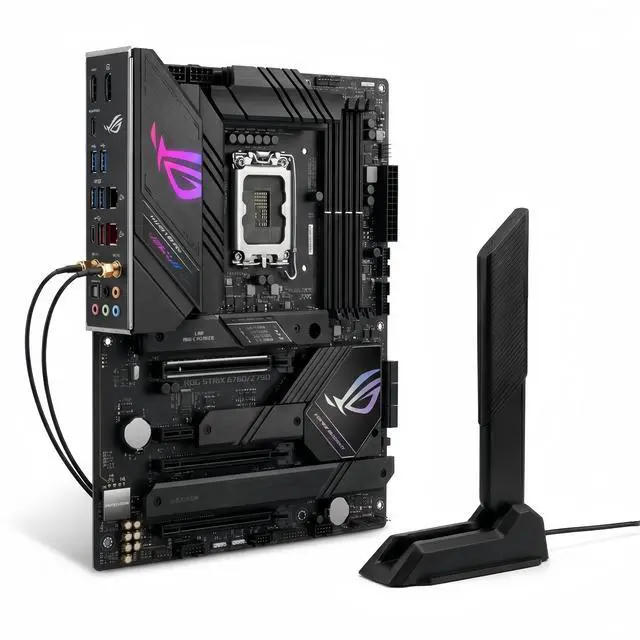
    Tri-Band WiFi 6E Antenna 12dBi 2.4GHz/5GHz/6GHz RP-SMA Magnetic Base Omni-Directional Antenna for ASUS ROG Strix B760 Z790 Motherboard, PCIe WiFi 6E Card, Router, Bluetooth 1.2m (4ft) Cable

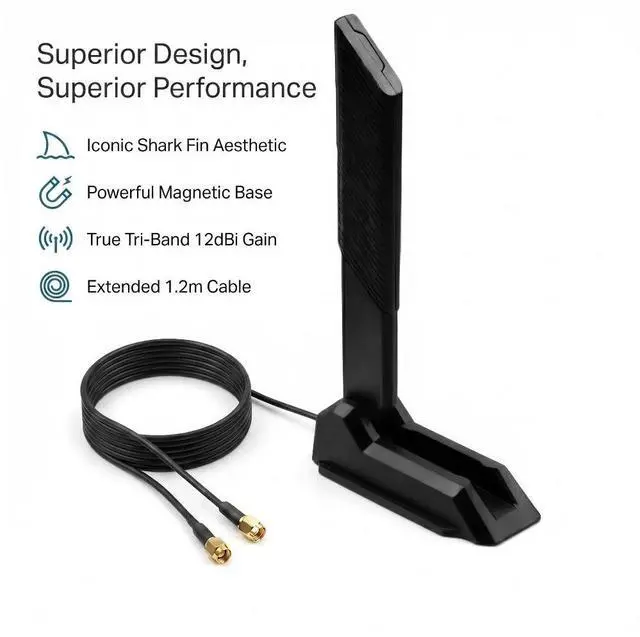
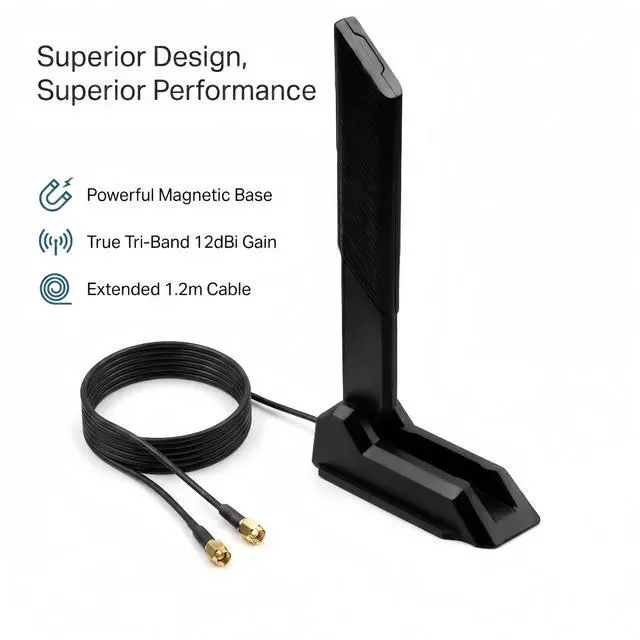
    • TRUE TRI-BAND 12DBI HIGH GAIN UNLOCK FULL WIFI 6E/7 POTENTIAL Covers three frequency bands: 2.4GHz (2400-2500MHz) for long-range wall penetration, 5GHz (5150-5850MHz) for high-speed streaming, and 6GHz (5900-7125MHz) for ultra-low latency WiFi 6E/7 performance. With 12dBi high gain, this antenna dramatically improves signal strength and coverage compared to standard 2-3dBi stock antennas. Note: To achieve the best performance, we recommend trying to mount the antenna in different positions and away from large metal objects.
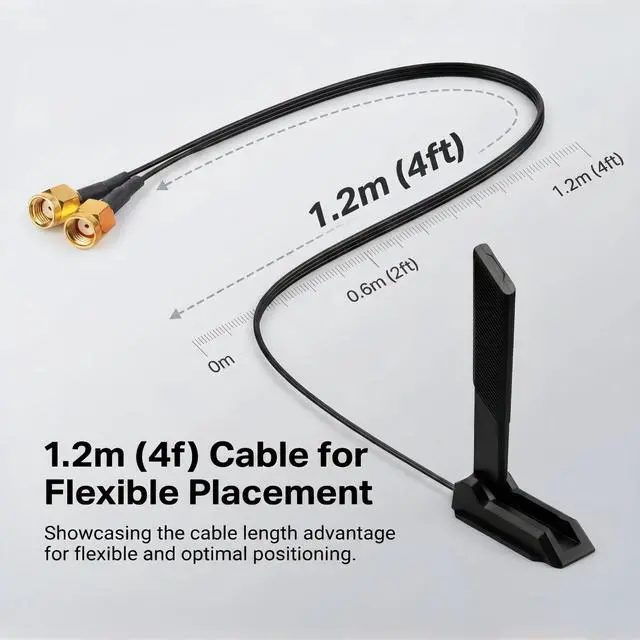
    • POWERFUL MAGNETIC BASE + 1.2M EXTENSION CABLE FLEXIBLE PLACEMENT The built-in strong magnetic base securely attaches to any metal surface PC case side panel, steel desk leg, metal shelf, or filing cabinet without drilling or adhesives. The 1.2m (4ft) low-loss extension cable with RP-SMA male connectors provides ample reach to position the antenna optimally for best signal reception, far from PC case interference.
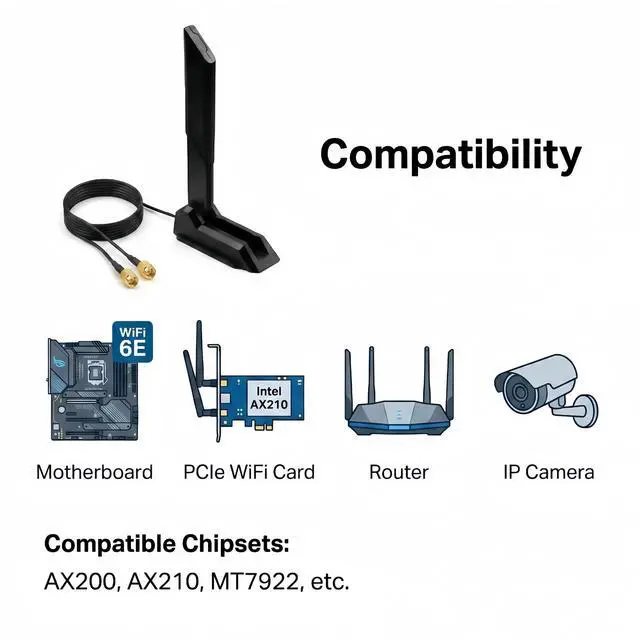
    • UNIVERSAL COMPATIBILITY WIDE RANGE OF DEVICES This antenna with RP-SMA connectors works with virtually any device that has standard RP-SMA antenna ports: Motherboards: ASUS ROG Strix, ROG Maximus, TUF Gaming, ProArt, Gigabyte AORUS, MSI MEG/MPG/MAG (WiFi 6/6E/7 versions) PCIe WiFi Cards: Intel AX200, AX210, Killer 1675x, TP-Link Archer series Routers & Access Points: ASUS, TP-Link, Netgear, Linksys with external antenna ports Other Devices: IP security cameras, wireless bridges, industrial routers, USB WiFi adapters.
    +
    +
    Overview
    Specs
    Reviews
    avatar

    Any questions? Our AI beta will help you find out quickly.

    About this item

    1. TRUE TRI-BAND 12DBI HIGH GAIN UNLOCK FULL WIFI 6E/7 POTENTIAL Covers three frequency bands: 2.4GHz (2400-2500MHz) for long-range wall penetration, 5GHz (5150-5850MHz) for high-speed streaming, and 6GHz (5900-7125MHz) for ultra-low latency WiFi 6E/7 performance. With 12dBi high gain, this antenna dramatically improves signal strength and coverage compared to standard 2-3dBi stock antennas. Note: To achieve the best performance, we recommend trying to mount the antenna in different positions and away from large metal objects.
    2. POWERFUL MAGNETIC BASE + 1.2M EXTENSION CABLE FLEXIBLE PLACEMENT The built-in strong magnetic base securely attaches to any metal surface PC case side panel, steel desk leg, metal shelf, or filing cabinet without drilling or adhesives. The 1.2m (4ft) low-loss extension cable with RP-SMA male connectors provides ample reach to position the antenna optimally for best signal reception, far from PC case interference.
    3. UNIVERSAL COMPATIBILITY WIDE RANGE OF DEVICES This antenna with RP-SMA connectors works with virtually any device that has standard RP-SMA antenna ports: Motherboards: ASUS ROG Strix, ROG Maximus, TUF Gaming, ProArt, Gigabyte AORUS, MSI MEG/MPG/MAG (WiFi 6/6E/7 versions) PCIe WiFi Cards: Intel AX200, AX210, Killer 1675x, TP-Link Archer series Routers & Access Points: ASUS, TP-Link, Netgear, Linksys with external antenna ports Other Devices: IP security cameras, wireless bridges, industrial routers, USB WiFi adapters
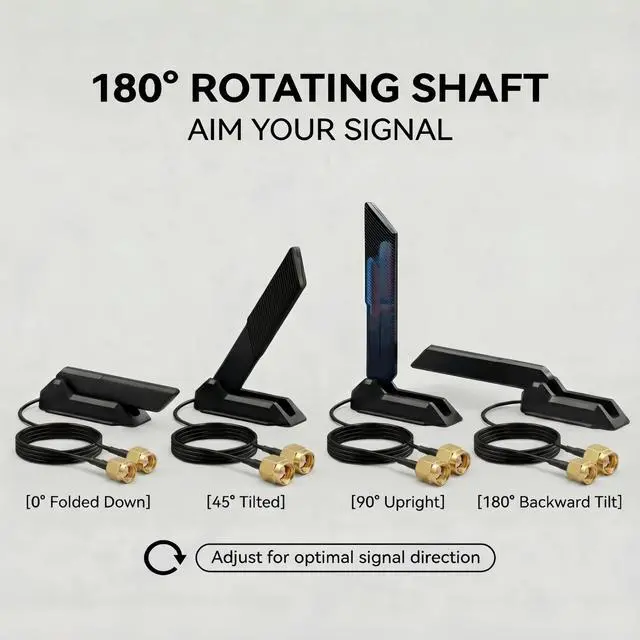
    4. 180° FOLDABLE & OMNI-DIRECTIONAL OPTIMAL SIGNAL POSITIONING The antenna features a 180° adjustable hinge, allowing you to tilt the shark fin up, down, or any angle in between to find the optimal signal direction. Built with an omnidirectional radiation pattern, it captures signals from all directions no need to point the antenna toward your router
    5. ENHANCED BLUETOOTH PERFORMANCE STABLE WIRELESS CONNECTIONS This antenna also improves Bluetooth connectivity for your desktop PC essential for wireless headsets, keyboards, mice, and game controllers. The broader tri-band coverage reduces interference for cleaner Bluetooth signals. Users often struggle with poor Bluetooth range on desktop PCs; this antenna drastically improves connectivity.
    6. PLUG-AND-PLAY INSTALLATION NO DRIVERS REQUIRED Installation takes seconds: simply unscrew your existing antennas (if any), screw on these RP-SMA male connectors onto your devices RP-SMA female ports (hand-tighten only), and adjust the 180° hinge for optimal reception.


    Product description


    Technical Specifications
    Frequency Bands2.4GHz (2400-2500 MHz), 5GHz (5150-5850 MHz), 6GHz (5900-7125 MHz)
    Gain12 dBi
    Connector TypeRP-SMA Male (hole in center)
    Radiation PatternOmnidirectional (360° horizontal)
    Impedance50 Ohms
    VSWR 1.5
    MountingMagnetic Base (strong magnet)
    Cable Length1.2m / 4ft
    Hinge Adjustment180° Foldable
    StandardsWiFi 6E / WiFi 7 / WiFi 6 / WiFi 5 / 802.11a/b/g/n/ac/ax

    Most stock antennas rely on weight or small adhesive pads to stay in place which often fails over time. Our antenna features a powerful magnetic base that securely attaches to any metal surface.

    This antenna is designed for motherboards with standard RP-SMA antenna ports (the gold threaded ports on the rear I/O panel labeled ANT) :

    Compatible Motherboards (Socket RP-SMA):

    1. For ASUS ROG Strix, Maximus, Crosshair, TUF Gaming, ProArt (B760, Z790, B650, X670, etc.)
    2. For MSI MEG, MPG, MAG series
    3. For Gigabyte AORUS Master, Elite, Gaming X
    4. For ASRock Phantom Gaming, Taichi

    Compatible PCIe WiFi Cards:

    1. For Intel AX200, AX210, Killer 1675x, TP-Link Archer TXE75E
    2. For MediaTek MT7922, Realtek 8852CE

    Other Compatible Devices:

    1. Wireless routers with removable antennas
    2. IP security cameras
    3. Industrial routers and IoT gateways

    Works with: For Intel AX200, AX210, Killer AX1675, MediaTek MT7922, and all standard RP-SMA devices.

    NOT compatible with: RP-SMA to U.FL/IPEX adapter cables (this antenna uses standard RP-SMA male connectors).

    Compatible Series
    For ASUSROG Strix (B760, Z790, B650, X670), ROG Maximus, ROG Crosshair, TUF Gaming, ProArt
    For MSIMEG, MPG, MAG series
    For GigabyteAORUS Master, AORUS Elite, Gaming X
    For ASRockPhantom Gaming, Taichi
    For Other DevicesMost PCIe WiFi 6E/6 cards, wireless routers, IP cameras

    Step 1: Locate Antenna Ports Find the two gold-colored antenna ports on your motherboards rear I/O panel or WiFi card bracket. They are typically labeled WiFi or ANT. Ensure your device has standard RP-SMA female ports.

    Step 2: Connect the Antenna Screw the RP-SMA male connector onto your devices RP-SMA female port. Hand-tighten only do not use tools to avoid damaging the connector.

    Step 3: Attach the Magnetic Base Place the magnetic base on a clean, flat metal surface the side of your PC case, a desk leg, or a metal shelf. The magnet will hold it securely.

    Step 4: Adjust the Angle Use the 180° foldable hinge to tilt the shark fin antenna to your desired angle. For best omnidirectional coverage, position the antenna vertically. Try different spots moving the antenna even a few inches can significantly change signal reception.

    Step 5: Test Your Connection Run a speed test before and after installation. Users previously reported speed increases from 70Mbps to over 400Mbps after upgrading to a high-gain 6E antenna.

    1. RP-SMA Compatibility: Ensure your device has RP-SMA female ports (the gold threaded ports on the back of your motherboard or WiFi card). This is the standard for most consumer routers and WiFi cards.
    2. Antenna Orientation: For omnidirectional antennas, vertical orientation generally provides the best horizontal coverage.
    3. Signal Environment: Actual range improvement depends on environmental factors including walls, interference from other electronics, and the transmit power of your device. We recommend trying to place the antenna in different locations and adjusting the 2 stubs in multiple directions for the best possible signal.
    4. Bluetooth Performance: This antenna also improves Bluetooth connectivity on desktop PCs, which is essential for wireless peripherals.

    Most Out of our Antenna

    Tip 1 Position Vertically: For omnidirectional antennas, vertical orientation generally provides the best horizontal coverage. If your router is on a different floor, try tilting the antenna at a 45° angle.

    Tip 2 Move Away from Metal: Your PC case is a metal box that blocks signals. The 1.2m cable allows you to place the antenna on your desk or away from the case. Repositioning the antenna just a few inches can sometimes result in a 50%+ signal improvement.

    Tip 3 WiFi 6E Note: To utilize the 6GHz band, both your router and PC must support WiFi 6E (802.11ax) or WiFi 7 (802.11be). The antenna is fully backward compatible with 2.4GHz and 5GHz networks.

    Tip 4 Bluetooth: Your PCs Bluetooth signal also uses the 2.4GHz band. A better antenna means a more stable connection for your wireless headset, keyboard, and mouse.


    Warranty & Returns

    Warranty, Returns, And Additional Information

    Warranty

    • Please contact the Seller directly for warranty information. Warranty information may also be found on the Manufacturer's website.
    • CONTACT

    Return Policies

    Manufacturer Contact Info

    LOADING...