here!
here!
I’m your shopping assistant for PC builds, upgrades, and everything tech.
Got questions? Ask away!
Start a conversation
here!
I’m your shopping assistant for PC builds, upgrades, and everything tech.
Got questions? Ask away!
Start a conversation



Any questions? Ask CelesteSM will help you find out quickly.
|
CPU |
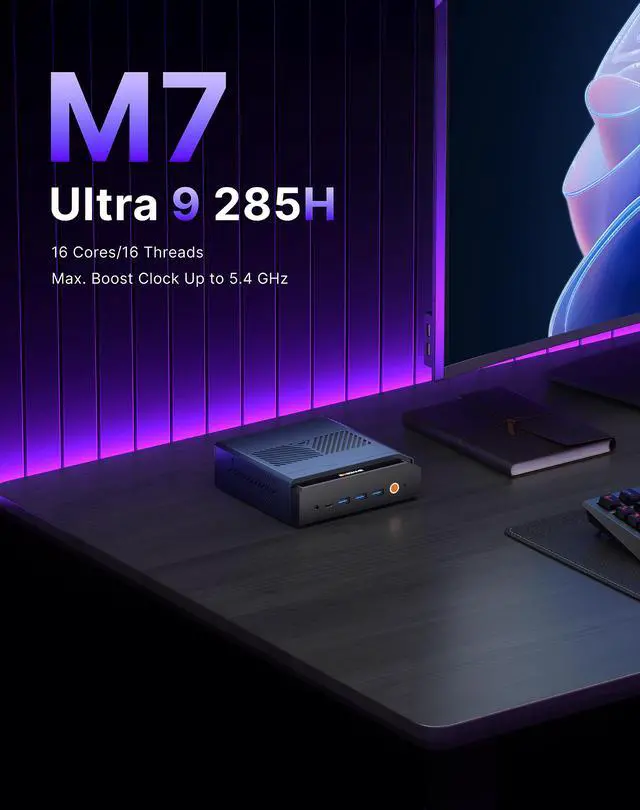
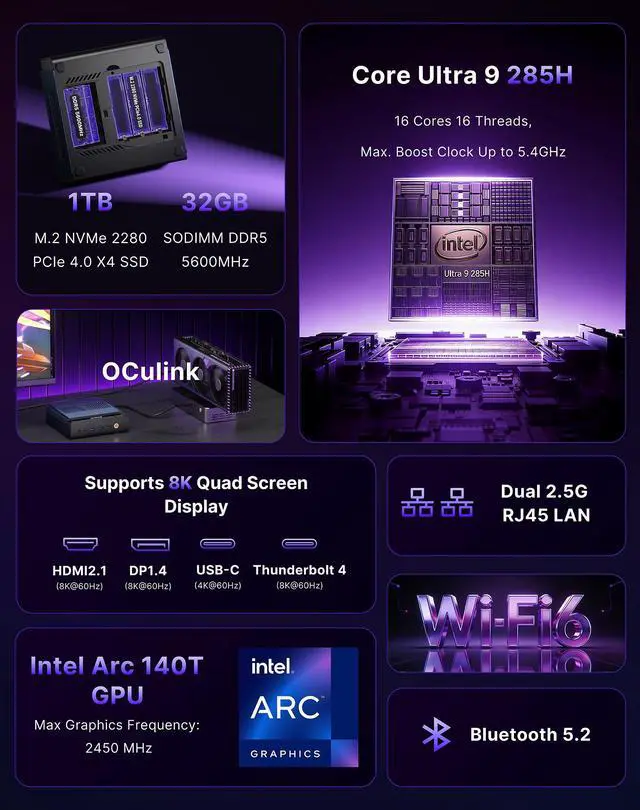
Intel Core Ultra 9 285H |
|---|---|
|
GPU |
Intel Arc 140T (Max Graphics Frequency 2450 MHz) |
|
AI NPU |
Intel Al Boost (NPU peak TOPS (Int8): 13 TOPS) |
|
RAM |
32GB DDR5(SODIMM x2,up to 128GB) |
|
SSD |
1TB M.2 2280 NVMe PCle4.0 x4(Include) |
|
Operating System |
Windows 11 Pro |
|
Other Features |
WOL Auto Power on |


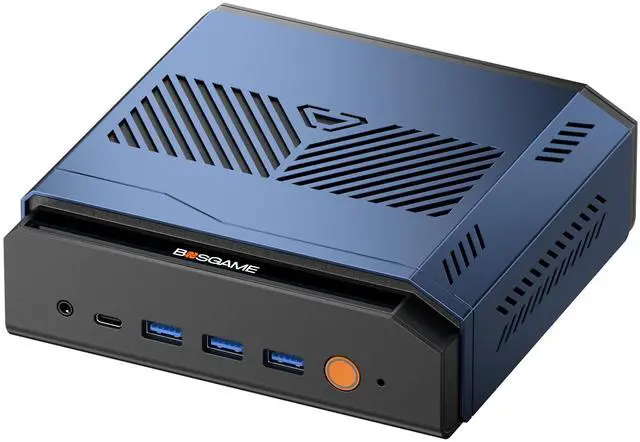
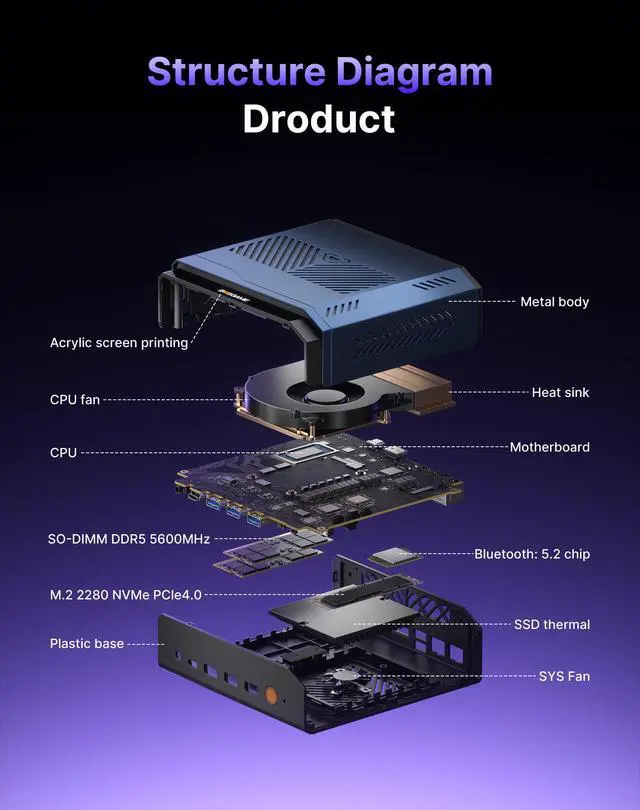
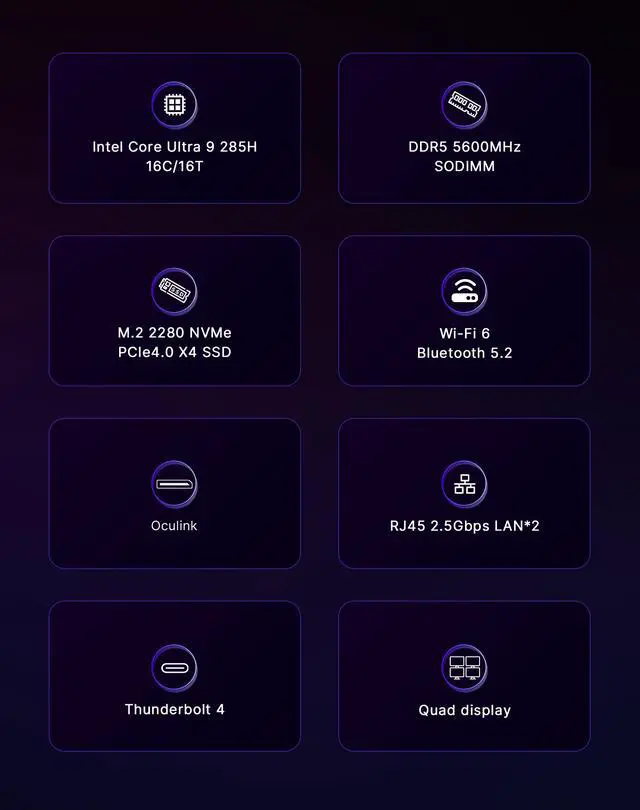
BOSGAME M7 Mini PC Powered by the 16-core Intel Core Ultra 9 285H (up to 5.4GHz), Intel Arc 140T GPU, and 13 TOPS NPU, it handles 8K editing, 3D modeling, AAA gaming, and AI workloads with ease. Equipped with 32GB DDR5 (expandable to 128GB) + 1TB PCIe 4.0 SSD (dual M.2 slots, up to 8TB each) for blazing speed and massive storage.
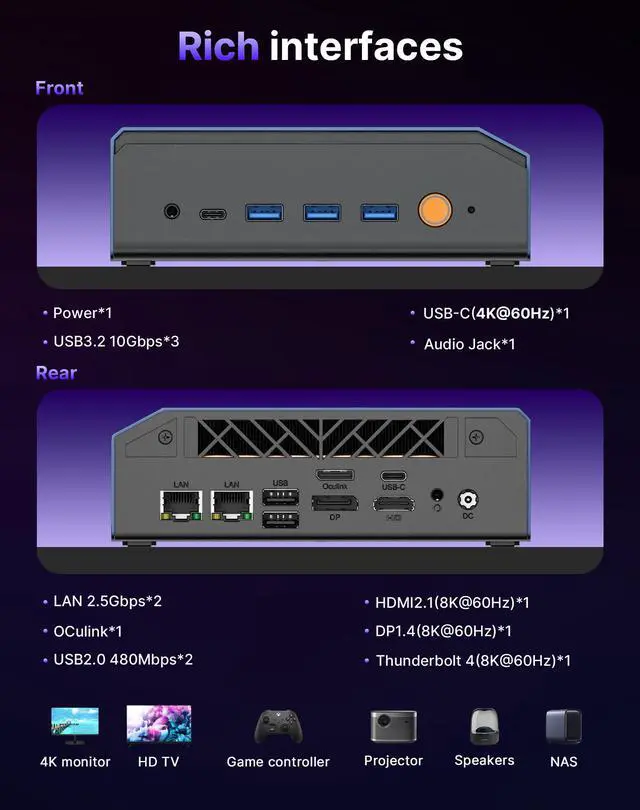
Full Connectivity: OCulink (PCIe 4.0 x4) for external GPU support; quad 8K@60Hz display output via HDMI 2.1, DP 1.4, Thunderbolt 4, and USB-C; dual 2.5G LAN, Wi-Fi 6, and Bluetooth 5.2 for enterprise-grade networking; Thunderbolt 4 (40Gbps) plus multiple USB ports for flexible expansion.
Cool & Reliable: Premium metal chassis with advanced dual-fan cooling ensures silent 24/7 operation.
Worry-free Warranty:Comes with a 1-year limited warranty,tarting from the date of the purchase. All defects due to design and workmanship are covered.
Q: Should I choose the BOSGAME DeskMini M7 Slim or a Thunderbolt-only mini PC like the ASUS NUC 15 Pro+?
A: Choose the BOSGAME DeskMini M7 Slim if you want more upgrade flexibility for graphics. Its combination of Thunderbolt 4 and OCuLink gives you two external expansion paths, and OCuLink is commonly favored in eGPU testing because it uses a more direct PCIe connection than Thunderbolt. Choose a Thunderbolt-only system like the ASUS NUC 15 Pro+ if you care more about mainstream docking convenience, newer wireless features, or a more established business-oriented platform. For buyers who expect to add an external GPU later, the BOSGAME design is the more purpose-built option.
Q: Is this Core Ultra 9 285H mini PC worth it over a Core Ultra 7 255H mini PC?
A: Choose this BOSGAME model when you want the highest-end configuration in this class, larger included memory and storage, and better odds of avoiding an early upgrade. If you are comparing otherwise similar mini PCs, outside benchmark sources show the Core Ultra 9 285H is usually only modestly ahead of the Core Ultra 7 255H, because both chips are very close in core layout and overall capability. That means the stronger buying case for this BOSGAME system is the full platform package: 32GB RAM, 1TB SSD, dual 2.5GbE, Thunderbolt 4, and OCuLink, not just the CPU label alone.
Q: Should I buy this mini PC or a cheaper mini PC with less RAM and storage?
A: Buy this BOSGAME configuration if you want to use the system for heavier multitasking, local AI tools, content creation, virtualization, or longer-term ownership without immediate upgrades. The included 32GB DDR5 and 1TB SSD are a practical step up from entry configurations that often start at 16GB and 512GB. A lower-tier mini PC can still be the better value for office work, web use, streaming, and light productivity, but this model makes more sense when you want a ready-to-run setup with less need to add memory or replace storage soon after purchase.
Q: Is this a better choice than a gaming laptop if I want compact performance?
A: Choose the BOSGAME DeskMini M7 Slim if the system will stay on a desk and you want more ports, easier monitor pairing, wired networking, and the option to add an external GPU later through OCuLink or Thunderbolt 4. Choose a gaming laptop if you need battery-powered portability and an all-in-one device you can carry between rooms or travel with. In short, this mini PC fits performance-first desktop use in a small footprint, while a gaming laptop fits mobility-first use.
Q: Should I use this mini PC on its own, or plan on adding an eGPU later?
A: Use the BOSGAME DeskMini M7 Slim on its own if your main workloads are office apps, development, media playback, light creator work, and casual GPU use with Intel Arc 140T graphics. Plan on adding an eGPU later if your target workloads include modern AAA gaming at higher settings, GPU-heavy rendering, or more demanding AI workloads. This product is appealing because it does not force that decision up front: it works as a compact everyday mini PC now, while OCuLink gives it a clearer upgrade path than most mini PCs when your graphics needs grow.
Q: Is this mini PC a good fit for office work, meetings, programming, and multi-monitor productivity?
A: Yes. This configuration is more than sufficient for office apps, video calls, web work, coding, and heavy multitasking. Its stronger point is desk-based productivity: 32GB DDR5, a 1TB SSD, four-display support, Thunderbolt 4, and dual 2.5GbE make it better suited to a permanent workstation than a basic business mini PC. The main trade-off is that it is not a travel device like a laptop because it needs external power, a monitor, and peripherals.
Q: Is this a good choice if I want a mini PC now but may add more graphics power later?
A: Yes, that is one of its clearest advantages. The built-in Intel Arc graphics are fine for everyday work, media, light creative tasks, and some lighter gaming, but the more important feature is OCulink support for an external GPU. Compared with mini PCs that rely only on Thunderbolt 4 or USB4 for eGPU use, an OCulink-equipped model is the better fit for buyers who expect to scale into heavier gaming, 3D work, or GPU-accelerated creation later.
Q: Can this replace a small desktop for a multi-monitor trading, admin, or creator setup?
A: Yes. If your workflow depends on several screens, wired networking, and many ports, this is closer to a compact desktop workstation than an entry-level mini PC. The combination of quad-display output, Thunderbolt 4, USB-C video, and dual 2.5GbE is well aligned with users running trading dashboards, back-office systems, development environments, or content tools across multiple monitors. The trade-off is that the benefit is mainly at a fixed desk, not in portable use.
Q: Is it worth buying instead of a laptop for a travel-friendly work setup?
A: Usually no. A mini PC like this saves desk space and can deliver stronger port selection and upgrade flexibility than many laptops, but it is not the better travel-work device because it still requires external power, display, keyboard, and mouse. It is the better buy for users who want a compact fixed workstation, not for people who need battery-backed mobility for flights, meetings, or frequent travel.
Q: Who is this mini PC most suitable for, and who should skip it?
A: It is most suitable for buyers who want a compact but high-spec desktop: developers, traders, advanced office users, homelab users, and creators who value many ports, dual 2.5GbE, fast storage, and the option to add an eGPU later. It is less suitable for shoppers who just need a basic browsing or office box, because they may not benefit from the Core Ultra 9 tier, OCulink, or quad-display capability. Those users can often spend less on a simpler mini PC or choose a laptop if portability matters more.
Q: Who is the BOSGAME DeskMini M7 best suited for?
A: It is best suited for buyers who want a very compact desktop with high CPU performance, lots of built-in I/O, and a future eGPU upgrade path. The strongest fit is office power users, developers, multi-monitor setups, homelab users, and creators who value dual 2.5GbE, Thunderbolt 4, OCulink, 32GB DDR5, and a 1TB SSD in a small system. It is less ideal for buyers who want the lowest price or who prefer a more established support brand.
Q: Is the BOSGAME DeskMini M7 a good choice if I may want an eGPU later?
A: Yes, if eGPU expandability is a priority, this model is a strong fit because it includes a dedicated OCulink port and Thunderbolt 4. That makes it more flexible than many mini PCs that rely on USB4 or have no external GPU option at all. The trade-off is that an eGPU setup adds cost, cables, desk space, and setup complexity, so it makes the most sense for buyers who know they will use that upgrade path.
Q: Can the BOSGAME DeskMini M7 replace a larger desktop for work and everyday use?
A: For many users, yes. Its Core Ultra 9 285H, 32GB RAM, 1TB SSD, dual 2.5GbE, and support for up to four displays make it practical as a main PC for productivity, development, multitasking, and network-heavy desk setups. It is a weaker replacement for buyers who need sustained high-end gaming without an eGPU or who want maximum internal upgrade room like a full-size desktop provides.
Q: What are the main trade-offs of buying the BOSGAME DeskMini M7?
A: The main trade-offs are brand risk, possible variance in quality control, and mini-PC limits under heavy sustained use. Reddit discussions around BOSGAME mini PCs repeatedly mention concerns such as fan noise, occasional RAM or reliability issues, and weaker after-sales confidence than larger brands. In return, you get a compact system with unusually strong connectivity and expansion for its size.