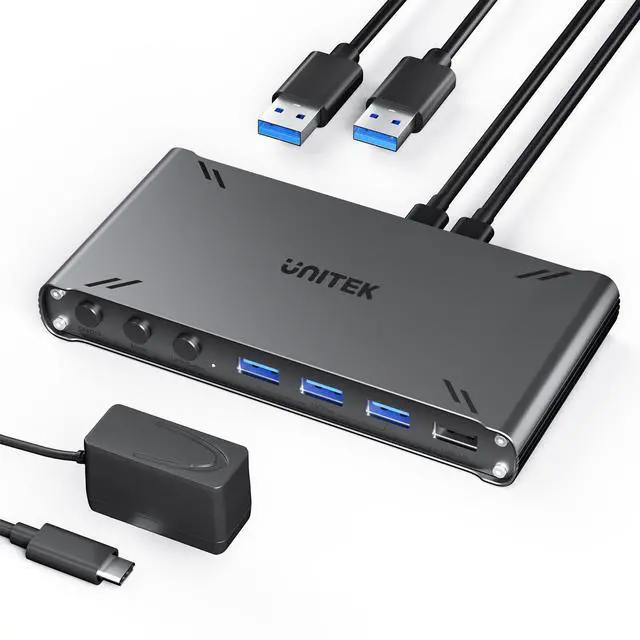
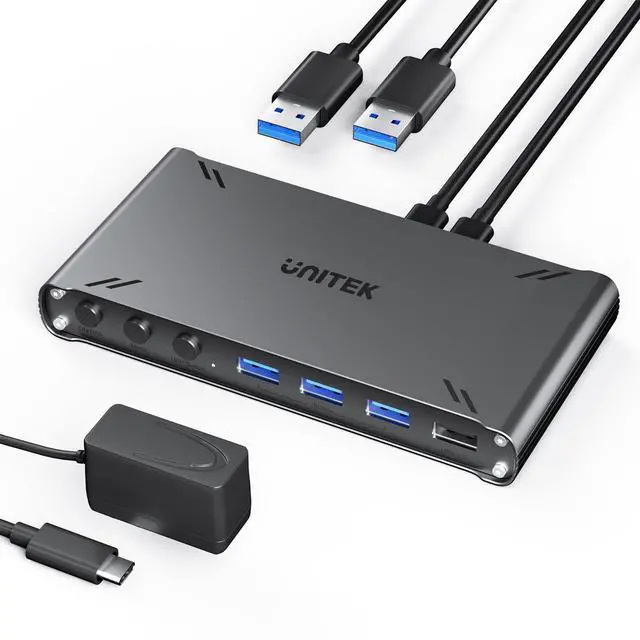
HDMI KVM Switch 1 Monitor 2 Computers 4K@30Hz USB C Switcher Sharing Keyboard Mouse Printer with 5 USB Ports 10Gbps 2 USB Cables Power Adapter PC/Mac Compatible File Drag-and-Drop Transfer
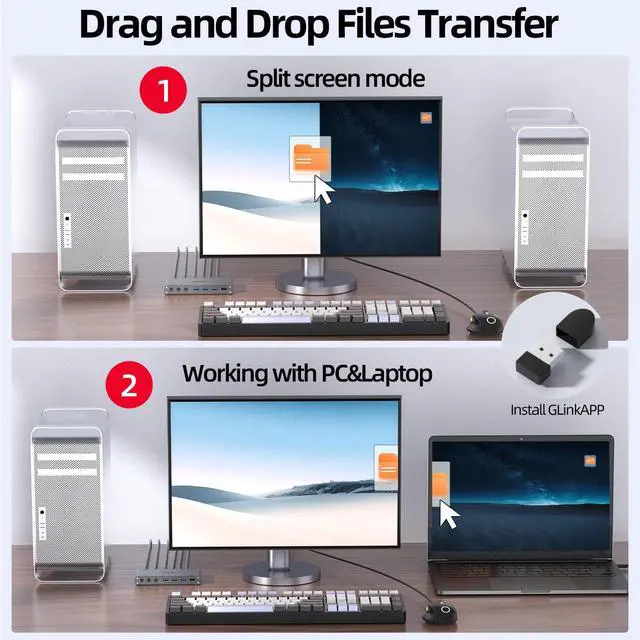
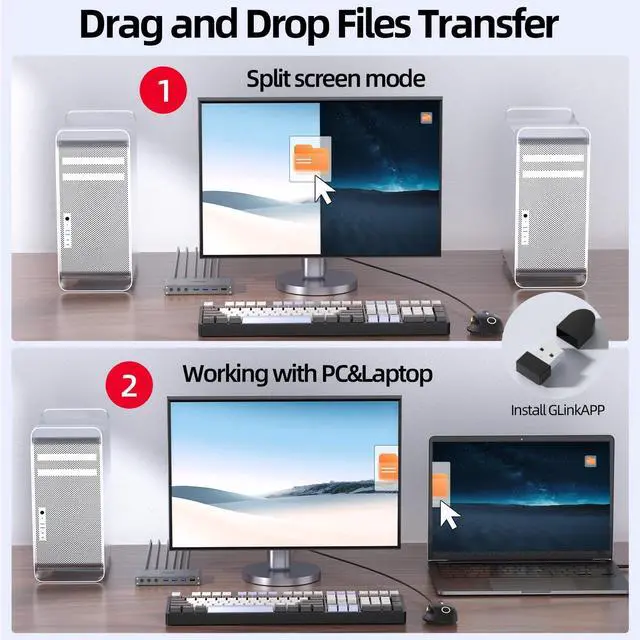
NOTE - Please install "GLinkApp" to urtilize the Data intercopy feature. Only USB 3.0 or above HOST interface can use the Data Intercopy feature. After install "GLinkApp",the product does support simultaneously using a mouse and keyboard between dual hosts.
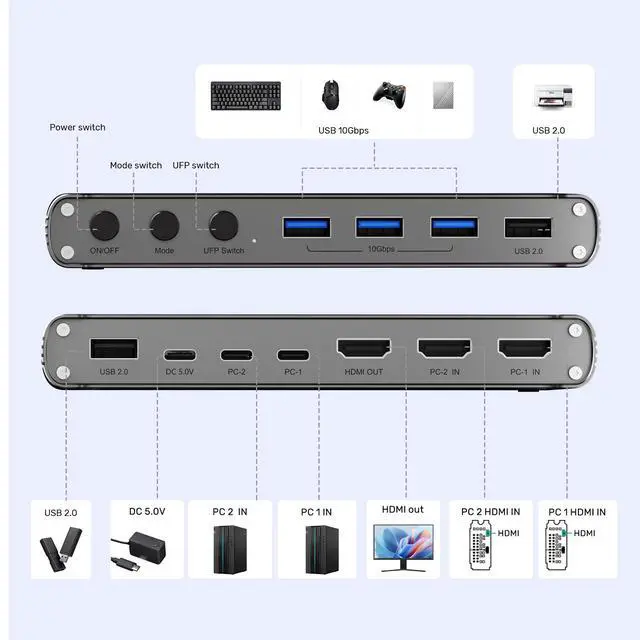
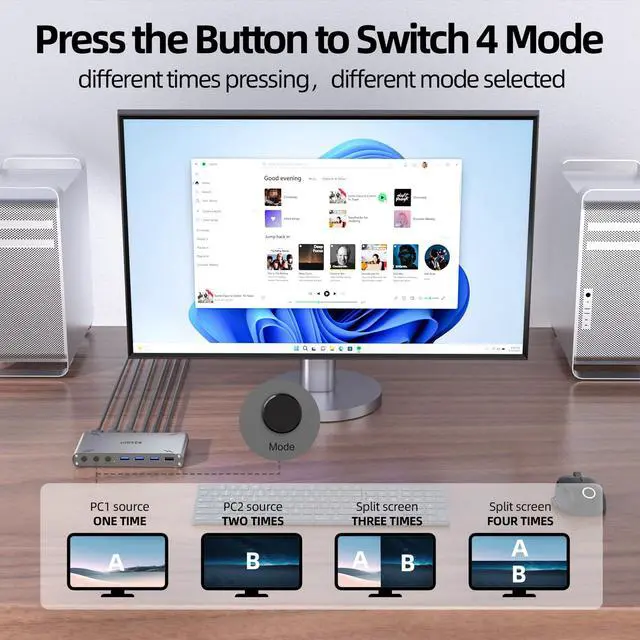
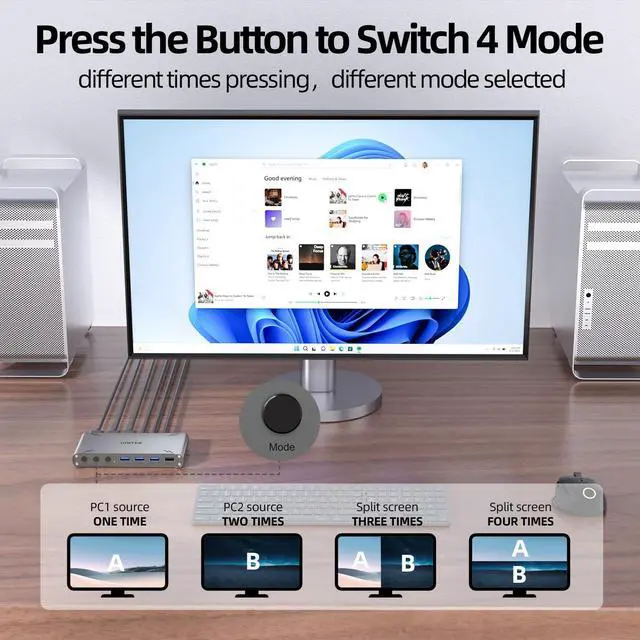
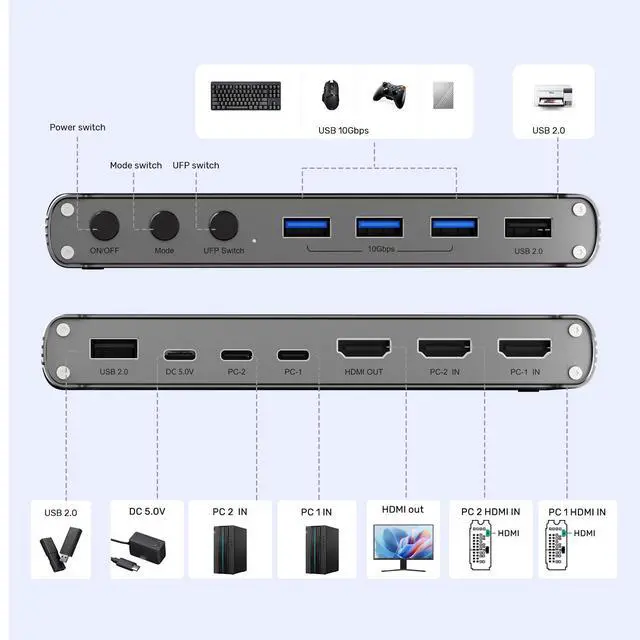
Mode Switch Button - The MODE button exclusively controls video source switching functionality Single press: Displays Host A video source Double press: Displays Host B's video source Triple/Quad press: Activates split-screen mode to display both hosts' video sources simultaneously.
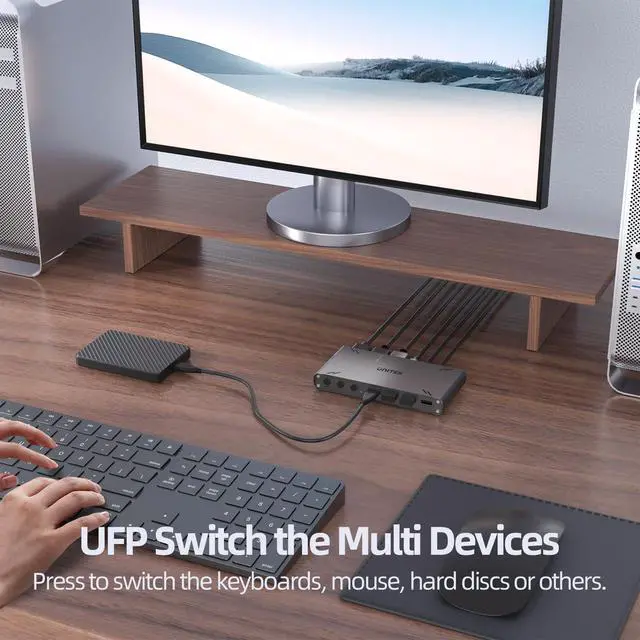
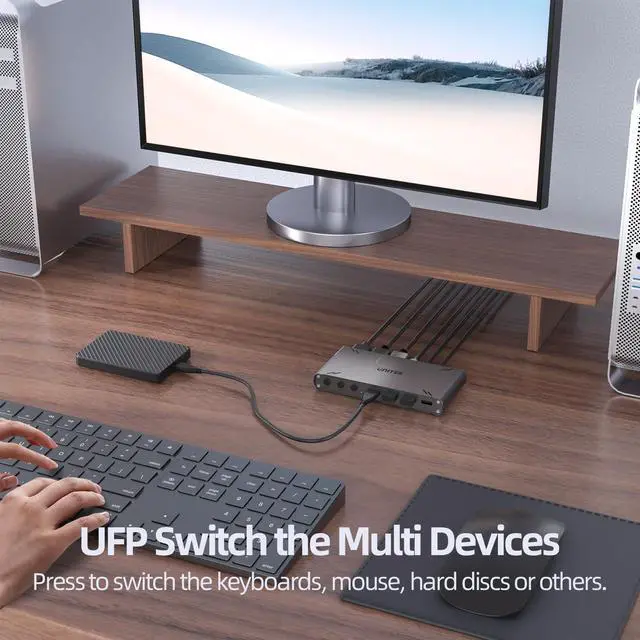
UFP Switch Button - Press the UFP button to switch the multi USB devices between two hosts. This button needs to be used in conjunction with the MODE BUTTON. After selecting different modes, use the UFP button to switch USB devices to the corresponding host for use. When in split-screen mode, no UFP button operation is required as the USB devices are shared between both hosts simultaneously. For Storage Device Control - Includes a UFP toggle switch to manually shift USB storage devices (e.g., hard drives) between hosts, ensuring uninterrupted access even if one computer powers off.
Dual Host HDMI Switching & Splitting - Seamlessly switch between two HDMI input sources (PC/Mac) or display both simultaneously on a single screen. Supports HDMI 1.4 with 4K@30Hz resolution and HDCP 1.4 compliance for crisp, high-definition visuals.
+
+
Overview
Specs
Reviews
Any questions? Our AI mode will help you find out quickly.
HDMI KVM Switch 1 Monitor 2 Computers 4K@30Hz USB C Switcher Sharing Keyboard Mouse Printer with 5 USB Ports 10Gbps 2 USB Cables Power Adapter PC/Mac Compatible File Drag-and-Drop Transfer
Learn more about the Detailed Specifications
Additional Information
First Listed on Newegg
May 23, 2026
There are no reviews yet.
Do you own this product?
Warranty & Returns
Warranty, Returns, And Additional Information
Warranty
Please contact the Seller directly for warranty information. Warranty information may also be found on the Manufacturer's website.