




 here!
here!
I’m your shopping assistant for PC builds, upgrades, and everything tech.
Got questions? Ask away!
Start a conversation
here!
I’m your shopping assistant for PC builds, upgrades, and everything tech.
Got questions? Ask away!
Start a conversation




Any questions? Ask CelesteSM will help you find out quickly.
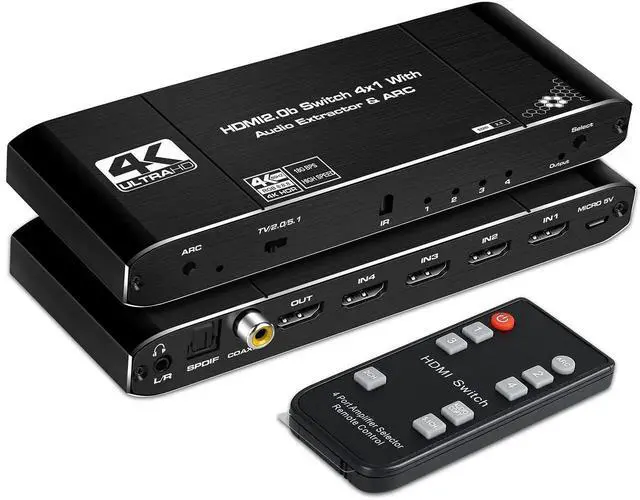
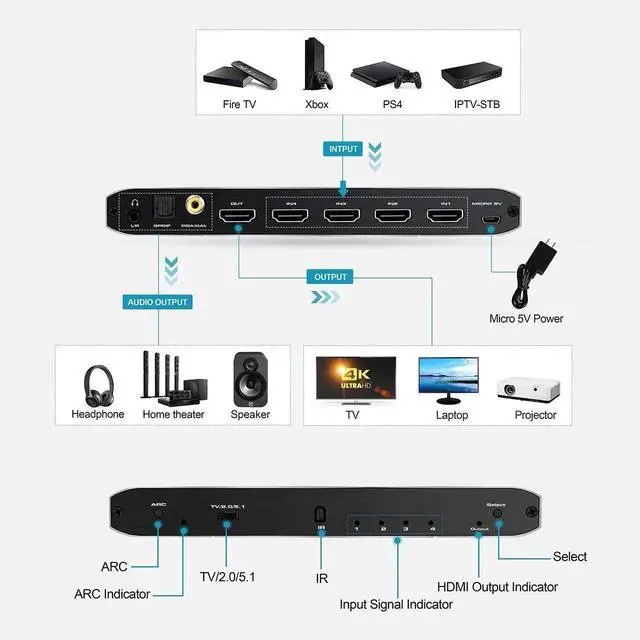
The 4x1 HDMI 2.0b Switch with Audio Extractor connects four HDMI source devices to one HDTV, monitor, or projector while providing separate digital and analog audio outputs. It is designed for home theaters, offices, classrooms, hotels, and retail installations where multiple media devices share one display.
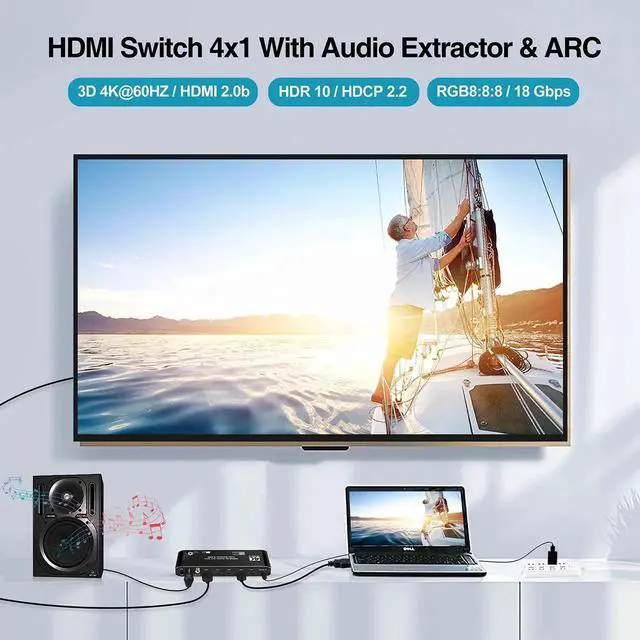
The switch supports resolutions up to 4K at 60Hz along with HDR10, HDCP 2.2, RGB 8:8:8, 36-bit Deep Color, and bandwidth up to 18.5Gbps. It is backward compatible with 4K at 30Hz and Full HD 1080p at 120Hz. Performance depends on the capabilities of every connected source, display, receiver, and cable.
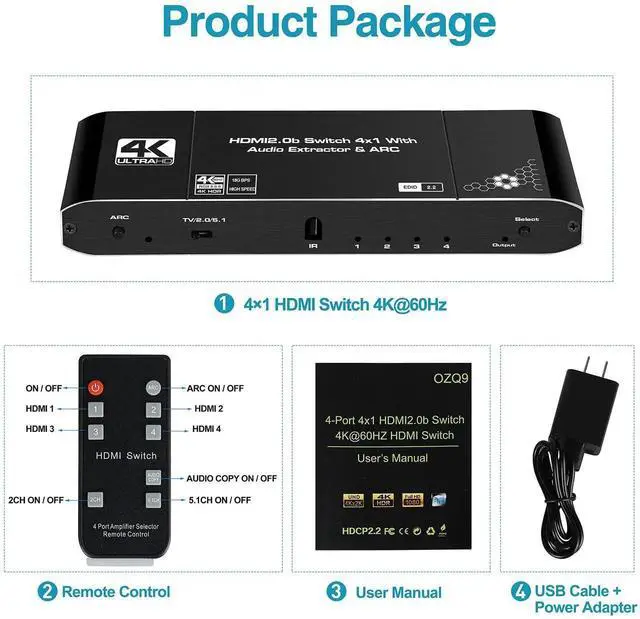
Extract audio from the selected HDMI source through optical SPDIF, coaxial, or 3.5mm stereo output. Choose 2CH mode for stereo output, 5.1CH mode for compatible optical or coaxial surround-sound equipment, or TV mode to follow the display's supported audio format. The 3.5mm output supports 2-channel stereo or audio-copy mode. Compatible digital formats may pass through when supported by the complete equipment chain.
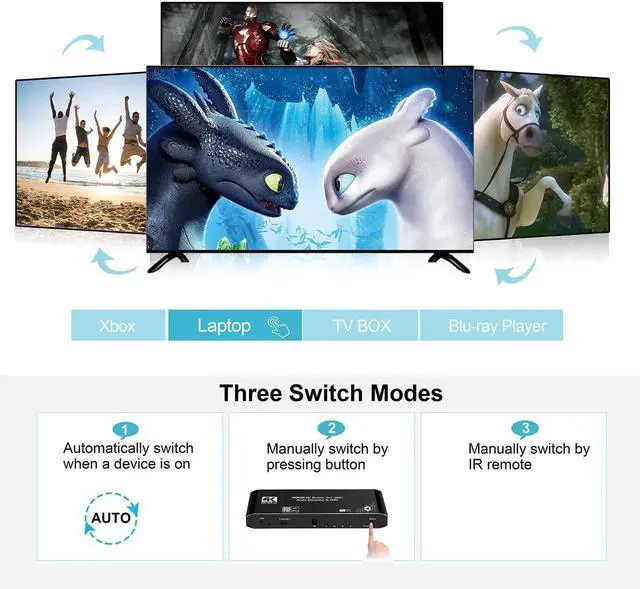
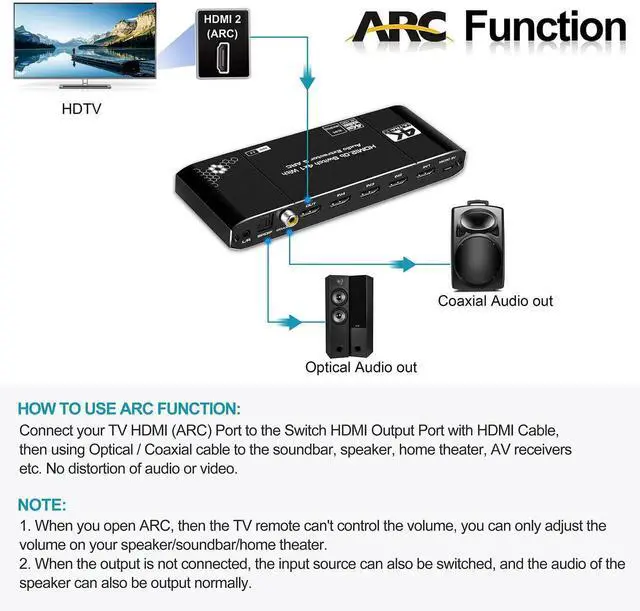
ARC can return audio from a compatible display through the switch when its HDMI output is connected to the display's ARC-enabled HDMI port. Inputs can be selected automatically, with the front-panel control, or from up to 8 m away using the included IR remote. A temporary black screen of approximately 5 seconds while changing sources can be normal because the HDMI connection must resynchronize.
For reliable operation, use compatible 19+1-pin HDMI 2.0 cables. Recommended maximum lengths are 5 m on the input and output sides with 26AW cables, or 3 m per side with 28AW cables. Optical and coaxial audio cable runs can reach up to 10 m under suitable installation conditions. If connected equipment does not synchronize, disconnect and reconnect the switch's power supply.
Does this HDMI switch support 4K at 60Hz?
Yes. It supports up to 4K at 60Hz with HDMI 2.0b, HDR10, HDCP 2.2, RGB 8:8:8, and bandwidth up to 18.5Gbps when the source, display, and cables support those specifications.
Can it send audio to a soundbar or AV receiver?
Yes. Optical SPDIF and coaxial outputs support compatible stereo or 5.1-channel equipment, while the 3.5mm output supports 2-channel analog stereo.
How does ARC work with this switch?
Connect the switch's HDMI output to the ARC-enabled HDMI port on a compatible display, enable ARC on the display, and select the appropriate audio mode. ARC support depends on the connected display and audio equipment.
Can I change HDMI inputs without leaving my seat?
Yes. Use the included IR remote from up to 8 m away when it is aimed toward the switch's IR receiver, or select inputs using automatic switching or the front-panel control.


