




 here!
here!
I’m your shopping assistant for PC builds, upgrades, and everything tech.
Got questions? Ask away!
Start a conversation
here!
I’m your shopping assistant for PC builds, upgrades, and everything tech.
Got questions? Ask away!
Start a conversation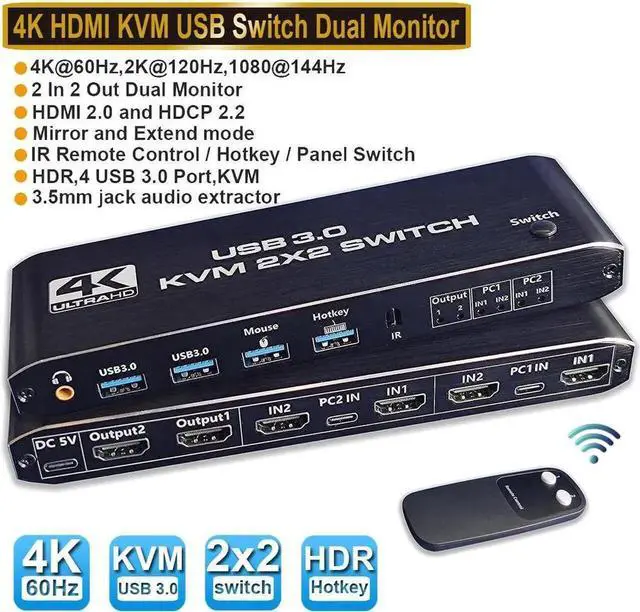



Any questions? Ask CelesteSM will help you find out quickly.
HDMI KVM Switch 2 In 2 Out USB 3.0 4K@60Hz
Support 2 Monitors 2 Computers Dual Display Ports With Remote Control HotKey and Audio
Warm Tips:
1. The remote control is not equipped with batteries and must be purchased separately. If the remote control is not going to be used for a long time, it is recommended to remove the batteries.
2. Please use a high-quality 19+1 26AWG HDM1 cable, no longer than 5 meters.
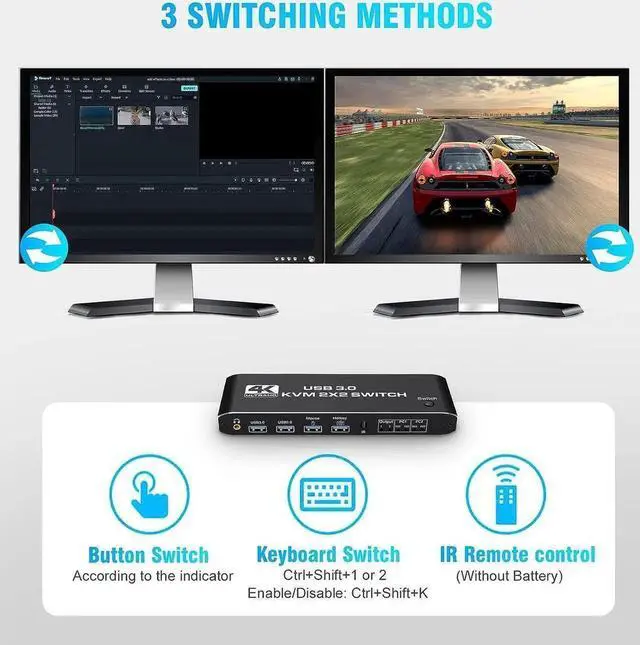
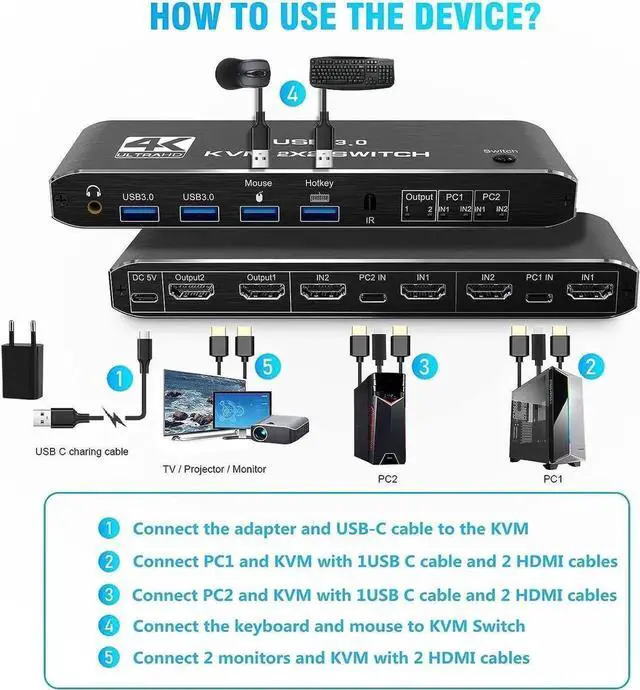
3. Please connect the keyboard to the designated USB port, not other USB ports, otherwise the keyboard's hotkey switching function will be lost.
Features:
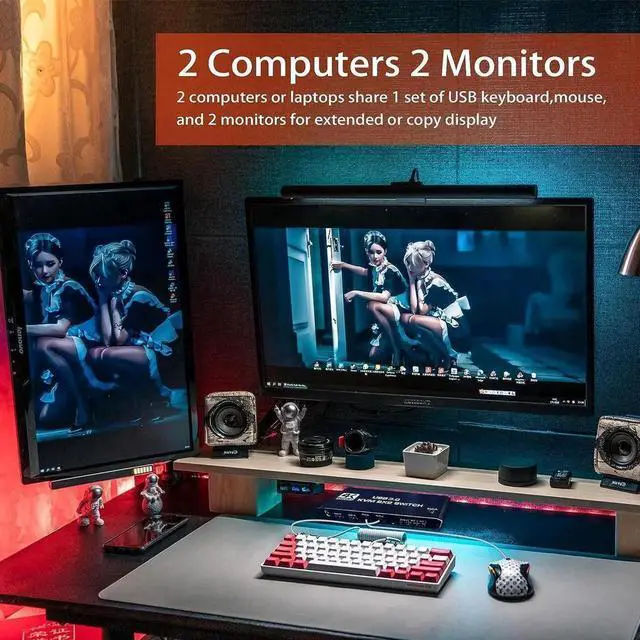
Share a set of keyboard, mouse and two HDMI monitors between 2 computers or laptops;
Dual monitor output supports up to 4K@60Hz;
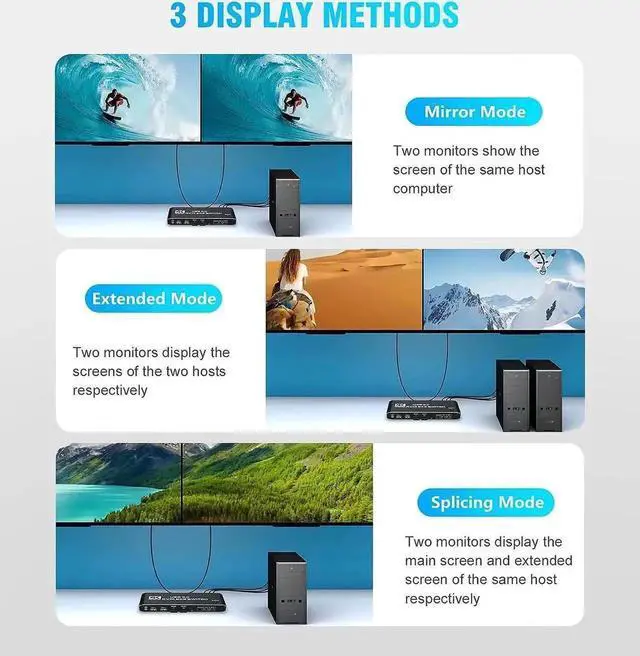
Dual monitor output supports extended and mirrored display;
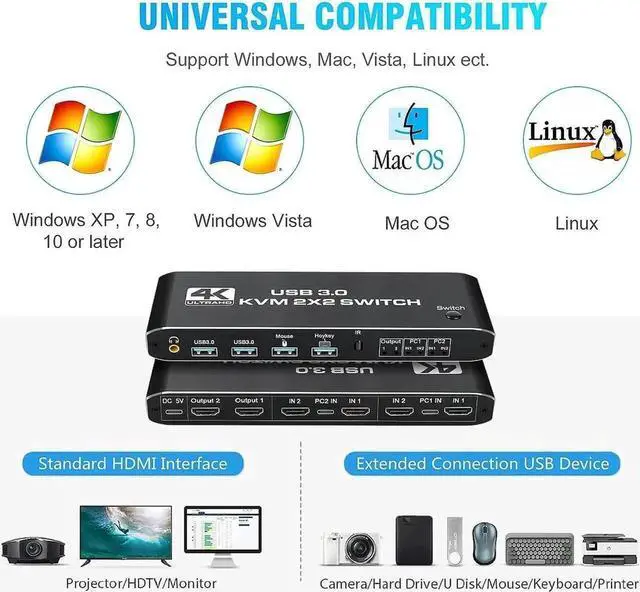
Compatible with Windows 10/7/2000/XP/Vista, Linux, UNIX, Ubuntu, Fedora, and other systems;
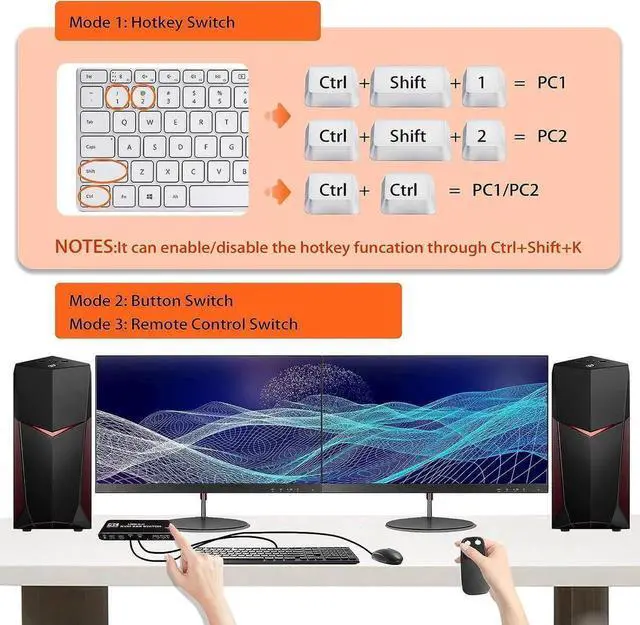
Switching modes: push-button switches, remote controls and hotkeys;
The ports to which HDMI/USB cables need to be connected are all hidden behind the KVM, so the desk doesn't get cluttered;
With additional 2 USB 3.0 and 3.5 mm audio output.
How to use:
1. Plug in the USB to Type-C cable to power it.
2. Connect PC1 and KVM with 1 USB to Type-C cable and 2 HDM1 cables.
3. Connect PC2 and KVM with a USB to Type-C cable and two HDM1 cables.
4. Connect the keyboard and mouse to the HDMI KVM SWITCH.
5. Connect two monitors and the HDMI KVM SWTCH with two HDM1 cables




