

Your Browsing History





8K@60Hz Displayport Triple Monitors KVM Switch 4K@144Hz, DP 1.4 USB 3.0 KVM Switch 2 PC 3 Monitors, DP KVM Switches for 3 Computers 3 Monitors with Audio Microphone Output and 3 USB 3.0 Ports
Limited time offer, ends 09/30 By CURIOXSHOP
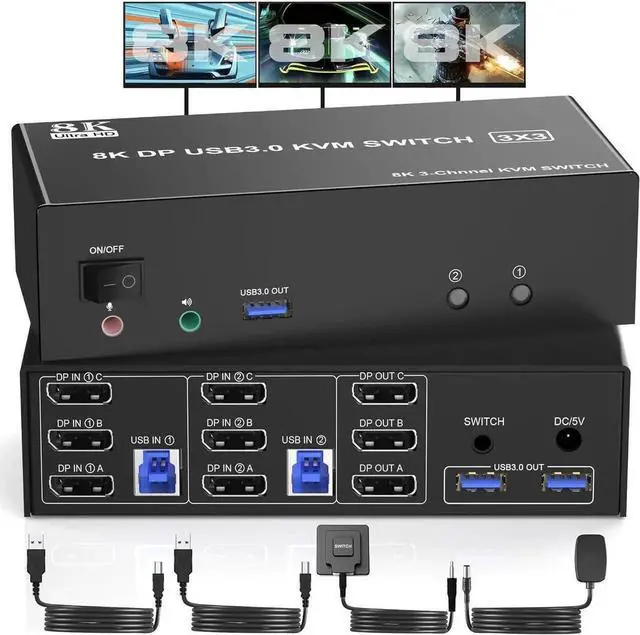
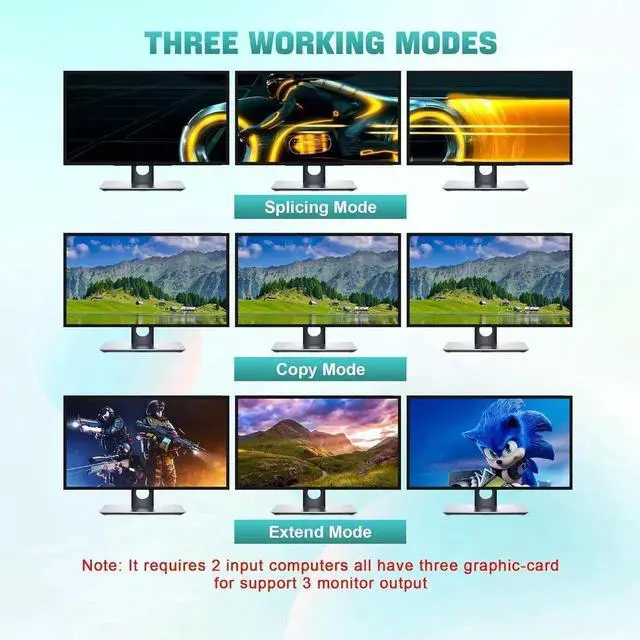
- DP KVM Switch 2 PC 3 Monitors: This KVM switch allows 2 desktops or laptops, a set of audio microphone output, 3 USB 3.0 ports (keyboard, mouse and other USB devices) and 3 monitors to share (supports splicing, extended and copy display modes).
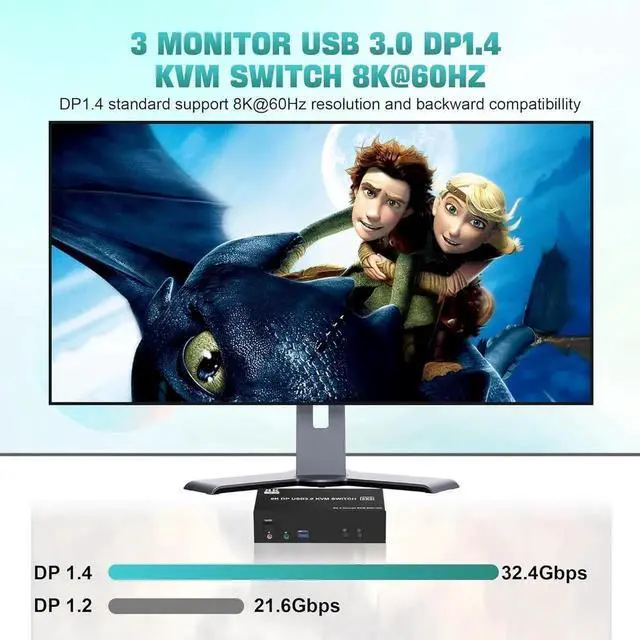
- 8K@60Hz: This kvm switch supports resolutions and refresh rates up to 8K@60Hz/4K@144Hz.
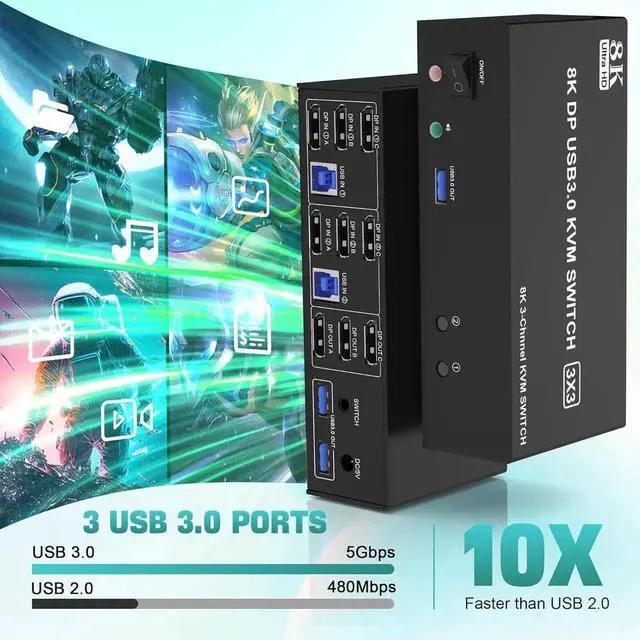
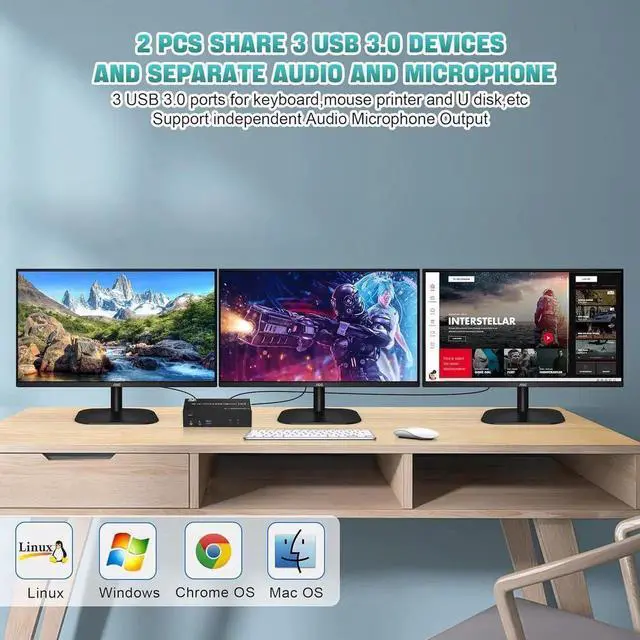
- with 3 USB 3.0 ports & Audio output: KVM switch with 3 built-in USB 3.0 ports, supports ultra-fast 5Gbps data transfer that can recognise keyboard, mouse, printer and other USB devices. Also supports separate audio and microphone output.
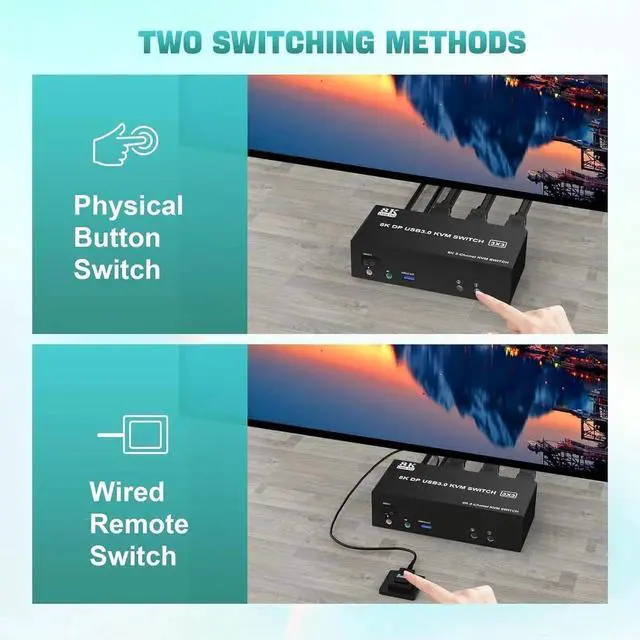
- Great compatibility and 2 switching modes:Driver-free for Windows, Mac, Linux, Chrome OS etc.. Has two switching options, you can press the button on the control panel or use the wired remote control (included) to switch the computers.
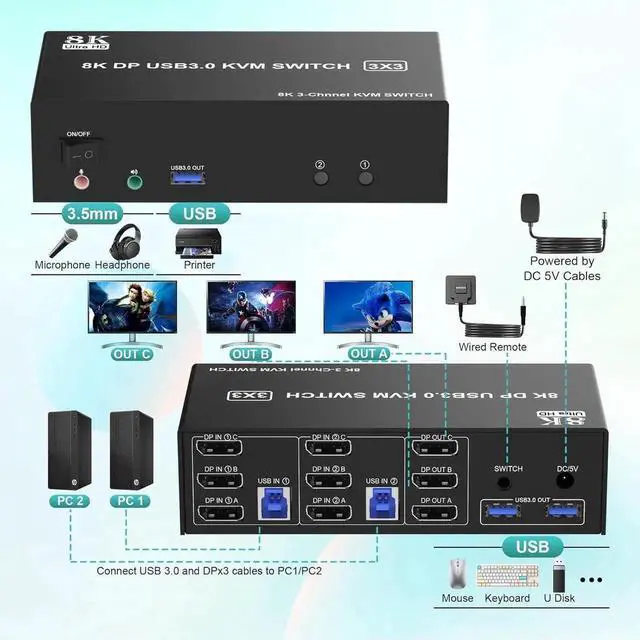
- Important: Each PC requires 3 x DP+ 1 x USB cable to get the triple screen display correctly. If your PC does not have 3 x DP ports, adapters are required.
+
+
Overview
Specs
Reviews

Any questions? Our AI mode will help you find out quickly.
Try me now
Features:
1. 8K DisplayPort 3 monitors KVM Switch allows 2 computers / laptops to share 3 monitors (3*DisplayPort) and 3 USB 3.0 ports (keyboard, mouse and other USB devices). It can make your work area tidy and efficient, also a first-class choice for working from home.
2. 3 monitors support up to 8K@60Hz/4K@144Hz, Ultra HD, HDR 10, Dolby Vision, 3D effect.
3. Supports DP 1.4, transfer rates up to 32.4G bps, backwards compatible with DP 1.2
4. 2 switching modes: Button switch and wired remote control.
5. With additional 3 USB 3.0 ports and independent audio microphone output.
6. Plug and play, compatible with Windows, Mac, Linux, Chrome OS and most other popular operating systems
Note:
1. Each PC must be connected with 3 x DP+ 1 x USB cable to display the three screens correctly. If your PC does not have 3 x DP ports, adapters are required.
2. If the 3 monitor KVM switch does not work, you can turn off the switch on the control panel and turn it on again after 2-3 seconds, then it will work normally again.
3. If the USB 3.0 input ports are not connected or incorrectly connected, the USB output device will not be recognized.
4 Note: DP cables are not included.
Warranty & Returns
Warranty, Returns, And Additional Information
Warranty
- Please contact the Seller directly for warranty information. Warranty information may also be found on the Manufacturer's website.
- CONTACT
Return Policies
- Return for refund within: 30 days
- Return for replacement within: 30 days
- This item is covered by CURIOXSHOP Return Policy
Manufacturer Contact Info
- For a directory of all our manufacturers, please click below.
- Manufacturers Directory
LOADING...