Your Browsing History
Meet Your Seller
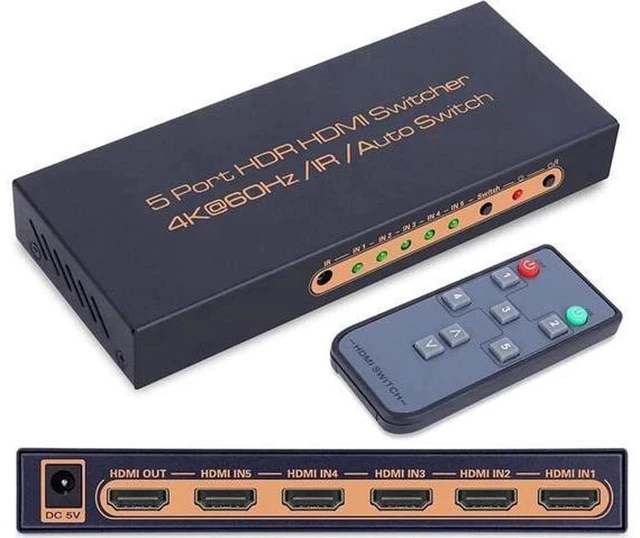
AJMRTC 5 In 1 Out HDMI Switcher, 5x1 HDMI 2.0 Switch 4K@60Hz with IR Remote, HDR HDCP2.2 Automatic Manual Switch for TV Monitor Projector
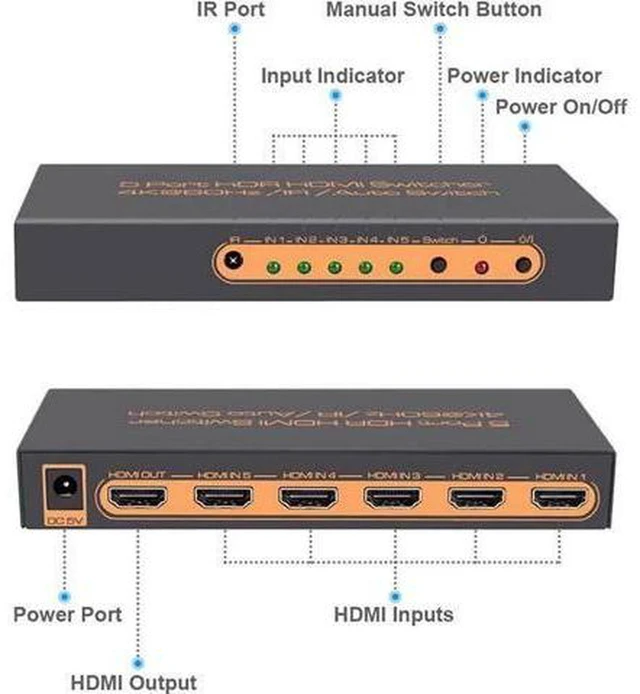
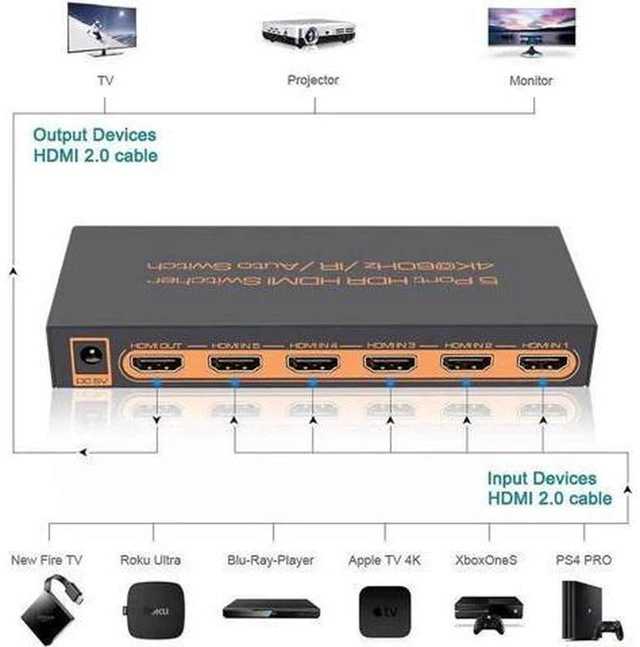
- - 5 input 1 output design, connect 5 HDMI sources to one display device
- - Supports 4K@60Hz resolution, HDR and HDCP2.2 for clear vivid picture
- - Comes with IR remote control, convenient to switch channels from distance
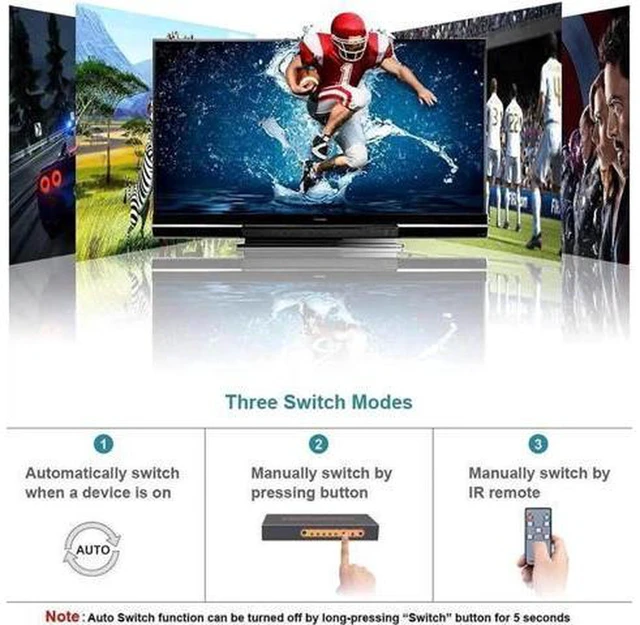
- - Supports automatic signal detection and manual button switching two modes
- - Plug and play, no extra driver required, easy to set up for home theater
+
+
Overview
Specs
Reviews
Any questions? Ask CelesteSM will help you find out quickly.
Try me now
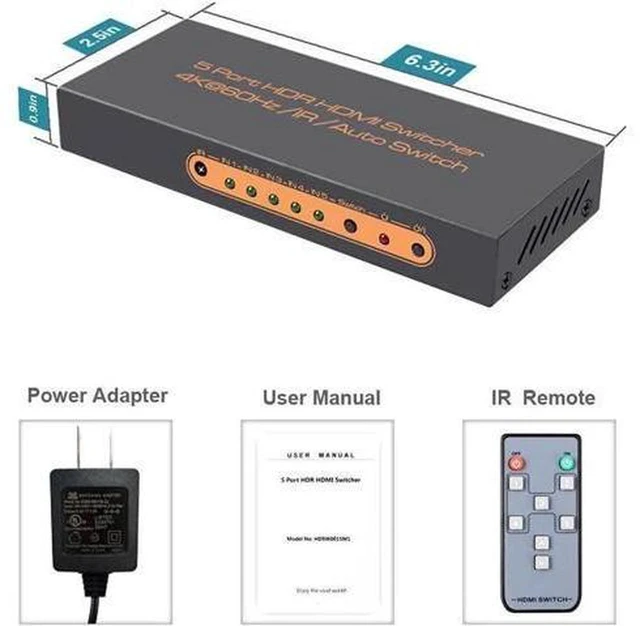
AJMRTC 5-in-1 HDMI switcher helps you connect multiple HDMI source devices to a single TV, monitor or projector. It supports 4K 60Hz high definition video, HDR and HDCP 2.2, delivering stable and high-quality audio-video signal. You can switch inputs by pressing the local button or using the infrared remote controller. It also features auto-switch function when new signal input is detected. It works well with game consoles, streaming boxes, Blu-ray players and computers. Perfect for home entertainment, meeting room and multimedia display setup.
Specifications
- Brand: AJMRTC
- Port: 5 HDMI Input, 1 HDMI Output
- Resolution: 4K@60Hz, backward compatible with 1080P
- Supported Features: HDR, HDCP2.2
- Control: IR Remote + Manual Button + Auto Switch
- HDMI Version: HDMI 2.0
- Audio: LPCM, Dolby, DTS
- Compatible Devices: Game Console, TV Box, Blu-ray Player, PC, Monitor, Projector
- Power: USB Powered
- Package Content: 1 x 5x1 HDMI Switcher, 1 x IR Remote, 1 x USB Power Cable, 1 x User Manual
Warranty & Returns
Warranty, Returns, And Additional Information
Warranty
- Please contact the Seller directly for warranty information. Warranty information may also be found on the Manufacturer's website.
- CONTACT
Return Policies
- Return for refund within: 30 days
- Return for replacement within: non-replaceable
- This item is covered by ConnectFlow USA Return Policy
Manufacturer Contact Info
- For a directory of all our manufacturers, please click below.
- Manufacturers Directory
LOADING...