• $36.14
  • Free 45-day Returns
  • Ships from China.
    Sold by LumiNova Tech

    Shipped by LumiNova Tech

    Price alert
    Shop it at NeweggBusiness.

    Meet Your Seller

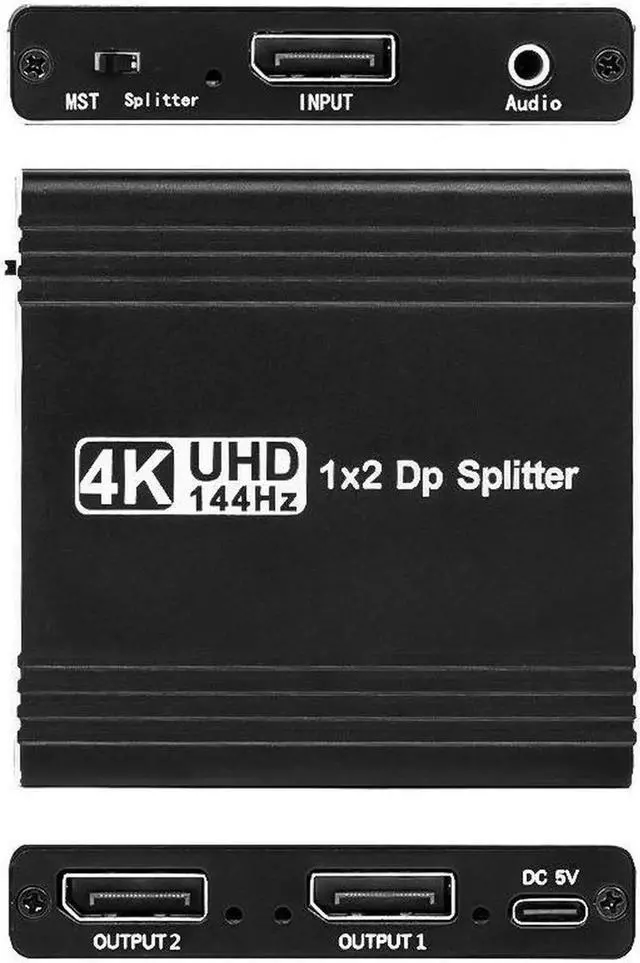
    JAENFONG 4K 144Hz DisplayPort to Dual DisplayPort Splitter Adapter for Dual Monitor Display.SST/MST Specification Display Port Extend 1 in 2 Out, DP Splitter Hub for Desktop PC Laptop

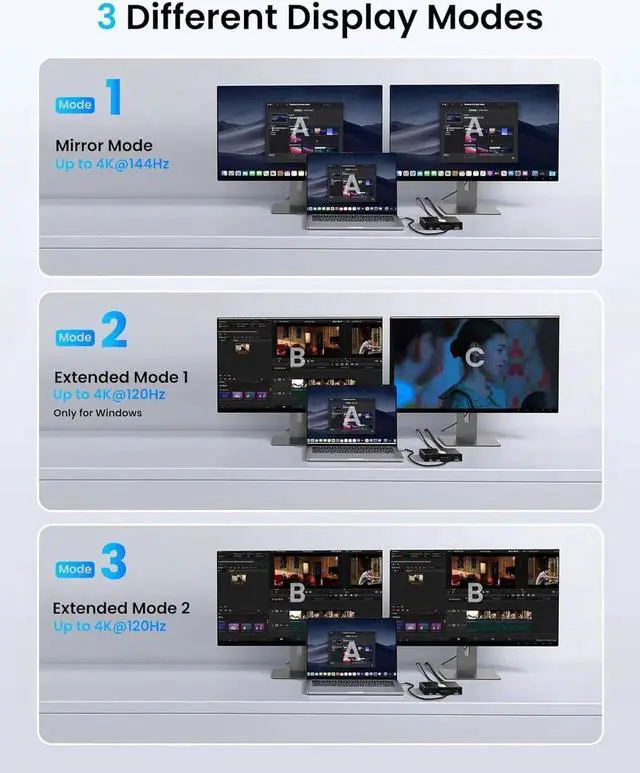
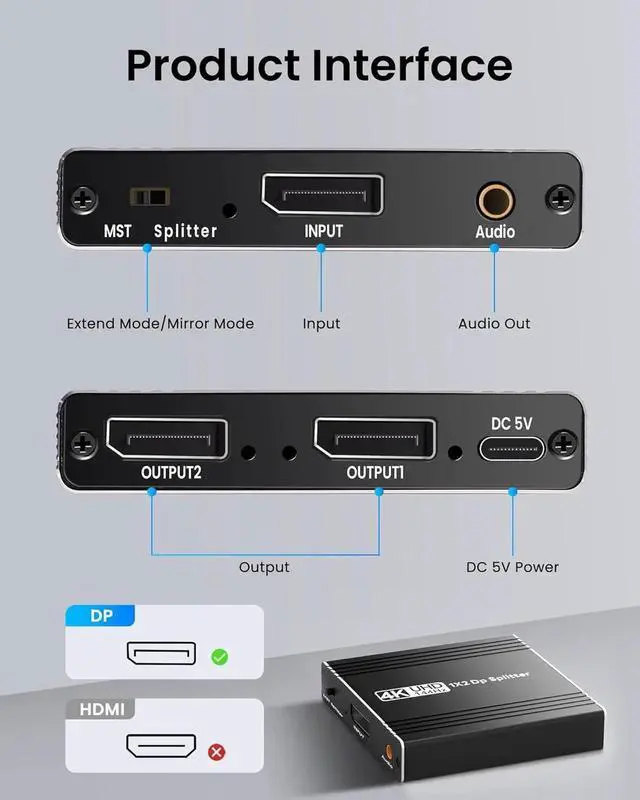
    • DisplayPort to 2 DisplayPort Adapter: DisplayPort to Dual DisplayPort Splitter can output one DP signal to 2 DP displays at the same time, which can support the use of Expanded Mode and Mirroring Mode(AAA/ABB/ABC) to fulfill your need for more screen displays (can only unidirectionally transmit from one DP signal source to two DP displays). Mac OS only supports SST mode (AAA/ABB), it is not recommended to connect any docking station or hub (most docking stations and hubs do not support MST function)
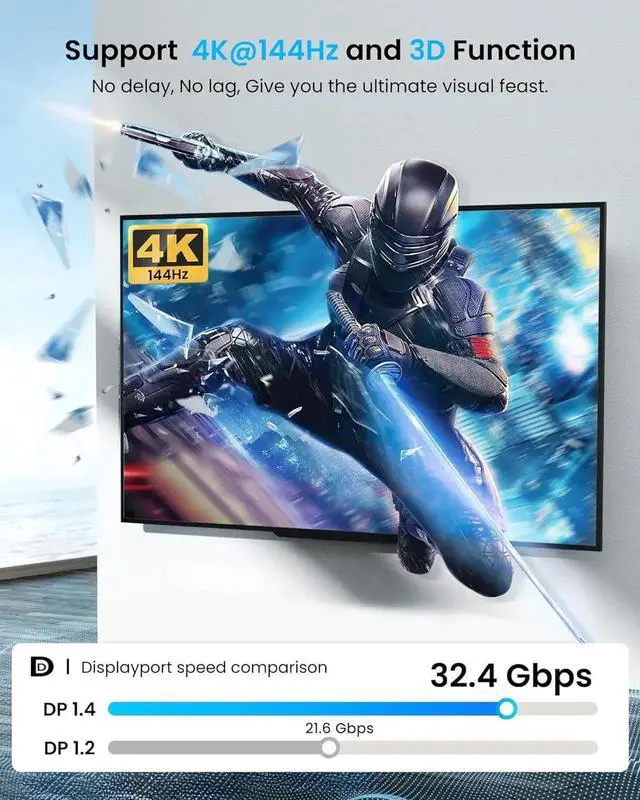
    • 4K144Hz Ultra HD Visual Feast: The DisplayPort to Splitter 1 in 2 out extended display complies with the DP 1.4 standard, and both DisplayPort displays are capable of resolutions up to 4K@120Hz, for vivid images with even more amazing picture color and contrast. To transmit 4K144Hz video signals, please make sure all your devices and cables support 4K144Hz. Note: Some computers need to manually set the display settings interface to 4K144Hz resolution and set it to extended or mirrored mode
    +
    +
    Overview
    Specs
    Reviews
    avatar

    Any questions? Our AI mode will help you find out quickly.

    1. This DisplayPort splitter 2 port, which can make 1 channel DisplayPort input signal without distortion display on 2 DisplayPort outlets at the same time. (Most integrated GPU will only work in mirror mode.)
    2. It supports ultra-high definition visual frequency resolution, up to 4K@144HZ (3840x2160@144Hz), backward compatible with 4K@60Hz, 4K@30Hz, 2K, 1080p. Require your devices and DisplayPort cable both support the corresponding resolutions.
    3. Support full HD 3D stereo display, you can enjoy a wider screen display, and a better work experience; Plug and play. No software configuration required, compatible with mainstream operating systems. Windows, Linux, Mac, and so on.


    Warranty & Returns

    Warranty, Returns, And Additional Information

    Warranty

    • Please contact the Seller directly for warranty information. Warranty information may also be found on the Manufacturer's website.
    • CONTACT

    Return Policies

    Manufacturer Contact Info

    LOADING...