




Features:
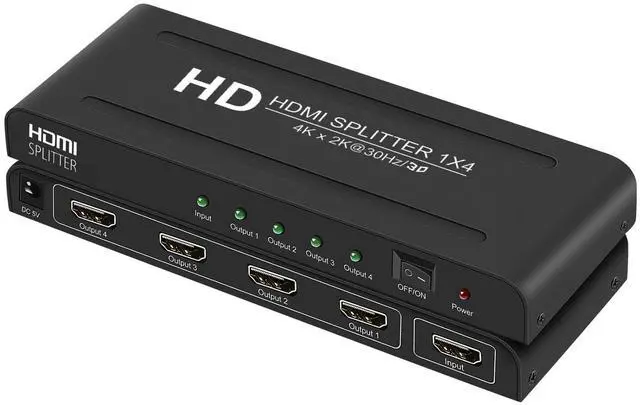
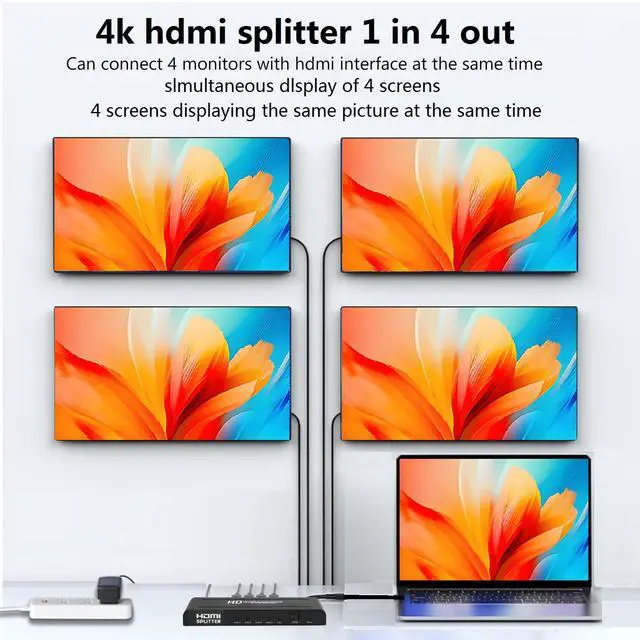
1. This 1x4 hdmi splitter --4 way Hdmi splittre with Power can Copy 1 HDMI input signal to 4 identical HDMI output signals, supports Full Ultra HD 1080P and 3D resolution, up to 3840x2160@30Hz.
(Note: hdmi splitter 1 in 4 out Only mirroring/copying Only mirroring/copying, no extended switching, not hdmi switcher, Does Not Support 4 Input 1 Out)
2. This long distance hdmi splitter - 4 port Powered hdmi splitter using AWG26 HDMI standard cable (input 40 ft, output 50 ft) can transmit distance up to 100 ft.
3.This 4 output hdmi splitter,Plug and Play,no delay, no flicker, no resolution degradation; no external driver required.
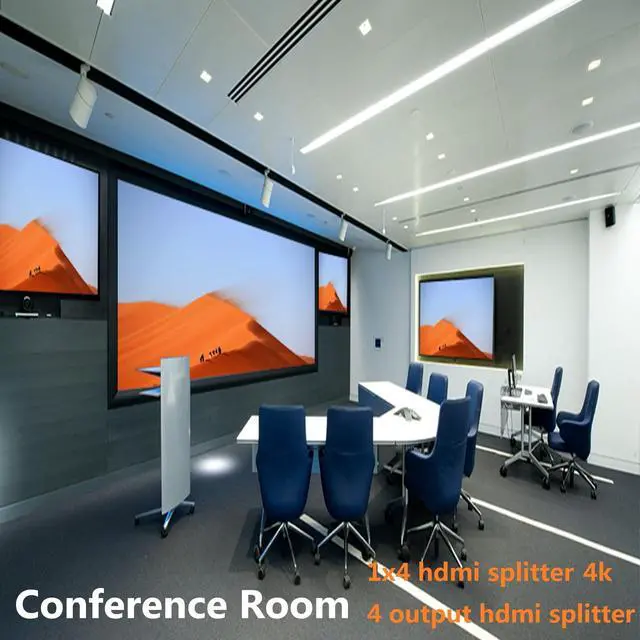
4.This hdmi splitters 1 input 4 output Perfect for Bars, Restaurants, Churches, Gyms, Office or any other spaces needing to duplicate one display to 4 screens.

1x4 hdmi splitter - 4 port hdmi splitter Specification:
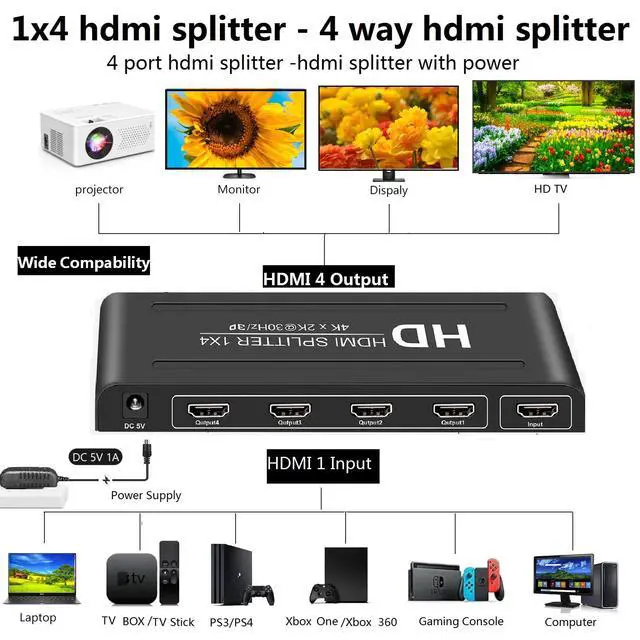
1. This 4kx2k hdmi splitter 1x4 have One Input Port: Compatible for computer, XBox 360, XBox one, PS3, PS4, Fire Stick, Blu-Ray DVD player, Satellite Receiver, Route Roku, Chromecast, PC, Laptop,Gaming etc.
2.The 4 port hdmi splitter 1x4 , hdmi 4 output have 4 Output Ports: Compatible for HD-Ready, Full HsD TVs, monitors, projector,Apple TV, monitors,Display etc.
3. Hdmi Video splittre:This two port hdmi splitter Video format supported: 640x480, 800x600, 1024x768, 1280x1024, 3840x2160@30Hz.
4.Hdmi Splitter 1 in 4 Out-Powered hdmi Splitter Size: 7*2.6*0.78 Inch.
This HDMI Splitter 1 in 4 out -4 port hdmi splitter-4 Output hdmi Splitter- 4 way hdmi splitter-Powered hdmi Splitter supports Blu-ray players and various brands of players and OTT boxescompatible with TV, PS3, PS4, , Projector, Laptop , Computer, Gaming Console etc; It provides solutions for TV stores, digital entertainment centers, offices, hotels, HDTV retail and display venues, game room and data center control, information distribution, conference room presentations and corporate training environments, home theaters, and more.

4K hdmi splitter 1 in 4 out hdmi splitter How to use?
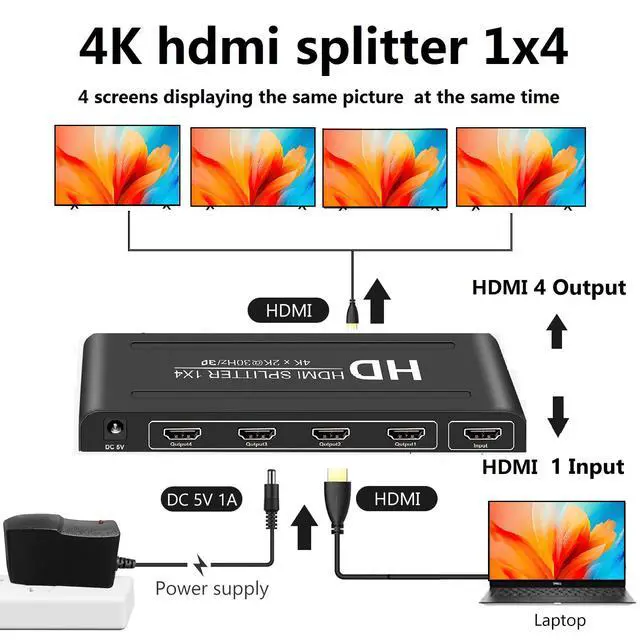
1. Connect the HDMI input source into the HDMI Splitter Box Input port. (HDMI Input cable).
2. Connect the HDMI output enquipments into the HDMI Splitter Box output ports. (HDMI Output cables ).
3. Insert the DC side of 5V power supply into HDMI Splitter Box and then connect the AC side of the power supply into the wall outlet.Attention: Insert / Extract cables gently.
Warm Tips:Before installation, please make sure all devices you wish to connect have been turned off. Before use, please make sure all devices connection is right and Insert cable gently.
*Question and solution*
1.The product HDMI has been connected, but there is no image output on the display screen or TV?
Answer: Please check the HDMI cable input and output is connected correctly. The LED signal indicator is on and the source device is turned on. If both are OK, remove the HDMI signal of the source device to read the EDID of the display again
2. How to achieve the 3840X2160@30Hz?
Answer: Need the source device (computer, OTT box, etc.) and TV supports the output of 4K. Then check the HDMI cable is HDMI 1.4/2.0 version . If both can be achieved is OK.
3, Does the product is support multiple connections?
Answer: Yes, In order to ensure the best performance within 4-5 level.
Package content:
4K hdmi splitter 1X4......1 pcs;; 5V/1A AC adapter.....................1 pcs;; User manual .............................1 pcs
Features:
1. This 1x4 hdmi splitter --4 way Hdmi splittre with Power can Copy 1 HDMI input signal to 4 identical HDMI output signals, supports Full Ultra HD 1080P and 3D resolution, up to 3840x2160@30Hz.
(Note: hdmi splitter 1 in 4 out Only mirroring/copying Only mirroring/copying, no extended switching, not hdmi switcher, Does Not Support 4 Input 1 Out)
2. This long distance hdmi splitter - 4 port Powered hdmi splitter using AWG26 HDMI standard cable (input 40 ft, output 50 ft) can transmit distance up to 100 ft.
3.This 4 output hdmi splitter,Plug and Play,no delay, no flicker, no resolution degradation; no external driver required.
4.This hdmi splitters 1 input 4 output Perfect for Bars, Restaurants, Churches, Gyms, Office or any other spaces needing to duplicate one display to 4 screens.
1x4 hdmi splitter - 4 port hdmi splitter Specification:
1. This 4kx2k hdmi splitter 1x4 have One Input Port: Compatible for computer, XBox 360, XBox one, PS3, PS4, Fire Stick, Blu-Ray DVD player, Satellite Receiver, Route Roku, Chromecast, PC, Laptop,Gaming etc.
2.The 4 port hdmi splitter 1x4 , hdmi 4 output have 4 Output Ports: Compatible for HD-Ready, Full HsD TVs, monitors, projector,Apple TV, monitors,Display etc.
3. Hdmi Video splittre:This two port hdmi splitter Video format supported: 640x480, 800x600, 1024x768, 1280x1024, 3840x2160@30Hz.
4.Hdmi Splitter 1 in 4 Out-Powered hdmi Splitter Size: 7*2.6*0.78 Inch.
This HDMI Splitter 1 in 4 out -4 port hdmi splitter-4 Output hdmi Splitter- 4 way hdmi splitter-Powered hdmi Splitter supports Blu-ray players and various brands of players and OTT boxescompatible with TV, PS3, PS4, , Projector, Laptop , Computer, Gaming Console etc; It provides solutions for TV stores, digital entertainment centers, offices, hotels, HDTV retail and display venues, game room and data center control, information distribution, conference room presentations and corporate training environments, home theaters, and more.
4K hdmi splitter 1 in 4 out hdmi splitter How to use?
1. Connect the HDMI input source into the HDMI Splitter Box Input port. (HDMI Input cable).
2. Connect the HDMI output enquipments into the HDMI Splitter Box output ports. (HDMI Output cables ).
3. Insert the DC side of 5V power supply into HDMI Splitter Box and then connect the AC side of the power supply into the wall outlet.Attention: Insert / Extract cables gently.
Warm Tips:Before installation, please make sure all devices you wish to connect have been turned off. Before use, please make sure all devices connection is right and Insert cable gently.
*Question and solution*
1.The product HDMI has been connected, but there is no image output on the display screen or TV?
Answer: Please check the HDMI cable input and output is connected correctly. The LED signal indicator is on and the source device is turned on. If both are OK, remove the HDMI signal of the source device to read the EDID of the display again
2. How to achieve the 3840X2160@30Hz?
Answer: Need the source device (computer, OTT box, etc.) and TV supports the output of 4K. Then check the HDMI cable is HDMI 1.4/2.0 version . If both can be achieved is OK.
3, Does the product is support multiple connections?
Answer: Yes, In order to ensure the best performance within 4-5 level.
Package content:
4K hdmi splitter 1X4......1 pcs;; 5V/1A AC adapter.....................1 pcs;; User manual .............................1 pcs