here!
I’m your shopping assistant for PC builds, upgrades, and everything tech.
Got questions? Ask away!
Start a conversation
here!
I’m your shopping assistant for PC builds, upgrades, and everything tech.
Got questions? Ask away!
Start a conversation



Any questions? Ask CelesteSM will help you find out quickly.
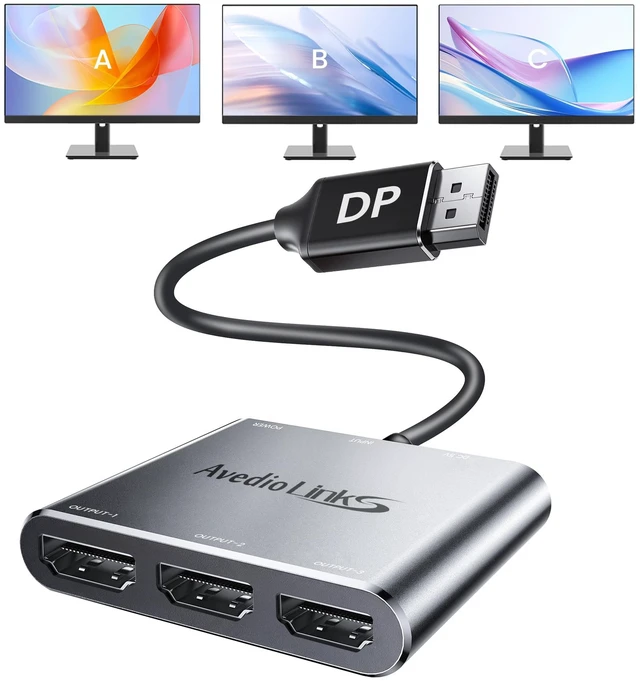
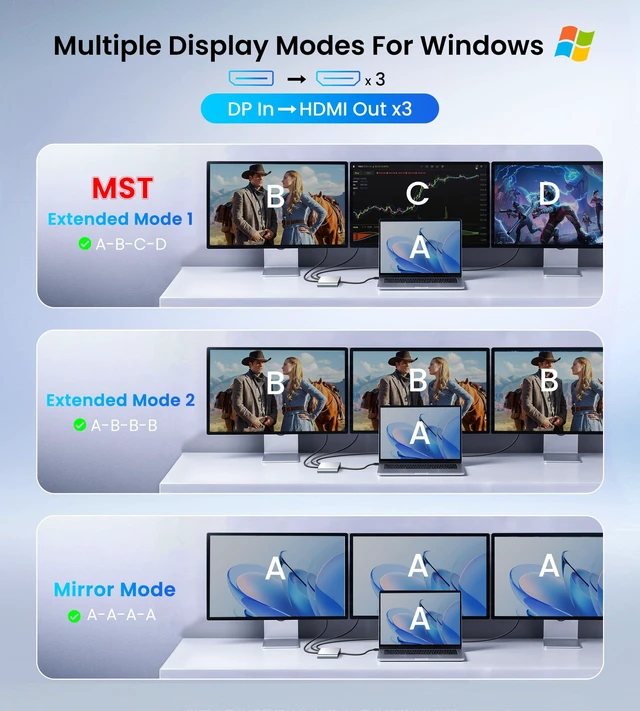
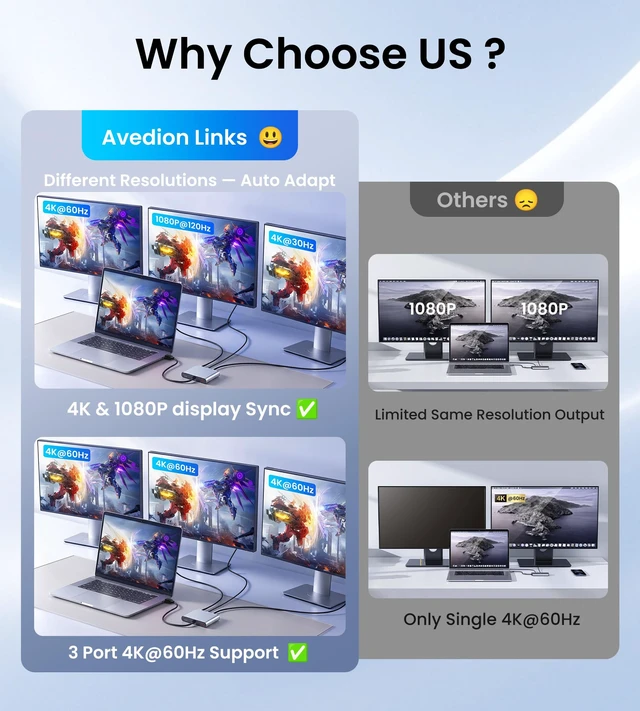
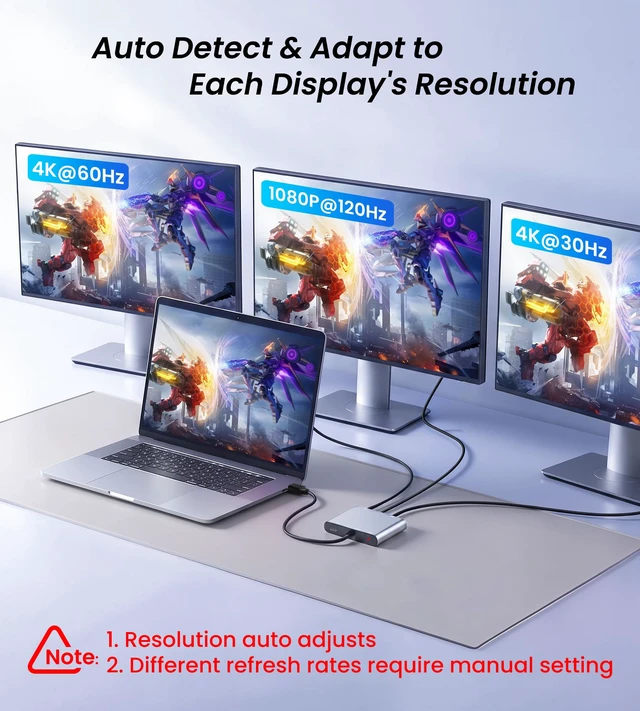
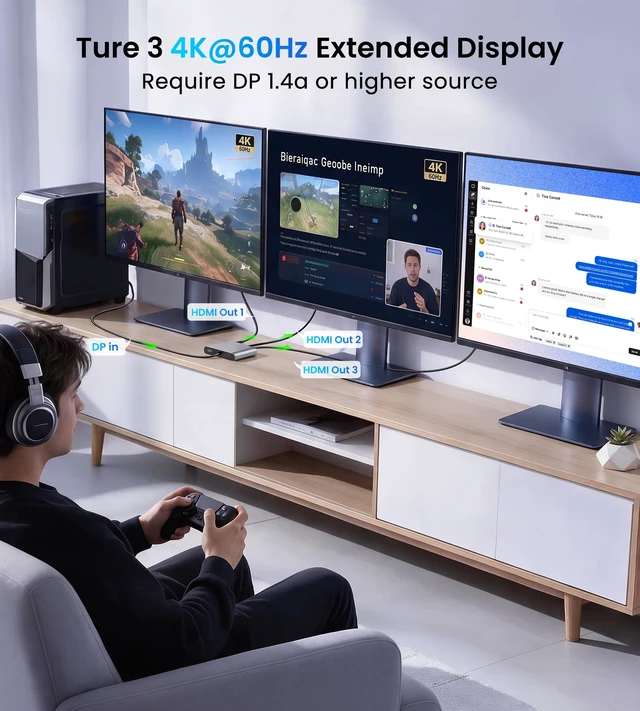
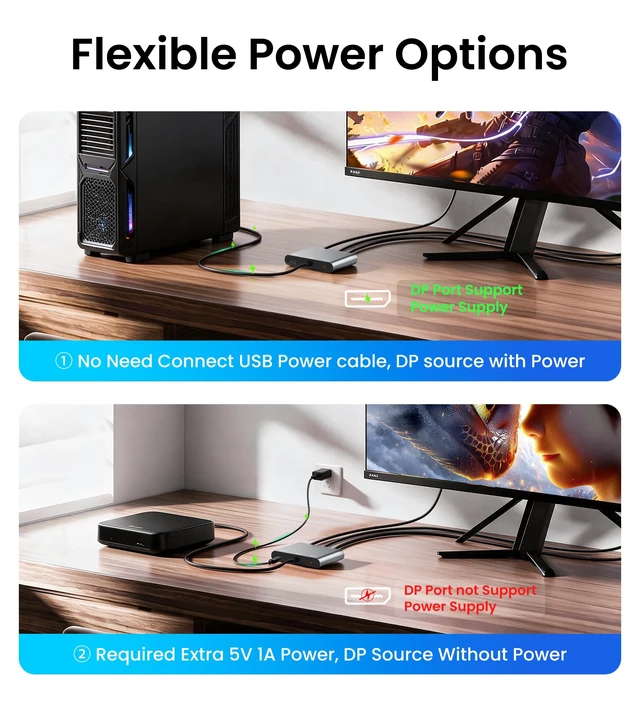
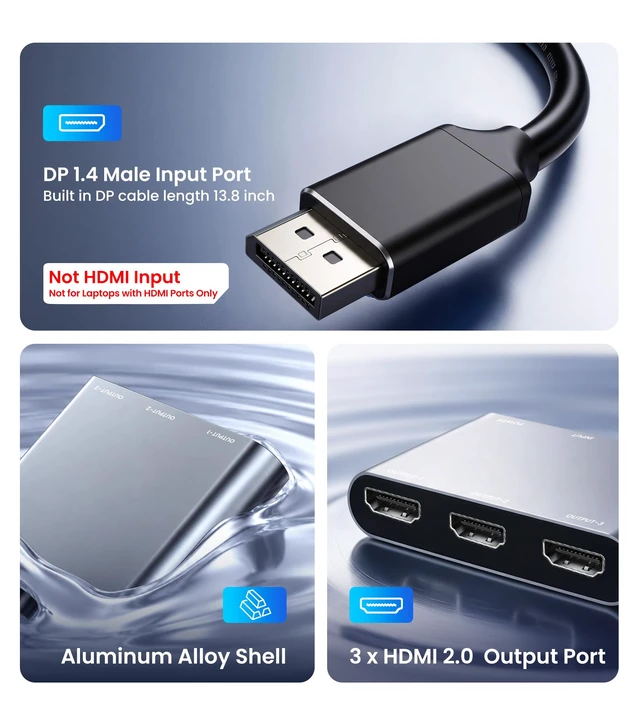
Create a more productive workspace by connecting your Windows PC or laptop to two HDMI monitors. View emails, documents, spreadsheets, websites, or presentation materials on separate screens to simplify multitasking and improve workflow efficiency. You can also connect two projectors or displays for meetings, presentations, and classroom use. The adapter supports extended display on Windows and mirror mode on Windows or macOS. macOS does not support extended display through this adapter. Before purchase, confirm that your computer and graphics card support dual-display output, as some integrated graphics may have limited functionality. No additional drivers or software are required. If your DisplayPort source provides sufficient power, no external power is needed; otherwise, connect the included USB power cable to provide 5V 1A power. When using monitors with different refresh rates, set the refresh rates manually in your computers display settings Q: Does this DisplayPort to triple HDMI Adapter support extended display on Mac? A: No, macOS supports mirror mode only, while Windows PCs and laptops with MST support can extend the desktop across two HDMI monitors. Q: Is this adapter compatible with my graphics card? A: This DisplayPort to 3 HDMI Adapter works with NVIDIA, AMD, and Intel graphics cards with DisplayPort 1.4a or higher and MST support. Integrated graphics may have limited functionality, so please check your specific graphics card model and DisplayPort capabilities before purchase Q: Do I need to install drivers or software? A: No extra drivers or software are needed. The adapter is plug and play, allowing you to connect your DisplayPort source and HDMI monitors for a simple setup.