

Your Browsing History
- Free 30-day Returns
$39.99


Meet Your Seller


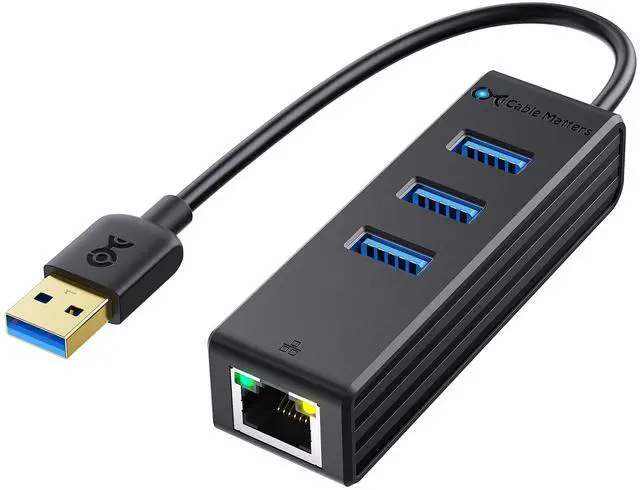
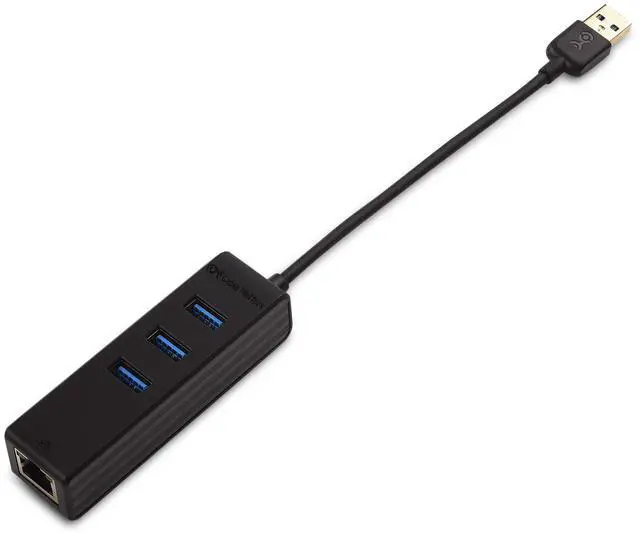
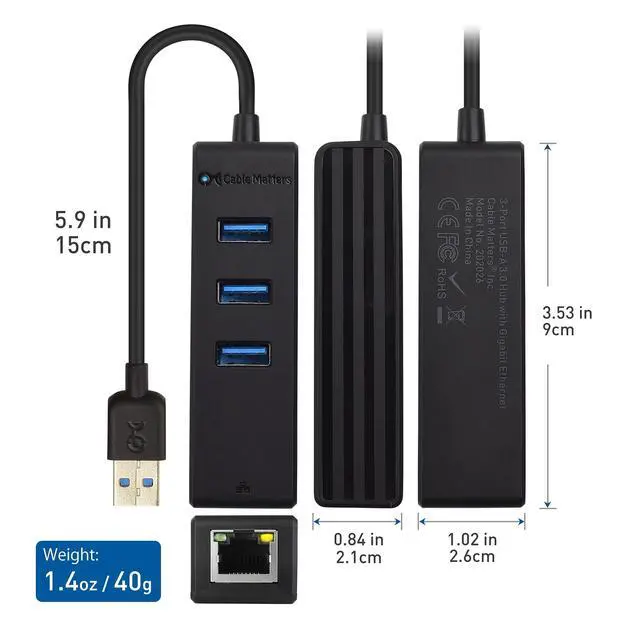
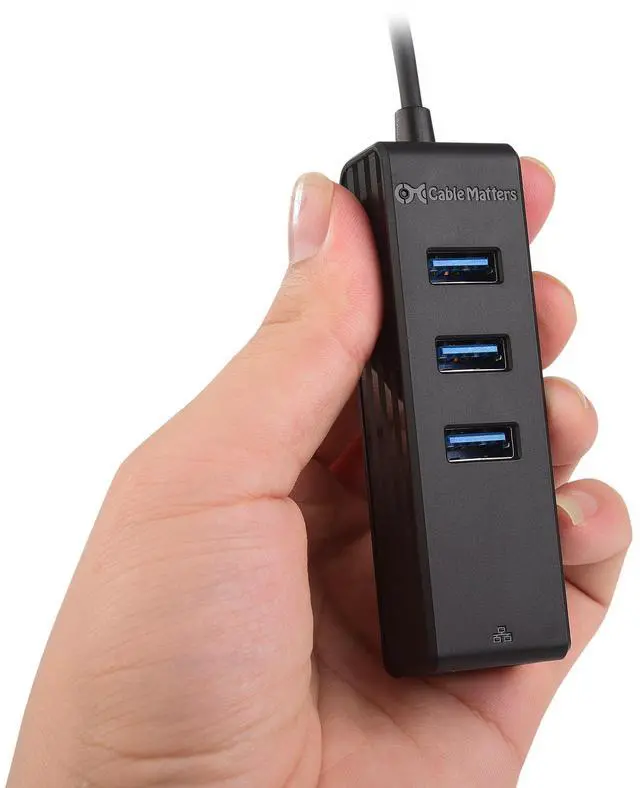


4-in-1 USB Hub with Ethernet, Support Gigabit Network (USB 3.0 Hub Ethernet) with 10/100/1000Mbps Network, 3X 5Gbps USBA Ports in Black
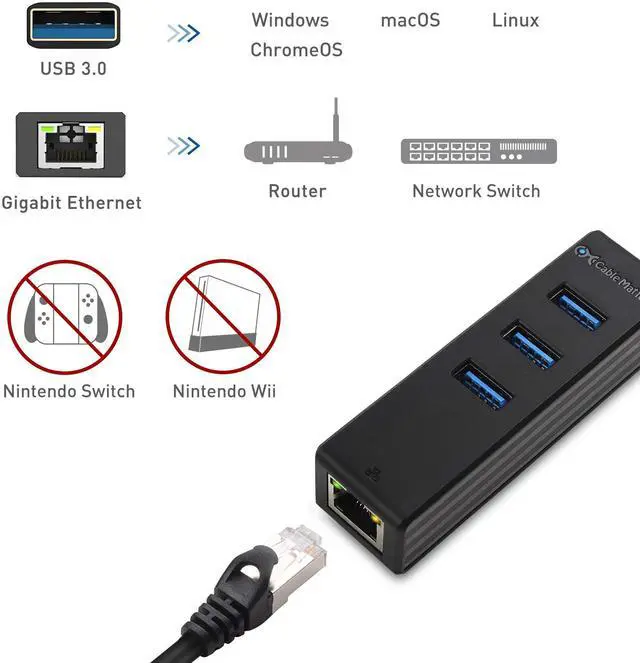
- PORT + NETWORK EXPANSION Add 3x USB-A 3.0 ports plus a wired RJ45 connection from one USB port; ideal for laptops/tablets with limited ports or no Ethernet jack; supports up to 5Gbps USB and 10/100/1000Mbps Ethernet
- GIGABIT ETHERNET STABILITY Get a reliable wired connection in WiFi dead zones for streaming, large downloads, and office work; auto-sensing 10/100/1000 network support for home, office, and hotel LANs
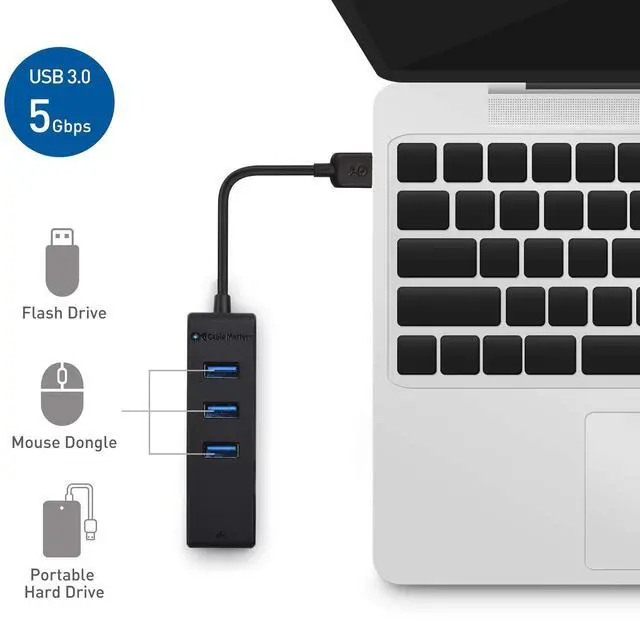
- PLUG-AND-PLAY SETUP Driver-free installation (no external software) and bus-powered design means no power adapter required; connect keyboard, mouse, flash drive, and other USB 2.0/3.0 peripherals instantly
- TRAVEL-READY DESIGN Lightweight (about 1.4 oz) with a short cable tail that folds neatly for storage; reduces wear on your computers USB port compared with frequent plug/unplug of full-size adapters
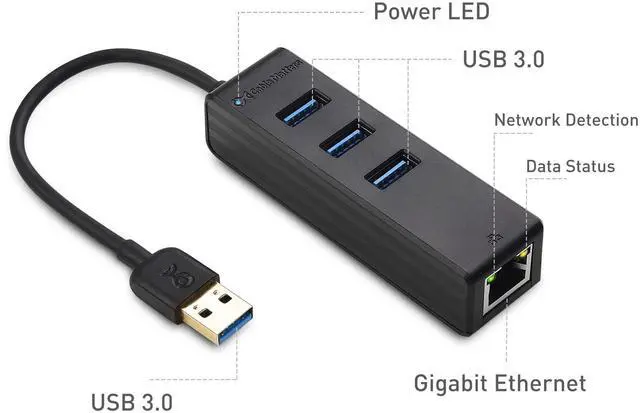
- WIDE OS COMPATIBILITY + STATUS LEDs Works with Windows, macOS, Linux, and Chrome OS; built-in LED indicators show power and network link/activity for quick diagnostics
+
+
Overview
Specs
Reviews

Any questions? Our AI mode will help you find out quickly.
Try me now
Immediate Port & Network Expansion
The Cable Matters 4-in-1 USB 3.0 Hub with Gigabit Ethernet adds three SuperSpeed USB-A ports and a wired RJ45 Ethernet connection to a laptop, desktop, or tablet through a single USB portideal for modern devices with limited I/O.
Gigabit Performance for Critical Connections
Add reliable wired connectivity for fast file transfers, video streaming, and secure office networking. The Ethernet port supports 10/100/1000 Mbps auto-sensing networks for broad compatibility with home, office, and travel routers/switches.
Plug-and-Play Convenience
No external drivers or power adapter required. The bus-powered hub works right away so you can connect common peripherals like a keyboard, mouse, flash drive, and other USB 2.0/3.0 devices.
Built for Travel
Compact housing and a short cable tail make it easy to pack in a laptop sleeve. The integrated pigtail design also helps reduce strain on your computers USB port.
Important Notes
- This USB hub is not a standalone charger
- Supports only one external bus-powered hard drive connection
- A Cat6 Ethernet cable (sold separately) is recommended for Gigabit performance
- A USB 3.0 host port is required for maximum speed
Specifications
- Host connector: USB 3.0 Type-A male
- Downstream ports: 3 × USB 3.0 Type-A female (USB 2.0/1.x compatible)
- Network connector: RJ45 (8P/8C)
- USB data rate: up to 5 Gbps (USB 3.0)
- Ethernet: 10/100/1000 Mbps
- Dimensions: 3.5 × 1.0 × 0.8 in
- Weight: ~1.4 oz (40 g)
- OS support: Windows, macOS, Linux, Chrome OS
- LEDs: Blue (power), Green/Yellow (network)
Package Contents
- 1 × 3-Port USB 3.0 Hub with Gigabit Ethernet (Model: 202026-BLK-E)
- 1 × Quick Start Guide
FAQ
Q: Will this hub work if my laptop doesnt have an Ethernet (RJ45) port?
A: Yes. It adds an RJ45 Ethernet port over USB and supports 10/100/1000 Mbps networks.
Q: Do I need to install drivers to use the Ethernet and USB ports?
A: No. It is designed for driver-free, plug-and-play use on Windows, macOS, Linux, and Chrome OS.
Q: Do I need external power for the hub?
A: No. The hub is bus-powered and draws power from the USB port.
Q: What USB speed do the USB-A ports support?
A: The three downstream ports support USB 3.0 (up to 5 Gbps) and are backward compatible with USB 2.0/1.x.
Q: Can it power/charge devices like a dedicated charger?
A: No. It is not a standalone charger; it is intended for data connectivity and typical peripheral power over USB.
Warranty & Returns
Warranty, Returns, And Additional Information
Warranty
- Please contact the Seller directly for warranty information. Warranty information may also be found on the Manufacturer's website.
- CONTACT
Return Policies
- Return for refund within: 30 days
- Return for replacement within: non-replaceable
- This item is covered by grow_up Return Policy
Manufacturer Contact Info
- For a directory of all our manufacturers, please click below.
- Manufacturers Directory
LOADING...