



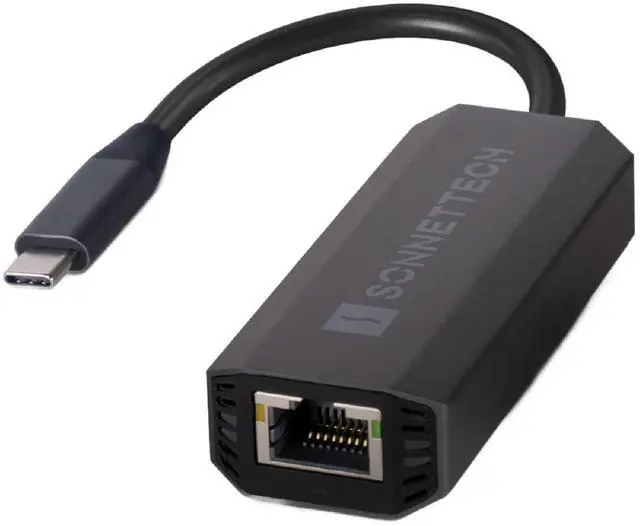
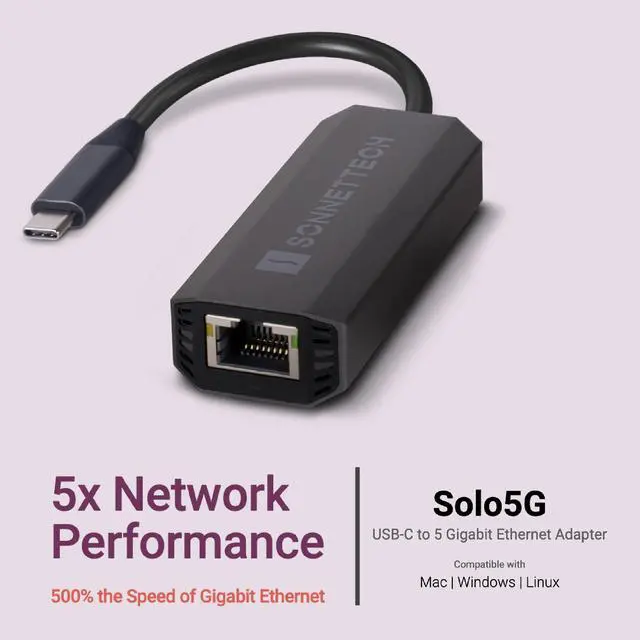


Solo5G USB-C to 5 Gigabit Ethernet Adapter

Compatible with Mac, Windows & Linux. Compatible with Thunderbolt & USB-C Ports.
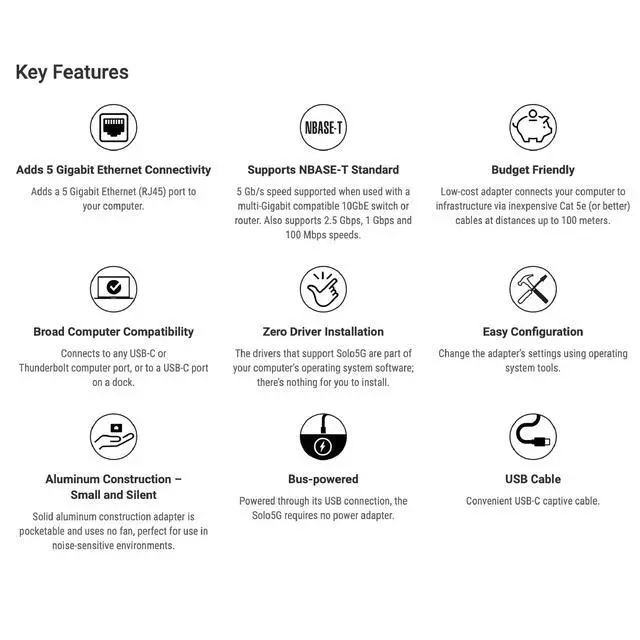
KEY FEATURES
- Adds a 5 Gigabit Ethernet (RJ45) port to your computer.
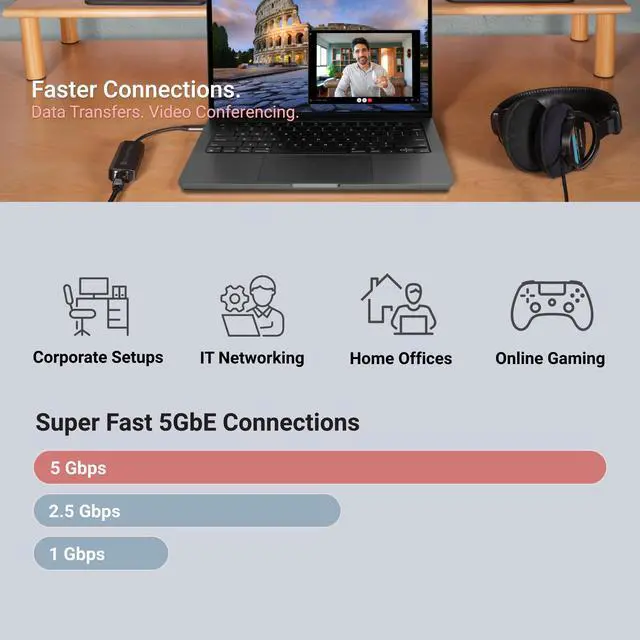
- Supports NBASE-T Standard: 5 Gb/s speed supported when used with a multi-Gigabit compatible 10GbE switch or router. Also supports 2.5 Gbps, 1 Gbps and 100 Mbps speeds.
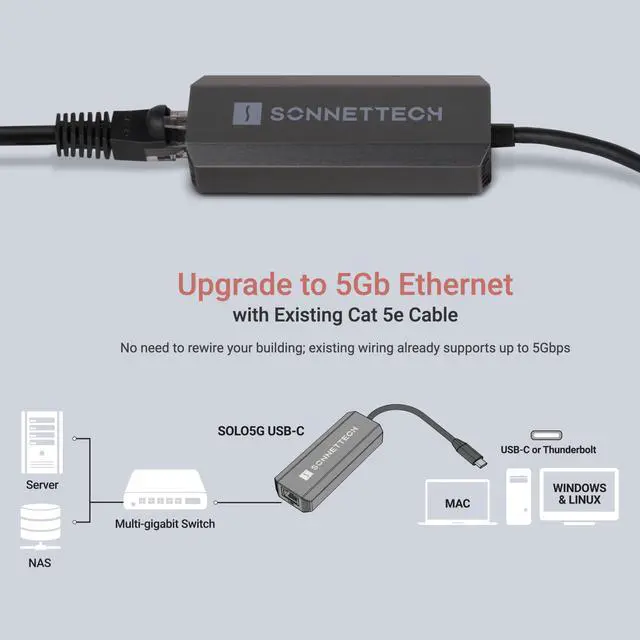
- Budget Friendly: Low-cost adapter connects your computer to infrastructure via inexpensive Cat 5e (or better) cables at distances up to 100 meters.
- Connects to any USB-C or Thunderbolt computer port, or to a USB-C port on a dock.
- Bus-powered: Powered through its USB connection, the Solo5G requires no power adapter.
Broad Computer Compatibility
- Connects to any USB-C or Thunderbolt computer port, or to a USB-C port on a dock.
- Windows 11
- Linux 6.12+
- macOS 13+, MacOS Sequoia compatible
NOTE:
macOS 13-14: While the Solo5G automatically selects 5GbE when connected to a 5Gb Ethernet switch and operates at full performance, the macOS System Settings Network control panel incorrectly displays a 100Mb connection. macOS 15 and later: This issue has been resolved, and the Network control panel now correctly reports a 5GbE connection.


Same Connector and Cabling - Even Faster Speeds with a Multi-Gigabit Switch
Featuring NBASE-T technology, the compact Sonnet Solo5G adapter supports 5 Gbps link speeds (5GBASE-T) over common Cat 5e or better cabling when used with a compatible Ethernet switch with multi-Gigabit (NBASE-T) support. Affordable models are available now.
Connected to the right switch, you can get great performance gains — 500 percent the speed of Gigabit Ethernet — without rewiring! In case you’re connecting to a switch without 5GbE support, Solo5G also supports 2.5 Gbps, 1 Gbps, and 100 Mbps link speeds.

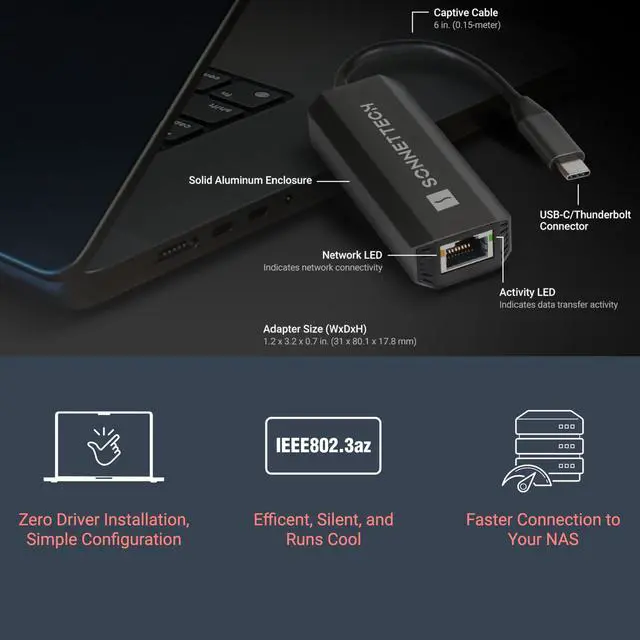
Compact. Bus-Powered. Rugged Aluminum.

Zero Driver Installation, Simple Configuration
There’s no software for you to install — just connect Solo5G USB-C to 5 Gigabit Ethernet Adapter to your computer and to the network switch (or directly to your NAS), and then configure the adapter’s settings through the macOS Network control panel, Windows Device Manager, or Linux command line (or graphical utility). How’s that for simple?

 Solo5G USB-C to 5 Gigabit Ethernet Adapter |  Solo2.5 USB-C to 2.5 Gigabit Ethernet Adapter |  Solo10G SFP+ Thunderbolt Adapter |  Solo10G Thunderbolt Adapter |  Twin10G Thunderbolt 3 Dual Adapter |  Twin25G Dual Thunderbolt Adapter | |
|---|---|---|---|---|---|---|
| Customer Reviews | — | — | — | — | — | — |
| Price | — | — | — | — | — | — |
| Supported Speeds | 5Gb, 2.5Gb, 1Gb, 100Mb | 2.5Gb, 1Gb, 100Mb | 10Gb | 10Gb, 2.5Gb/5Gb, and 1Gb | 10Gb and 1Gb | 25Gb and 10Gb |
| Interfaces | RJ45 | RJ45 | SFP+ | RJ45 | RJ45 | SFP28 / SFP+ |
| Transceivers included | no data | no data | SFP+ SR Transceiver | no data | no data | 2x SFP28 SR Transceiver |
| Controller | Realtek | Realtek | Marvell | Marvell | Intel | Mellanox |
| OS Compatibility | macOS, Windows, Windows Server, Linux Kernel | macOS, Windows, Linux Kernel, Chrome OS, iPadOS | Mac, Windows and Linux Computers, and M series iPad Pro | Mac, Windows and Linux Computers, and M series iPad Pro | macOS, Windows, Linux Kernel | macOS, Windows, Linux Kernel |
| Port Compatibility | Thunderbolt (Type-C) and USB-C port. | Thunderbolt and USB-C port. (USB-A Port with adapter) | Thunderbolt 5, 4, or 3 ports | Thunderbolt 5, 4, or 3 ports | Thunderbolt 5, 4, or 3 ports | Thunderbolt 5, 4, or 3 ports |
Solo5G USB-C to 5 Gigabit Ethernet Adapter
Compatible with Mac, Windows & Linux. Compatible with Thunderbolt & USB-C Ports.
KEY FEATURES
- Adds a 5 Gigabit Ethernet (RJ45) port to your computer.
- Supports NBASE-T Standard: 5 Gb/s speed supported when used with a multi-Gigabit compatible 10GbE switch or router. Also supports 2.5 Gbps, 1 Gbps and 100 Mbps speeds.
- Budget Friendly: Low-cost adapter connects your computer to infrastructure via inexpensive Cat 5e (or better) cables at distances up to 100 meters.
- Connects to any USB-C or Thunderbolt computer port, or to a USB-C port on a dock.
- Bus-powered: Powered through its USB connection, the Solo5G requires no power adapter.
Broad Computer Compatibility
- Connects to any USB-C or Thunderbolt computer port, or to a USB-C port on a dock.
- Windows 11
- Linux 6.12+
- macOS 13+, MacOS Sequoia compatible
NOTE:
macOS 13-14: While the Solo5G automatically selects 5GbE when connected to a 5Gb Ethernet switch and operates at full performance, the macOS System Settings Network control panel incorrectly displays a 100Mb connection. macOS 15 and later: This issue has been resolved, and the Network control panel now correctly reports a 5GbE connection.
Same Connector and Cabling - Even Faster Speeds with a Multi-Gigabit Switch
Featuring NBASE-T technology, the compact Sonnet Solo5G adapter supports 5 Gbps link speeds (5GBASE-T) over common Cat 5e or better cabling when used with a compatible Ethernet switch with multi-Gigabit (NBASE-T) support. Affordable models are available now.
Connected to the right switch, you can get great performance gains — 500 percent the speed of Gigabit Ethernet — without rewiring! In case you’re connecting to a switch without 5GbE support, Solo5G also supports 2.5 Gbps, 1 Gbps, and 100 Mbps link speeds.
Compact. Bus-Powered. Rugged Aluminum.
Zero Driver Installation, Simple Configuration
There’s no software for you to install — just connect Solo5G USB-C to 5 Gigabit Ethernet Adapter to your computer and to the network switch (or directly to your NAS), and then configure the adapter’s settings through the macOS Network control panel, Windows Device Manager, or Linux command line (or graphical utility). How’s that for simple?
Solo5G USB-C to 5 Gigabit Ethernet Adapter | Solo2.5 USB-C to 2.5 Gigabit Ethernet Adapter | Solo10G SFP+ Thunderbolt Adapter | Solo10G Thunderbolt Adapter | Twin10G Thunderbolt 3 Dual Adapter | Twin25G Dual Thunderbolt Adapter | |
|---|---|---|---|---|---|---|
| Customer Reviews | — | — | — | — | — | — |
| Price | — | — | — | — | — | — |
| Supported Speeds | 5Gb, 2.5Gb, 1Gb, 100Mb | 2.5Gb, 1Gb, 100Mb | 10Gb | 10Gb, 2.5Gb/5Gb, and 1Gb | 10Gb and 1Gb | 25Gb and 10Gb |
| Interfaces | RJ45 | RJ45 | SFP+ | RJ45 | RJ45 | SFP28 / SFP+ |
| Transceivers included | no data | no data | SFP+ SR Transceiver | no data | no data | 2x SFP28 SR Transceiver |
| Controller | Realtek | Realtek | Marvell | Marvell | Intel | Mellanox |
| OS Compatibility | macOS, Windows, Windows Server, Linux Kernel | macOS, Windows, Linux Kernel, Chrome OS, iPadOS | Mac, Windows and Linux Computers, and M series iPad Pro | Mac, Windows and Linux Computers, and M series iPad Pro | macOS, Windows, Linux Kernel | macOS, Windows, Linux Kernel |
| Port Compatibility | Thunderbolt (Type-C) and USB-C port. | Thunderbolt and USB-C port. (USB-A Port with adapter) | Thunderbolt 5, 4, or 3 ports | Thunderbolt 5, 4, or 3 ports | Thunderbolt 5, 4, or 3 ports | Thunderbolt 5, 4, or 3 ports |