

Your Browsing History
- Free 30-day Returns
$78.00
Ships from China.


Meet Your Seller

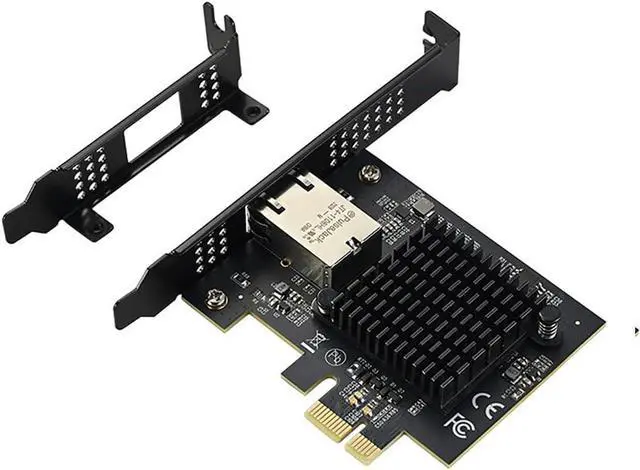
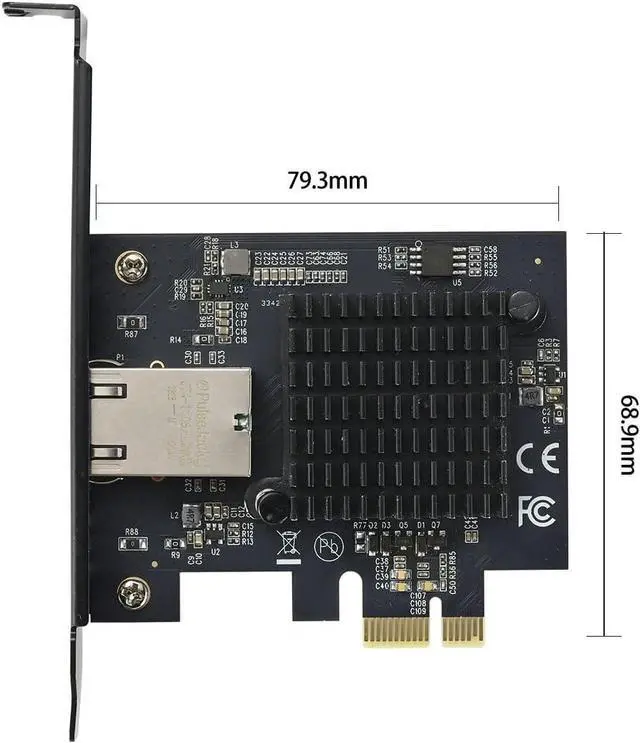

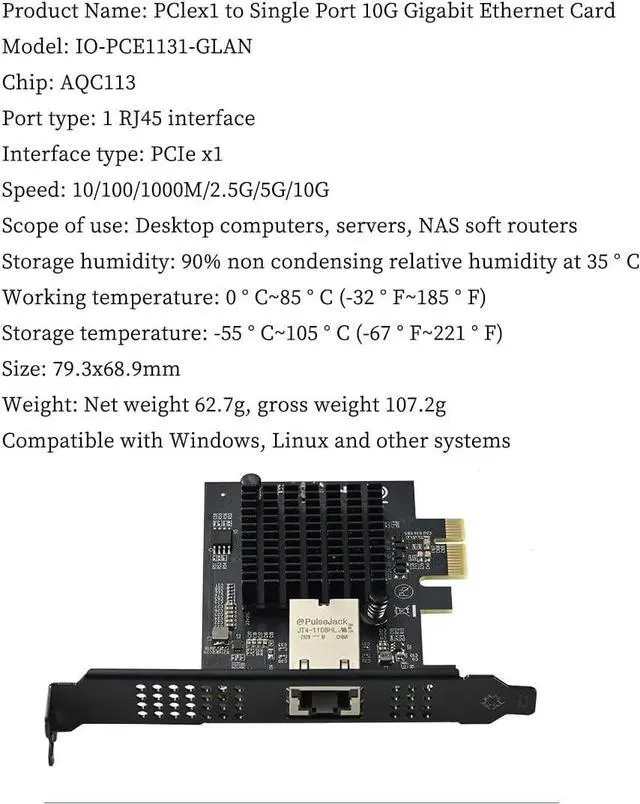
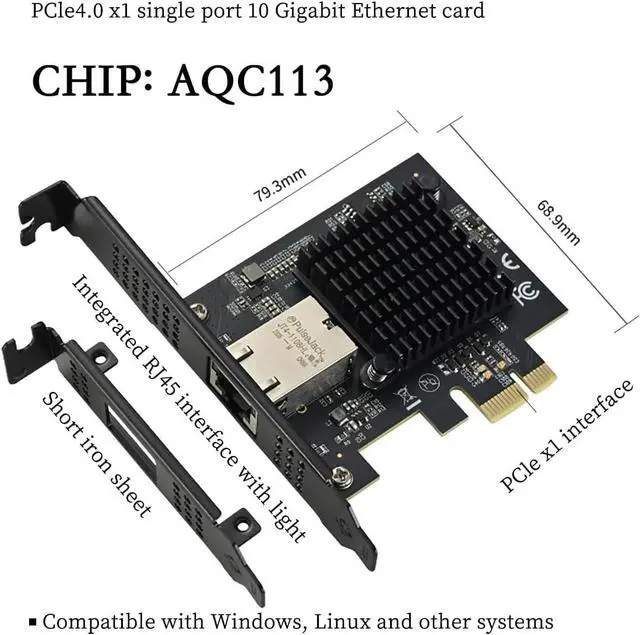
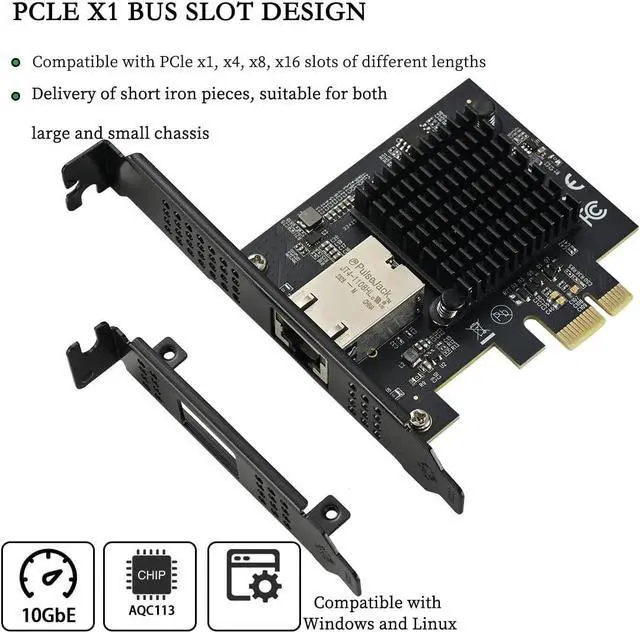
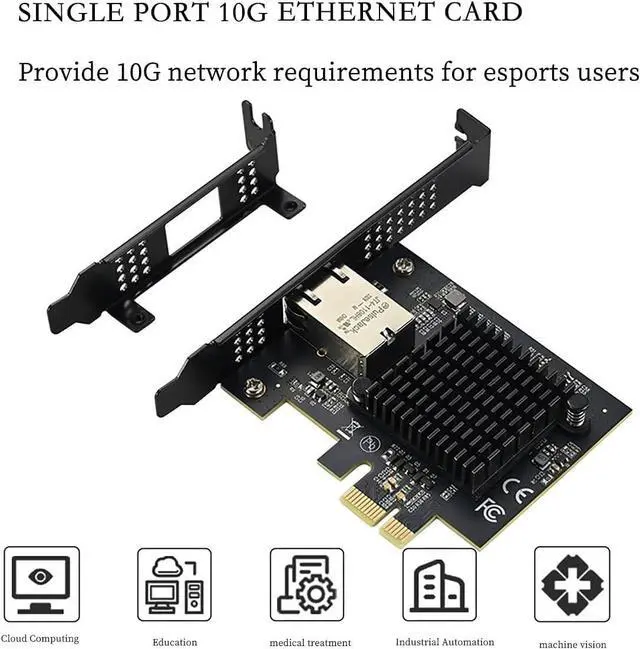


PCIe 4.0 x1 to 10Gbps Single-Port Ethernet Network Adapter AQC113 Chipset, RJ45 10GBase-T, High-Speed NIC for Server/Desktop/NAS
- 10Gbps Ultra-Fast Networking:Supports full 10GBase-T speed (10/5/2.5/1G/100Mbps auto-negotiation) over standard RJ45 copper cable ideal for demanding enterprise and workstation environments.
- Compact PCIe 4.0 x1 Interface:Installs easily in standard desktop, or server builds using a PCIe 4.0 x1 slot offering next-gen throughput without occupying larger PCIe lanes.
- Powered by AQC113 Chipset:Built with a high-efficiency, low-latency AQC113 controller enabling superior thermal performance, ECC support, and optimized data transmission for modern workloads.
- Wide OS Compatibility:Compatible with Windows and Linux distributions, including mainstream kernels designed for seamless integration in both personal and professional systems.
- Industrial-Grade Build Quality:Supports extreme working temperatures (-55°C to 105°C) and humidity resistance (up to 85°C), with durable 79.3×68.9mm board size and robust heat management for 24/7 uptime.
+
+
Overview
Specs
Reviews

Any questions? Our AI mode will help you find out quickly.
Try me now
Product Description
PCIe 4.0 x1 to 10Gbps Single-Port Ethernet Network Adapter AQC113 Chipset, RJ45 10GBase-T, High-Speed NIC for Server/Desktop/NAS
[Product Description]
Upgrade your system to ultra-fast networking with this PCIe 4.0 x1 to 10G Ethernet Network Adapter, featuring the powerful AQC113 chipset and a single RJ45 10GBase-T port. Designed for high-performance servers, desktops, NAS, and software routers, this enterprise-class NIC delivers reliable and scalable network connectivity with data speeds up to 10Gbps, while retaining full backward compatibility with 10/100/1000M, 2.5G, and 5G networks.
Built to meet the needs of data-intensive applications, such as 4K video editing, large file transfers, virtualization, and high-throughput storage, this adapter ensures low latency, reduced CPU load, and excellent thermal performance across a wide operating temperature range of -55°C to 105°C. With robust driver Compatible with Windows and Linux systems, it's ideal for advanced users, data centers, and power users seeking next-gen networking on a compact PCIe x1 interface.
[Key QA]
Q: Do I need to install the driver for Win?
A: Yes
Q: What are the requirements for the network cable?
A: cat6e or cat7
Q:Does this NIC support pxe diskless boot and wake on wol network?
A: It supports pxe and wol wake-on-network.
Q:Why can't my test speed reach 10Gbps no matter how I test it?
A.
1, Check if the Ethernet cable is Cat6/7.
2Make sure the driver is up-to-date (you can download the latest driver from here).
3Verify if jumbo frames are enabled in the network settings.
4Check if the switch/gateway device is capable of 10G speed.
5Test whether the hard disk is using NVMe protocol (the hard disk read speed should be higher than the network transfer speed).
6. When testing with iperf3 with jumbo frames enabled, use multi-threaded mode.
7.In Win, check if the NIC setting is 10G.To set the speed of NIC: Right-click This PC - Management - Device Manager - Network Adapters, find the corresponding device, then right-click Properties - Advanced - Speed and Duplex - Value.
Q:Hi, can this card run at full 10Gbps with pcie 3.0 bandwidth?
A:The speed is around 7-8Gbs. It needs 4.0 bandwidth to run at full speed.
Q:Why the desktop is Win10 computer, the network card and my nas on the 10 Gigabit network connection, WIN transfer nas transfer file speed is only two or three hundred megabytes? And nas to win can reach 1G or so?
A:The speed of transferring files over the network can be checked by the following methods:
1. confirm the negotiation rate of 10Gbps full duplex at both ends. 2. use iperf3 to test the speed.
2. use iperf3 to test the network throughput and exclude the effect of storage.
3. Check the storage write speed, especially the write performance of the NAS. You can transfer large files from another device to the NAS and observe whether the speed is normal. If the N A S write speed itself is insufficient (e.g., mechanical hard disk RAID5), it may be the bottleneck.
4. Check the SMB protocol version and encryption settings.
5. Update the driver.
6. Adjust TCP/IP parameters and jumbo frame settings.
7. Disable software or services that may affect performance, such as some antivirus programs and firewalls.
For example, if the test by i perf3 reveals that it reaches close to 10Gbps in both directions in both directions, the problem may be in the storage write speed. Conversely, if iperf3 shows asymmetrical network speeds, the network configuration needs to be checked.
Warranty & Returns
Warranty, Returns, And Additional Information
Warranty
- Please contact the Seller directly for warranty information. Warranty information may also be found on the Manufacturer's website.
- CONTACT
Return Policies
- Return for refund within: 30 days
- Return for replacement within: 30 days
- This item is covered by Superior Quality Return Policy
Manufacturer Contact Info
- For a directory of all our manufacturers, please click below.
- Manufacturers Directory
LOADING...