

Your Browsing History
- Free 30-day Returns
$169.99
Ships from China.



Meet Your Seller

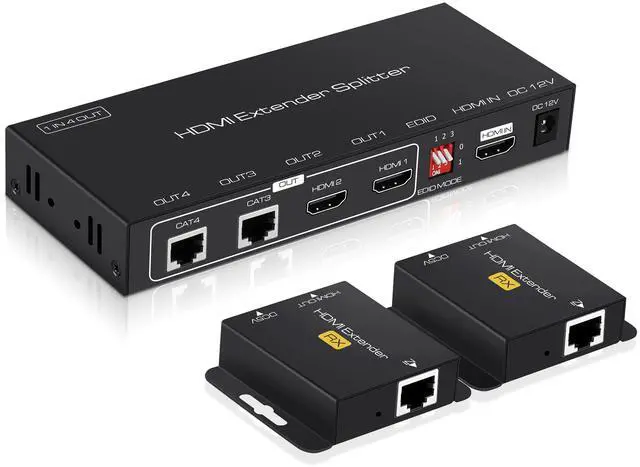
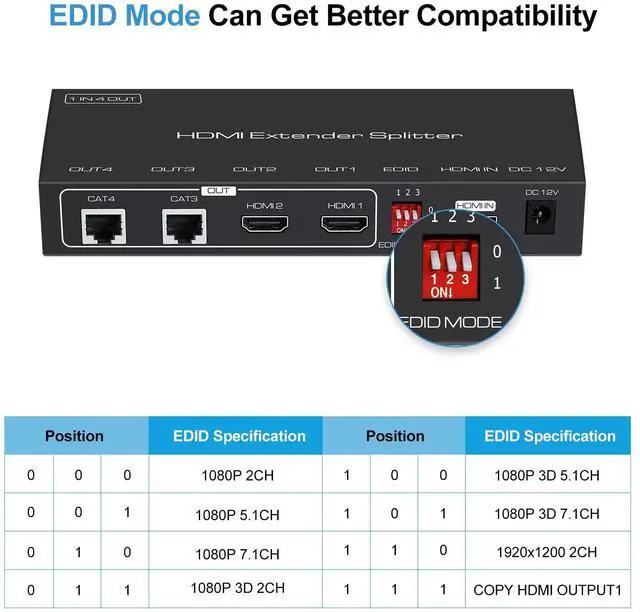
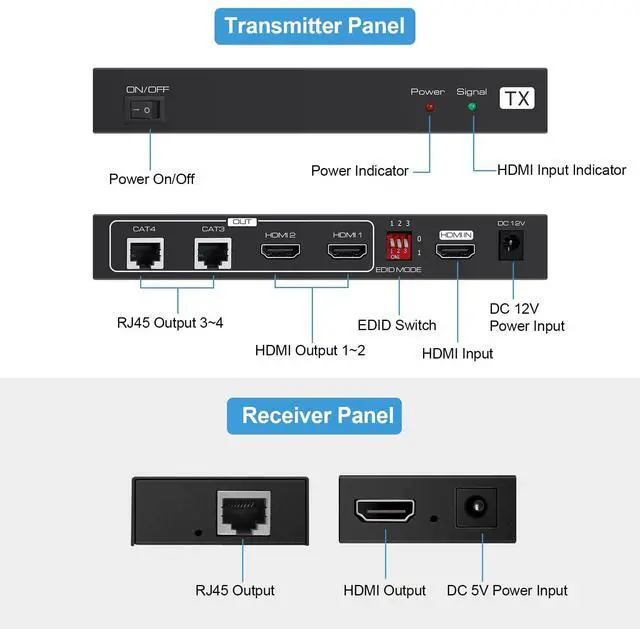


BUCIER 1X2 HDMI Extender Splitter 165ft(50m) with 2 HDMI Local Loop-Out, 1080P@60Hz HDMI Extender 1 in 2 Out Over CAT 5e/6 with POC Power Supply, 3D EDID, HDMI to Ethernet for fire stick, TV Box
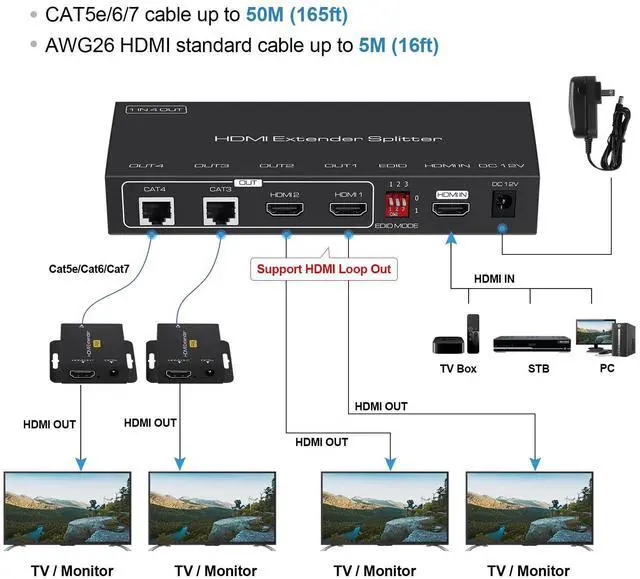
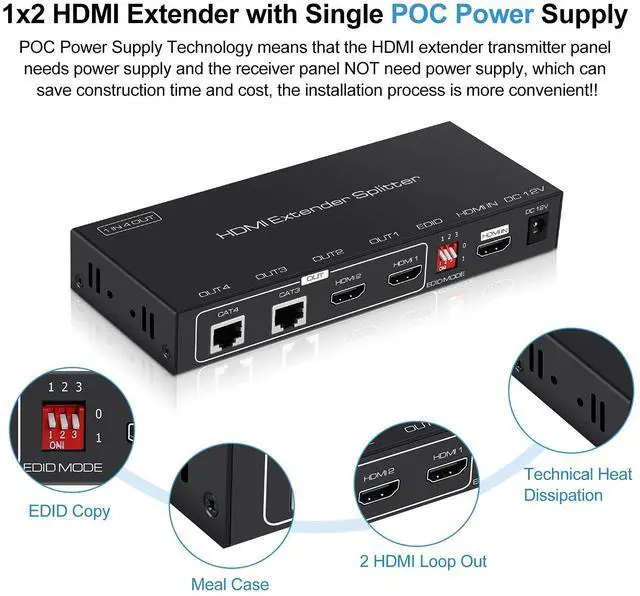
- HDMI Extender For Dual Monitor: 2 port HDMI to Ethernet extender can extend one HDMI video source (fire stick, Blu-ray player, TV box, etc.) to 2 HDMI displays via cat 5e/6/7 cable simultaneously for up to 165ft (50M). Whats more, there are 2 HDMI local loop-out ports on the transmitter terminal (HDMI cable within 5 meters), which makes it more convenient to share some excellent movie audio at a long distance
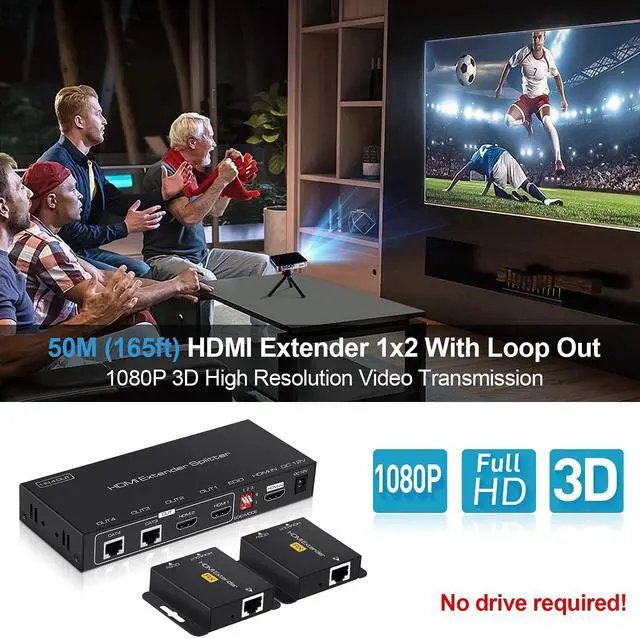
- 1x2 HDMI Extender Splitter : The max resolution of this HDMI cat 6 extender can reach up to 1080P@60Hz, and the video resolution is also backward compatible with 3D, 1080i, 720P, 576i, 480P, 480i. The deep color up to 24 bits, and the data transmission speed is up to 4.95 Gbps. Also supports multiple audio compression digital audio formats: DTS-HD, Doby-true HD, LPCM 7.1, DTS, Doby-AC3, DSD, etc. High quality audio video synchronization and stable transmission, bringing you better experience
+
+
Overview
Specs
Reviews

Any questions? Our AI mode will help you find out quickly.
Try me now
X2 HDMI Extender Splitter 165ft(50m) with 2 HDMI Local Loop-Out
FEATURES --
HDMI to Ethernet extender can extend one HDMI video source (firestick, Blu-ray player, TV box, etc.) to 2 HDMI displays via cat 5e/6/7 cable simultaneously for up to 165ft (50M).
Specifications
HDMI Resolution: 3D/ 1080P/ 1080i/ 720P/ 576P/ 576i/ 480P/ 480i
Audio Format: DTS-HD/ Doby-trueHD/ LPCM7.1/ DTS/ Doby-AC3/ DSD
Max baud rate: 4.95Gbps
Input/Output cable distance 5m AWG26 HDMI standard cable
Output cable distance 50m CAT5e/6/7 cable
POC Power Supply: POC Power Supply Technology means that the HDMI extender transmitter panel needs power supply and the receiver panel NOT need power supply, which can save more time and cost, the installation process is more convenient!!
Package Includes
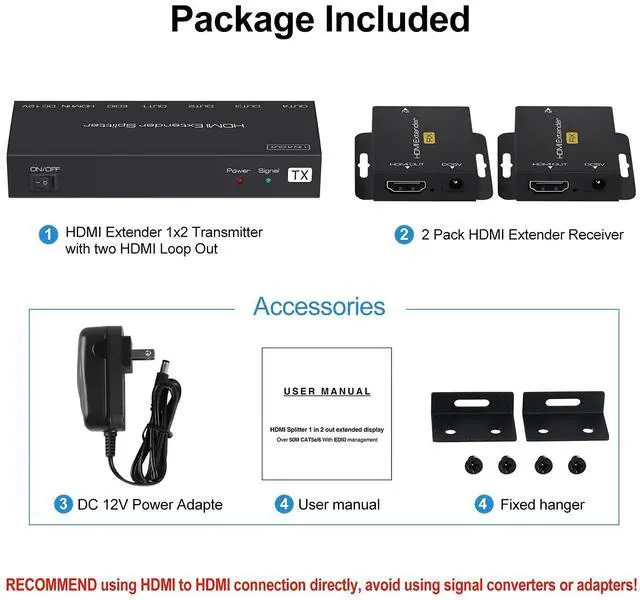
2-Port HDMI Extender Splitter with Receiver x 1
DC 12V Power Adapter x 1
User Manual x 1
Fixed hanger x 2
Troubleshooting Methods
Non-Power-Connected
1.Check whether the power adapter head is plugged into the power socket correctly.
2.Check whether the power switch is on.
No Picture
1.Please to make sure that the connection device is turned on and well connected.
2.Check if the signal source is turned on and well connected.
3.Check the quality of the system connection.
4.Check whether the HDMI cable is of good quality.
Obscure Picture
1.Try to connect the cable again to make sure the connection is in good condition.
2.Check whether the HDMI cable is of good quality.
Warranty & Returns
Warranty, Returns, And Additional Information
Warranty
- Please contact the Seller directly for warranty information. Warranty information may also be found on the Manufacturer's website.
- CONTACT
Return Policies
- Return for refund within: 30 days
- Return for replacement within: 30 days
- This item is covered by Electronics store Return Policy
Manufacturer Contact Info
- For a directory of all our manufacturers, please click below.
- Manufacturers Directory
LOADING...