




 here!
here!
I’m your shopping assistant for PC builds, upgrades, and everything tech.
Got questions? Ask away!
Start a conversation
here!
I’m your shopping assistant for PC builds, upgrades, and everything tech.
Got questions? Ask away!
Start a conversation



Any questions? Ask CelesteSM will help you find out quickly.
Product Description
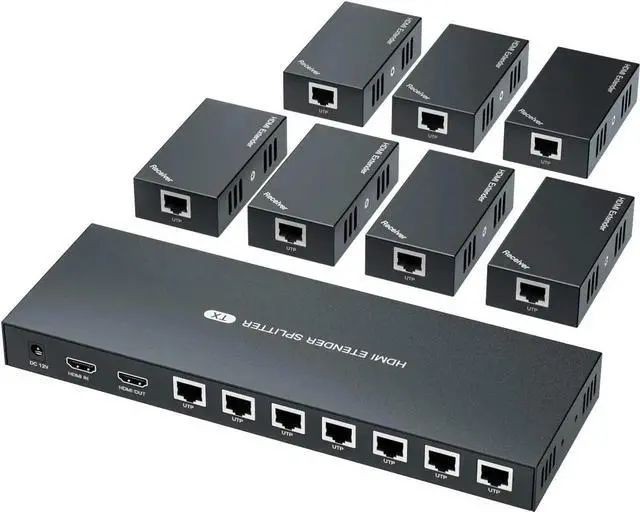
HDMI EXTENDER/SPLITTER
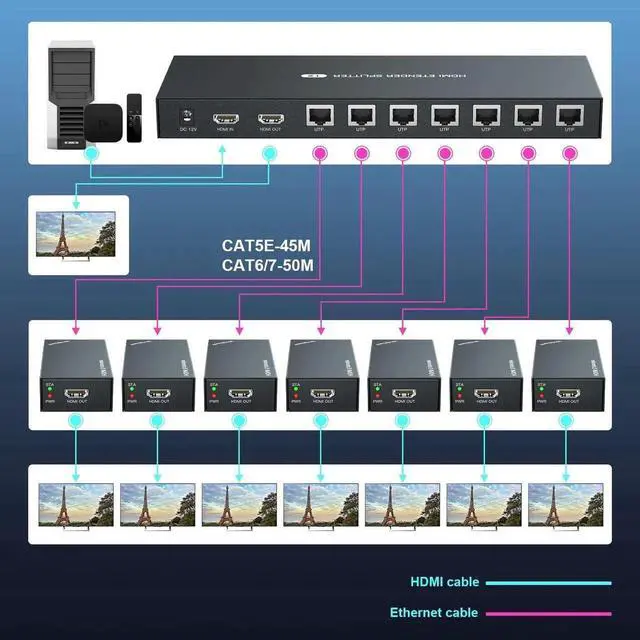
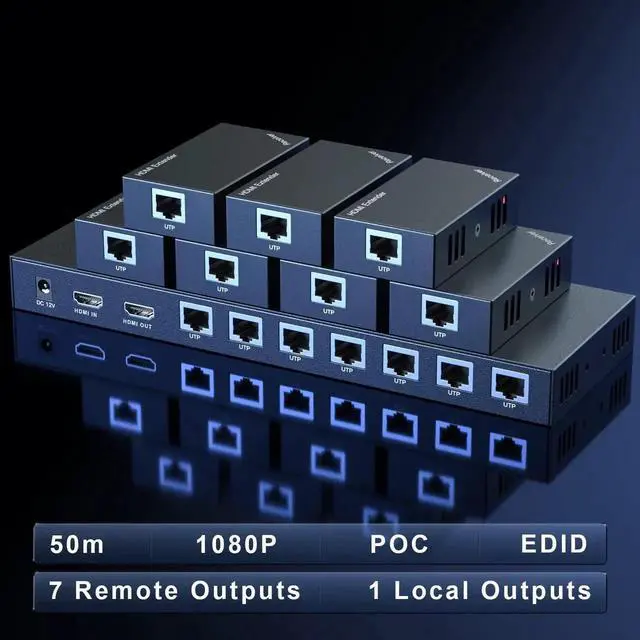
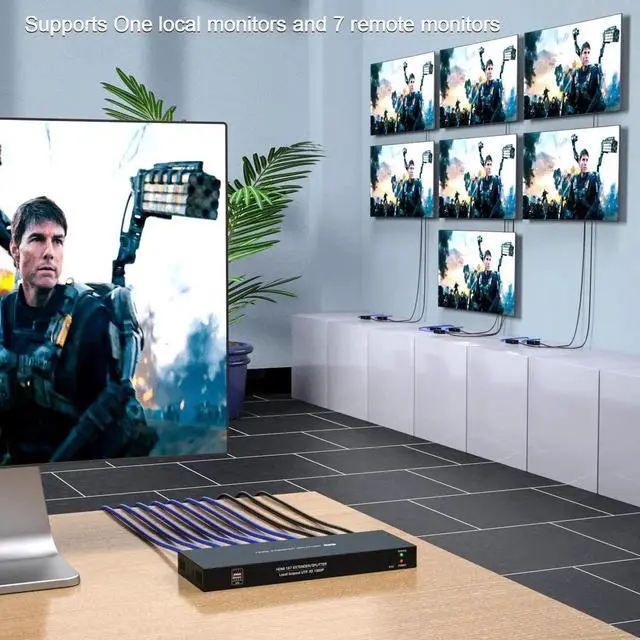
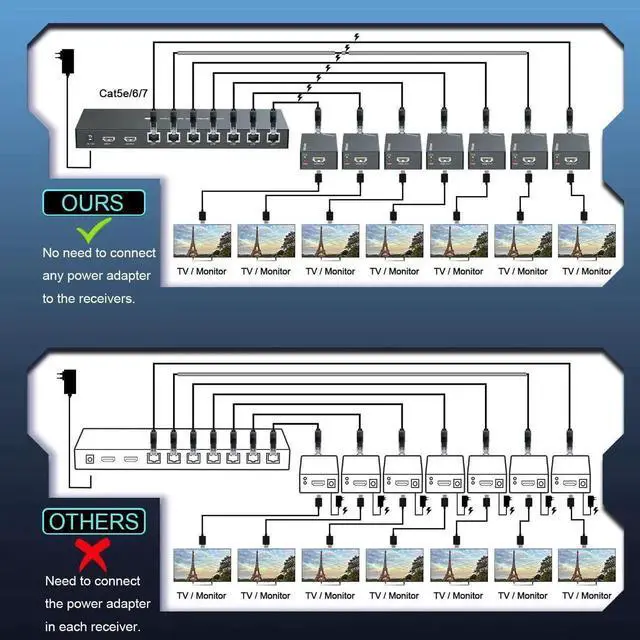
Change the mode of audio&video signals for longer distance transmission, HDMI IN --- CAT X --- HDMI OUT. 7-channel simultaneous transmission.
Specifications
:
1. Video
Standards --- HDMI 1.3
Maximum pixel clock---165MHz
Maximum data rate--- 6.75G bps
Resolution ---1920X1080@60Hz, 3D
Connector --- HDMI-A
2. Ethernet
Interface --- RJ45
Transmission distance --- CAT6---50m/164ft; CAT5E---40m/130ft; CAT5-30m/100ft. When the Ethernet cable is between 1~10 feet, it may have no image, please try another longer cable.
3. Others
Power supply--- Input: 110~220V; Output: 12V
Power dissipation---MAX 12W
Temperature---Operating: -5 ~ +70
Humidity---Operating: 5% ~ 90%
Dimension---TX: 257*87*25mm / RX: 81*45*23
4. Packing list
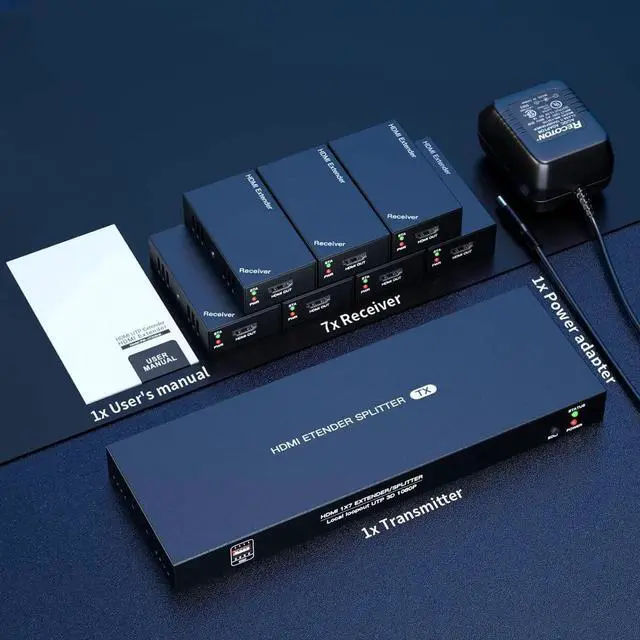
HDMI transmitter --- 1 pcs
HDMI receiver --- 7 pcs
Power adapter --- 1 pcs
User manual --- 1 pcs
About EDID
When the EDID cannot automatically identify the monitor parameters, the image may not be displayed, please perform the following steps.
(1) Connect the monitor to the HDMI IN on transmitter.
(2) Connect the power supply to transmitter.
(3) Press and hold the EDID button for 3-5 seconds. The green light on transmitter side stops flashing, indicating EDID copy is complete.
Last but not least, if have any product issue, please feel free to contact us and we will provide you with solutions.


