

Your Browsing History




Any questions? Our AI beta will help you find out quickly.
PCI-Express host interface specification v3.0 x8 compliant with 2.0 and 1.1 compatible
2.5Gbps,5Gbps, 8Gbps link rate X8
Auto-negotiates to x8, x4, x2 or x1
Support for MSI/MSI-X mechanisms
Support 25GbE/10GbE/1GbE transmission data rates
IEEE802.1Q,802.1P VLAN tags and priority
IEEE802.1Qau (QCN)-congestion Notification
Support IEEE802.3by, IEEE802.3Qbz, IEEE802.3Qbb, IEEE802.1X, IEEE802.1AE, IEEE1588v2
Jumbo frame supports up to 9KB MTU
NVMe-oF Target/Initiator Support end-to-end hardware offload for NVMe /TCP and
NVMe/RoCE protocols
RDMA over Converged Ethernet (RoCEv2)
TCP/UDP/IP stateless offload
LSO, LRO, checksum offload
Hardware offload of encapsulation and decapsulation of NVGRE overlay network
SR-IOV up to 256 virtual functions
Support Remote boot over Ethernet, Remote boot over iSCSI, PXE and UEFI
Feature tab
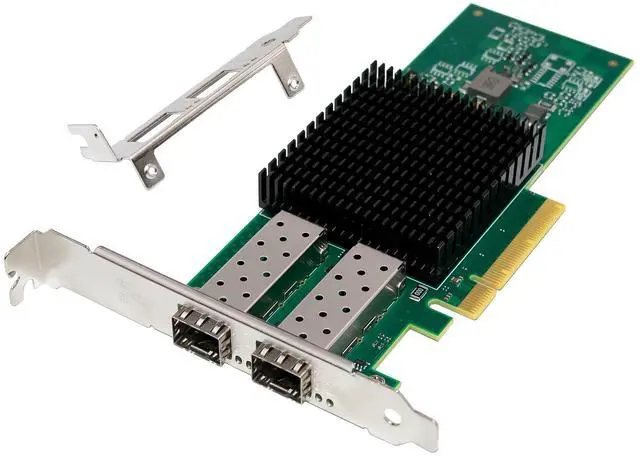
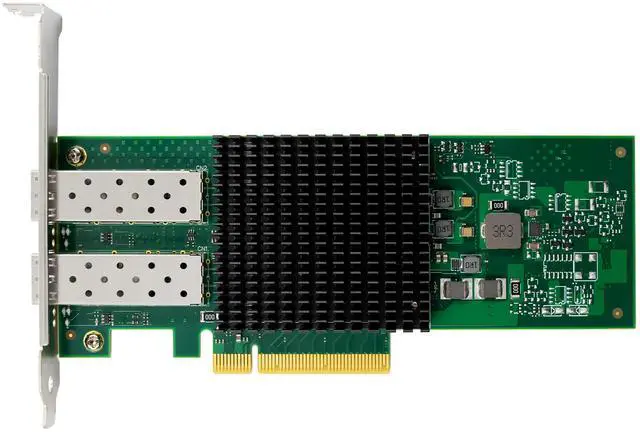
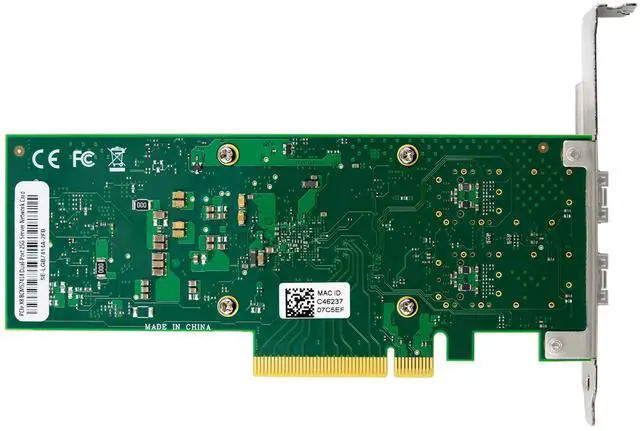
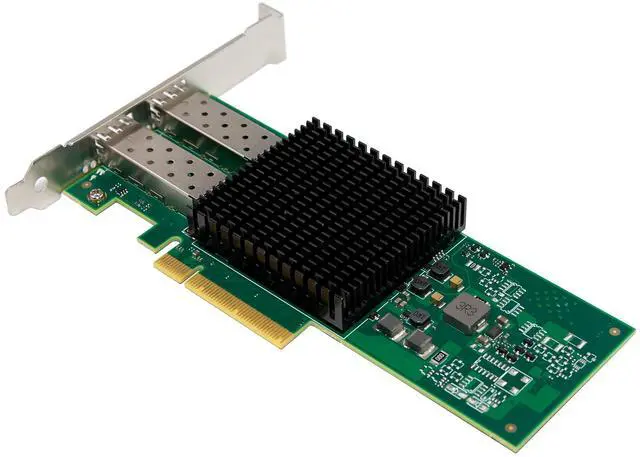
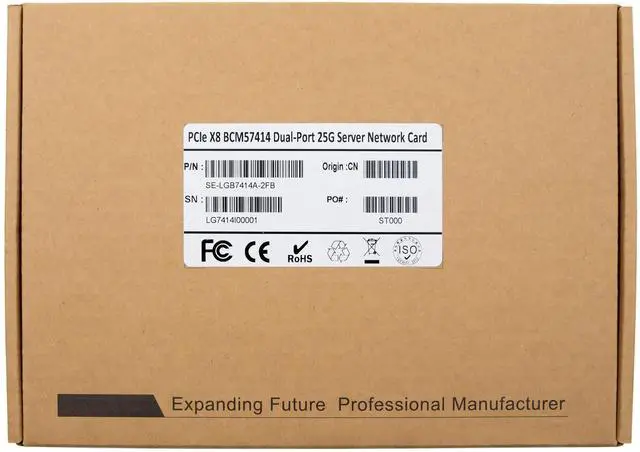
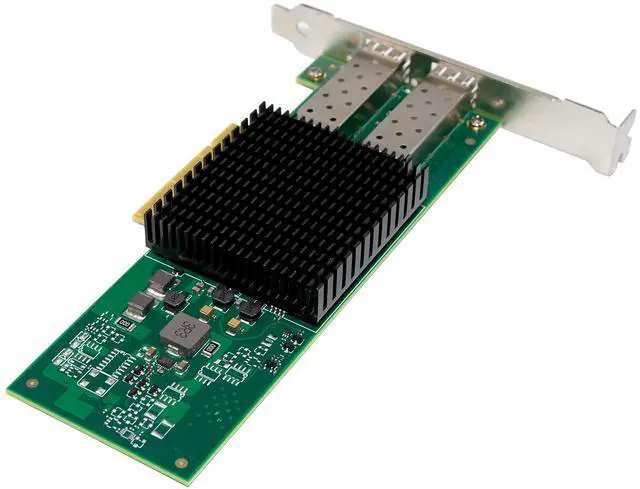
Product Name PCIe x8 Broadcom BCM57414 Dual-Port 25G SFP28 Network Adapter
Bus type Uses PCIe Gen3.0 (8GT/s) through an x8 edge connector, Gen1.1, 2.0 compatible
Controller BroadcomBCM975414A
Ethernet Data Rate 1/10/25GbE
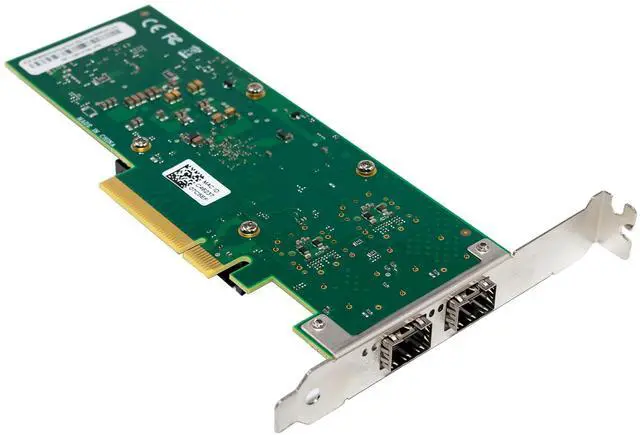
Network Connector Type 2-Ports SFP28
Standard Broadcom adapters comply with the following IEEE 802.3 standards:
25GbE / 10GbE / 1GbE
IEEE 802.3by 25 Gigabit Ethernet
IEEE 802.3ae 10 Gigabit Ethernet
IEEE 802.3ap based auto-negotiation and KR startup
Proprietary Ethernet protocols
IEEE 802.3ad, 802.1AX Link Aggregation
IEEE 802.1Q, 802.1P VLAN tags and priority
Congestion Notification
IEEE 802.1Qaz (ETS)
IEEE 802.1Qbb (PFC)
IEEE 802.1Qbg
IEEE802.1AS-Timing and synchronization
IEEE 1588v2
Jumbo frame support (9.6KB)
Protocol Support Ethernet: 25GBASE-CR/CR-S, 25GBASE-SR, 25GBASE-LR, 25G Ethernet Consortium, 10GBASE-SR,10GBASE-LR, 10GBASE-ER, SGMII/1000BASE-X
Operating Temperature 0 °C to 55 °C (32 °F to 131 °F), Non-operational -40 °C to 70 °C
Storage Temperature -40 °C to 70 °C (-40 °F to 158 °F)
Storage Humidity Relative Humidity Range(Non-condensing) maximum 90% at 35°C
LED Indicators Support
Bracket Full-height bracket installed; Low-Profile bracket included in package
Power Consumption MAX 12.9W
Dimension 168mm x69mm
Support Operating Systems Windows Client:10/11
Windows sever: Windows 2012 R2, 2016, or 2019,2022,2025
Linux: Redhat RHEL 6.10, RHEL 7.5, RHEL 7.6, RHEL 8.0 SLES 15 SP1 and etc.
VMWare ESXi : 6.5 U3 or 6.7 u2
Virtualization Features Next-generation NPAR, SR-IOV, ROCE on PFs, RoCE on VFs DCB DPDK, Linux KVM Multiqueue , NVGRE MSI-X vector port, EVB, Geneve
Manageability Features PXE, UEFI, iSCSI, NCSI, Wake on LAN
Package content
1 x PCIe x8 Broadcom BCM57414 Dual-Port 25G SFP28 Network Adapter
1 x Users Manual
1 x CD Driver
1 x Low profile bracket
System Requirements
Windows10/11, Win server2012/2016/2019/2022/2025
Linux: RHEL/CentOS/SLES/Ubuntu/FreeBSD/UOS/OPENEULER/KYLIN/
EULEROS/DEBIAN/CTYUNOS/BCLINUX/ALIOS
An available PCI Express x8 slot
m
Hardware installation
1.Turn off the computer and unplug the power cord
2.Remove the computer cover and the adapter slot cover from the slot that matches your adapter
3.Insert the adapter edge connector into the slot and secure the bracket to the chassis
4.Replace the computer cover, then plug in the power cord
5.Power on the computer
Install Drivers and software
Windows Operating Systems
You must have administrative rights to the operating system to install the drivers.
1.insert the CD driver bound with Broadcom network driver into your CD-ROM drive:
2.if the Found New Hardware Wizard screen is displayed, click Cancel
3.Open Device Manager, locate the newly detected hardware under your system, right-click on it, and select "Update driver" from the context menu.
4.In the pop-up dialog box, choose "Browse my computer for drivers".
5.Click "Browse" under "Search for drivers in this location", navigate to the driver folder on your CD/DVD-ROM that matches your system type (32-bit or 64-bit), then click "Next".
6.Wait until the dialog box displays "The driver has been successfully installed", then close the dialog box.
Installing Linux Drivers from Source Code
1.Download and expand the base driver tar file.
2.Compile the driver module.
3.Install the module using the modprobe command.
4.Assign an IP address using the ifconfig command.
Refer Supported Operating Systems for Ethernet Network Adapters
BCM95741X/BCM95750X Supported Operating Systems
Operating System Distribution Binary Packages Source Packages
Anolis OS 8.9 and 23.0 GA None Yes
BCLinux 21.10 SP2 None Yes
CTYUN OS 2 None Yes
Debian 10.13, 11.11, and 12.6 None Yes
FreeBSD 13.3, 14.0, and 14.1 X86 Yes
FusionOS 23 None Yes
Kylin Linux 20.04 None Yes
OpenCloud OS 8.6 None Yes
OpenAnolis OS 8.4, 8.6 QU1, and 8.8 GA None Yes
OpenEuler OS 22.03 LTS SP1, and 20.03 LTS SP3, and 20.03 LTS SP4 None Yes
Oracle (Inbox Drivers Only) UEK R7, UEK R7 U1, and 9 UEK R7U2 GA N/A N/A
RHEL 8.9, 8.10, 9.4, 9.5, and 9.6 x86, ARM Yes
Rocky Linux 9.2 None Yes
SuSE SLES 12 SP5, 15 SP5, and 15 SP6 x86 Yes
Ubuntu 22.04.4.LTS, 22.04.5, 24.04 LTS, and 24.04.1 x86, ARM Yes
UOS 20.1050u2e None Yes
vSphere/ESX 8.0 u3 x86 N/A
Windows Windows Client 11 24H2 x86 N/A
Windows Server 2012,2016,2019,2022 and 2025 x86 N/A
Support
More information and settings, please refer to the Adapter User Guides or you can contact us.