

Your Browsing History




Any questions? Our AI beta will help you find out quickly.
PCI-Express host interface specification v5.0 x16 compliant with 4.0,3.0 ,2.0 and 1.1 compatible
2.5, 5.0, 8.0, 16.0 and 32GT/s link rate x16/x32 (Socket-Direct configuration)
Auto-negotiates to x16, x8, x4, x2 or x1
Support for MSI/MSI-X mechanisms
Support 200G/100GbE/50GbE/40GbE/25GbE/10GbE/1GbE transmission data rates
Support IEEE802.3cd, IEEE802.3bs, IEEE802.3bj,802.3by, IEEE802.3ba, IEEE802.3ae, IEEE802.3ap, IEEE802.3ad network protocols
IEEE802.1Q,802.1P VLAN tags and priority
IEEE802.1Qau (QCN)-congestion Notification
Support IEEE802.1Qaz, IEEE802.1Qbb, IEEE802.1Qbg, IEEE1588v2
Jumbo frame supports up to 9.6KB
Mellanox PeerDirect RDMA communication acceleration
Advanced memory mapping support, allowing user mode registration and remapping of memory
InfiniBand Trade Association (IBTA) Specification 1.5 compliant
RDMA and RDMA over Converged Ethernet (RoCE)
NVMe over Fabrics offloads for target machine
Storage protocols: SRP, ISER, NFS, RDMA, SMB Direct, NVMe-oF
TCP/UDP/IP stateless offload
LSO,LRO, checksum offload
Hardware offload of encapsulation and decapsulation of NVGRE overlay network
SR-IOV up to 512virtual functions and SR-IOV up to 8 physical functions per port
Support Advanced PTP, IEEE1588v2 and Time-Sensitive Networking.
Support Remote boot over Ethernet, Remote boot over iSCSI, PXE and UEFI
Feature tab
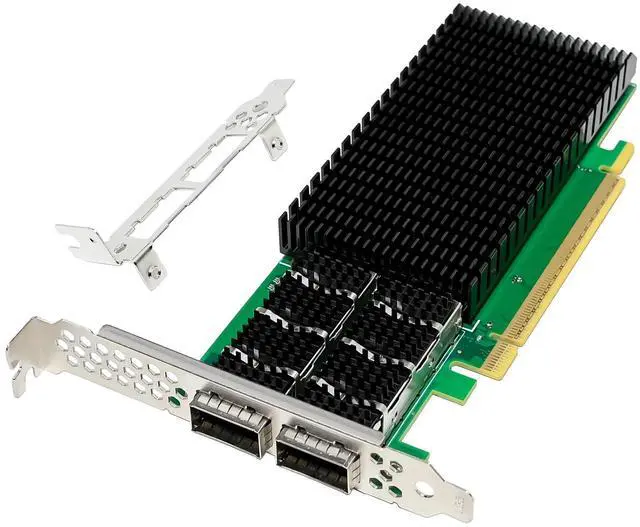
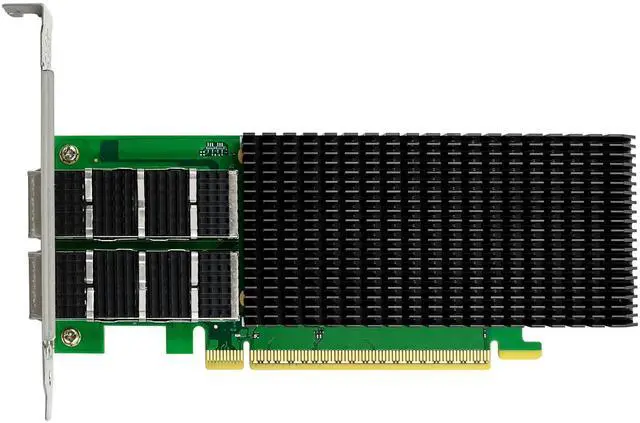
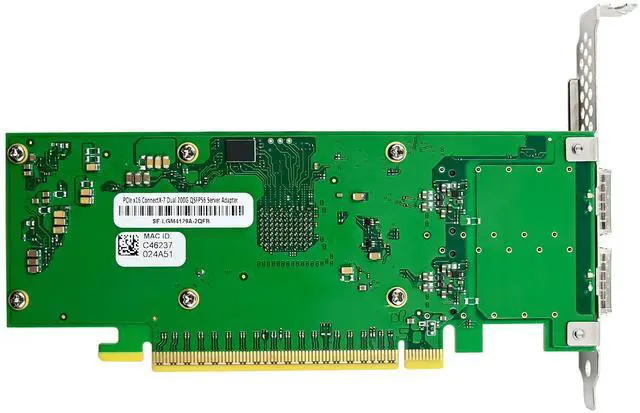
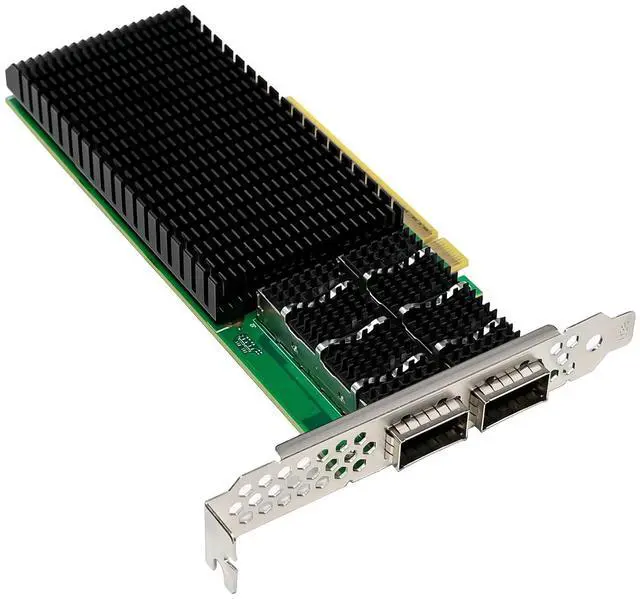
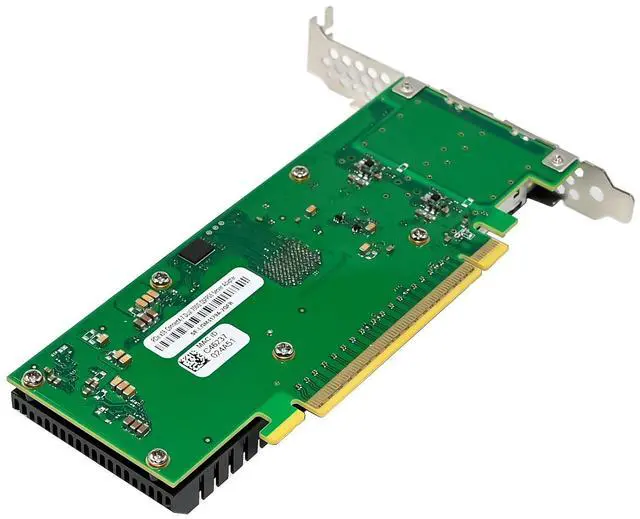
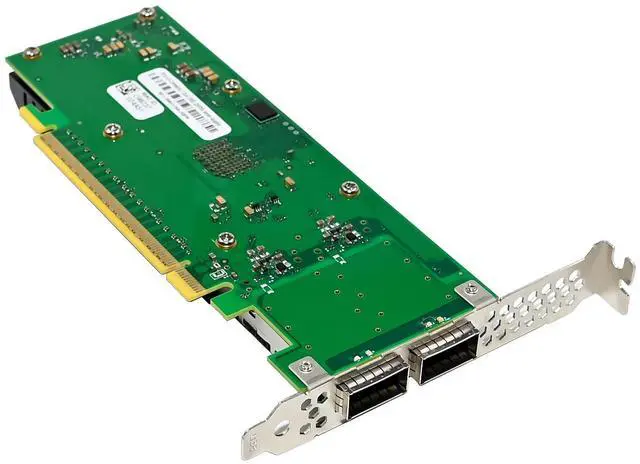
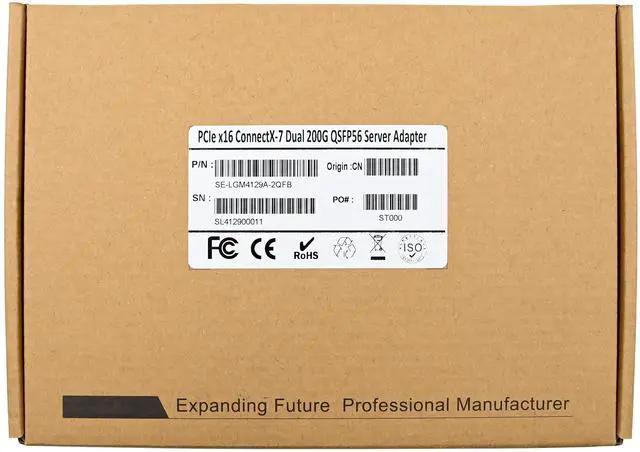
Product Name PCIe5.0 x16 Mellanox ConnectX-7 Dual-Port 200G QSFP56 Network Adapter
Bus type Uses PCIe Gen3.0 (8GT/s) through an x16 edge connector, Gen1.1, 2.0 compatible
Controller MellanoxConnectX-7
Ethernet Data Rate 1/10/25/40/50/100GbE/200G
Network Connector Type 2-Ports QSFP56
Standard Mellanox adapters comply with the following IEEE 802.3 standards:
200G /100GbE / 50GbE / 40GbE / 25GbE / 10GbE / 1GbE
IEEE802.3ck,100/200/400Gb/s Gigabit Ethernet
IEEE802.3cd,IEEE802.3bs,IEEE802.3cm,IEEE802.3cn,IEEE802.3cu 50/100/200/400Gb/s Gigabit Ethernet
IEEE 802.3bj, 802.3bm 100 Gigabit Ethernet
IEEE 802.3by, Ethernet Consortium25, 50 Gigabit Ethernet, supporting all FEC modes
IEEE 802.3ba 40 Gigabit Ethernet
IEEE 802.3by 25 Gigabit Ethernet
IEEE 802.3ae 10 Gigabit Ethernet
IEEE 802.3ap based auto-negotiation and KR startup
Proprietary Ethernet protocols (20/40GBASE-R2, 50GBASE-R4)
IEEE 802.3ad, 802.1AX Link Aggregation
IEEE 802.1Q, 802.1P VLAN tags and priority
IEEE 802.1Qau (QCN)
Congestion Notification
IEEE 802.1Qaz (ETS)
IEEE 802.1Qbb (PFC)
IEEE 802.1Qbg
IEEE 1588v2
Jumbo frame support (9.6KB)
Protocol Support InfiniBand: IBTA v1.5
Auto-Negotiation: NDR200 (2 lanes x 100Gb/s per lane) port, HDR (50Gb/s per lane) port, HDR100 (2 lane x 50Gb/s per lane), EDR (25Gb/s per lane) port, FDR (14.0625Gb/s per lane), 1X/2X/4X SDR (2.5Gb/s per lane).
Ethernet: 400GAUI-4 C2M, 400GBASE-CR4, 200GAUI-2 C2M, 200GAUI-4 C2M, 200GBASE-CR4,
100GAUI-2 C2M, 100GAUI-1 C2M, 100GBASE-CR4, 100GBASE-CR2, 100GBASE-CR1, 50GAUI-2
C2M, 50GAUI-1 C2M, 50GBASE-CR, 50GBASE-R2 , 40GBASE-CR4, 40GBASE-R2, 25GBASE-R,
10GBASE-R, 10GBASE-CX4, 1000BASE-CX, CAUI-4 C2M, 25GAUI C2M, XLAUI C2M , XLPPI, SFI
Operating Temperature 0 °C to 55 °C (32 °F to 131 °F), Non-operational -40 °C to 70 °C
Storage Temperature -40 °C to 70 °C (-40 °F to 158 °F)
Humidity Operational 10% to 85% relative humidity
Bracket Full-height bracket installed; Low-Profile bracket included in package
Power Consumption MAX17.5W
Dimension 172mm x69mm
Supports Operating Systems Windows Client:8.1/10/11
Windows sever:2012/2012 R2/2016/2019/2022
Linux: RHEL/CentOS/SLES/Ubuntu/FreeBSD/UOS/OPENEULER/KYLIN/EULEROS/DEBIAN/CTYUNOS/BCLINUX/ALIOS
Virtualization Features Next-generation VMDq, SR-IOV, Virtual Machine load balancing (VLMB), Advanced Packet Filtering, VLAN, VxLAN, NVGRE, GENEVE,
Manageability Features PXE, UEFI, iSCSI,
Package content
1 x PCIe5.0 x16 Mellanox ConnectX-7 Dual-Port 200G QSFP56 Network Adapter
1 x Users Manual
1 x CD Driver
1 x Low profile bracket
Accessories
System Requirements
Windows8.1/10/11, Win server2012/2016/2019/2022
Linux: RHEL/CentOS/SLES/Ubuntu/FreeBSD/UOS/OPENEULER/KYLIN/
EULEROS/DEBIAN/CTYUNOS/BCLINUX/ALIOS
An available PCI Express x16 slot (Please use PCIe4.0 X16 slot to achieve 200G throughput)
m
Hardware installation
1.Turn off the computer and unplug the power cord
2.Remove the computer cover and the adapter slot cover from the slot that matches your adapter
3.Insert the adapter edge connector into the slot and secure the bracket to the chassis
4.Replace the computer cover, then plug in the power cord
5.Power on the computer
Install Drivers and software
Windows Operating Systems
You must have administrative rights to the operating system to install the drivers.
1.insert the CD driver bound with Mellanox network driver into your CD-ROM drive:
2.if the Found New Hardware Wizard screen is displayed, click Cancel
3.select a driver based on the system type
for Windows Server type: (Assume that D):
D:\NIC Drivers\Mellanox\ConnectionX-4\Windows Server
for Windows type: (Assume that D):
D:\NIC Drivers\Mellanox\ConnectionX-4\Windows Client
4.Double click the driver corresponding to the system.
5.Follow the instructions in the install wizard to finish it.
Installing Linux Drivers from Source Code
1.Download and expand the base driver tar file.
2.Compile the driver module.
3.Install the module using the modprobe command.
4.Assign an IP address using the ifconfig command.
Support
More information and settings, please refer to the Adapter User Guides or you can contact us.