
Your Browsing History

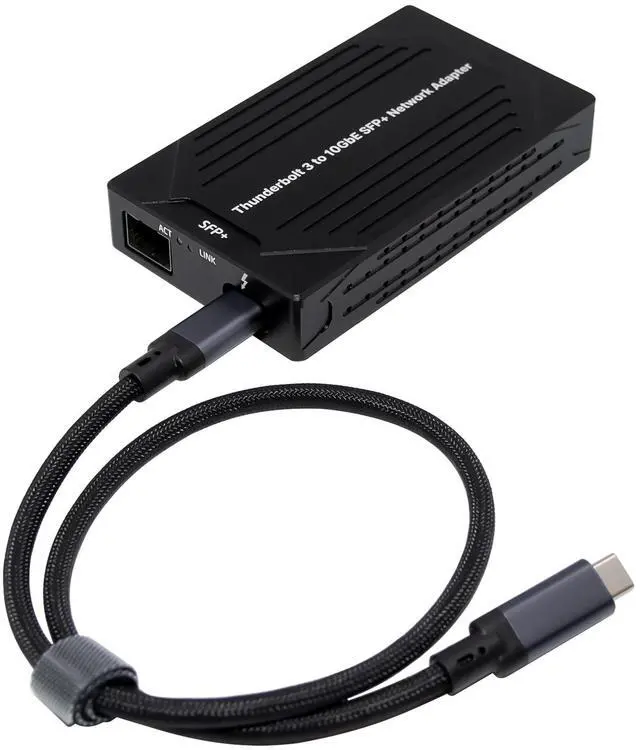
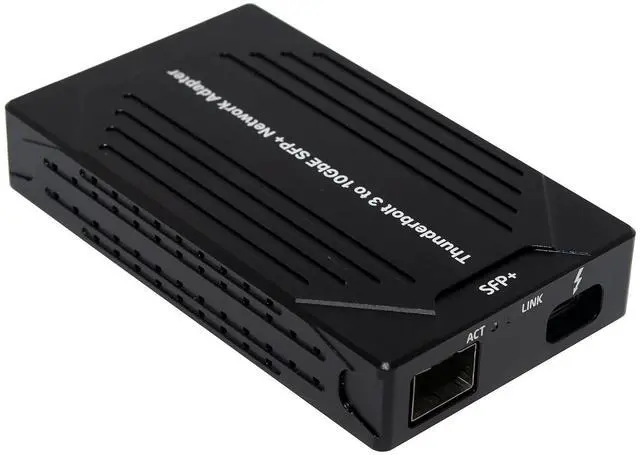



Any questions? Our AI beta will help you find out quickly.
Fully compliant with Thunderbolt 3 protocol
Supports communication and management function
Integrated intel high-performance network controller JL82599EN
Supports PHY specifications with 10GBASE-SR,10GBASE-LR,1000BASE-SR, 1000BASE-CX,1000BASE-LR and SFP+ Copper Direct Attach physical media
Complies with the 10Gb/s and 1Gb/s Ethernet/802.3ap (KX/KX4/KR) specification
Interrupt throttling control to limit maximum interrupt rate and improve CPU usage
Tx/Rx IP, SCTP, TCP, and UDP checksum offloading (IPv4, IPv6) capabilities
Support for Jumbo frames of up to 15.5Kbytes
Time sync (IEEE1588) Precision Time Protocol (PTP)
Quality of Service (QoS)
Support for Virtual Machine Device Queues (VMDq)
Supports up to eight traffic classes and Data Center Bridging (DCB)
Support Operation Systems: Windows Win10/ Win11, Mac OS, Linux
Features table
Model Name: Thunderbolt 3 10GbE SFP+ Network Adapter
Interface: Thunderbolt 3
Bus Width: Support Thunderbolt 3 up to 40Gbps
Media Type: Fiber:
SFP Module with 850 nano multi-mode maximum 2km
SFP Module with 1310 nano single-mode maximum 20km
Network protocol: IEEE802.3-2005,10GBASE-X,1000BASE-CX,10GBASE-LX4,10GBASE-CX4,1000BASE
-KX,10GBASE-KX4,10GBASE-KR,1000BASE-BX,10GBASE-BX4,IEEE802.3ap,IEEE802
.1Q, IEEE1588, IEEE802.1as, IEEE802.1AE
Jumbo frames: 15.5Kbytes
IPv4/IPv6 Flow Control support
Typical Power 5.5W at 10GBASE-SR/LR,1000BASE-SX/LX
Operating Temperature: 0~55(32F~131F)
Storage Temperature: -40~70(-104F~158F)
Storage humidity Maximum: 90% non-condensing relative humidity at 35 °C
Operating Systems: Window: Win10/Win11 32/64bit
Linux kernel: 3.x/4.x or higher
Mac OS:10.13.4 or higher
Package content
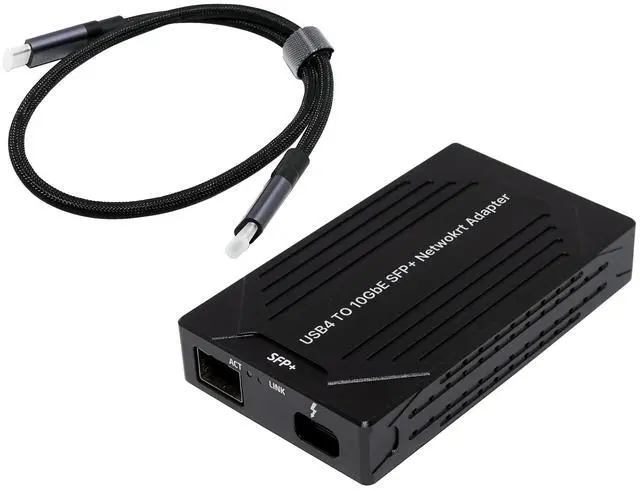
1 x Thunderbolt 3 10GbE SFP+ Network Adapter
1 x Users Manual
1 x Thunderbolt 3 cable
1 x CD
System Requirements
Linux Kernels 3.10 and later
Win10/Win11 32 or 64bits
Mac OS 10.13.4 or later
One available Thunderbolt 3 protocol port
LED Indicators
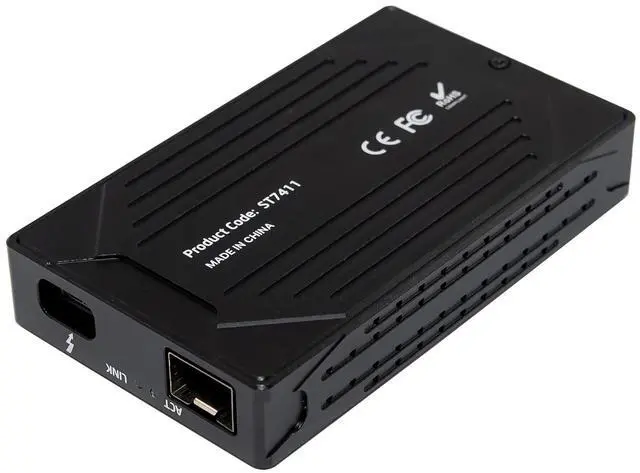
Speed Link LED ACT LED
10G Orange LED Static lighting Green LED Blink lighting
1G Green LED lighting Green LED Blink lighting
Install Drivers
Windows Operating Systems
You must have administrative rights to the operating system to install the drivers.
1.insert the CD driver bound with Intel network driver into your CD-ROM drive (also you can download the latest drivers from support website):
2.if the Found New Hardware Wizard screen is displayed, click Cancel
3.start the autorun located in the software package, the autorun may automatically start after you have extracted files.
4.Click install Drivers and Software
5.Follow the instructions in the install wizard to finish it
Installing Drivers for Mac
The drivers required to support the Thunderbolt 3 10GbE Ethernet Adapter are installed as port of Mac OS 10.13.4 and later; the adapter is ready for use when you power on your computer
Installing Linux Drivers from Source Code
1.Download and expand the base driver tar file.
2.Compile the driver module
3.Install the module using the modprobe command
4.Assign an IP address using the ifconfig command