Your Browsing History
Meet Your Seller
M.2 Key-B to USB Type-C Adapter 4G/5G Module Converter, Supports 3042/3052 Form Factors, Plug-and-Play, Compatible with Windows & macOS
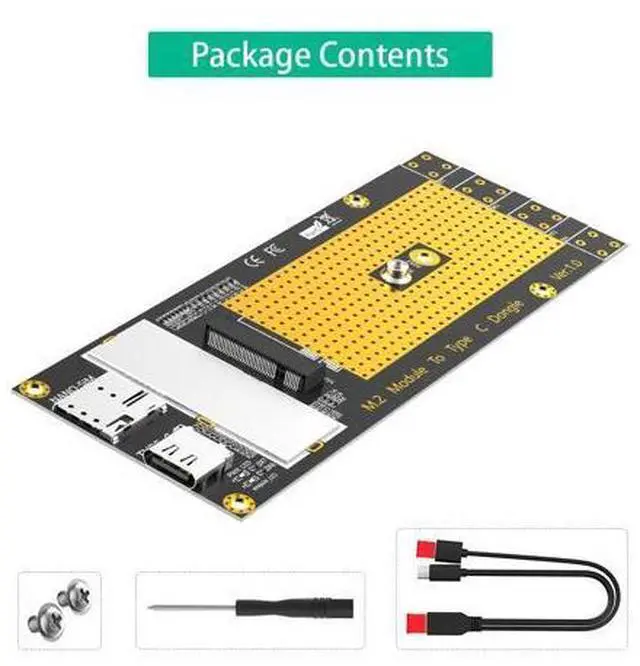
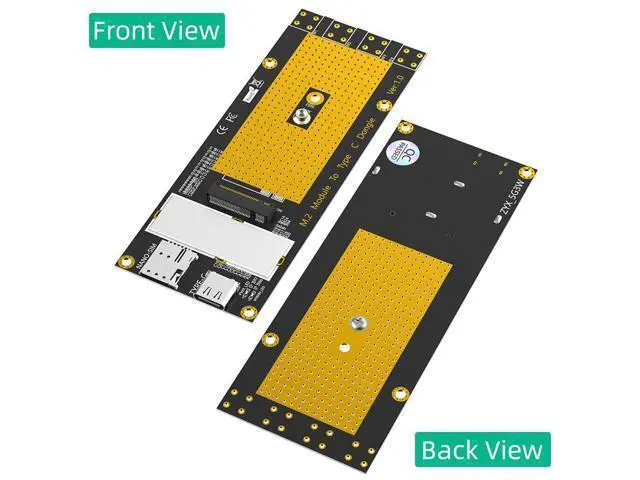
- M.2 Key-B to USB Type-C Conversion: Converts M.2 Key-B (NGFF) modulesincluding 4G LTE and 5G cellular modemsto a convenient USB Type-C interface, enabling external connectivity for desktops, laptops, and embedded systems without an onboard M.2 slot.; Wide Module Compatibility: Supports M.2 Key-B modules in 3042 (30mm x 42mm) and 3052 (30mm x 52mm) form factors, providing flexibility for a variety of cellular and wireless communication modules.; USB Type-C Interface: Features a USB Type-C connector for easy connection to modern computers, laptops, and tablets, ensuring broad compatibility with current generation devices.; Plug-and-Play Operation: No additional drivers required for the adapter itself; simply connect via USB Type-C, install your M.2 module, and ensure the module's drivers are installed for full functionality.; Power Status Indicator: Built-in LED indicator illuminates when power is applied, providing clear visual confirmation that the adapter is powered and ready for operation.
+
+
Overview
Specs
Reviews
Any questions? Our AI mode will help you find out quickly.
Try me now
Add cellular connectivity to virtually any system with this M. 2 Key-B to USB Type-C Adapter. Designed for users who need to leverage 4G LTE or 5G M. 2 modules in systems without built-in M. 2 slots, this adapter converts M. 2 Key-B cellular modems into a convenient USB Type-C peripheral, enabling high-speed mobile broadband for desktops, laptops, tablets, and embedded devices. The adapter features an M. 2 Key-B (NGFF) socket, supporting modules in popular 3042 (30mm x 42mm) and 3052 (30mm x 52mm) sizes, accommodating a wide range of cellular modems from leading manufacturers.
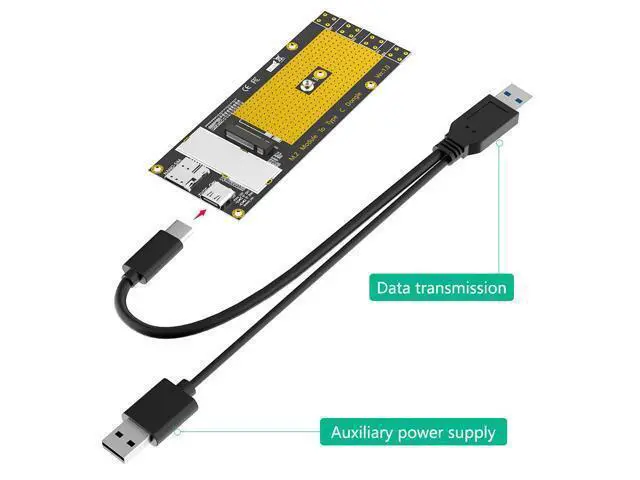
Whether you're adding 4G LTE connectivity to a desktop workstation or integrating 5G capabilities into an embedded system, this adapter provides the flexibility you need. Connectivity is simple and reliable via the USB Type-C interface, which offers reversible plug orientation and broad compatibility with modern computers. The adapter itself is plug-and-play no additional drivers are required. Simply connect the adapter to your system via USB Type-C, install your M. 2 module, and install the module's native drivers to begin accessing cellular networks. A built-in LED power indicator provides clear visual confirmation when the adapter is powered, simplifying setup and troubleshooting.
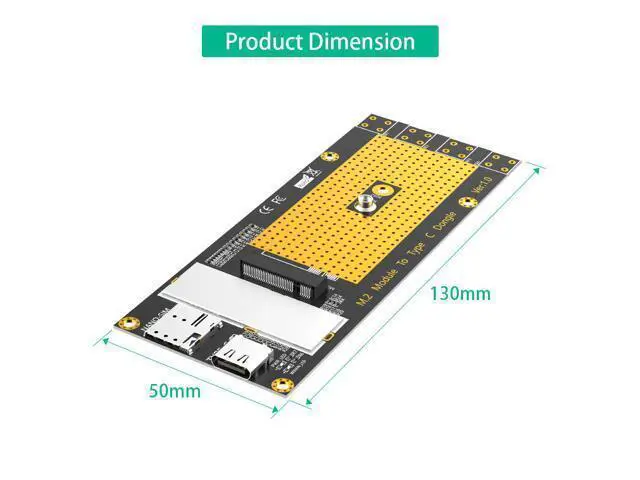
The compact 130mm x 50mm form factor allows for easy placement on desktops or integration into custom enclosures. With broad cross-platform support for Windows 7/8/10 (32/64-bit) and macOS, this adapter is ideal for applicati

Whether you're adding 4G LTE connectivity to a desktop workstation or integrating 5G capabilities into an embedded system, this adapter provides the flexibility you need. Connectivity is simple and reliable via the USB Type-C interface, which offers reversible plug orientation and broad compatibility with modern computers. The adapter itself is plug-and-play no additional drivers are required. Simply connect the adapter to your system via USB Type-C, install your M. 2 module, and install the module's native drivers to begin accessing cellular networks. A built-in LED power indicator provides clear visual confirmation when the adapter is powered, simplifying setup and troubleshooting.
The compact 130mm x 50mm form factor allows for easy placement on desktops or integration into custom enclosures. With broad cross-platform support for Windows 7/8/10 (32/64-bit) and macOS, this adapter is ideal for applicati
Warranty & Returns
Warranty, Returns, And Additional Information
Warranty
- Please contact the Seller directly for warranty information. Warranty information may also be found on the Manufacturer's website.
- CONTACT
Return Policies
- Return for refund within: 30 days
- Return for replacement within: 30 days
- This item is covered by TERRA HAVEN Return Policy
Manufacturer Contact Info
- For a directory of all our manufacturers, please click below.
- Manufacturers Directory
LOADING...