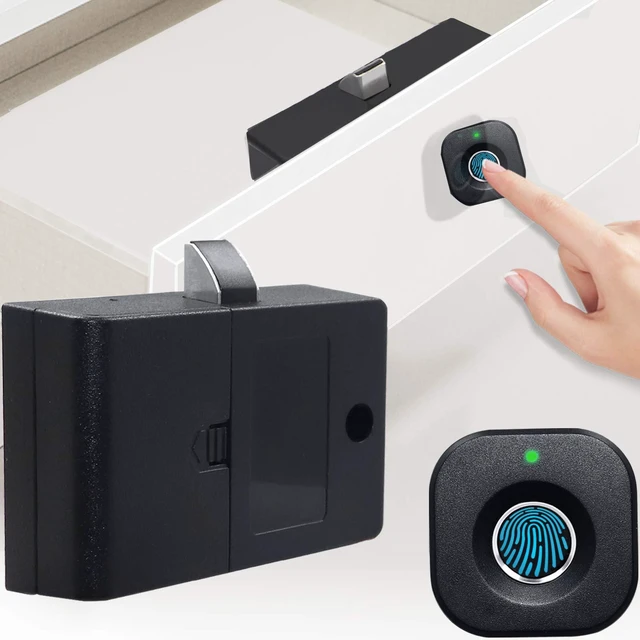
Fingerprint Cabinet Lock, Smart Biometric, Fit for Keyless Hidden File Drawer Wardrobe, Child Safety Electric Fingerprint Lock, DIY Wooden Furniture Privacy for Home Office
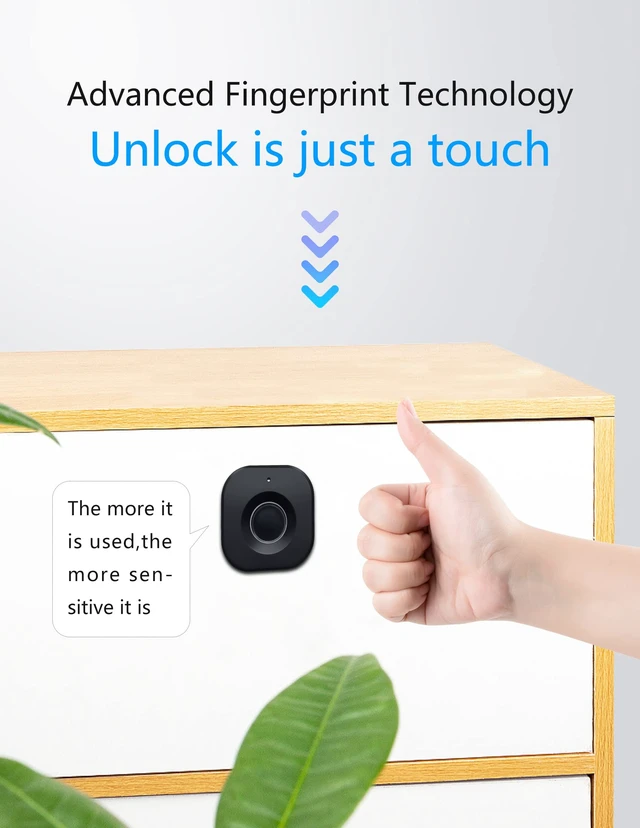
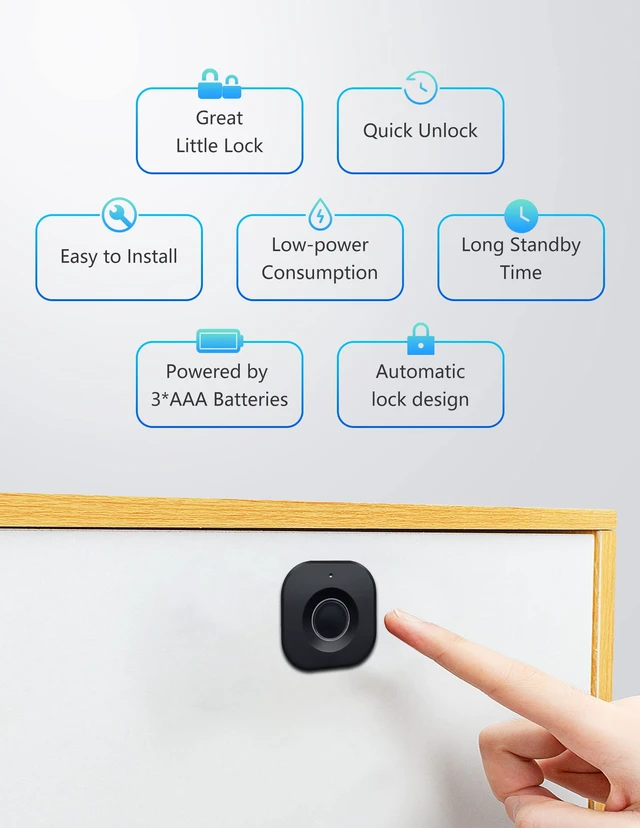
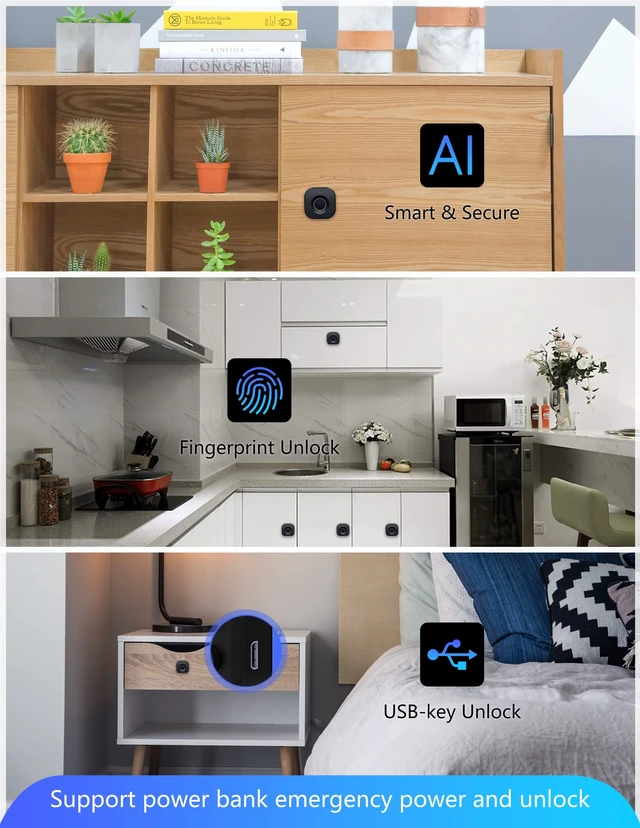
Quick Unlock: Advanced fingerprint lock tech with better response and sensitivity. 0.5 S reaction time, unlock just in a blink. Don't need any extra cards, keys, APP or bluetooth connection. Your fingerprints are the only keys
Auto Lock: The lock tongue will pops up automatically after unlocking for a period of time to prevent you from forgetting to lock. Perfect solution to your occasional carelessness! Modern life without trouble
Privacy Protection: More secure! Our fingerprint lock is definitely your choice to improve the safety of personal items and secrets! It can effectively prevent your files from getting messed up or items from being damaged
Emergency Charge: The cabinet lock can record up to 20 fingerprints. Support USB cable emergency charge, do not need to worry about low power can not unlock. Please Note: Micro cable and AAA batteries are not included! Have to buy separately
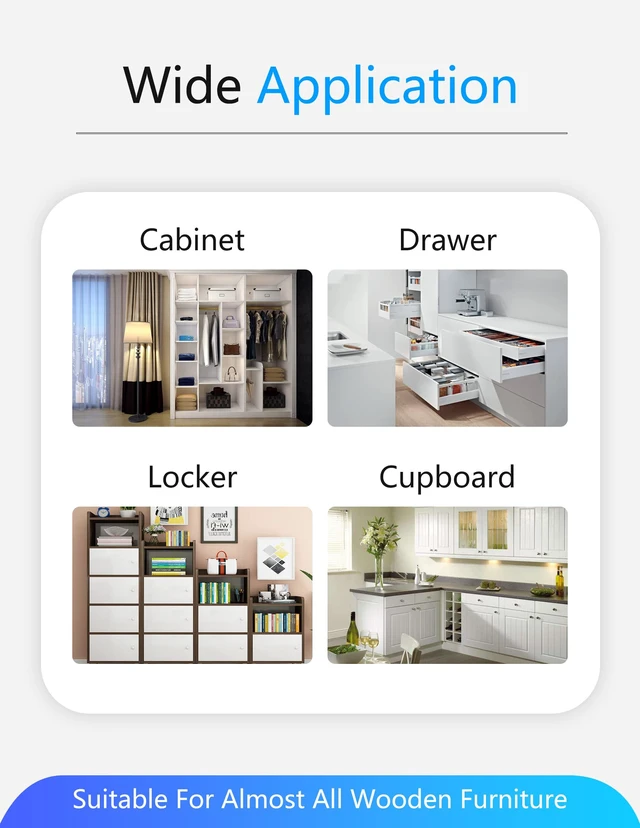
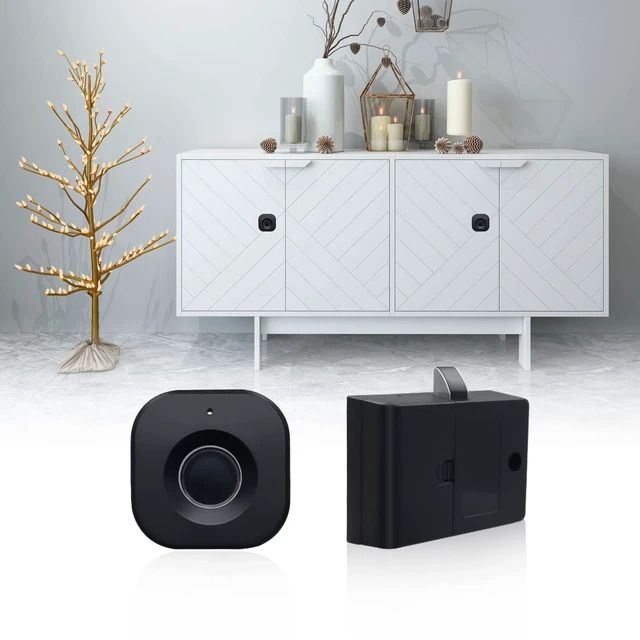
Wide Application: Our smart biometric lock can be widely used in wood furniture, such as wardrobe, drawer, Cabinet, storage boxes and so on
Easy installation: As long as your furniture thickness is appropriate, it can be applied perfectly. Enjoy the fun of making it yourself
+
+
Overview
Specs
Reviews
Any questions? Ask CelesteSM will help you find out quickly.
Try me now
Fingerprint Cabinet Lock
How did we get our start?
"SUMNEW" focuses on product quality and every procedure is strictly monitored and inspected.
Giving customers a satisfying experience is the tenet of "SUMNEW", providing you with high-quality after-sales service 24 hours a day.
What makes our products unique?
High-quality and considerable after-sales service is our constant persistence.
Why do we love what we do?
We are proud of our Lock! And we are also very happy to see our locks meet your needs!
How to Install (Pls record the fingerprint before installing):
1. Fixed the Part A in proper place with two large silver screws (cabinet side / upper edge, upper edge of drawer)
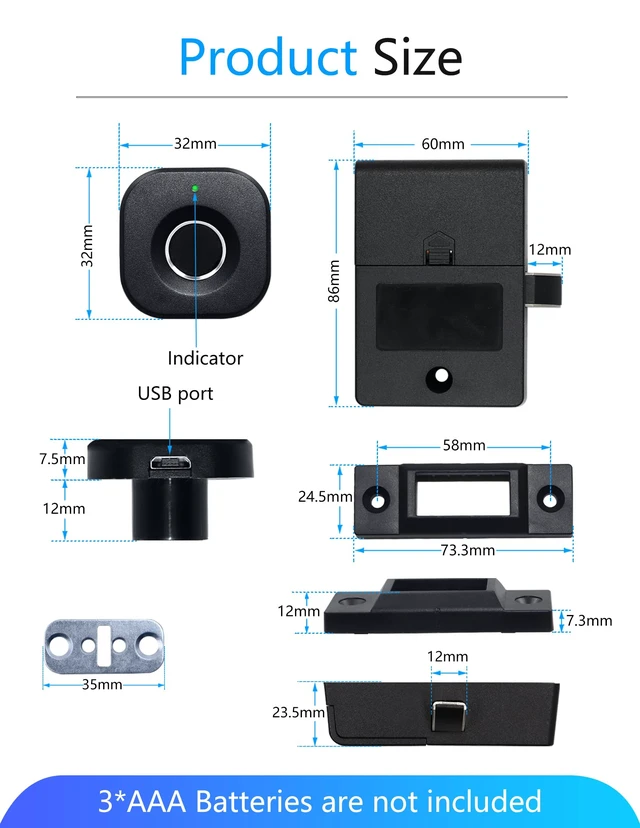
2. Drill a 15 mm diameter round hole in the proper position on the outside board of the drawer/cabinet and then put the fingerprint panel in the hole. Note: Put the prompt lamp on the up side.
3. At the other end of the board, pass the wire through the metal gasket and use two small yellow screws to fix the gasket and the fingerprint panel. Then connect the line to the lock box correctly.
4. Use two big silver screws to secure the lock box in place (screw length is freely chosen according to board thickness)
5. Here we done! Check whether the distance is appropriate and whether it can lock normally.
Why Choose SUMNEW Lock!!!
0.5s Quick Unlock & Auto Pop-up
Leading fingerprint tech, unlock only needs 0.5 S reaction time.
And the latch will pops up automatically after unlocking to prevent you from forgetting to lock.
Smart AI
Record up to 40 fingerprints.
The fingerprints recorded are the only keys! No need any extra cards, keys, APP or bluetooth connection.
Support Emergency Charge
Humanized design! Support USB cable emergency charge, do not need to worry about low power can not unlock.
Long press the sensor for about 10 seconds until the blue light on;
Now it is in enroll mode, let’s begin: Use same finger enrolls 5 times at different angles. Then the green light on, it indicates that the first fingerprint was successfully recorded.
Step 2
Then the blue light on again. It’s still in enrolling mode. If you need to record more fingerprints, just repeat the second step. 5 seconds no operation it will automatically quit enroll status)
Note:
When you receive the lock, it is brand new and any fingerprint can open it! Remember to enroll your fingerprints before use!
To ensure the lock works well, it's better to enroll no less than 3 different fingerprints.
Package includes:
? Lock Body
? Lock Catch
? Fingerprint Panel
? Screws & Accessories
? User Manuel
? Battery
? Charging Cable
Humanized Electricity Tips
When the battery power is low, the lock will flicker red light. Then you can replace the AAA batteries in time. (Attention: our lock do not include Batteries and Charging Cable)
Delete Fingerprints and Restore Factory Settings: Long press set switch, blue light on, red light after three seconds, release switch. All fingerprints were removed successfully.
Fingerprint Cabinet Lock for home
FAQs and Solutions
Question 1: why could all fingerprints unlock it?
--Answer: 'Cause the lock is still in original state and you haven't enroll any fingerprint in it. So anyone any fingerprints can open it.
--Solution: Enroll your personal fingerprints correctly by following the instructions/videos .
Question 2: why is fingerprint identification slow?
--Answer: 'Cause the fingerprint haven't been recorded clearly and completely, it may cause slow identification.
--Solution: Re-enroll with the same finger at different angles.
Question 3: How to unlock when it is out of battery?
--Answer: Don't worry, there's still plan B. And The lock will have a red light flicker prompt to remind you that it's time to change new battery.
--Solution: Use your power bank to power it and unlock!
Question 4: How to enroll multiple fingerprints?
--Answer: Same thing, enroll one fingerprint successfully and repeat the steps. Up to 20 fingerprints can be enrolled.
Question 5: How do delete fingerprints?
--Answer: Hold down setting switch continuously untill red light on 3 seconds (you will see blue lights first and the red lights). There we done!
Fingerprint Cabinet Lock
How did we get our start?
"SUMNEW" focuses on product quality and every procedure is strictly monitored and inspected.
Giving customers a satisfying experience is the tenet of "SUMNEW", providing you with high-quality after-sales service 24 hours a day.
What makes our products unique?
High-quality and considerable after-sales service is our constant persistence.
Why do we love what we do?
We are proud of our Lock! And we are also very happy to see our locks meet your needs!
How to Install (Pls record the fingerprint before installing):
1. Fixed the Part A in proper place with two large silver screws (cabinet side / upper edge, upper edge of drawer)
2. Drill a 15 mm diameter round hole in the proper position on the outside board of the drawer/cabinet and then put the fingerprint panel in the hole. Note: Put the prompt lamp on the up side.
3. At the other end of the board, pass the wire through the metal gasket and use two small yellow screws to fix the gasket and the fingerprint panel. Then connect the line to the lock box correctly.
4. Use two big silver screws to secure the lock box in place (screw length is freely chosen according to board thickness)
5. Here we done! Check whether the distance is appropriate and whether it can lock normally.
Why Choose SUMNEW Lock!!!
0.5s Quick Unlock & Auto Pop-up
Leading fingerprint tech, unlock only needs 0.5 S reaction time.
And the latch will pops up automatically after unlocking to prevent you from forgetting to lock.
Smart AI
Record up to 40 fingerprints.
The fingerprints recorded are the only keys! No need any extra cards, keys, APP or bluetooth connection.
Support Emergency Charge
Humanized design! Support USB cable emergency charge, do not need to worry about low power can not unlock.
Long press the sensor for about 10 seconds until the blue light on;
Now it is in enroll mode, let’s begin: Use same finger enrolls 5 times at different angles. Then the green light on, it indicates that the first fingerprint was successfully recorded.
Step 2
Then the blue light on again. It’s still in enrolling mode. If you need to record more fingerprints, just repeat the second step. 5 seconds no operation it will automatically quit enroll status)
Note:
When you receive the lock, it is brand new and any fingerprint can open it! Remember to enroll your fingerprints before use!
To ensure the lock works well, it's better to enroll no less than 3 different fingerprints.
Package includes:
? Lock Body
? Lock Catch
? Fingerprint Panel
? Screws & Accessories
? User Manuel
? Battery
? Charging Cable
Humanized Electricity Tips
When the battery power is low, the lock will flicker red light. Then you can replace the AAA batteries in time. (Attention: our lock do not include Batteries and Charging Cable)
Delete Fingerprints and Restore Factory Settings: Long press set switch, blue light on, red light after three seconds, release switch. All fingerprints were removed successfully.
Fingerprint Cabinet Lock for home
FAQs and Solutions
Question 1: why could all fingerprints unlock it?
--Answer: 'Cause the lock is still in original state and you haven't enroll any fingerprint in it. So anyone any fingerprints can open it.
--Solution: Enroll your personal fingerprints correctly by following the instructions/videos .
Question 2: why is fingerprint identification slow?
--Answer: 'Cause the fingerprint haven't been recorded clearly and completely, it may cause slow identification.
--Solution: Re-enroll with the same finger at different angles.
Question 3: How to unlock when it is out of battery?
--Answer: Don't worry, there's still plan B. And The lock will have a red light flicker prompt to remind you that it's time to change new battery.
--Solution: Use your power bank to power it and unlock!
Question 4: How to enroll multiple fingerprints?
--Answer: Same thing, enroll one fingerprint successfully and repeat the steps. Up to 20 fingerprints can be enrolled.
Question 5: How do delete fingerprints?
--Answer: Hold down setting switch continuously untill red light on 3 seconds (you will see blue lights first and the red lights). There we done!
Fingerprint Cabinet Lock, Smart Biometric, Fit for Keyless Hidden File Drawer Wardrobe, Child Safety Electric Fingerprint Lock, DIY Wooden Furniture Privacy for Home Office
Learn more about the Generic Brand F040 Fingerprint Cabinet Drawer Lock
Details
Type
Biometric, lock, panel, screws, usbkey, user manuel
Strike Length
32 L x 32 W x 32 H millimeters
Material
Nitrile
Hardware
lock, panel, screws, usbkey, user manuel
Finish
Black
Projection
32 L x 32 W x 32 H millimeters
Closed Length
32 L x 32 W x 32 H millimeters
Item Count
12 pack
Selling Unit
Count, 1
Model
F040 Fingerprint Cabinet Drawer Lock
Model
Part Number
F040 Fingerprint Cabinet Drawer Lock
Additional Information
First Listed on Newegg
October 27, 2026
Customer Reviews of the Generic Brand F040 Fingerprint Cabinet Drawer Lock
There are no reviews yet.
Do you own this product?
Warranty & Returns
Warranty, Returns, And Additional Information
Warranty
Please contact the Seller directly for warranty information. Warranty information may also be found on the Manufacturer's website.





 here!
here!