


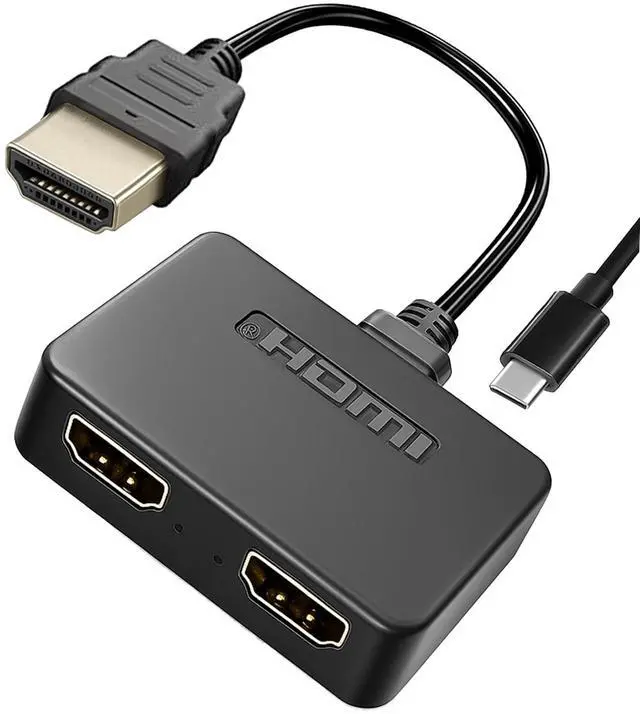
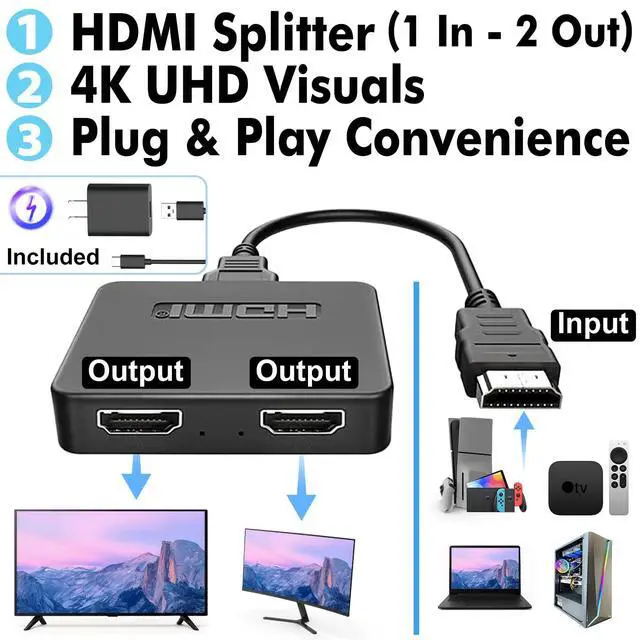




HDMI Splitter 1 in 2 Out
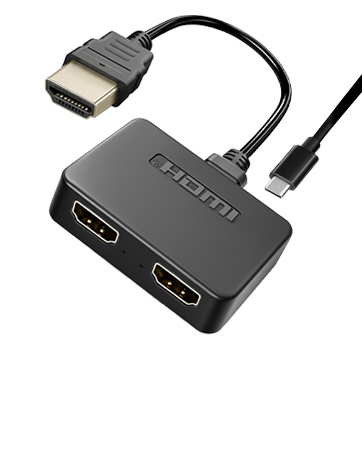
4K HDMI Hub 2.0 Video Duplicator with 2.5ft USB Power Cable and Adapter
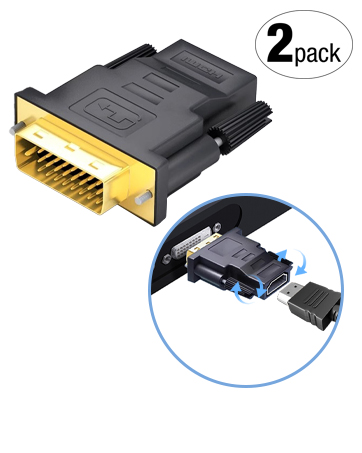
DVI to HDMI Adapter
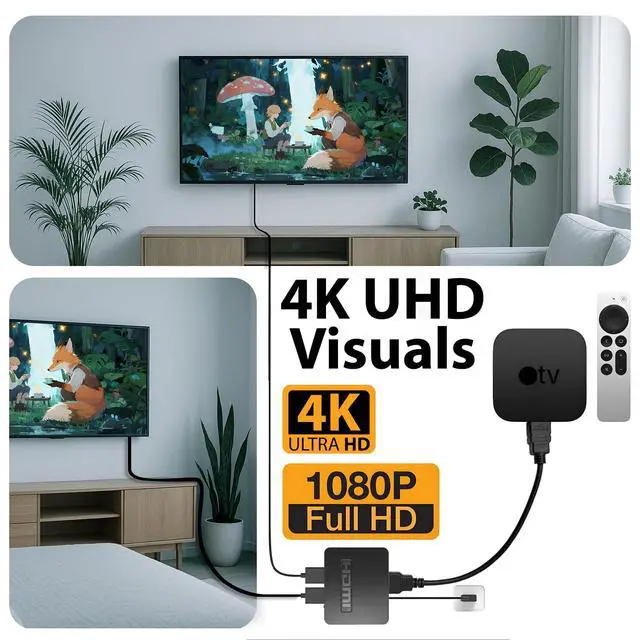
4K/30Hz UHD Video Support for Monitor, HDTV, Projector, PC, PS4, Laptop
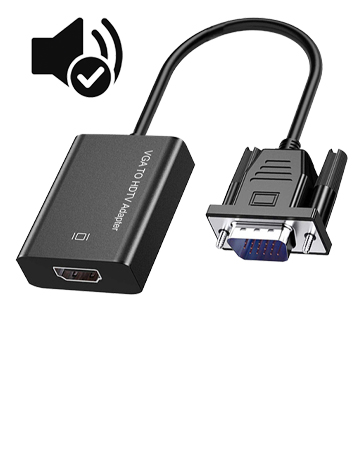
VGA to HDMI Adapter with Audio
Supports 1080P Full HD, Uni-Directional, Compatible with Laptops, Desktops, TV Boxes
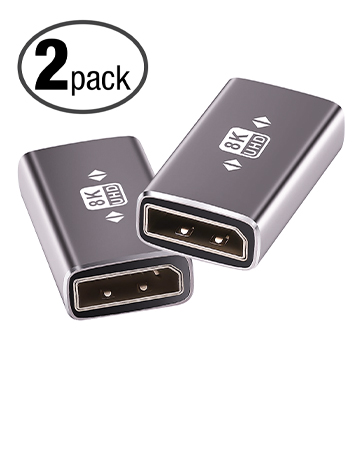
1.4 DisplayPort Coupler
8K@60Hz DP Female to Female Extension Adapter Connector Display Port Extender
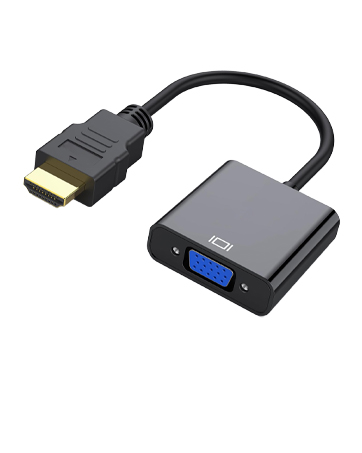
VGA to HDMI Adapter Cable
Uni-Directional 1080p HDMI to VGA Converter for PC, Laptop, Xbox, Roku, TV Box
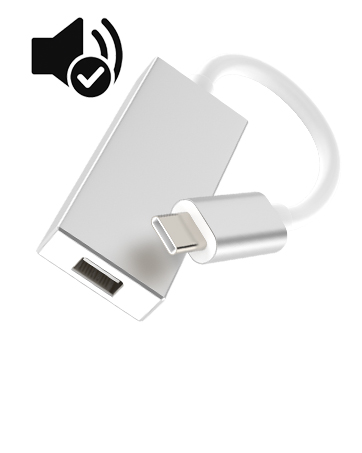
Mini DP to USB C Adapter
USB C to Mini DisplayPort Supports Mirror/Extended Mode for iMac Apple LED Cinema Display MacBook
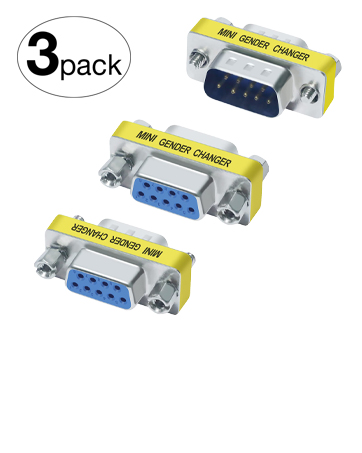
DB9 Gender Changer
Slimline RS232 Connector Adapter for PC, Modem, POS, Router, Switch, Printer
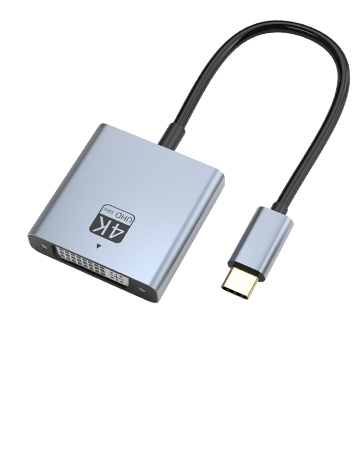
USB Type C to DVI Adapter
4K@30Hz High-Definition Video Output. Compatible with MacBook Pro/Air, iPad Pro, XPS
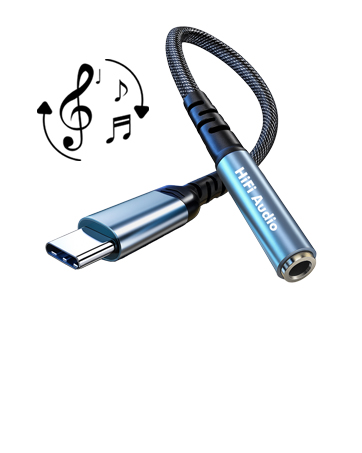
USB C to 3.5mm Audio Adapter
Aux to USB C Headphone Jack Dongle w/Hi-Fi DAC Chip, Compatible with iPhone 16/15, Samsung Galaxy S25/S24 Pixel iPad MacBook PS5
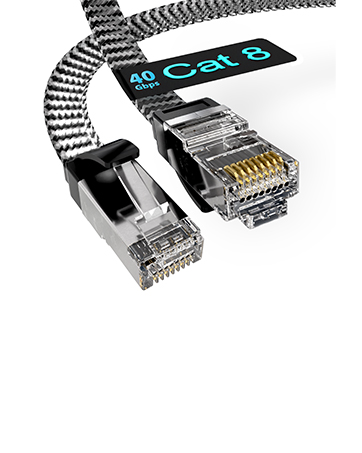
Cat8 Braided Ethernet Cable
High Speed 40Gbps STP LAN Cord Shielded RJ45 Connector, Cat 8 Ethernet Cable Durable for Home, Office, Router, Modem, Gaming, Smart TV
HDMI Splitter 1 in 2 Out
Merchant Video


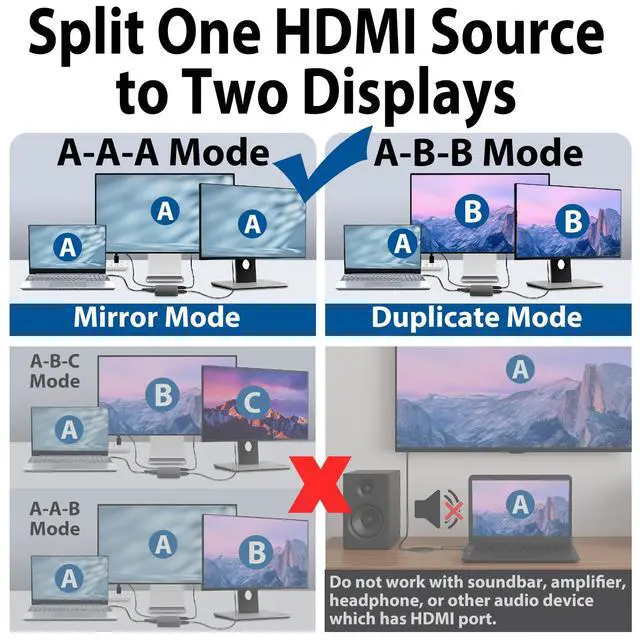
What modes are the HDMI splitter supported?
Mirror mode and extend mode (window system only)
Does the HDMI splitter require external power to work? Can it be used without power?
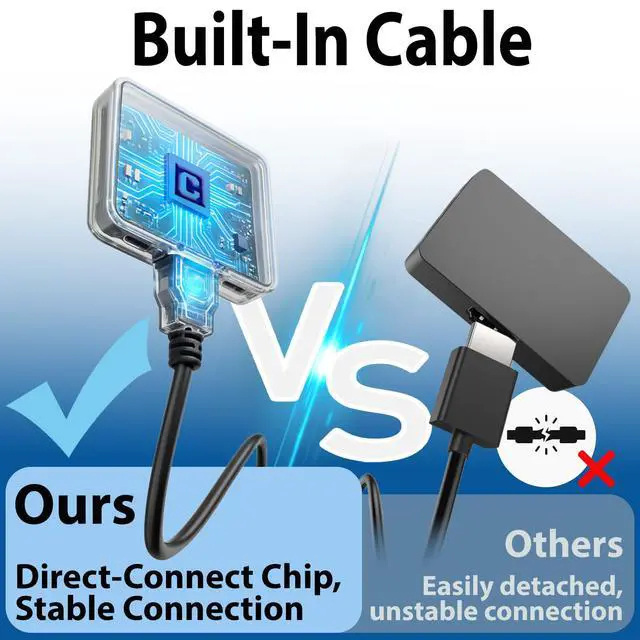
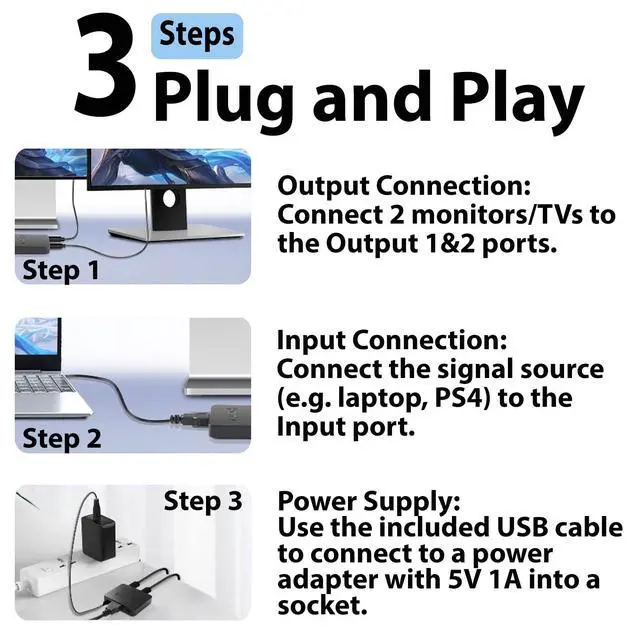
Yes, external power is required for stable operation. Please use the included 2.5ft USB power cable to supply power to the HDMI splitter. The power connection ensures stable signal transmission and reliable HDMI duplication performance.
Do I need to install drivers or software before using it?
No, this HDMI splitter is plug-and-play. You can start using it immediately after connecting the HDMI input source and output displays, without installing any drivers, software, or configuration tools.
Is this HDMI splitter compatible with my laptop or other devices?
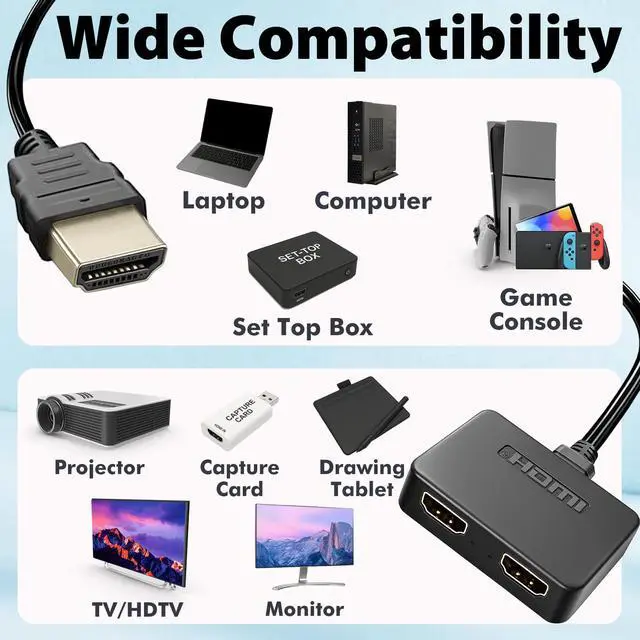
It works with most devices equipped with an HDMI output port, including laptops, desktops, PS3/PS4, Xbox, Blu-ray players, streaming boxes, and HDTVs, monitors, or projectors.
What should I do if one of the displays does not show signal?
Please check whether the HDMI cables are securely connected and ensure the monitor input source is switched to the correct HDMI channel.
Cyberguys Adapter Specifications Comparison
 HDMI Splitter 1 in 2 Out |  DP to HDMI Adapter Cable |  VGA to USB C Adapter |  Mini DP to DVI Adapter |  DP to DVI Adapter | |
|---|---|---|---|---|---|
Customer Reviews | — | — | — | — | — |
Price | — | — | — | — | — |
Display Mode | Mirror Only | Mirror / Extend | Mirror / Extend | Mirror / Extend | Mirror / Extend |
Max Resolution | 4K@30Hz | 4K@30Hz | 1080P@60Hz | 4K@30Hz | 1080P Full HD |
Included Power Cable | 2.5 ft USB Cable + Adapter | Not included | Not included | Not included | Not included |
ldeal For | Home Theater, Gaming | Office / Laptop Extension | Business trips, Classroom | Monitors, Projectors,HDTV | Monitors, Projectors,HDTV |
Plug & Play | ? | ? | ? | ? | ? |
HDMI Splitter 1 in 2 Out
Merchant Video


What modes are the HDMI splitter supported?
Mirror mode and extend mode (window system only)
Does the HDMI splitter require external power to work? Can it be used without power?
Yes, external power is required for stable operation. Please use the included 2.5ft USB power cable to supply power to the HDMI splitter. The power connection ensures stable signal transmission and reliable HDMI duplication performance.
Do I need to install drivers or software before using it?
No, this HDMI splitter is plug-and-play. You can start using it immediately after connecting the HDMI input source and output displays, without installing any drivers, software, or configuration tools.
Is this HDMI splitter compatible with my laptop or other devices?
It works with most devices equipped with an HDMI output port, including laptops, desktops, PS3/PS4, Xbox, Blu-ray players, streaming boxes, and HDTVs, monitors, or projectors.
What should I do if one of the displays does not show signal?
Please check whether the HDMI cables are securely connected and ensure the monitor input source is switched to the correct HDMI channel.
Cyberguys Adapter Specifications Comparison
HDMI Splitter 1 in 2 Out | DP to HDMI Adapter Cable | VGA to USB C Adapter | Mini DP to DVI Adapter | DP to DVI Adapter |
|---|---|---|---|---|
| Customer Reviews | ||||
| — | — | — | — | — |
| Price | ||||
| — | — | — | — | — |
| Display Mode | ||||
| Mirror Only | Mirror / Extend | Mirror / Extend | Mirror / Extend | Mirror / Extend |
| Max Resolution | ||||
| 4K@30Hz | 4K@30Hz | 1080P@60Hz | 4K@30Hz | 1080P Full HD |
| Included Power Cable | ||||
| 2.5 ft USB Cable + Adapter | Not included | Not included | Not included | Not included |
| ldeal For | ||||
| Home Theater, Gaming | Office / Laptop Extension | Business trips, Classroom | Monitors, Projectors,HDTV | Monitors, Projectors,HDTV |
| Plug & Play | ||||
| ? | ? | ? | ? | ? |
HDMI Splitter 1 in 2 Out
4K HDMI Hub 2.0 Video Duplicator with 2.5ft USB Power Cable and Adapter
DVI to HDMI Adapter
4K/30Hz UHD Video Support for Monitor, HDTV, Projector, PC, PS4, Laptop
VGA to HDMI Adapter with Audio
Supports 1080P Full HD, Uni-Directional, Compatible with Laptops, Desktops, TV Boxes
1.4 DisplayPort Coupler
8K@60Hz DP Female to Female Extension Adapter Connector Display Port Extender
VGA to HDMI Adapter Cable
Uni-Directional 1080p HDMI to VGA Converter for PC, Laptop, Xbox, Roku, TV Box
Mini DP to USB C Adapter
USB C to Mini DisplayPort Supports Mirror/Extended Mode for iMac Apple LED Cinema Display MacBook
DB9 Gender Changer
Slimline RS232 Connector Adapter for PC, Modem, POS, Router, Switch, Printer
USB Type C to DVI Adapter
4K@30Hz High-Definition Video Output. Compatible with MacBook Pro/Air, iPad Pro, XPS
USB C to 3.5mm Audio Adapter
Aux to USB C Headphone Jack Dongle w/Hi-Fi DAC Chip, Compatible with iPhone 16/15, Samsung Galaxy S25/S24 Pixel iPad MacBook PS5
Cat8 Braided Ethernet Cable
High Speed 40Gbps STP LAN Cord Shielded RJ45 Connector, Cat 8 Ethernet Cable Durable for Home, Office, Router, Modem, Gaming, Smart TV