




Your Ideal Tool of Choice
ED1 PRO
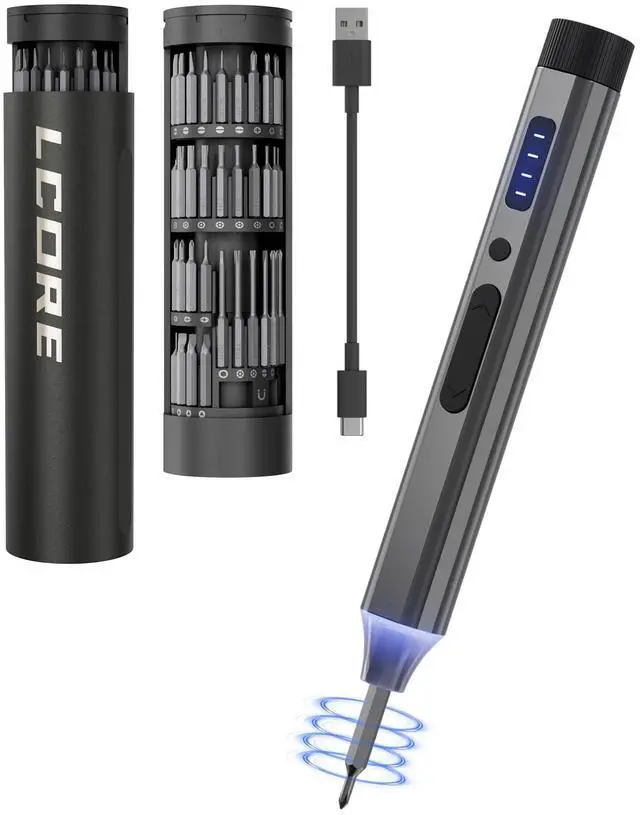
Mini electric screwdriver suitable for carrying around

Engineered for Excellence
At LCORE Tool, we are dedicated to revolutionizing the tool industry through innovative design and advanced engineering. Our focus is on creating durable, user-friendly, and high-performance tools that simplify tasks and exceed expectations.
Whether for professionals or DIY enthusiasts, LCORE Tool enhances every project with precision, efficiency, and reliability.


Where It Works

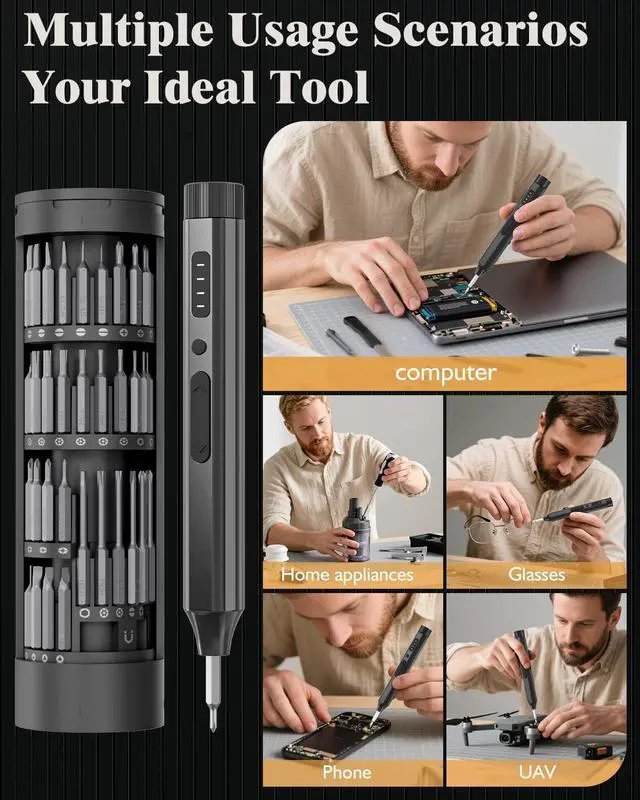
Phone
For mobile phones, you can also use the precision torque adjustment to complete high-precision repair tasks

Drone
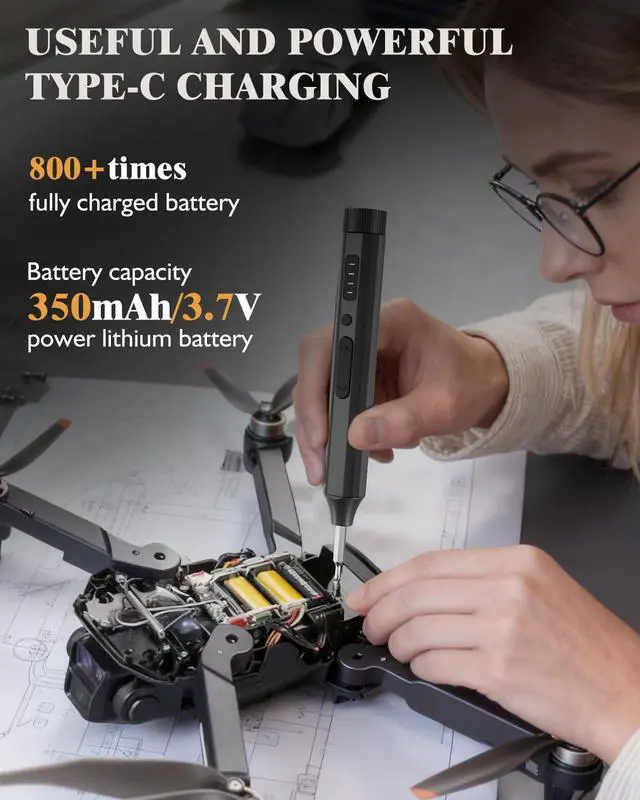
When your drone needs repair, you can use the LCORE electric screwdriver set to easily complete the repair task

Game console
The LCORE ED1 PRO can also help you repair game consoles.
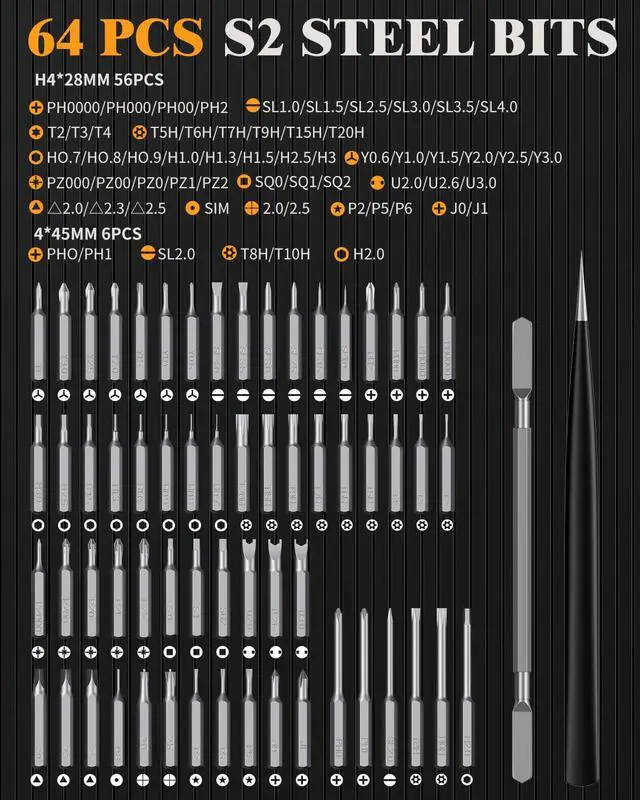
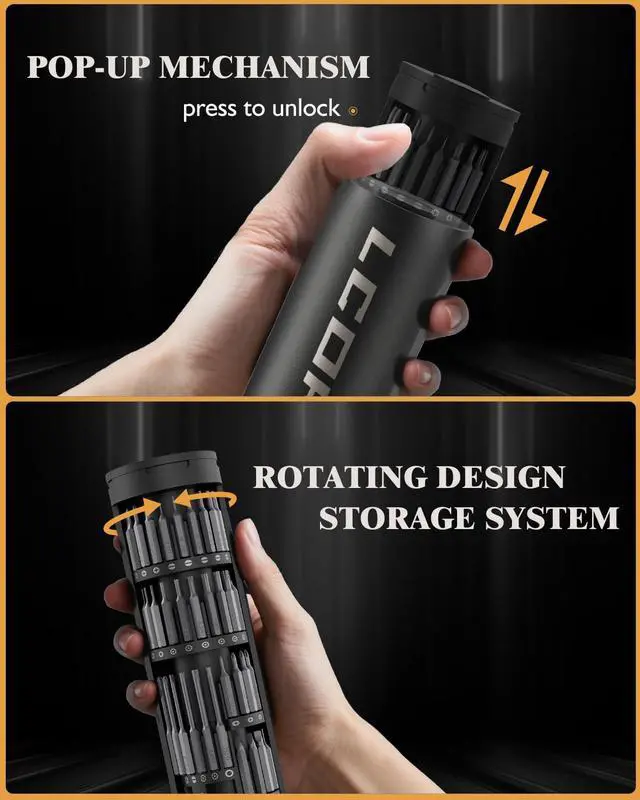
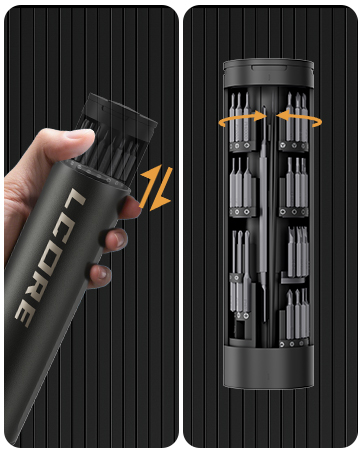
The LCORE ED1 PRO Precision Electric Screwdriver is a must-have tool for the DIY Enthusiast! Simple operation and compact storage system allow you to complete tasks more efficiently. 18 types of 62 bits combined with pry bars and tweezer are suitable for a variety of electronic repair projects!

How can I see how much battery power left?
Double-clicking the gear selector button will illuminate one indicator light, representing the corresponding battery level. All lights on indicate a full charge.
Only one indicator light indicates a low battery; please charge it promptly.
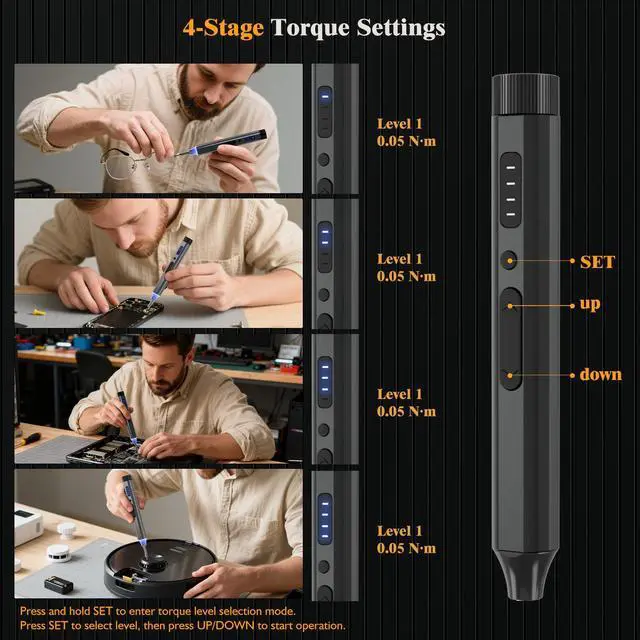
What's the precison torque of ED1 PRO?
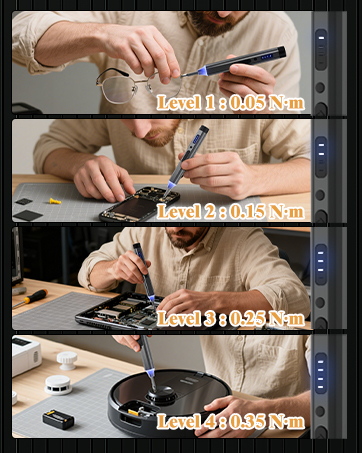
We offer five adjustable torque settings:
First gear: 0.05 N.m; Second gear: 0.15 N.m; Third gear: 0.25 N.m; Manual: 5 N.m
How do I adjust the torque of a screwdriver?
Press the shift button for two seconds, then press the adjustment button:
All indicator lights will illuminate in gear 4; three indicator lights will illuminate in gear 3, and so on.
Once the desired gear is selected, it can be used directly.
Relationship between the preset torque and speed.
Switching the torque does not affect the speed, but only affects the torque of the screwdriver on the screw.
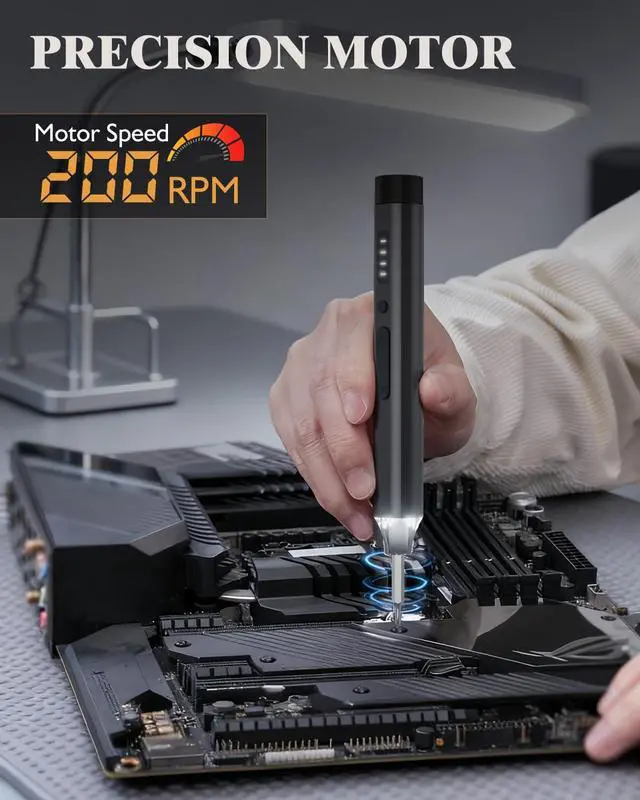
ED1 PRO unloaded speed is constant at 200 rpm. The sound produced by rotation has nothing to do with the torque.
What can I use this power screwdriver set for?
ED1 PRO is only suitable for the repair of Precision Instruments, such as phones, drones, laptops, steamdeck, watch, etc.
Your Ideal Tool of Choice
ED1 PRO
Mini electric screwdriver suitable for carrying around
Engineered for Excellence
At LCORE Tool, we are dedicated to revolutionizing the tool industry through innovative design and advanced engineering. Our focus is on creating durable, user-friendly, and high-performance tools that simplify tasks and exceed expectations.
Whether for professionals or DIY enthusiasts, LCORE Tool enhances every project with precision, efficiency, and reliability.


Where It Works
Phone
Drone
Game console


For mobile phones, you can also use the precision torque adjustment to complete high-precision repair tasks
When your drone needs repair, you can use the LCORE electric screwdriver set to easily complete the repair task
The LCORE ED1 PRO can also help you repair game consoles.
The LCORE ED1 PRO Precision Electric Screwdriver is a must-have tool for the DIY Enthusiast! Simple operation and compact storage system allow you to complete tasks more efficiently. 18 types of 62 bits combined with pry bars and tweezer are suitable for a variety of electronic repair projects!

How can I see how much battery power left?
Double-clicking the gear selector button will illuminate one indicator light, representing the corresponding battery level. All lights on indicate a full charge.
Only one indicator light indicates a low battery; please charge it promptly.
What's the precison torque of ED1 PRO?
We offer five adjustable torque settings:
First gear: 0.05 N.m; Second gear: 0.15 N.m; Third gear: 0.25 N.m; Manual: 5 N.m
How do I adjust the torque of a screwdriver?
Press the shift button for two seconds, then press the adjustment button:
All indicator lights will illuminate in gear 4; three indicator lights will illuminate in gear 3, and so on.
Once the desired gear is selected, it can be used directly.
Relationship between the preset torque and speed.
Switching the torque does not affect the speed, but only affects the torque of the screwdriver on the screw.
ED1 PRO unloaded speed is constant at 200 rpm. The sound produced by rotation has nothing to do with the torque.
What can I use this power screwdriver set for?
ED1 PRO is only suitable for the repair of Precision Instruments, such as phones, drones, laptops, steamdeck, watch, etc.