here!
here!
I’m your shopping assistant for PC builds, upgrades, and everything tech.
Got questions? Ask away!
Start a conversation
here!
I’m your shopping assistant for PC builds, upgrades, and everything tech.
Got questions? Ask away!
Start a conversation



Any questions? Ask CelesteSM will help you find out quickly.

Swipe right to see more.

Minoston Smart Life is a dynamic and innovative brand dedicated to transforming the home into an intelligent and connected living space.
Minoston is committed to user experience-centered design and offers a range of smart home solutions aimed at enhancing comfort, safety and energy efficiency. We envision the seamless integration of future homes with intelligent technologies, making daily life simpler, safer and more enjoyable.








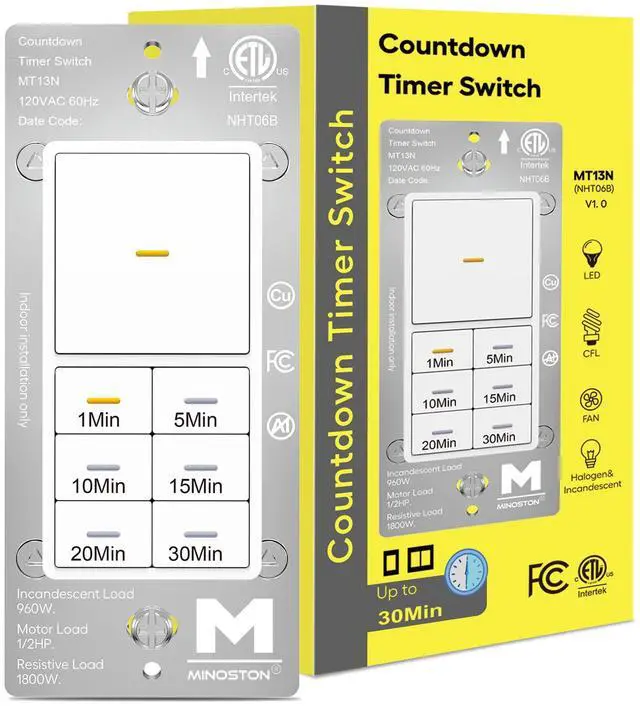
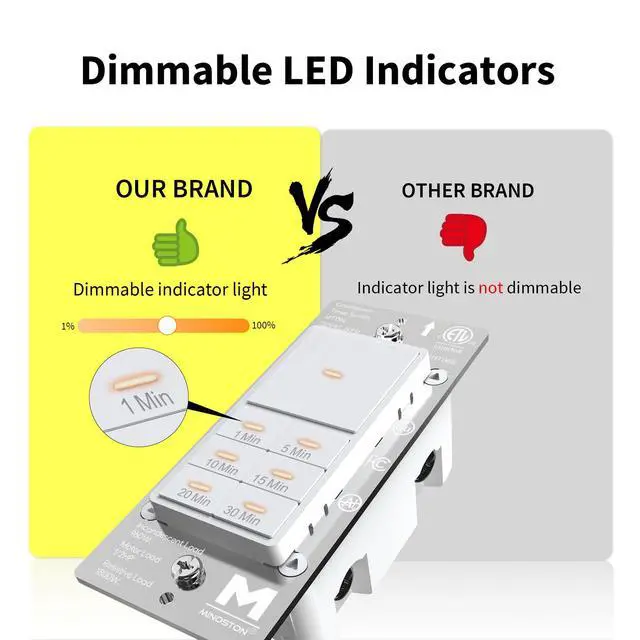
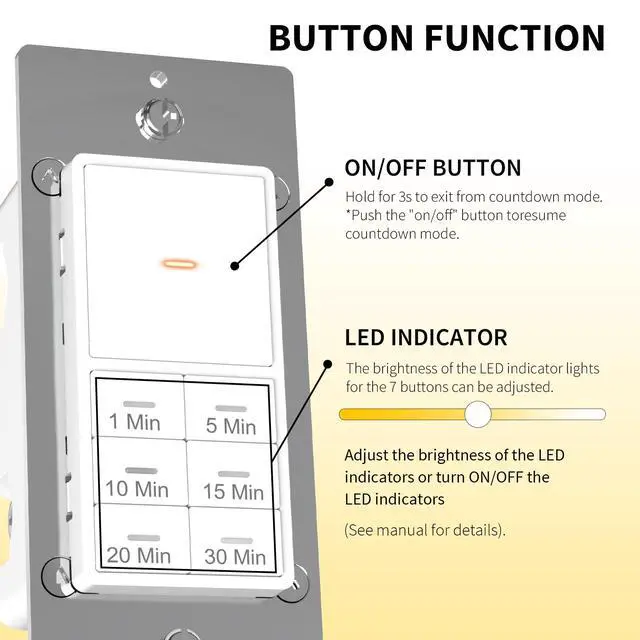
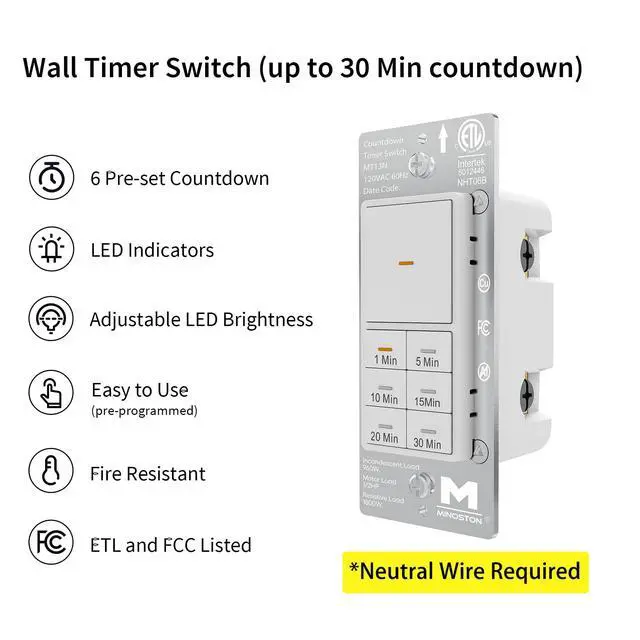
The brightness of the timer switch is adjustable. This 30 minute timer switch for bathroom fan can be adjusted to set a suitable brightness for night use. You can choose the brightness of the LED indicators to suit the ambience of the moment. This allows you to easily locate it in the dark and see the buttons on the panel to select the countdown you want to set. And the Backlight of the ON/OFF button is featured with backlight and it will always ON and is convenient for you to locate this timer switch, making it easy to find switches and buttons in the dark. It can be turned off when you don't need the backlight function.

Wiring for Timer Switch
Equipped with a flexible neutral wire for connecting the neutral point and the switch.

30 Minutes Countdown
6 countdown time setting options: 1 min, 5 min, 10 min, 15 min, 20 min, 30 min.

Locate Switch in the Dark
The LED indicator lights of timer switch are set for each button, and the brightness is adjustable.

Free your hands
The timer switch for lights automatically turns off, conserves energy and reduce electric bills.

Not Only for Bathroom
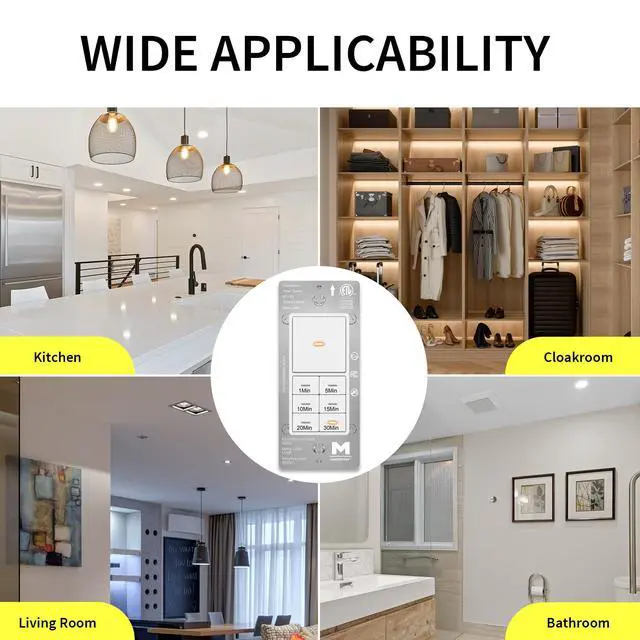
This 30 min timer switch is ideal for bathroom, fans, kitchen, garage, lights, heater, etc.

How do I set the time switch to always ON?
Hold the "ON/OFF" override button until the LED indicator flashes, the timer switch will exit countdown mode and always "ON" (the LED indicator is solid).
How to turn off the LED indicator of all 7 buttons?
Hold "1 Min" button 3s untill the indicator of ON/OFF button flashes quickly.
How to turn off the ON/OFF backlight function?
Hold "5 Min" button 3s untill the the indicator of ON/OFF button flashes quickly. (Default Setting: Backlight function of ON/OFF button is always ON)
How to dim LED indicators of all 7 buttons?
Hold “20 Min” button for 3s. (All LED indicators flash on minimum brightness.)
How to brighten LED indicators of all 7 buttons?
Hold “30 Min” button for 3s. (All LED indicators flash on maximum brightness.)
 30 Min Timer Switch |  1 Hour Timer Switch |  4 Hour Timer Switch |  WiFi 4 Hour Timer Switch |  30 Min Timer Switch*2 |  1 Hour Timer Switch*2 |  4 Hour Timer Switch*2 | |
|---|---|---|---|---|---|---|---|
Model Number | MT13N | MT11N | MT10N | MT10W | MT13N | MT11N | MT10N |
Neutral Required | ? | ? | ? | ? | ? | ? | ? |
LED Indicator | ? | ? | ? | ? | ? | ? | ? |
1 Way | ? | ? | ? | ? | ? | ? | ? |
WiFi | ? | ? | ? | ? | ? | ? | ? |
Color | White | White | White | White | White | White | White |
Countdown Timer | 1m-5m-10m-15m-20m-30m | 1m-5m-10m-20m-30m-1hr | 5m-10m-30m-60m-2hr-4hr | 5m-10m-30m-60m-2hr-4hr | 1m-5m-10m-15m-20m-30m | 1m-5m-10m-20m-30m-1hr | 5m-10m-30m-60m-2hr-4hr |
Power | 120VAC, 60Hz | 120VAC, 60Hz | 120VAC, 60Hz | 120VAC, 60Hz | 120VAC, 60Hz | 120VAC, 60Hz | 120VAC, 60Hz |
Temperature Range | 32° F-104° F(0°C-40°C) | 32° F-104° F(0°C-40°C) | 32° F-104° F(0°C-40°C) | 32° to 131° F (0° to 55° C) | 32° F-104° F(0°C-40°C) | 32° F-104° F(0°C-40°C) | 32° F-104° F(0°C-40°C) |
Use Scenes | Indoor | Indoor | Indoor | Indoor | Indoor | Indoor | Indoor |

The brightness of the timer switch is adjustable. This 30 minute timer switch for bathroom fan can be adjusted to set a suitable brightness for night use. You can choose the brightness of the LED indicators to suit the ambience of the moment. This allows you to easily locate it in the dark and see the buttons on the panel to select the countdown you want to set. And the Backlight of the ON/OFF button is featured with backlight and it will always ON and is convenient for you to locate this timer switch, making it easy to find switches and buttons in the dark. It can be turned off when you don't need the backlight function.
Equipped with a flexible neutral wire for connecting the neutral point and the switch.
6 countdown time setting options: 1 min, 5 min, 10 min, 15 min, 20 min, 30 min.
The LED indicator lights of timer switch are set for each button, and the brightness is adjustable.
The timer switch for lights automatically turns off, conserves energy and reduce electric bills.
This 30 min timer switch is ideal for bathroom, fans, kitchen, garage, lights, heater, etc.


| Model | MT13N |
|---|---|
| Power | 120VAC, 60Hz |
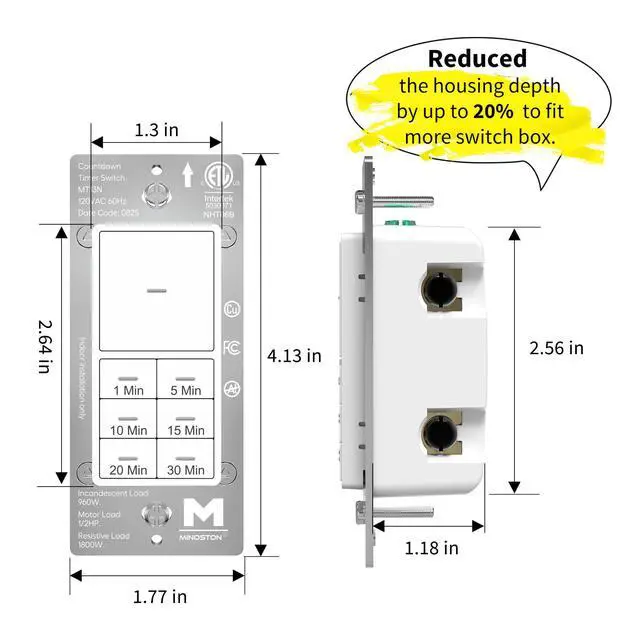
| Incandescent/LED Load | 960W |
| Tungsten | 1200W |
| Resistive | 1800W |
| Motor | 1/2 HP |
| Time Delay | 1 min, 5 min, 10 min, 15 min, 20 min, 30 min |
| Humidity | 95% RH, non-condensing |
| Temperature Range | 32° F~104° F |
| Package | 30 Min Timer Switch White (without wallplate) |
How do I set the time switch to always ON?
Hold the "ON/OFF" override button until the LED indicator flashes, the timer switch will exit countdown mode and always "ON" (the LED indicator is solid).
How to turn off the LED indicator of all 7 buttons?
Hold "1 Min" button 3s untill the indicator of ON/OFF button flashes quickly.
How to turn off the ON/OFF backlight function?
Hold "5 Min" button 3s untill the the indicator of ON/OFF button flashes quickly. (Default Setting: Backlight function of ON/OFF button is always ON)
How to dim LED indicators of all 7 buttons?
Hold “20 Min” button for 3s. (All LED indicators flash on minimum brightness.)
How to brighten LED indicators of all 7 buttons?
Hold “30 Min” button for 3s. (All LED indicators flash on maximum brightness.)
30 Min Timer Switch | 1 Hour Timer Switch | 4 Hour Timer Switch | WiFi 4 Hour Timer Switch | 30 Min Timer Switch*2 | 1 Hour Timer Switch*2 | 4 Hour Timer Switch*2 |
|---|---|---|---|---|---|---|
| Model Number | ||||||
| MT13N | MT11N | MT10N | MT10W | MT13N | MT11N | MT10N |
| Neutral Required | ||||||
| ? | ? | ? | ? | ? | ? | ? |
| LED Indicator | ||||||
| ? | ? | ? | ? | ? | ? | ? |
| 1 Way | ||||||
| ? | ? | ? | ? | ? | ? | ? |
| WiFi | ||||||
| ? | ? | ? | ? | ? | ? | ? |
| Color | ||||||
| White | White | White | White | White | White | White |
| Countdown Timer | ||||||
| 1m-5m-10m-15m-20m-30m | 1m-5m-10m-20m-30m-1hr | 5m-10m-30m-60m-2hr-4hr | 5m-10m-30m-60m-2hr-4hr | 1m-5m-10m-15m-20m-30m | 1m-5m-10m-20m-30m-1hr | 5m-10m-30m-60m-2hr-4hr |
| Power | ||||||
| 120VAC, 60Hz | 120VAC, 60Hz | 120VAC, 60Hz | 120VAC, 60Hz | 120VAC, 60Hz | 120VAC, 60Hz | 120VAC, 60Hz |
| Temperature Range | ||||||
| 32° F-104° F(0°C-40°C) | 32° F-104° F(0°C-40°C) | 32° F-104° F(0°C-40°C) | 32° to 131° F (0° to 55° C) | 32° F-104° F(0°C-40°C) | 32° F-104° F(0°C-40°C) | 32° F-104° F(0°C-40°C) |
| Use Scenes | ||||||
| Indoor | Indoor | Indoor | Indoor | Indoor | Indoor | Indoor |
Swipe right to see more.
Minoston Smart Life is a dynamic and innovative brand dedicated to transforming the home into an intelligent and connected living space.
Minoston is committed to user experience-centered design and offers a range of smart home solutions aimed at enhancing comfort, safety and energy efficiency. We envision the seamless integration of future homes with intelligent technologies, making daily life simpler, safer and more enjoyable.