




 here!
here!
I’m your shopping assistant for PC builds, upgrades, and everything tech.
Got questions? Ask away!
Start a conversation
here!
I’m your shopping assistant for PC builds, upgrades, and everything tech.
Got questions? Ask away!
Start a conversation



Any questions? Ask CelesteSM will help you find out quickly.


WHO WE ARE?
Neoteck focus on providing new & Innovative measuring tools and electronic products to meet both professional and DIY demands.
WHAT YOU WILL GET?
Here, you can get multimeters, voltage testers to ensure home safety. You can choose angle finder, calipers & indicators to help home decoration and DIY. You can find headphone amp, DAC to enjoy audio and video feast.




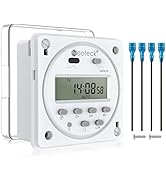
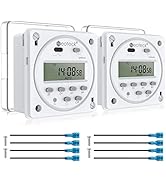
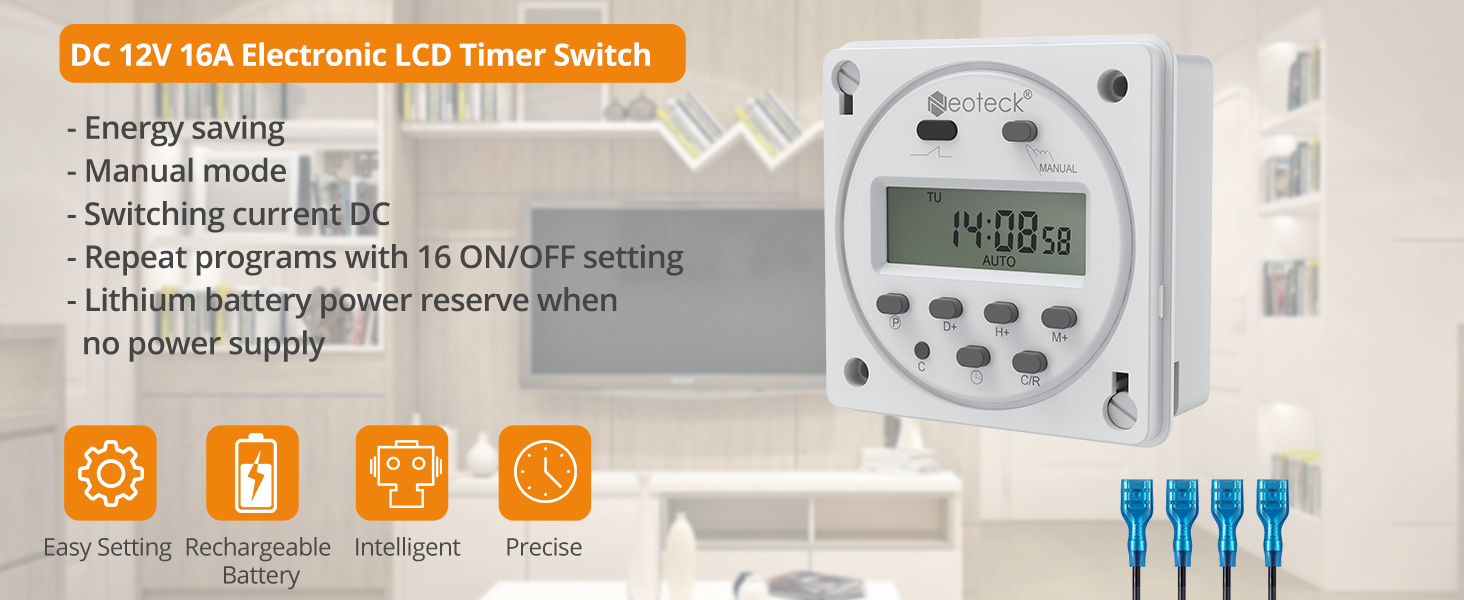
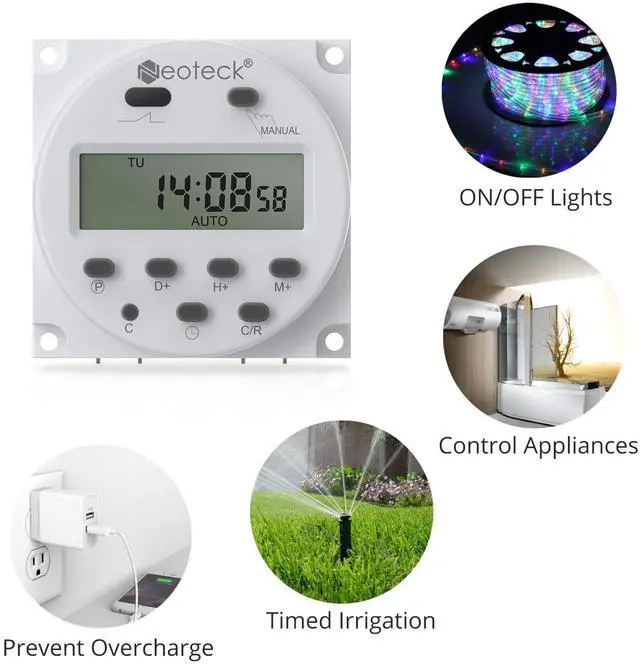
Homeowners automating lights/AC for security & savings
Greenhouse managers scheduling irrigation cycles
Aquarium keepers controlling pumps/lights
RV owners managing off-grid power systems This programmable timer delivers plug-and-play automation for 12V systems—no coding needed!
If you receive the device in the powered-off state, please press the 'C' key to turn it on. If it doesn't turn on, please try charging it before attempting to power it on again.
Maximize Efficiency: • Group appliances (e.g., grow lights + pumps) • Stagger startups to avoid power surges • Optimize runtime for 20-50% energy savings The time relay switch memorizes complex routines—Ideal for holiday lighting sequences or staggered greenhouse ventilation.
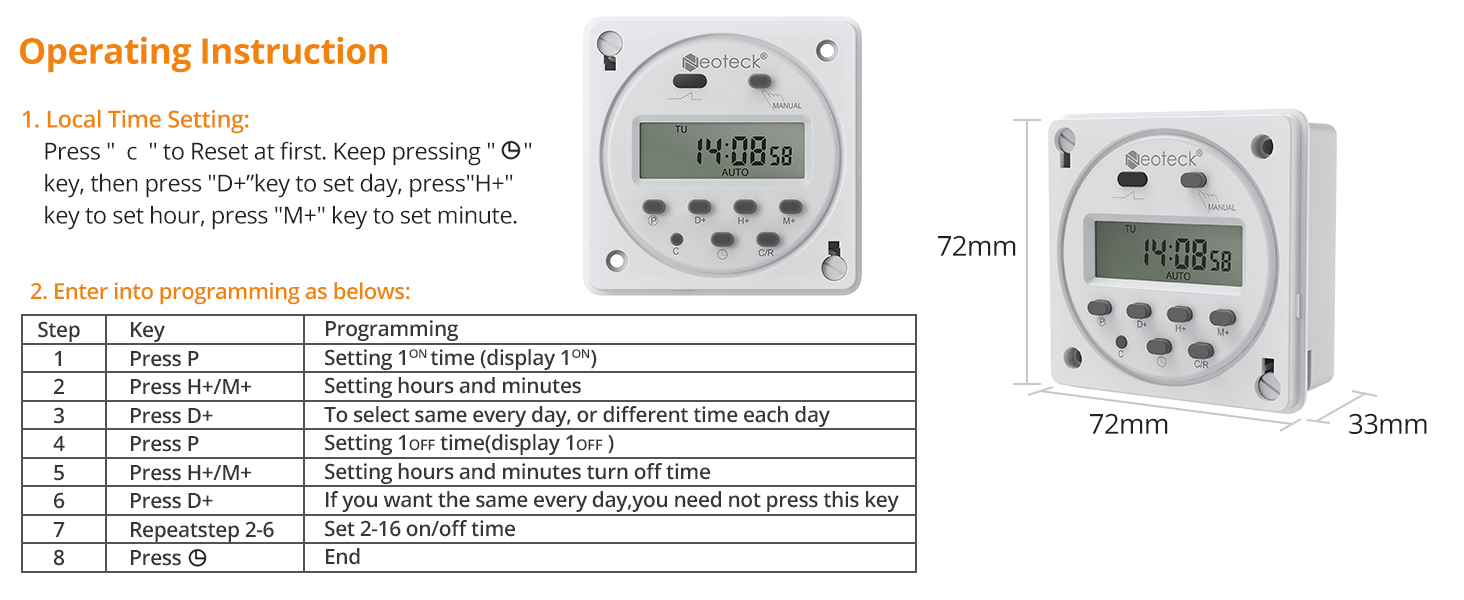
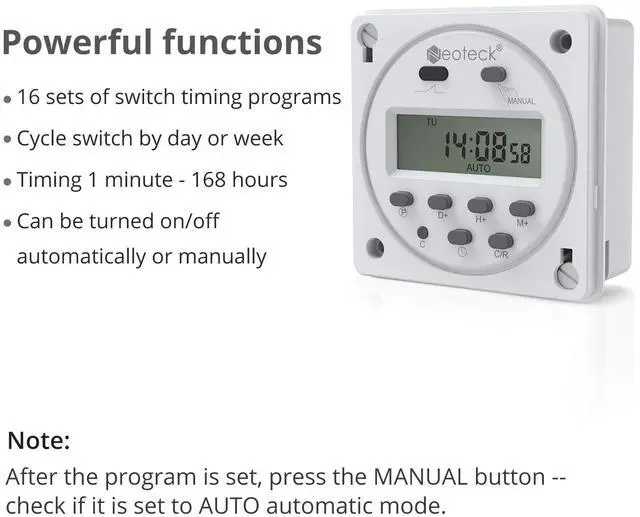
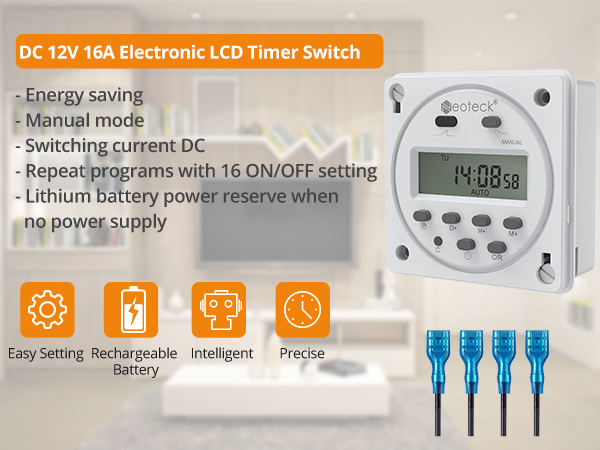
Weekly programming (±60 sec auto-correction)
Built-in lithium battery: Saves settings during outages
Energy mode: Minimizes phantom power drain Schedule dawn simulations for poultry farms or nighttime security lighting with military-grade accuracy. This digital timer switch never misses a beat!
Pre-installed wire connectors—no soldering!
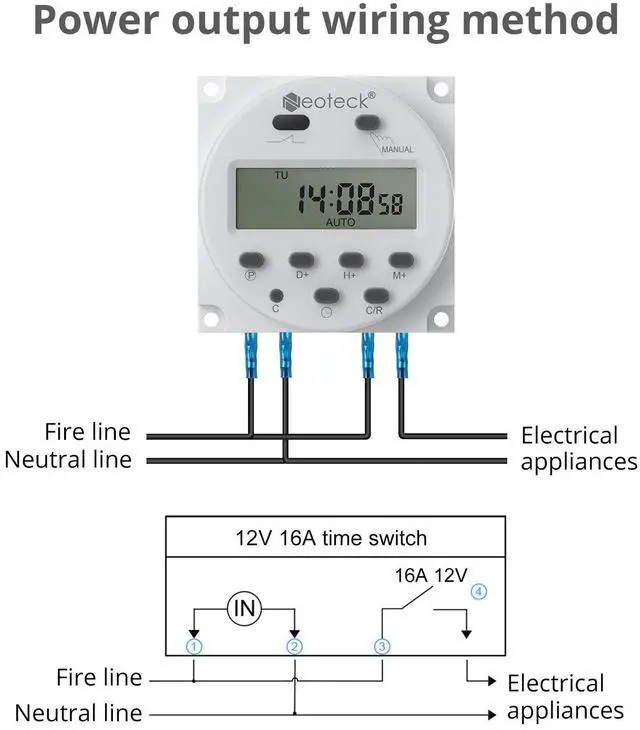
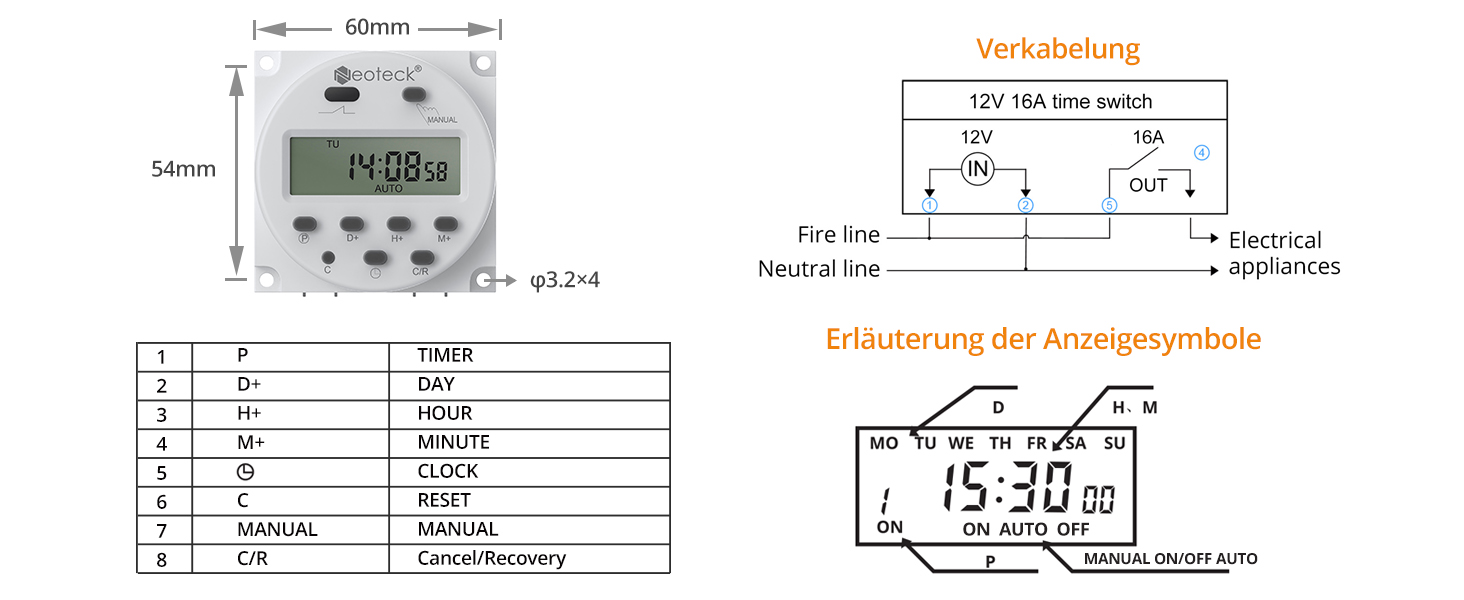
Quick-connect terminals for 12V DC systems Critical Note: Connect ONLY 12V DC to "POWER" terminals. Perfect for marine applications, garden systems, or outdoor signage control.
Display screen won't turn on / Blank screen
If you receive the device in a powered-off state, please press the C key to turn it on. If it still doesn't turn on, try charging it before attempting to turn it on again.
Unable to set timers for turning on/off
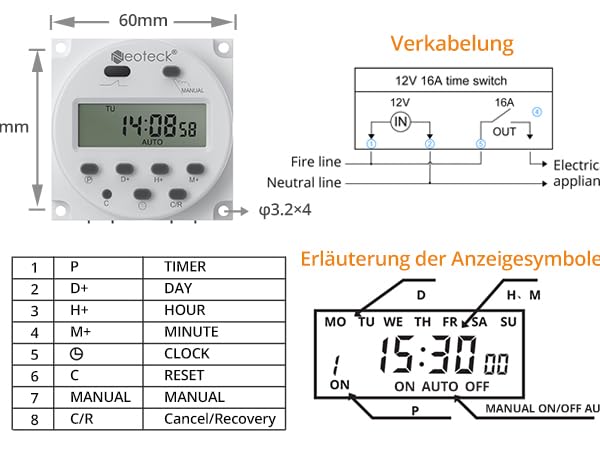
Please ensure correct wiring. Remember, the input is for powering the timer, not directly supplying voltage. The last two ports control the on/off of a positive electrode line.
Unable to program
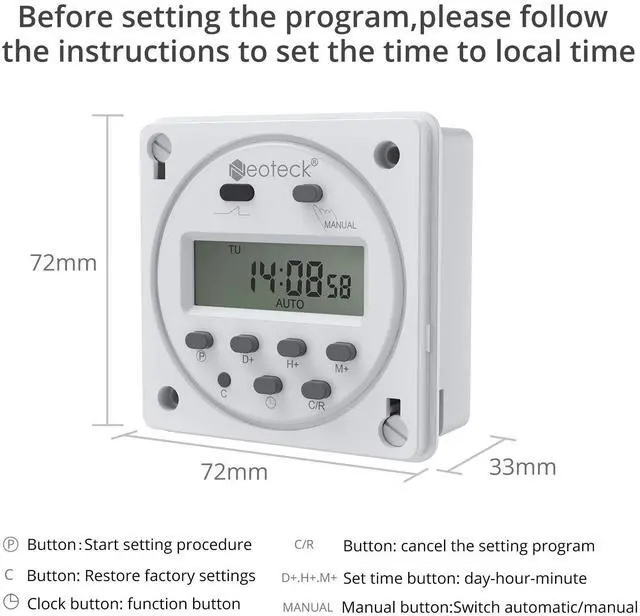
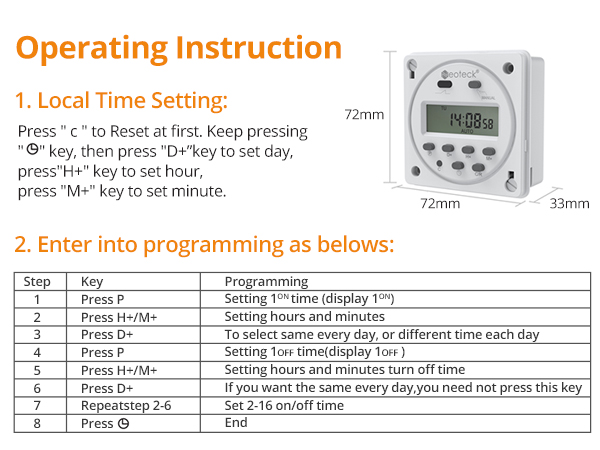
Set the current time correctly before programming. Tips: 1. Press and hold the clock button. 2. Use the D (day), H (hour), and M (minute) buttons to adjust the current time. 3. Once you have set the correct time, release the clock button.
Voltage compatibility range
The input voltage supports both AC/DC 12V. The output terminal can control devices with voltage and current up to AC/DC 250V and 16A.
No power
To turn on the device, press the C key. If it doesn't turn on, connect it to a power source to charge the built-in rechargeable battery.
WHO WE ARE?
Neoteck focus on providing new & Innovative measuring tools and electronic products to meet both professional and DIY demands.
WHAT YOU WILL GET?
Here, you can get multimeters, voltage testers to ensure home safety. You can choose angle finder, calipers & indicators to help home decoration and DIY. You can find headphone amp, DAC to enjoy audio and video feast.
Homeowners automating lights/AC for security & savings
Greenhouse managers scheduling irrigation cycles
Aquarium keepers controlling pumps/lights
RV owners managing off-grid power systems This programmable timer delivers plug-and-play automation for 12V systems—no coding needed!
If you receive the device in the powered-off state, please press the 'C' key to turn it on. If it doesn't turn on, please try charging it before attempting to power it on again.
Maximize Efficiency: • Group appliances (e.g., grow lights + pumps) • Stagger startups to avoid power surges • Optimize runtime for 20-50% energy savings The time relay switch memorizes complex routines—Ideal for holiday lighting sequences or staggered greenhouse ventilation.
Weekly programming (±60 sec auto-correction)
Built-in lithium battery: Saves settings during outages
Energy mode: Minimizes phantom power drain Schedule dawn simulations for poultry farms or nighttime security lighting with military-grade accuracy. This digital timer switch never misses a beat!
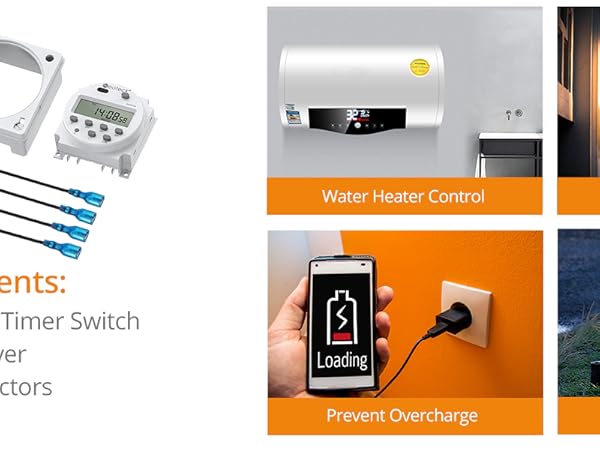
Pre-installed wire connectors—no soldering!
Quick-connect terminals for 12V DC systems Critical Note: Connect ONLY 12V DC to "POWER" terminals. Perfect for marine applications, garden systems, or outdoor signage control.
Display screen won't turn on / Blank screen
If you receive the device in a powered-off state, please press the C key to turn it on. If it still doesn't turn on, try charging it before attempting to turn it on again.
Unable to set timers for turning on/off
Please ensure correct wiring. Remember, the input is for powering the timer, not directly supplying voltage. The last two ports control the on/off of a positive electrode line.
Unable to program
Set the current time correctly before programming. Tips: 1. Press and hold the clock button. 2. Use the D (day), H (hour), and M (minute) buttons to adjust the current time. 3. Once you have set the correct time, release the clock button.
Voltage compatibility range
The input voltage supports both AC/DC 12V. The output terminal can control devices with voltage and current up to AC/DC 250V and 16A.
No power
To turn on the device, press the C key. If it doesn't turn on, connect it to a power source to charge the built-in rechargeable battery.
Specification:
DC: 12V
Color: White
Cut out (MM) : 64
Fitting Depths (mm) : 21
Power consumption : 4.4VA
current consumption without load : 0.015mA
Resistive Load (LVD .IEC) 16A /110 AC
Inductive load cos : 5A /110V AC
incandescent lamp load 1000W
SWITCHING CURRENT DC : 16A DC
Operation accuracy : Type(+-)1 s/day
Ambient temperature : -10-55
Shortest switching time : 1 min
Shortest switching interval: 1 min
Number of channels :1
Number of memory spaces : 16
Type of connection : Plug in
package Dimension: 80 x 80x 50mm
Package included:
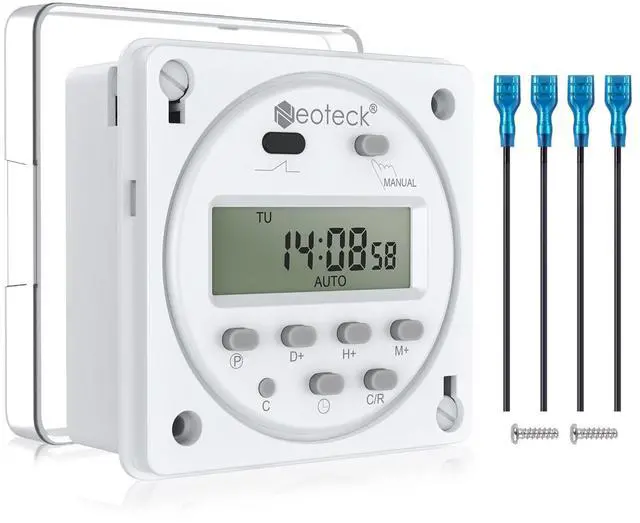
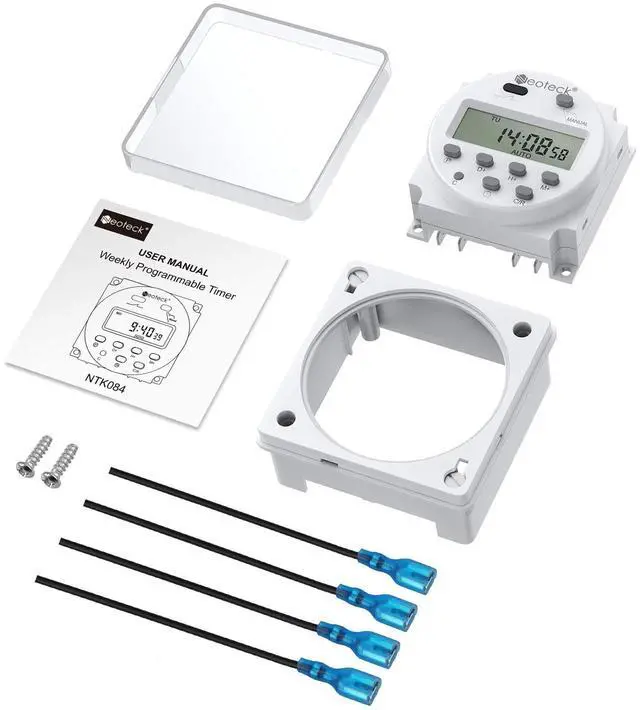
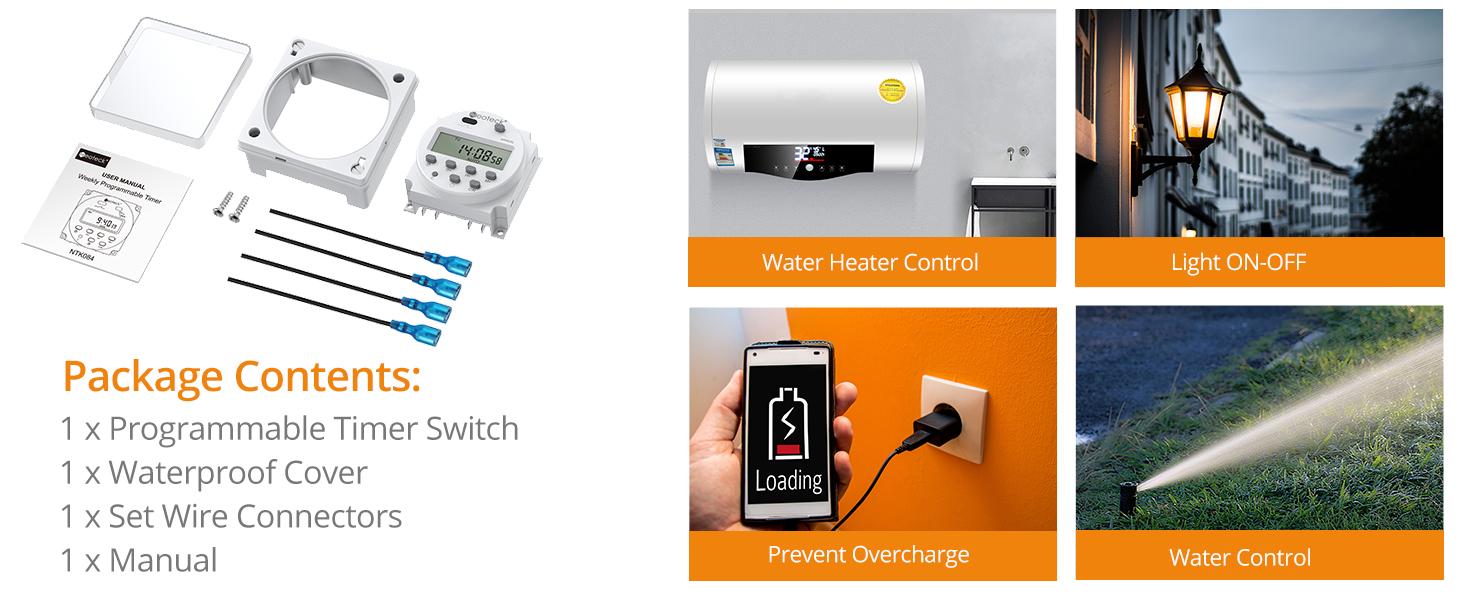
1 x Programmable Timer Switch
1 x Waterproof Cover
1 x Set Wire Connectors
1 x Manual


