Your Browsing History
Meet Your Seller
Visit EmpressTech Store
FOLLOW
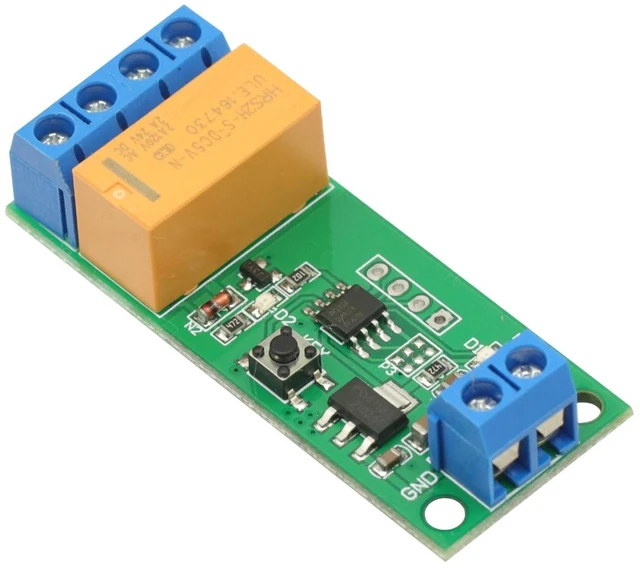
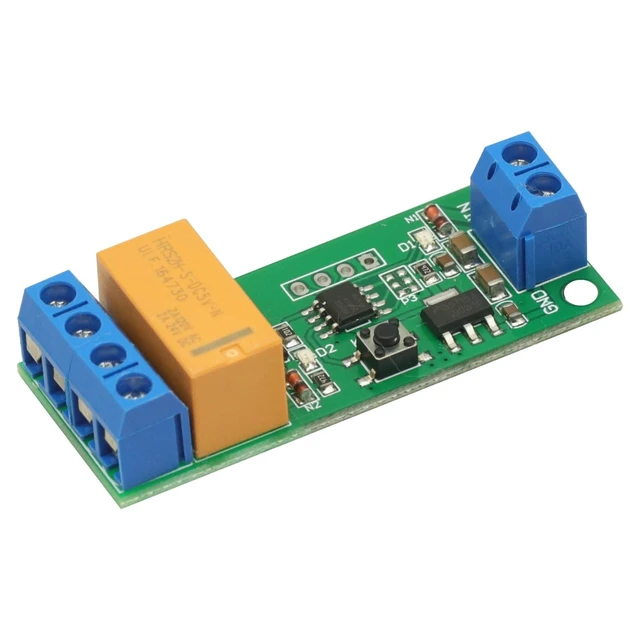
DC 5/6/9/12V 5-12V DC Motor Reverse Polarity Module Time Adjustable DPDT Delay Relay 2A Drive Current
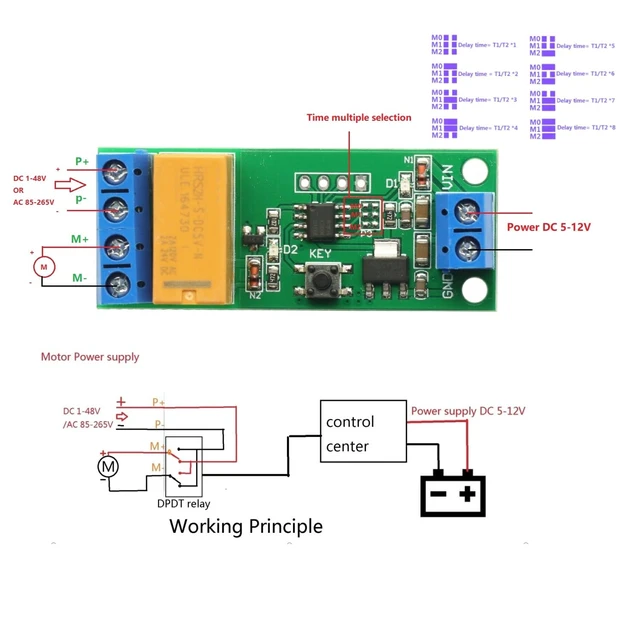
- DC 5/6/9/12V 5-12V DC Motor Reverse Polarity Module Time Adjustable DPDT Delay Relay 2A Drive Current; Operating voltage: DC 5-12V(5V 6V 9V 12V); Operating current: 5V,forward 4ma, reverse: 36ma; 12V, Forward 6ma, reverse: 44ma;; Load voltage: DC 1-48V OR AC 85-265V; Load current: Maximum 2A; Forward maximum time: 5000 seconds, 0.1 seconds step Reverse maximum time: 5000 seconds, 0.1 seconds step By "Time multiple selection" setting,The maximum delay of up to 40,000 seconds
+
+
Overview
Specs
Reviews
Any questions? Ask CelesteSM will help you find out quickly.
Try me now
Product description DC 5/6/9/12V 5-12V Motor Reverse Polarity Module Time Adjustable DPDT Delay Relay 2A
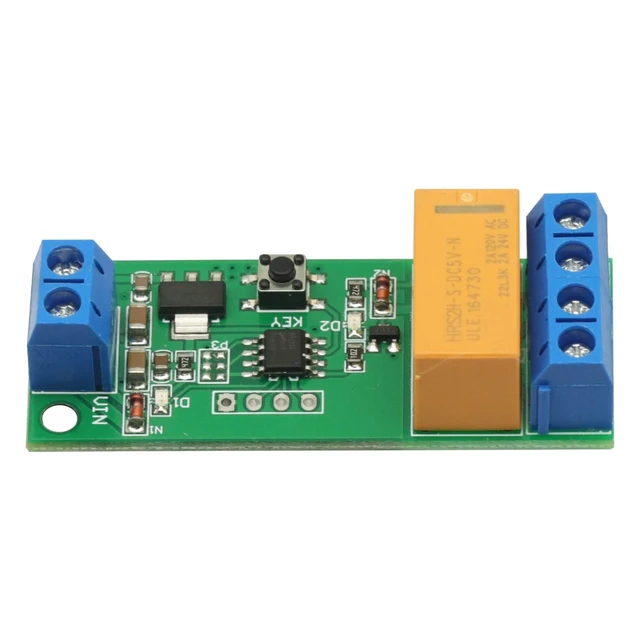
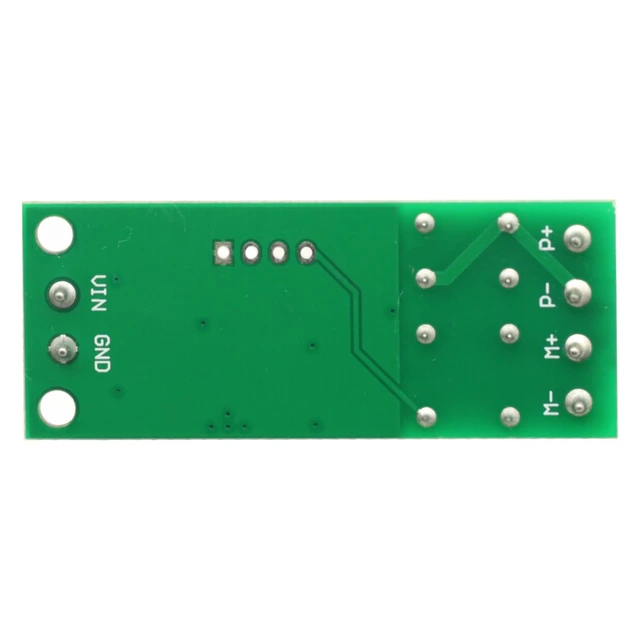
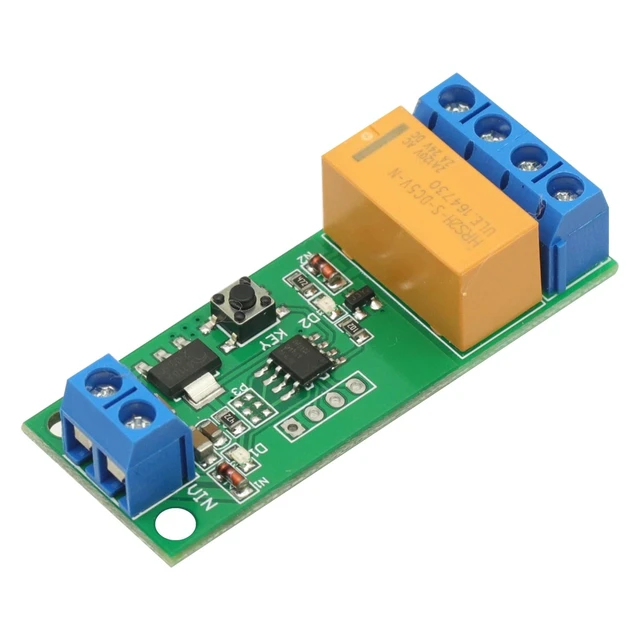
Drive Current How to use: VIN connected to the positive of power supply, GND connected to the negative of power supply; P+ connected to the positive of Motor power supply, P- connected to the negative of Motor power supply; M + M- are connected to both ends of the motor After power, D1 flashes 3 times, D2 off, M+ output positive, M- output negative, motor forward; after a time delay T1, D2 on, M+ output negative, M- output positive, motor reversal; after a time delay T2, D2 off, M+ output positive, M- output negativ, motor forward; and so on.
T1: indicates motor Forward delay time, default 0.1 -5000 seconds adjustable (step 0.1 seconds)
T2: indicates motor Reverse delay time, default 0.1 -5000 seconds adjustable (step 0.1 seconds)
B0F3BZY6WG How to set: When power is turned on, it blinks 3 times to enter working mode. Reverse to open, forward to close Press and hold the key for 2 seconds to turn on and enter Setting Mode. Close, enter forward setting mode. In forward Setup Mode, trigger the key twice consecutively to close and enter Standby Timer Mode. In Standby Timer Mode, trigger the key to start timing (enter Timer Mode). Blinking indicates that timing is in progress (Timer Mode). Trigger the KEY again to stop timing (exit Timer Mode). Flashes for forward time (T1) Press and hold the KEY for 2 seconds to turn it on and enter the reverse setting mode. In reverse setting mode, trigger the key twice consecutively to turn it off and enter standby timer mode. In Standby Timer Mode, trigger the key to start timing (enter Timer Mode). Blinking indicates that timing is in progress (Timer Mode). Trigger the KEY again to stop timing (exit Timer Mode). Flashes to indicate reverse time () At this point, both forward time (T1) and reverse time () have been set Re-energize in operating mode See More
Drive Current How to use: VIN connected to the positive of power supply, GND connected to the negative of power supply; P+ connected to the positive of Motor power supply, P- connected to the negative of Motor power supply; M + M- are connected to both ends of the motor After power, D1 flashes 3 times, D2 off, M+ output positive, M- output negative, motor forward; after a time delay T1, D2 on, M+ output negative, M- output positive, motor reversal; after a time delay T2, D2 off, M+ output positive, M- output negativ, motor forward; and so on.
T1: indicates motor Forward delay time, default 0.1 -5000 seconds adjustable (step 0.1 seconds)
T2: indicates motor Reverse delay time, default 0.1 -5000 seconds adjustable (step 0.1 seconds)
B0F3BZY6WG How to set: When power is turned on, it blinks 3 times to enter working mode. Reverse to open, forward to close Press and hold the key for 2 seconds to turn on and enter Setting Mode. Close, enter forward setting mode. In forward Setup Mode, trigger the key twice consecutively to close and enter Standby Timer Mode. In Standby Timer Mode, trigger the key to start timing (enter Timer Mode). Blinking indicates that timing is in progress (Timer Mode). Trigger the KEY again to stop timing (exit Timer Mode). Flashes for forward time (T1) Press and hold the KEY for 2 seconds to turn it on and enter the reverse setting mode. In reverse setting mode, trigger the key twice consecutively to turn it off and enter standby timer mode. In Standby Timer Mode, trigger the key to start timing (enter Timer Mode). Blinking indicates that timing is in progress (Timer Mode). Trigger the KEY again to stop timing (exit Timer Mode). Flashes to indicate reverse time () At this point, both forward time (T1) and reverse time () have been set Re-energize in operating mode See More
Warranty & Returns
Warranty, Returns, And Additional Information
Warranty
- Please contact the Seller directly for warranty information. Warranty information may also be found on the Manufacturer's website.
- CONTACT
Return Policies
- Return for refund within: 30 days
- Return for replacement within: 30 days
- This item is covered by EmpressTech Return Policy
Manufacturer Contact Info
- For a directory of all our manufacturers, please click below.
- Manufacturers Directory
LOADING...