- Free 30-day Returns
Meet Your Seller
OCuP4 GaN OCuLink eGPU Dock - PCIe 4.0 x4 External GPU Adapter with ReDriver, 400W GaN/Laptop PSU, 360W GPU Power (Dual 8-Pin + 12VHPWR), TGX / M.2 M-Key Host, 80cm Cable, Dual-Fan Cooling
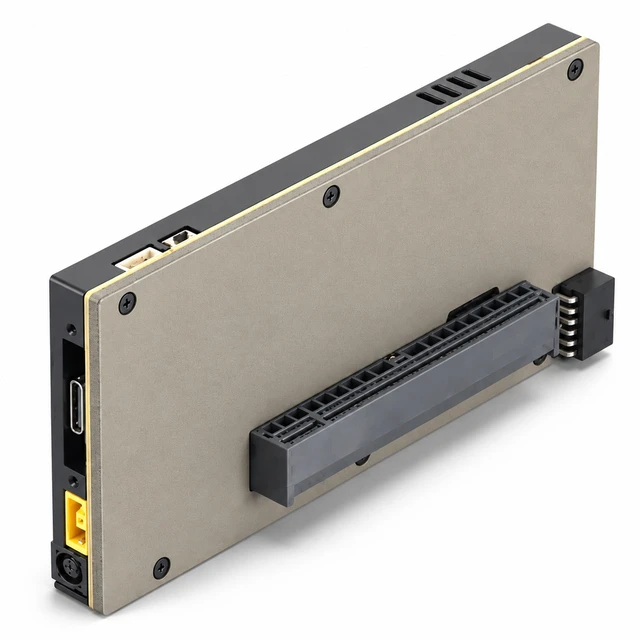
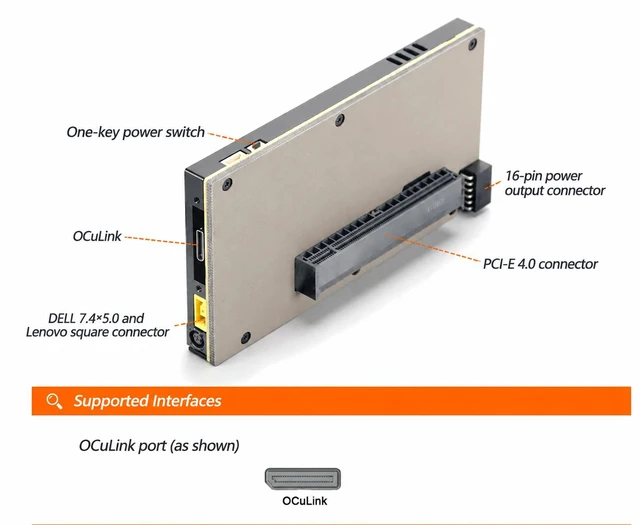
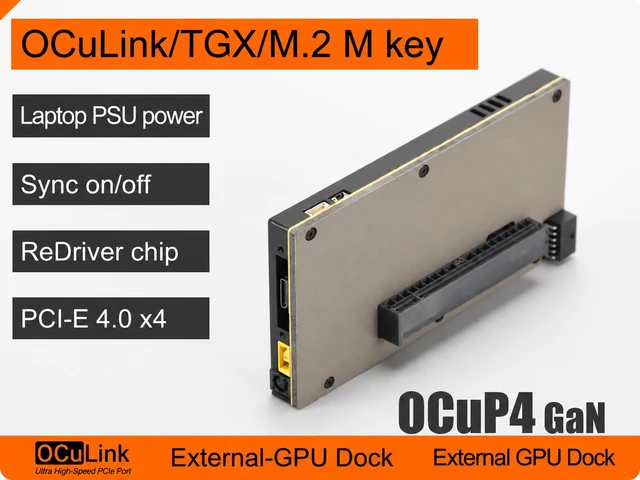
- OCuLink eGPU Dock with ReDriver (OCuP4 GaN V2) - PCIe 4.0 x4 external GPU dock with onboard ReDriver signal conditioning for a cleaner OCuLink link to your laptop or mini PC. Host options: OCuLink, TGX, or M.2 M-Key.
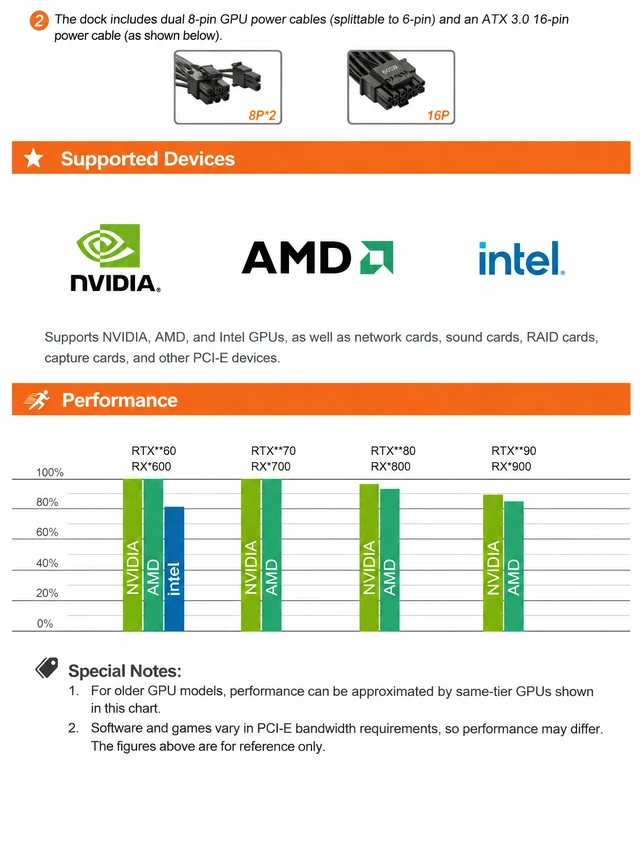
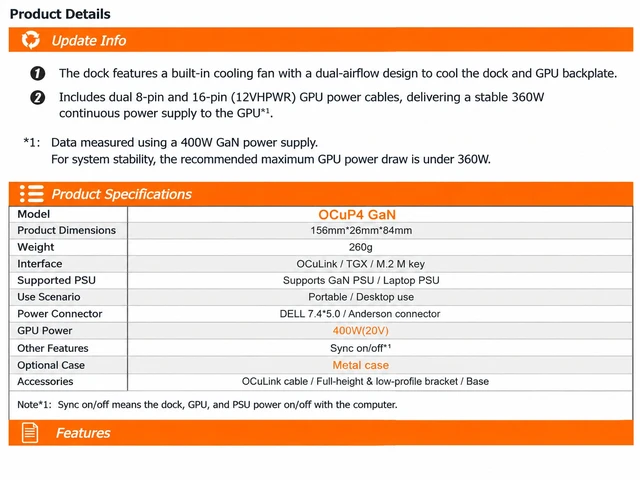
- 400W GaN / Laptop PSU, 360W Continuous GPU Power - Power input: Dell 7.4 x 5.0 or Lenovo square plug (GaN or laptop-style PSU; dock diagram notes Max 400W). Dual 8-pin (breakaway 6-pin) + 16-pin 12VHPWR cables included. 360W continuous figure measured with a 400W GaN PSU - keep GPU max draw at or below 360W for stability.
- Dual-Fan Ducted Cooling - Built-in fans with dual airflow paths cool both the dock and the GPU backplate during long gaming or export sessions.
- Power-On/Off Sync + One-Touch Start - Dock, GPU, and PSU follow your PC power state (sync startup). Page also shows a one-key start switch for the dock.
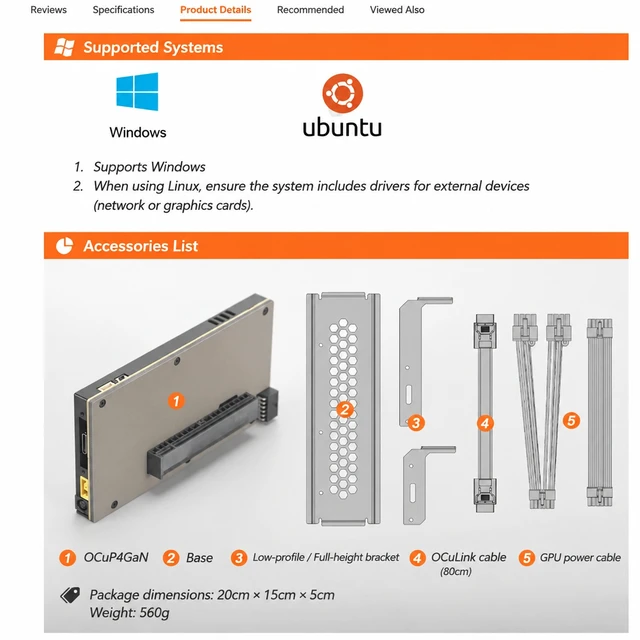
- Portable Kit with 80cm Cable - Dock only 156 x 26 x 84 mm / 260 g. Box includes dock, base, half-height & full-height brackets, 80 cm OCuLink cable, and GPU power cable. Optional metal case and M.2 M-Key / PCIe to OCuLink adapters available.
Any questions? Ask CelesteSM will help you find out quickly.
EXP GDC OCuP4 GaN - OCuLink External GPU Dock (OCuP4GaN V2)
The OCuP4 GaN is a compact OCuLink eGPU dock for laptops and small PCs that need desktop-class graphics without a full tower. Built around PCIe 4.0 x4 with ReDriver signal enhancement, it keeps the external GPU link stable while you game, edit, or run GPU apps.
Power built for real cards
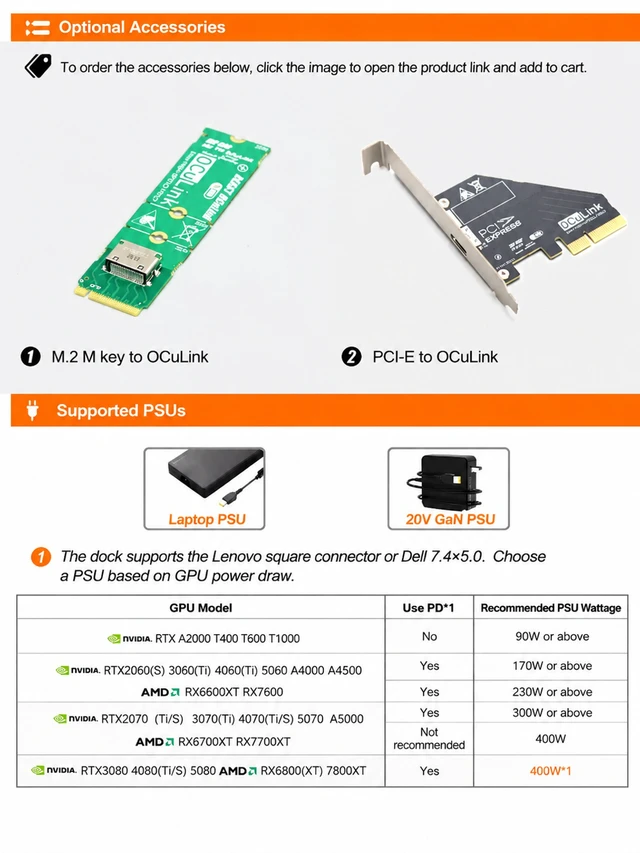
- GaN or laptop-style PSU via Dell 7.4 x 5.0 or Lenovo square plug
- Dock power diagram: Max 400W
- GPU output: 400W (20V) rating; ~360W continuous GPU power (measured with a 400W GaN supply)
- Included cables: dual 8-pin (breakaway to 6-pin) + 16-pin (12VHPWR)
- Page guidance: keep GPU max load 360W for system stability
Choose the right PSU for your card
The product page lists recommended supply wattage by GPU tier (with or without PD use)for example entry cards around 90170W class, mid cards 230300W class, and high-end cards such as RTX 3080 / 4080 / 5080 and RX 6800XT / 7800XT class at 400W. Always match the official table for your exact card. Page notes: normal gaming use is fine; benchmark stress runs are not recommendedfull load may trip dock protection (unplug the PSU adapter to recover). Monitor real-time GPU power with GPU-Z or AIDA64 and downclock if needed.
Host & cooling
- Host interfaces: OCuLink / TGX / M.2 M-Key
- Dual-fan, dual-path airflow cools the dock and GPU backplate
- Power-on/off sync with your PC; one-key start switch on the dock
- Portable / desktop use; optional metal case
Size & box contents
- Dock: 156 x 26 x 84 mm, 260 g
- Package: 20 x 15 x 5 cm, 560 g
- In the box: OCuP4GaN dock · base · half-height & full-height brackets · 80 cm OCuLink cable · GPU power cable
- Optional adapters: M.2 M-Key to OCuLink · PCIe to OCuLink
Setup: Install NVIDIA / AMD / Intel GPU drivers before first use. Connect GPU power (8P/16P) and host cable, then start the PC (sync mode). Not hot-plug orientedwire it up, then power on.
Warranty & Returns
Warranty, Returns, And Additional Information
Warranty
- Please contact the Seller directly for warranty information. Warranty information may also be found on the Manufacturer's website.
- CONTACT
Return Policies
- Return for refund within: 30 days
- Return for replacement within: 30 days
- This item is covered by EnYZME Return Policy
Manufacturer Contact Info
- For a directory of all our manufacturers, please click below.
- Manufacturers Directory