Your Browsing History
- Free 30-day Returns
$397.86
Ships from China.
Meet Your Seller
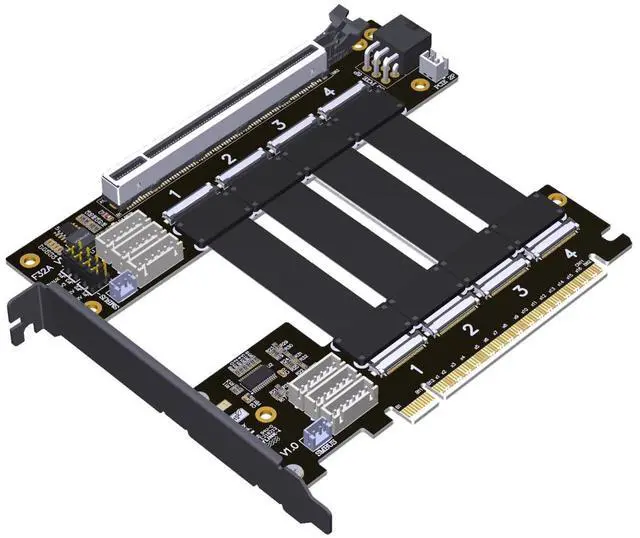
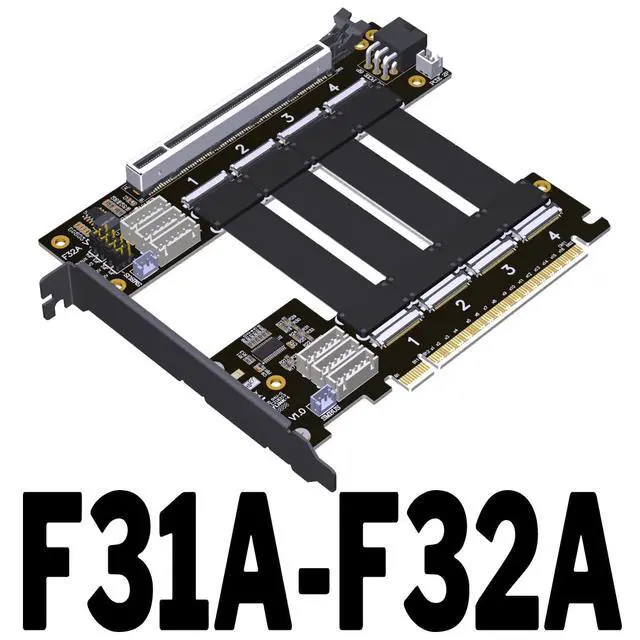
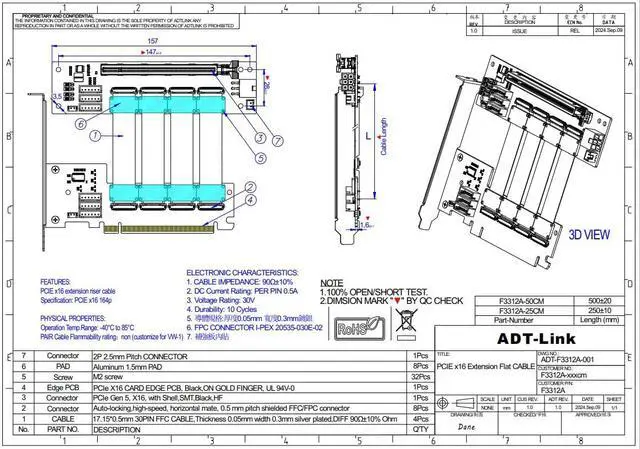
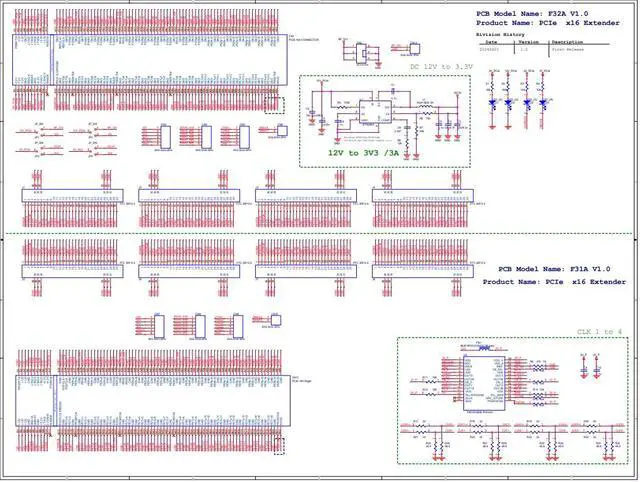
ADT-F31A-F32A PCIe 4.0 X16 1 to 4 Split Cable Gen4 PCIe-Bifurcation Card Detachable FFC GPU Expansion (25cm,F31A-F32A)
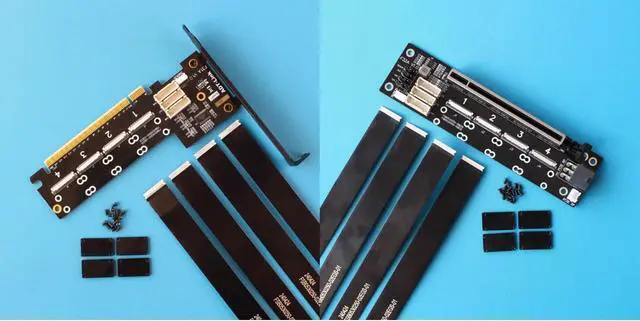
- F31A-F32A: PCIE 4.0 x16 to x16 Extension Cable, 1 to 1, Bandwidth PCIe 4.0 x16.; F31A-F32A-D8S: PCIE 4.0 x16 to x8x8 Extension cable, 1 to 2, Bandwidth PCIe 4.0 x8x8.; F31A-F32A-844S: PCIE 4.0 x16 to x8x4x4 Extension Cable, 1 to 3, Bandwidth PCIe 4.0 x8x4x4.; F31A-F32A-Q4S: PCIE 4.0 x16 to x4x4x4x4 Extension Cable, 1 to 4, Bandwidth PCIe 4.0 x4x4x4x4.; High Speed: Tested PCIex16 slot one tow two, two devices can be used at the same time, up to PCIe4.0x8 full speed transfer.; Warm Tips: Please check your motherboard manual, the manual or BIOS option will explain the Bandwidth PCIE channel split or Bifurcation option, if it is not mentioned then it is not supported.

+
+
Overview
Specs
Reviews
Any questions? Ask CelesteSM will help you find out quickly.
Try me now
F31A-F32A: PCIE 4.0 x16 to x16 Extension Cable, 1 to 1, Bandwidth PCIe 4.0 x16.;
F31A-F32A-D8S: PCIE 4.0 x16 to x8x8 Extension cable, 1 to 2, Bandwidth PCIe 4.0 x8x8.;
F31A-F32A-844S: PCIE 4.0 x16 to x8x4x4 Extension Cable, 1 to 3, Bandwidth PCIe 4.0 x8x4x4.;
F31A-F32A-Q4S: PCIE 4.0 x16 to x4x4x4x4 Extension Cable, 1 to 4, Bandwidth PCIe 4.0 x4x4x4x4.;
High Speed: Tested PCIex16 slot one tow two, two devices can be used at the same time, up to PCIe 4.0 x8 full speed transfer.;
Warm Tips: Please check your motherboard manual, the manual or BIOS option will explain the Bandwidth PCIE channel split or Bifurcation option, if it is not mentioned then it is not supported.
F31A-F32A-D8S: PCIE 4.0 x16 to x8x8 Extension cable, 1 to 2, Bandwidth PCIe 4.0 x8x8.;
F31A-F32A-844S: PCIE 4.0 x16 to x8x4x4 Extension Cable, 1 to 3, Bandwidth PCIe 4.0 x8x4x4.;
F31A-F32A-Q4S: PCIE 4.0 x16 to x4x4x4x4 Extension Cable, 1 to 4, Bandwidth PCIe 4.0 x4x4x4x4.;
High Speed: Tested PCIex16 slot one tow two, two devices can be used at the same time, up to PCIe 4.0 x8 full speed transfer.;
Warm Tips: Please check your motherboard manual, the manual or BIOS option will explain the Bandwidth PCIE channel split or Bifurcation option, if it is not mentioned then it is not supported.
Warranty & Returns
Warranty, Returns, And Additional Information
Warranty
- Please contact the Seller directly for warranty information. Warranty information may also be found on the Manufacturer's website.
- CONTACT
Return Policies
- Return for refund within: 30 days
- Return for replacement within: 30 days
- This item is covered by VoltSync Return Policy
Manufacturer Contact Info
- For a directory of all our manufacturers, please click below.
- Manufacturers Directory
LOADING...