




 here!
I’m your shopping assistant for PC builds, upgrades, and everything tech.
Got questions? Ask away!
Start a conversation
here!
I’m your shopping assistant for PC builds, upgrades, and everything tech.
Got questions? Ask away!
Start a conversation
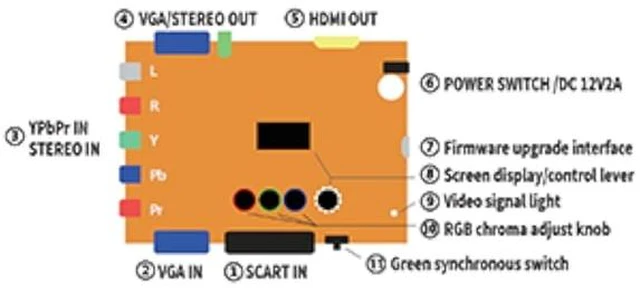
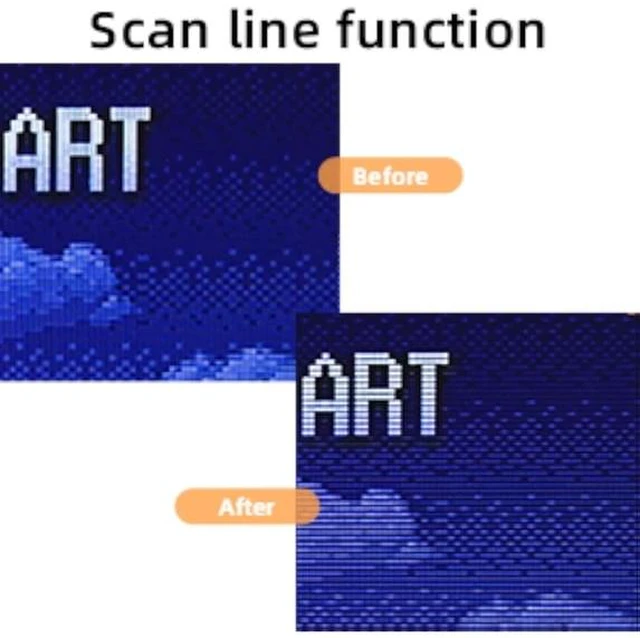



Any questions? Ask CelesteSM will help you find out quickly.
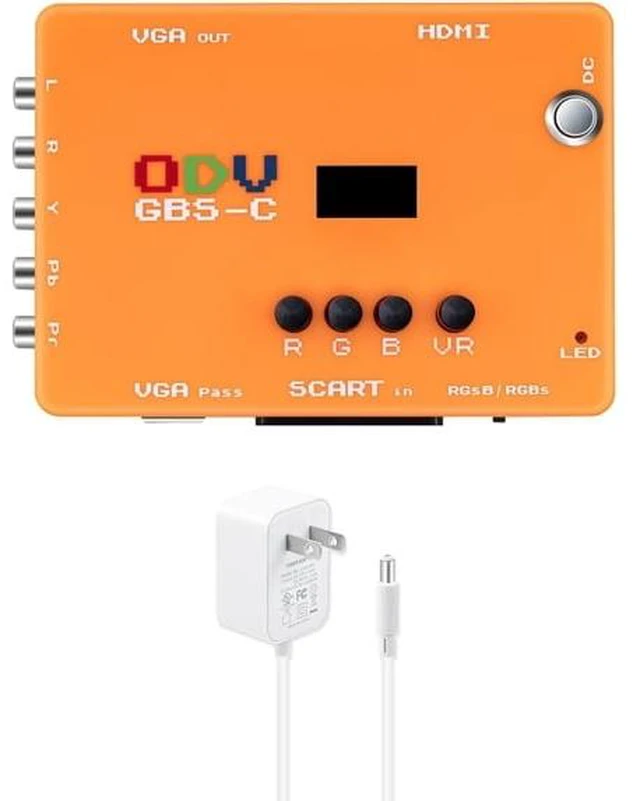
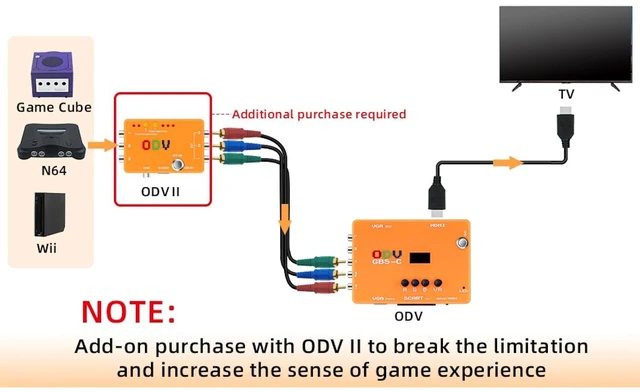
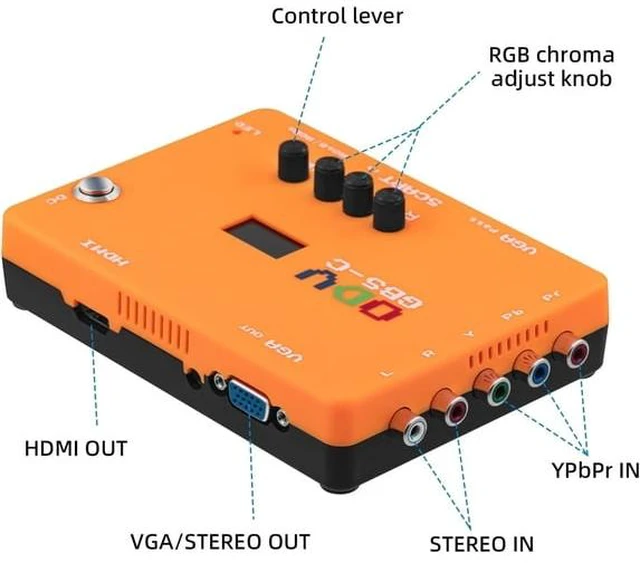
The ODV-GBS-C support dual screen output at the same time under different format. No extra zero delay is added to ensure the original feel. Click the scanline icon on the mobile phone control page to adjust the output scanline quality, make the game screen more retro, and increase the game experience. You can adjust the output image quality, size and position through the control page in your phone. Additional steps: 1. Use the R, G and B three-color knobs,on the product to adjust the signal intensity of red, green and blue respectively. 2. Connect audio to earphones or audio devices. 3. Use mobile phones, computers and other devices to open WIFI, find gbSControl to connect, the default password: qqqqqqqq, and then use the web login 192 168 4 1 to enter the control interface. 4. set the resolution as prompted. 5. To use the low solution output function, select the direct or 15kHz option in the Settings screen. 6.Retain the upgrade interface, support firmware upgrade function, when the upgrade plug in USB and computer connection, press the control ticket lever, plug in the power and open the power switch can be upgraded. 7. The body is equipped with a control lever, with LCD control screen that can achieve a variety of Settings. 8. Green synchronous switch , can adapt to RGBS signal 480P format (note: input of other formats can not be opened, otherwise the signal can not be recognized). NOTE: -Green synchronous switch adapts to RGBS signal 480P format only. Input of other formats cannot be opened, otherwise the signal can not be recognized -To use the low solution output function, select the direct or 15kHz option in the Settings screen -Scanline effect only supports 240p -Video cables are not included. Installation Settings: 1. Connect the HOST RGB output to THE SCART interface "1" of ODV-GBSC or the universal VGA input interface "2". 2. Connect the component color difference output to the component input YPBPR input interface "3" of odV-GBSC. 3. Connect the HDMI output of ODV-GBS-C "5" to the HDMI input of TV/monitor. 4. Connect the VGA output of ODV-GBS-C (4) to the VGA input of the monitor. 5. Connect the external power supply (6) and use the supplied 12V/2A power supply.


