here!
I’m your shopping assistant for PC builds, upgrades, and everything tech.
Got questions? Ask away!
Start a conversation
here!
I’m your shopping assistant for PC builds, upgrades, and everything tech.
Got questions? Ask away!
Start a conversation



Any questions? Ask CelesteSM will help you find out quickly.
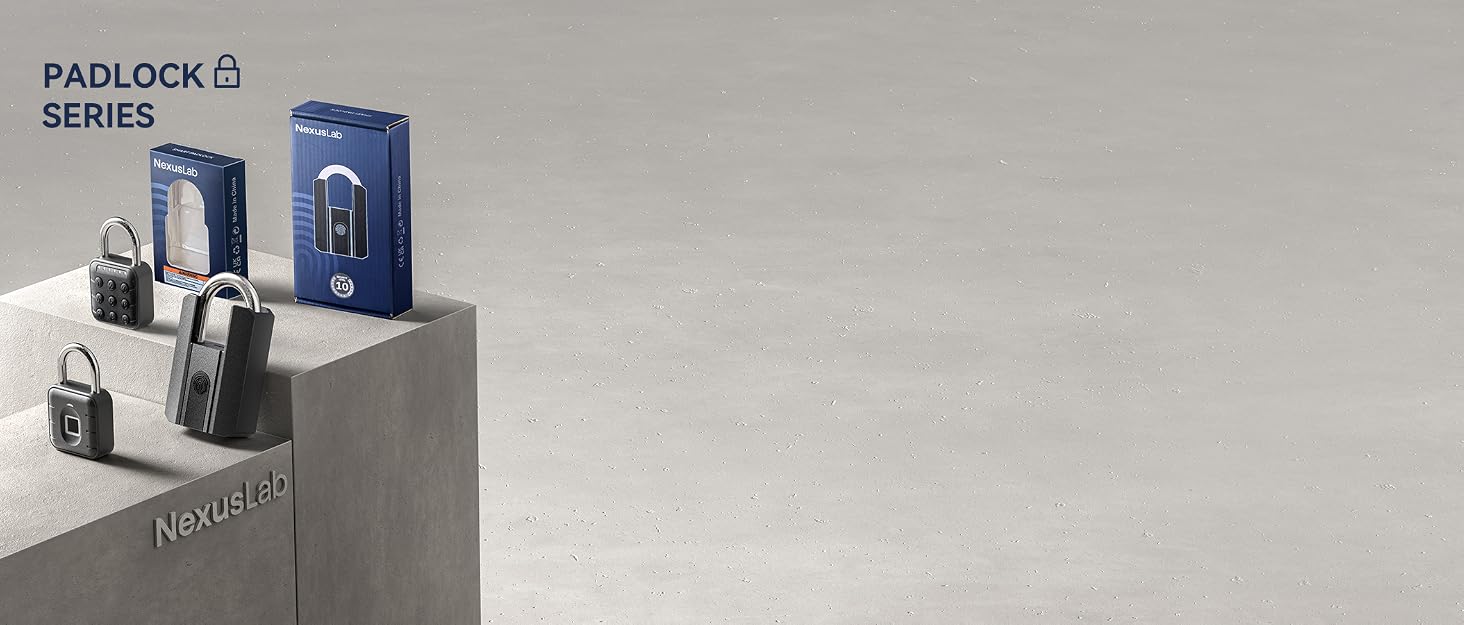
Secure the Future, Unlock Possibilities

Established in 2021, NexusLab has quickly recognized the potential of the smart padlock industry. We specialize in technological locking devices, developing high-quality products like our smart lock with precise password and fingerprint systems. Our mission is to integrate tech convenience and security into locks, enhancing every household's safety and convenience in this intelligent era.


Absolutely, our smart locks ensure top-notch quality using advanced tech and strict production controls for a safe, convenient experience. We're confident in our products, offering a 200-day return policy.
Our mission is to use cutting-edge technology for top home security. We aim to be a global leader in smart locks for safety and convenience.
Is it difficult to set up and connect to the App?
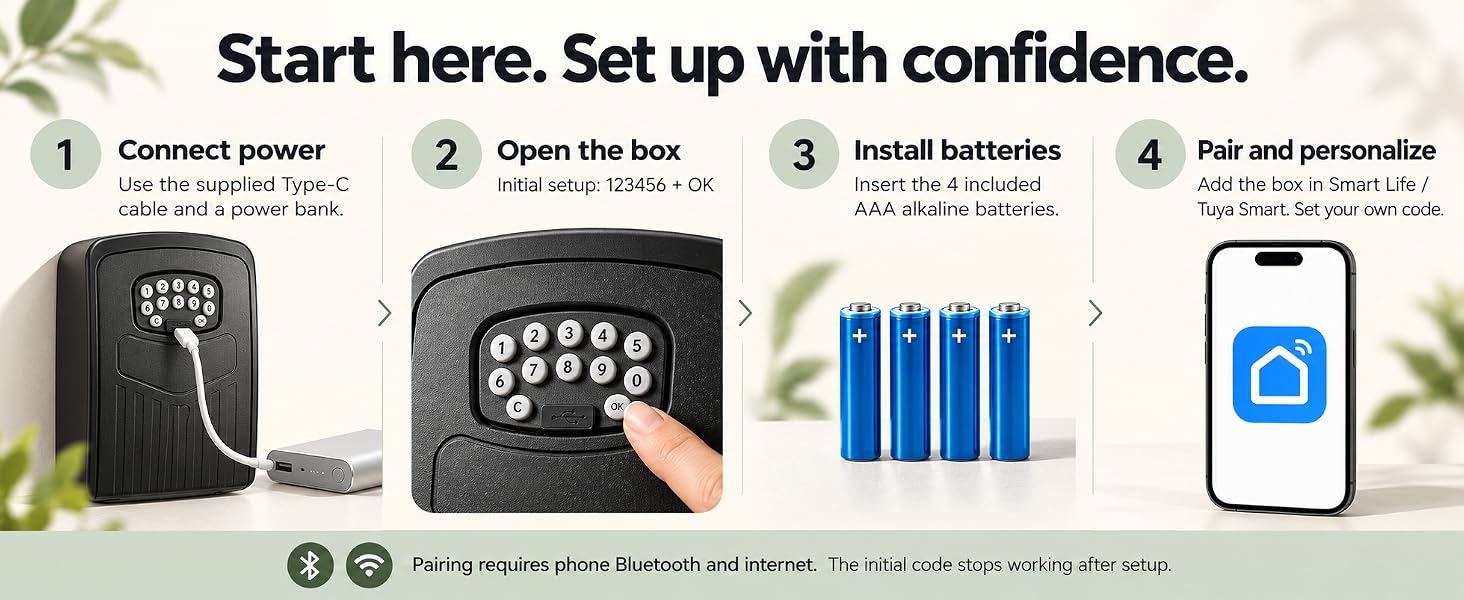
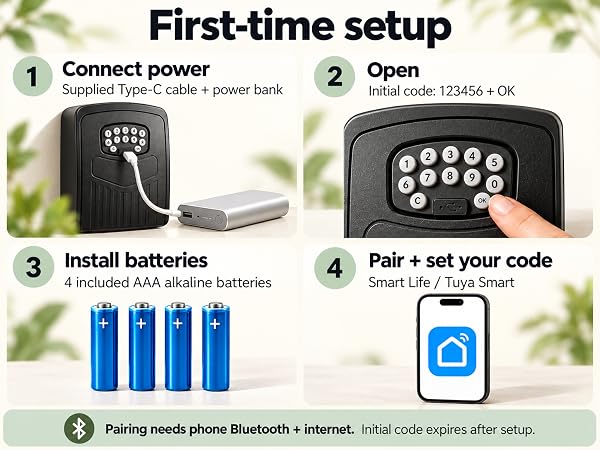
Not at all! Setup takes under 2 minutes. Download the App, turn on Bluetooth, and tap "Add Device". Please watch the setup video in our images!
Do I need Wi-Fi to share access with guests remotely?
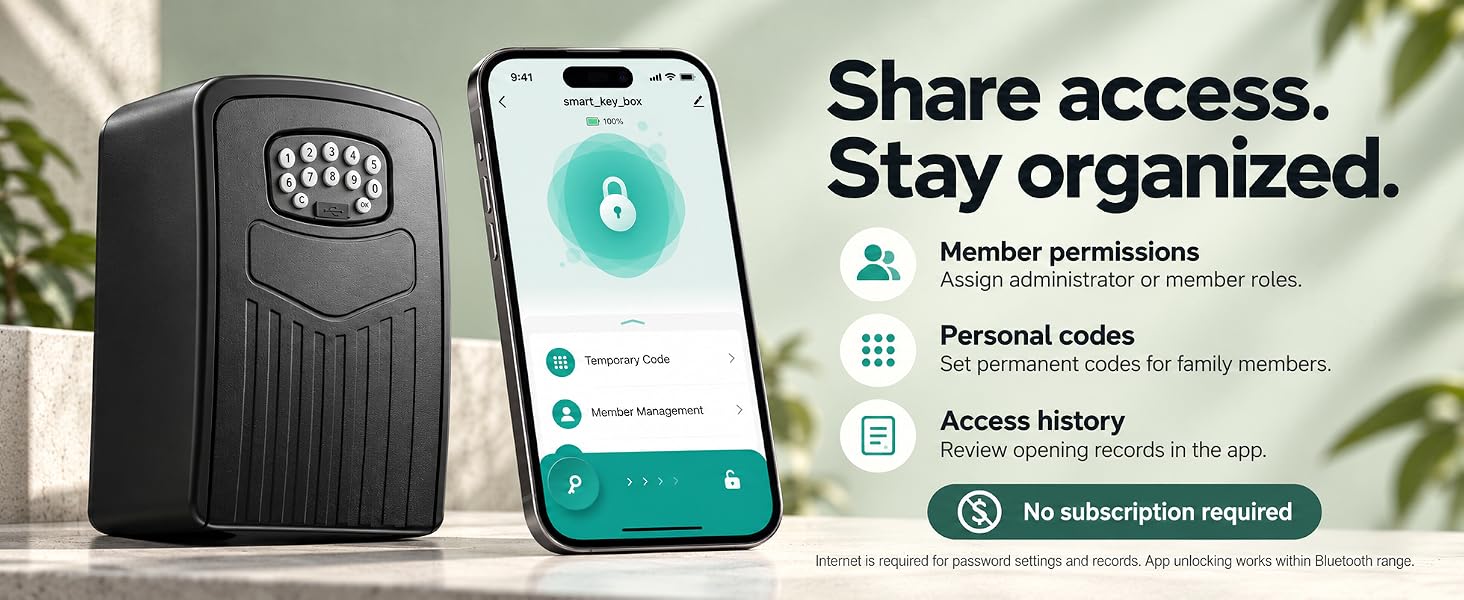
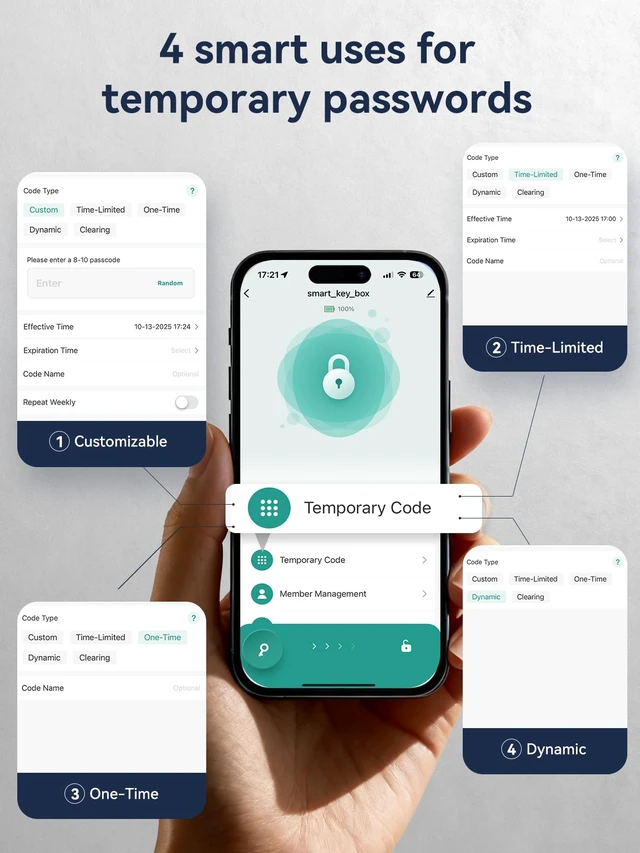
No Wi-Fi required! Just generate a temporary access and send it to your guest's Tuya Smart account. Guests can simply use their Tuya App to connect and unlock during the allowed time.
What happens if the battery dies completely? Will I be locked out?
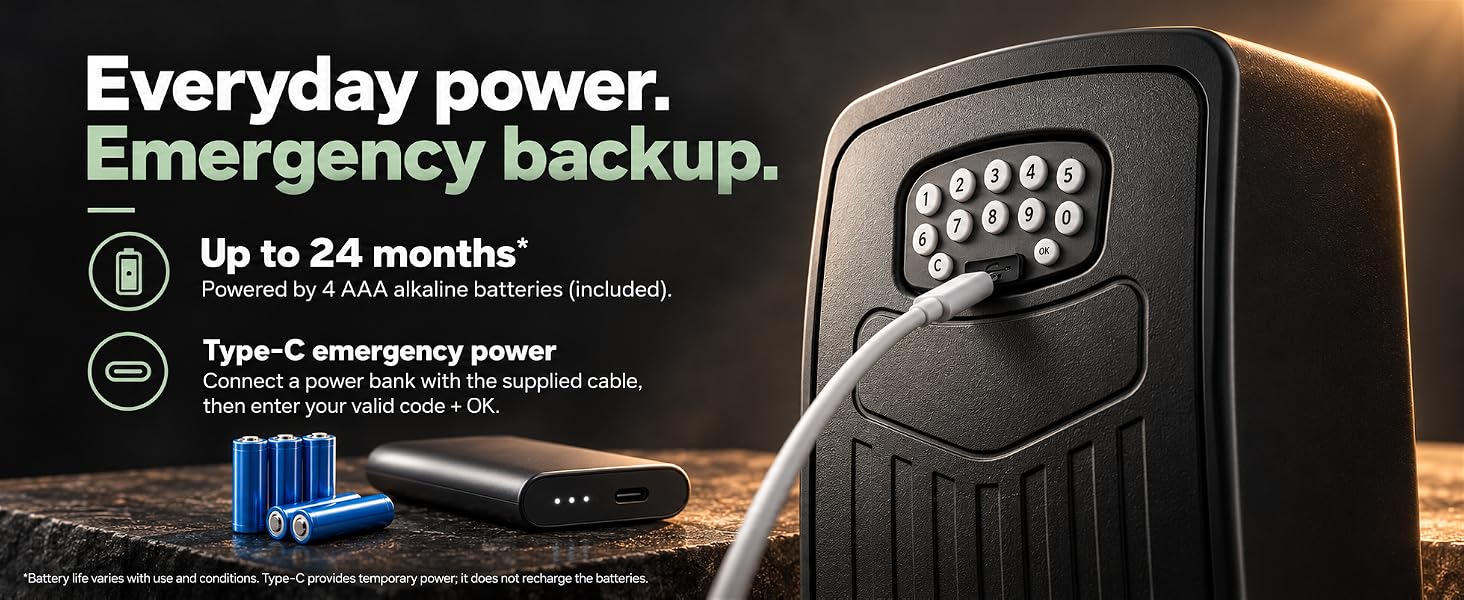
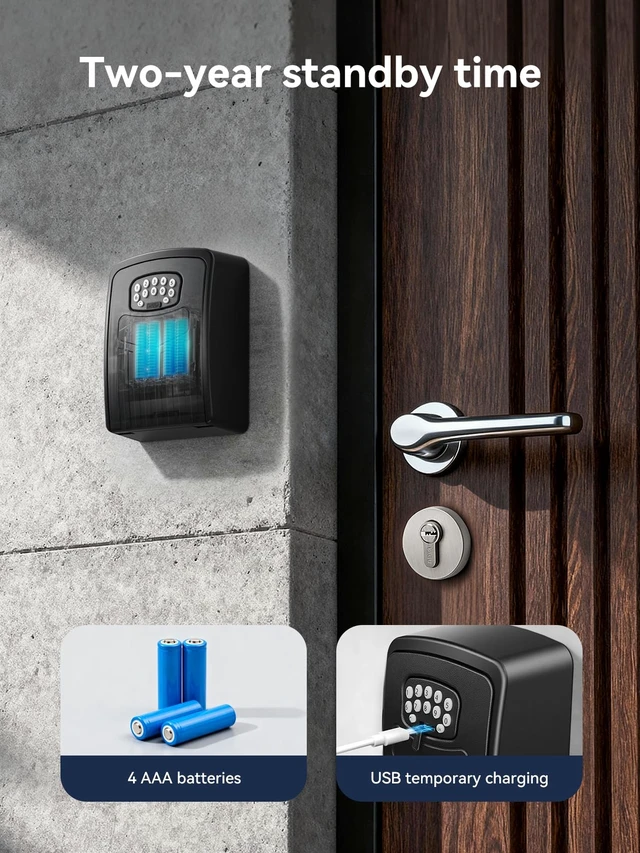
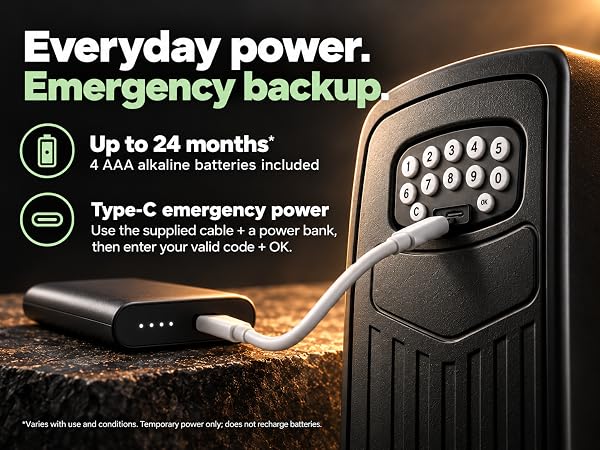
No! The App sends an alert when the battery is low. If it completely dies, simply plug a power bank into the bottom emergency Type-C port to wake the keypad and unlock.
Why does the door rattle slightly when closed?
Yes, it's a normal design! The slight gap prevents the door from jamming due to thermal expansion in extreme weather. If you prefer a tighter fit, simply apply a thin foam sticker to the inner edge.
Can it store more than one password?
Yes, NexusLab Password lockbox can store up to 50 unique passwords(Excluding Temporary Passwords)
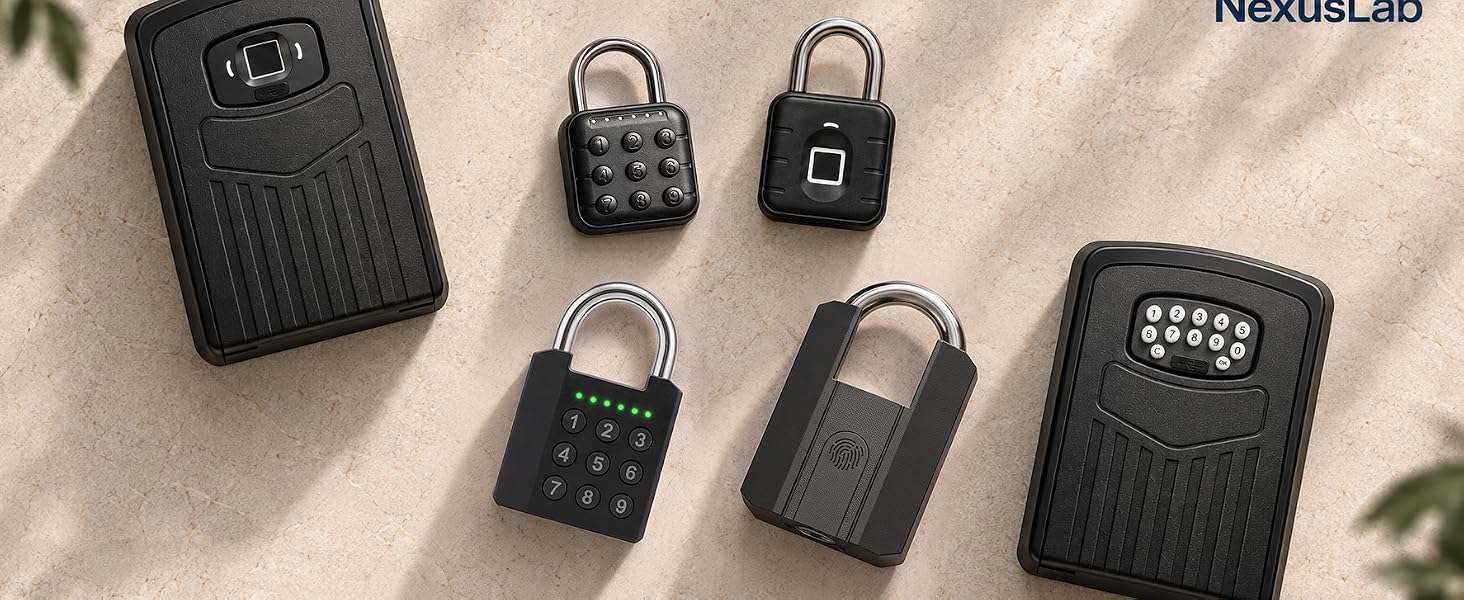
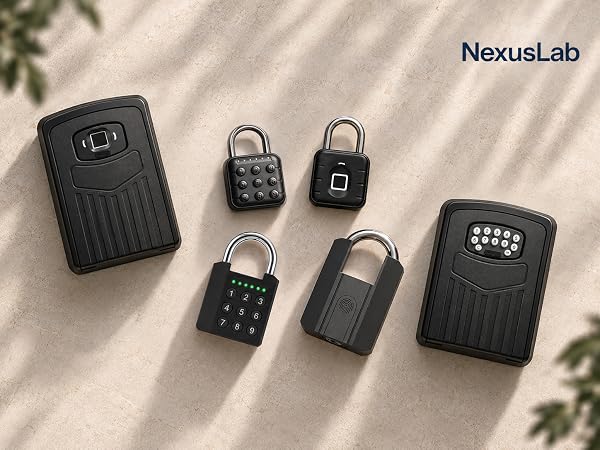
 NexusLab Password Padlock | 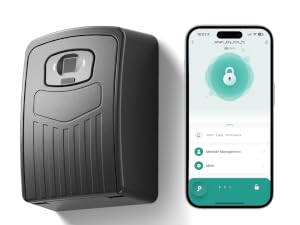 NexusLab Fingerprint lockbox |  NexusLab Heavy Duty Padlock |
|---|---|---|
IP67 Waterproof 6-digit Password | IP67 Waterproof Fingerprints + TT APP | IP67 Waterproof Fingerprints + Key*2 + TT APP + Rechargeable (Typ-c) |
Steel A3 + Zinc Alloy 20 groups of passwords | Aluminium Alloy / ABS 10 groups of passwords | Steel A3 + Zinc Alloy 50 groups of Fingerprints |
Secure the Future, Unlock Possibilities
Established in 2021, NexusLab has quickly recognized the potential of the smart padlock industry. We specialize in technological locking devices, developing high-quality products like our smart lock with precise password and fingerprint systems. Our mission is to integrate tech convenience and security into locks, enhancing every household's safety and convenience in this intelligent era.
Absolutely, our smart locks ensure top-notch quality using advanced tech and strict production controls for a safe, convenient experience. We're confident in our products, offering a 200-day return policy.
Our mission is to use cutting-edge technology for top home security. We aim to be a global leader in smart locks for safety and convenience.
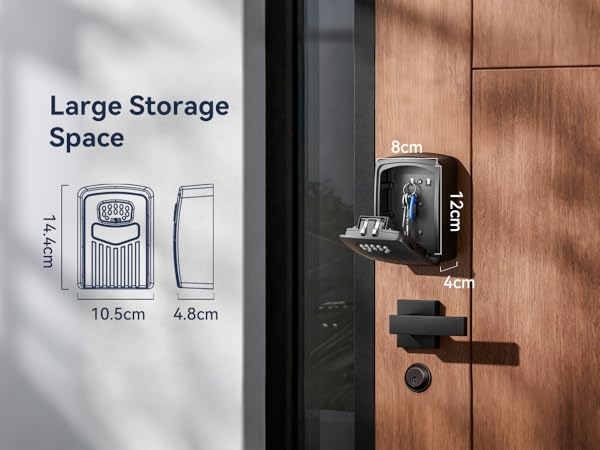
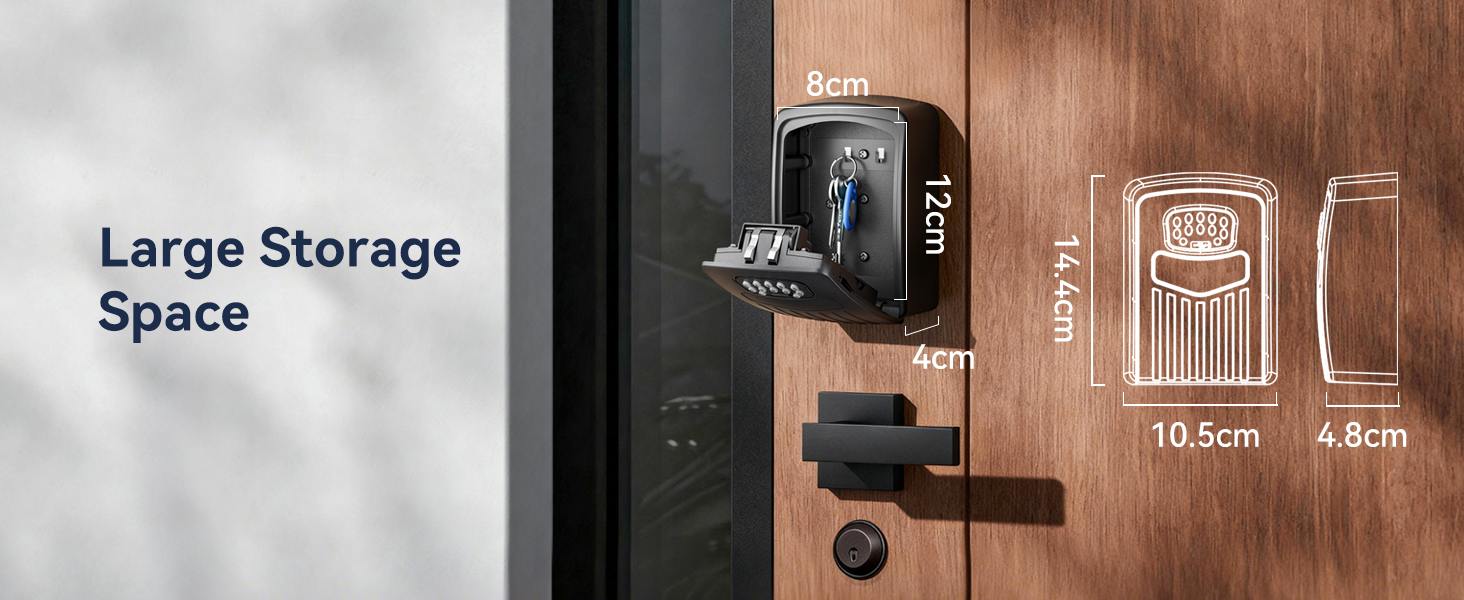
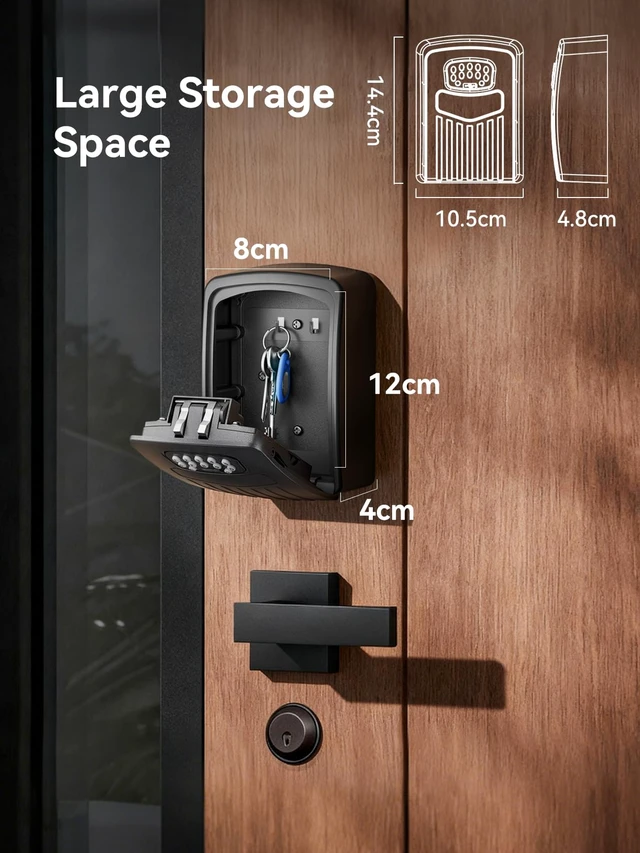
| Size | 145*105*55 mm(5.7' × 4.1' × 2.1') |
|---|---|
| Materials | Aluminum Alloy + ABS |
| Battery | 4 x AAA Alkaline(included) |
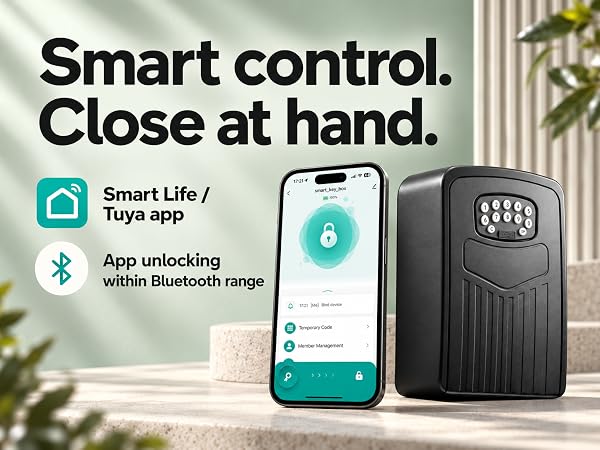
| Compatibility | TUYA App, SmartLife |
| Working Temperature | -20°C to 50°C |
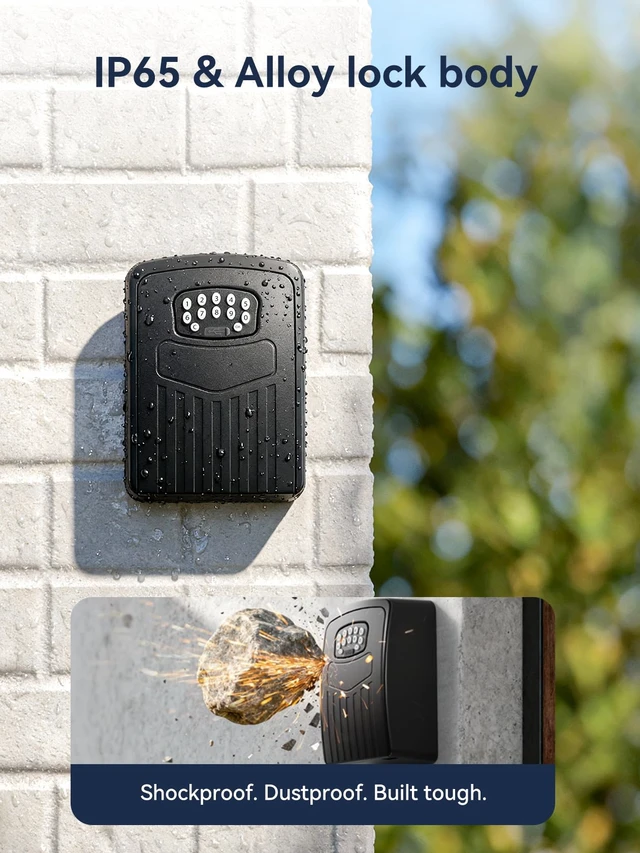
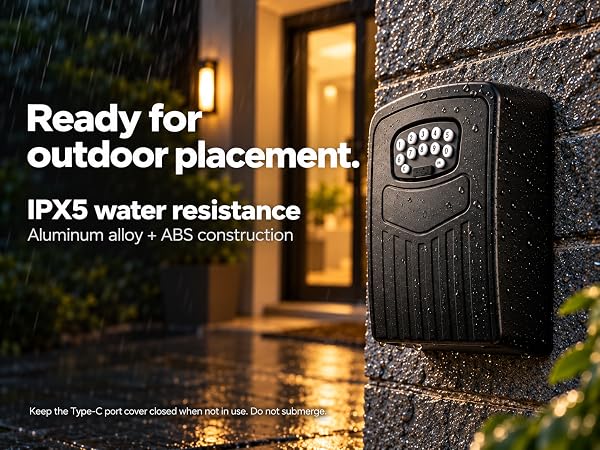
| Waterproof Rating: | IP67 |
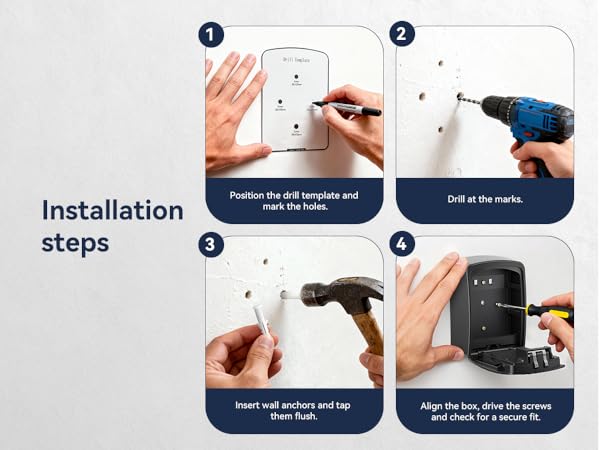
| What’s Included: | Smart Key Lock Box ×1, User Manual ×1, Drill Template ×1, USB Cable ×1, Bolts ×4, Screws ×4. |
Is it difficult to set up and connect to the App?
Not at all! Setup takes under 2 minutes. Download the App, turn on Bluetooth, and tap "Add Device". Please watch the setup video in our images!
Do I need Wi-Fi to share access with guests remotely?
No Wi-Fi required! Just generate a temporary access and send it to your guest's Tuya Smart account. Guests can simply use their Tuya App to connect and unlock during the allowed time.
What happens if the battery dies completely? Will I be locked out?
No! The App sends an alert when the battery is low. If it completely dies, simply plug a power bank into the bottom emergency Type-C port to wake the keypad and unlock.
Why does the door rattle slightly when closed?
Yes, it's a normal design! The slight gap prevents the door from jamming due to thermal expansion in extreme weather. If you prefer a tighter fit, simply apply a thin foam sticker to the inner edge.
Can it store more than one password?
Yes, NexusLab Password lockbox can store up to 50 unique passwords(Excluding Temporary Passwords)
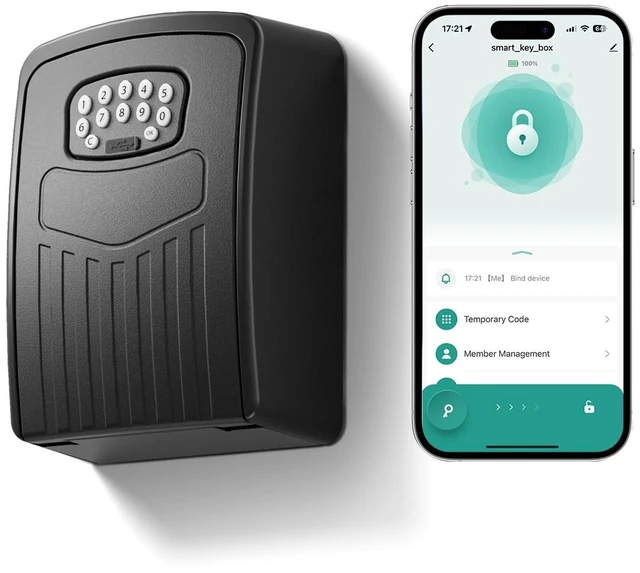
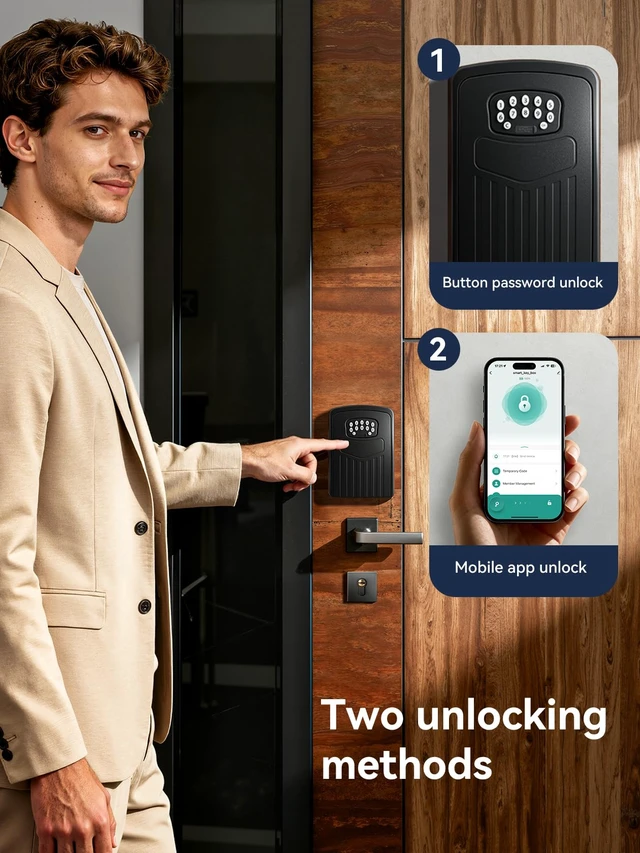
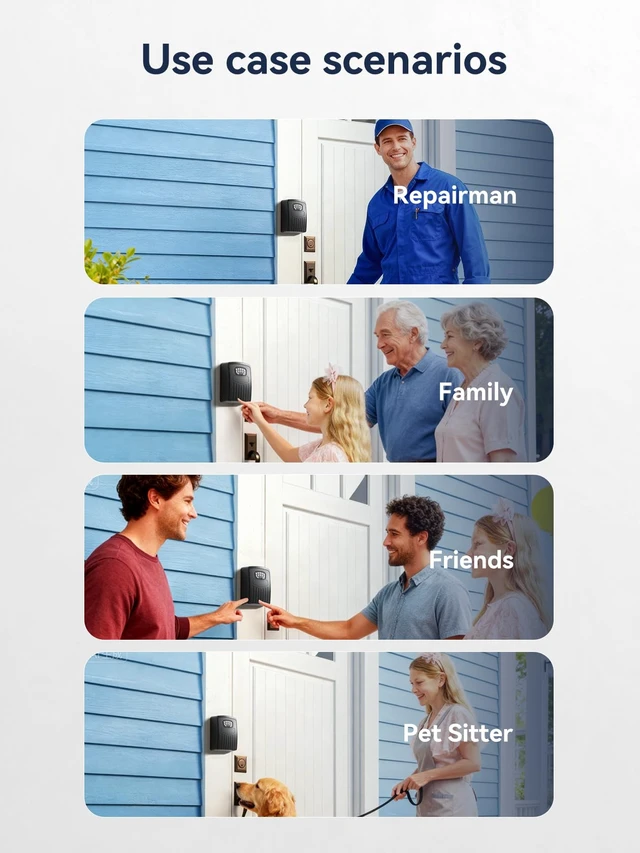
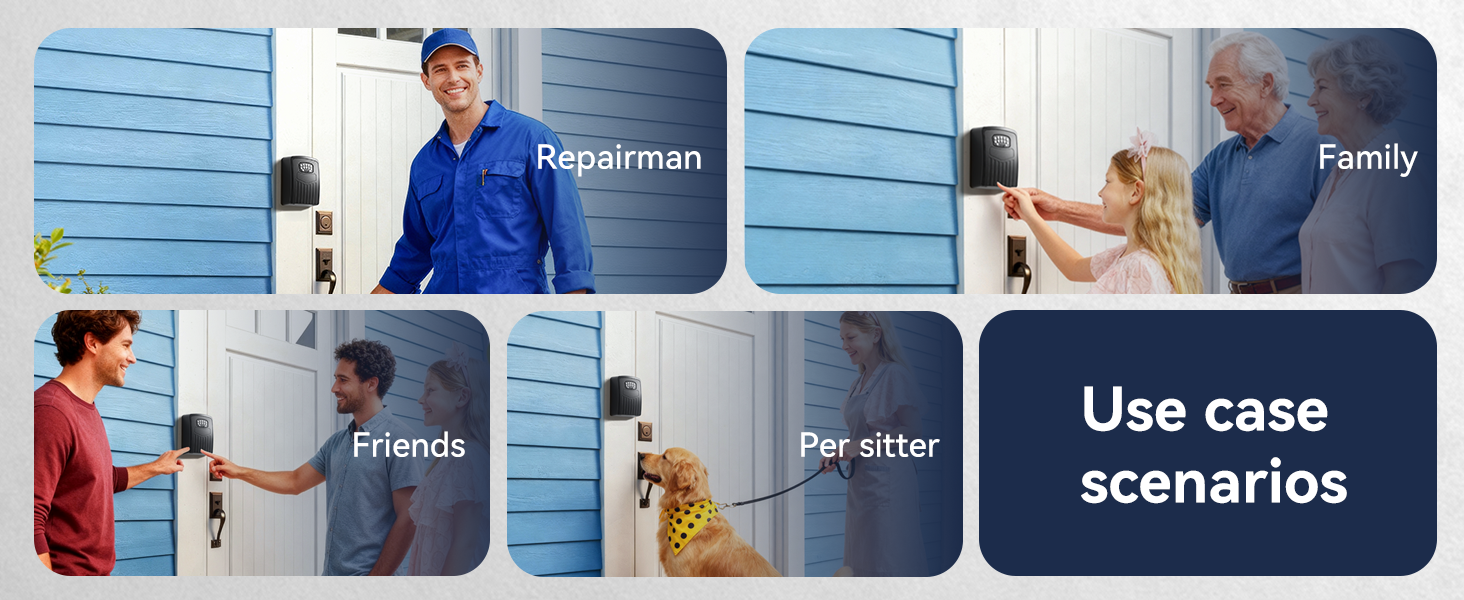
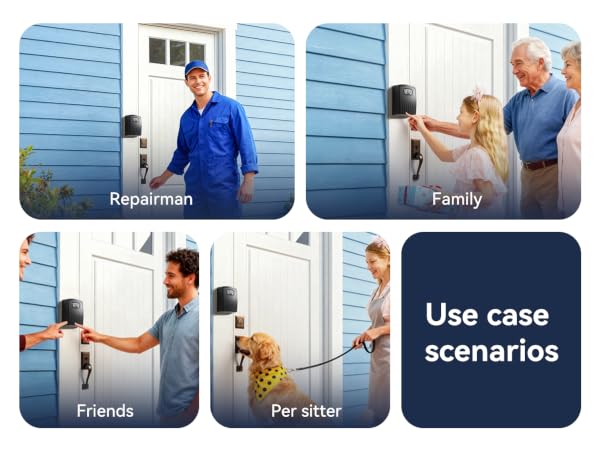
Say goodbye to hidden keys and bulky keychains! NexusLab Smart Key Lock Box offers a secure, keyless solution for property accesswhether youre an Airbnb host, realtor, or homeowner.
With Bluetooth connectivity and TUYA platform support, you can generate and share unique passwords remotely, grant temporary access to guests, and monitor entry logsall from your smartphone. No WiFi required for local unlocking, making it ideal for remote locations or properties without internet.
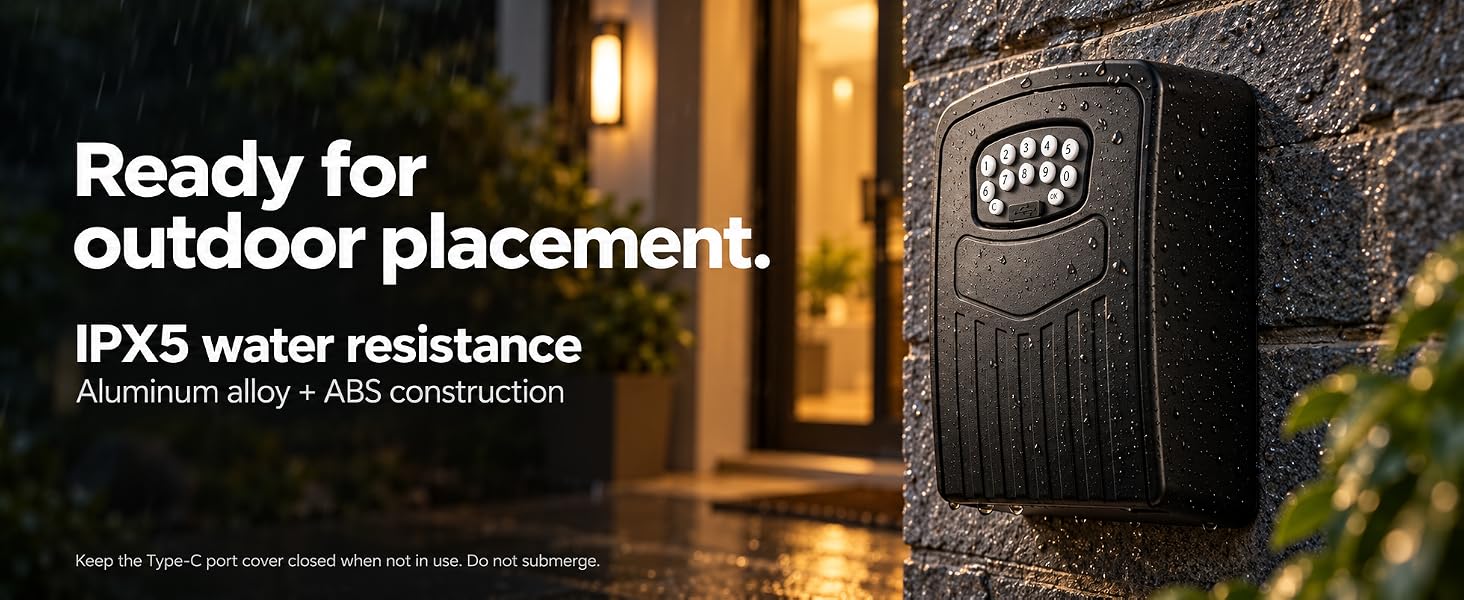
Crafted from durable aluminum alloy and ABS, this lockbox is built to withstand rain, snow, and harsh outdoor conditions (IP65 rated). Its compact yet spacious interior (145*105*55mm) holds keys, key fobs, or access cards securely.
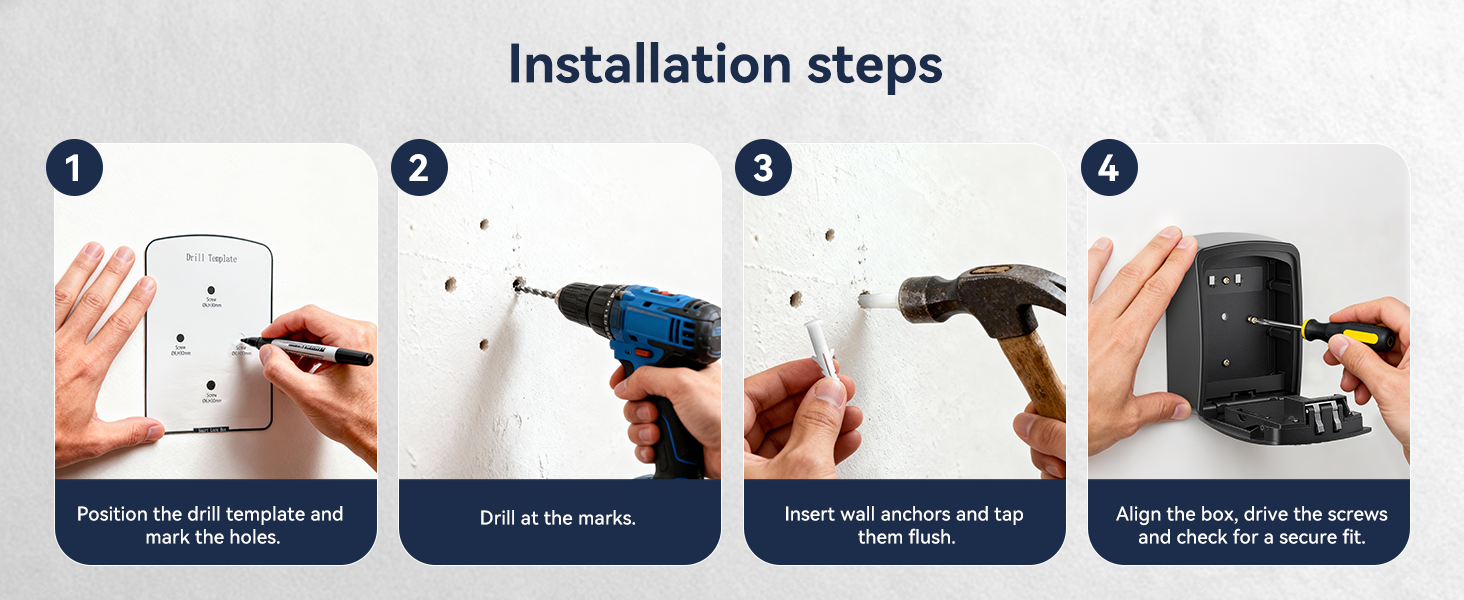
Install it easily on walls, gates, or doors using the included screws and drill template. With no monthly fees and easy app setup, this key lock box is the affordable, smart upgrade for modern property management.
Specifications:
Whats Included:
Ideal For: