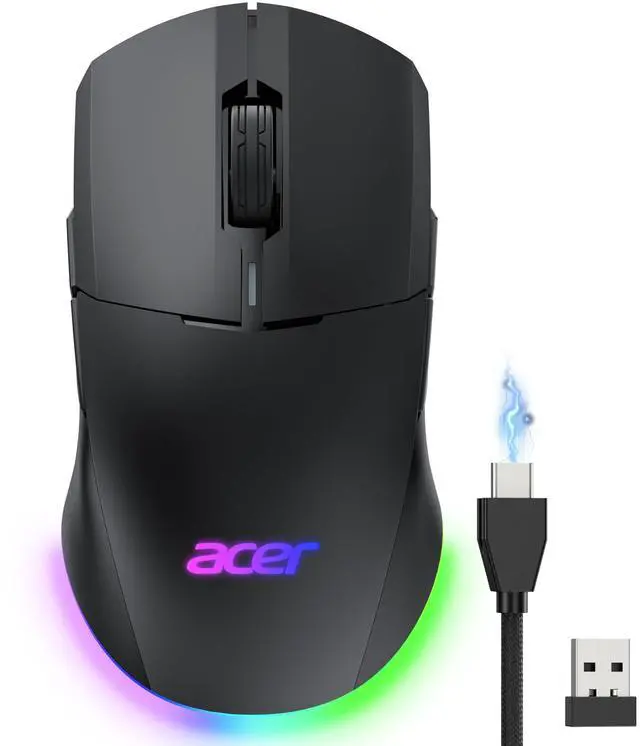
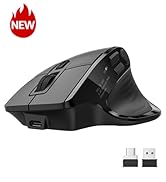
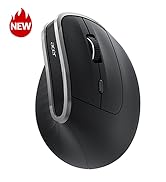
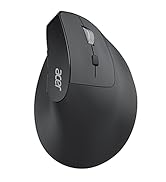
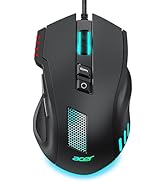
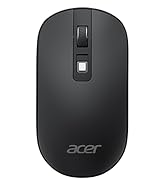
Wireless Gaming Mouse for Laptop, 24,000 DPI Wired Computer Mouse with 8 Programmable Buttons, Left & Right Hand, Rechargable Gaming Mice, Long Battery Life, RGB Lighting Gamer for PC, Desktop
24K High-Precision Gaming SensorEquipped with a high-performance optical sensor with 24,000 DPI, 1000Hz polling rate, and 35G acceleration, this wireless gaming mouse delivers fast, consistent tracking for accurate aim and smooth control. Switch between 6 DPI levels for quick flicks, micro-adjustments, and precise targeting in FPS or everyday tasks. Note: Default DPI and each levels value can be customized in the driver (max 24000, min 1200, default 2400).
Advanced Programmable ButtonsTake control with 8 programmable buttons and full macro editing via the driver. Remap commands, assign complex macros, and fine-tune DPI settings on this computer gaming mouse. Dedicated Forward and Back side buttons help execute faster in-game actions in FPS battles, MOBA team fights, or everyday navigation. Note: Click Apply to save changes. For driver download and installation, refer to the Installation Manual (PDF).
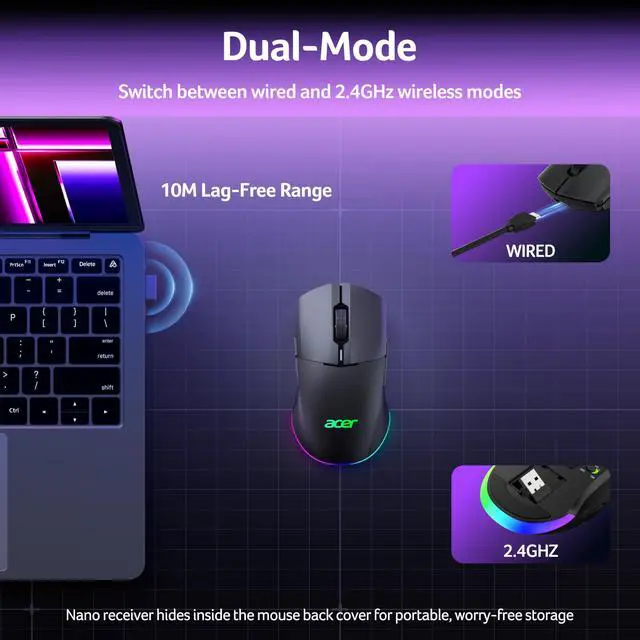
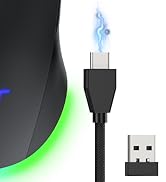
Pro-Grade Player-Ready MouseComfort Switch between high-speed USB-A wired mode and stable 2.4GHz wireless for flexible gameplay. The symmetrical ergonomic shape supports both left- and right-handed users, making it a great left handed gaming mouse option while maintaining a natural, comfortable grip for extended gaming or work sessions. Note: USB-A receiver is stored under the back cover. This mouse supports 2.4GHz wireless + wired connection and does not support Bluetooth.
+
+
Overview
Specs
Reviews
Any questions? Our AI beta will help you find out quickly.
To save battery, the mouse’s RGB lights are off during use and only turn on when idle. You can disable this feature through the driver software.
How do I change / close RGB?
Hold the front side button and press the scroll wheel to cycles 9 modes ? RGB off ? repeat. The default mode is Wave (mode 6). You can also adjust colors, brightness, and effects in the driver.
How do I reset the mouse?
Press and hold Left Button + Right Button + Front Side Button + Back Button for 3 seconds. The lights will flash three times to confirm.
Can I charge while using it?
Yes, just switch to wired mode to charge and continue using the mouse. No need to wait for a full charge to resume play.
How to toggle side buttons?
Press and hold Front Side Button + Back Button for 3 seconds to toggle the side buttons on or off, preventing accidental clicks.
Sleep time too short?
The mouse features dual sleep modes to balance power saving and responsiveness—light sleep after 30 seconds and deep sleep after 180 seconds. Wake by move or click. Timer adjustable 1–9 min via driver.
How to download driver?
Download instructions are provided in the Installation Manual PDF on this product page. Scroll down and open the Installation Manual (PDF) for driver installation instructions.
To save battery, the mouse’s RGB lights are off during use and only turn on when idle. You can disable this feature through the driver software.
How do I change / close RGB?
Hold the front side button and press the scroll wheel to cycles 9 modes ? RGB off ? repeat. The default mode is Wave (mode 6). You can also adjust colors, brightness, and effects in the driver.
How do I reset the mouse?
Press and hold Left Button + Right Button + Front Side Button + Back Button for 3 seconds. The lights will flash three times to confirm.
Can I charge while using it?
Yes, just switch to wired mode to charge and continue using the mouse. No need to wait for a full charge to resume play.
How to toggle side buttons?
Press and hold Front Side Button + Back Button for 3 seconds to toggle the side buttons on or off, preventing accidental clicks.
Sleep time too short?
The mouse features dual sleep modes to balance power saving and responsiveness—light sleep after 30 seconds and deep sleep after 180 seconds. Wake by move or click. Timer adjustable 1–9 min via driver.
How to download driver?
Download instructions are provided in the Installation Manual PDF on this product page. Scroll down and open the Installation Manual (PDF) for driver installation instructions.
Acer Dual Mode Gaming Mouse
Acer Mouse
Acer Wireless Mice
Wireless Gaming Mouse for Laptop, 24, 000 DPI Wired Computer Mouse with 8 Programmable Buttons, Left & Right Hand, Rechargable Gaming Mice, Long Battery Life, RGB Lighting Gamer for PC, Desktop
Learn more about the acer
Model
Brand
ASUS
Name
acer
Details
Type
2.4GHz / Wired
Color
Black
Interface
Bluetooth
Tracking Method
Optical
Sensor
Optical
Hand Orientation
Right Hand
Buttons
16
Scrolling Capability
Touch Scroll
OS / System Requirement
System Requirement
USB port
Additional Information
First Listed on Newegg
April 23, 2026
Customer Reviews of acer
There are no reviews yet.
Do you own this product?
Warranty & Returns
Warranty, Returns, And Additional Information
Warranty
Please contact the Seller directly for warranty information. Warranty information may also be found on the Manufacturer's website.