




 here!
here!
I’m your shopping assistant for PC builds, upgrades, and everything tech.
Got questions? Ask away!
Start a conversation
here!
I’m your shopping assistant for PC builds, upgrades, and everything tech.
Got questions? Ask away!
Start a conversation







Any questions? Ask CelesteSM will help you find out quickly.
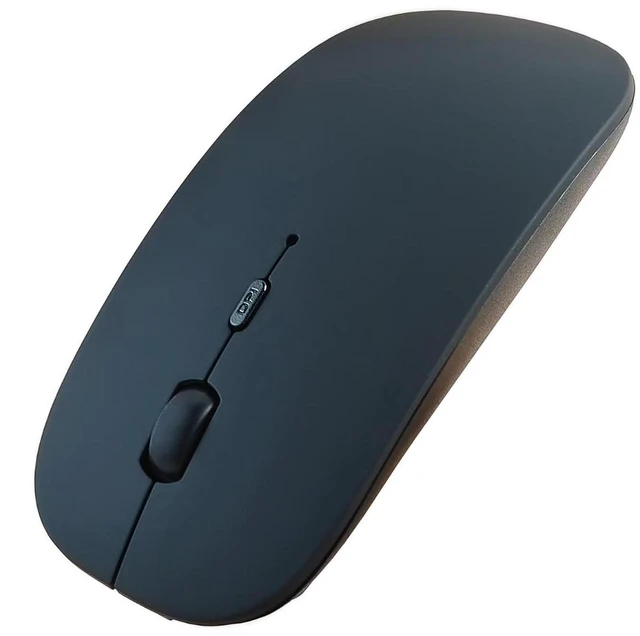
HOTDREAM Bluetooth wireless mouse is more conducive to our connection and use on computer device, (Only Bluetooth)
>>How to charge?
Charge the mouse for about 2 hours before use it for the first time.with 5v adapter for charging.
When the cursor doesn't move, or suddenly disconnects during use, need to charge the mouse.
>>How to use Bluetooth mouse mode:
1.slide the switch to BT mode, 2.open system preferences settings,turn on Bluetooth function , 3.when laptop Bluetooth is searching for nearby Bluetooth devices,press and hold the connect button at the bottom of the mouse for 3 seconds, The light flashes . 4.Bluetooth search there appears BT mouse, click to connect "Bluetooth mouse 4.0" , connection is OK
>>Note: This mouse cannot be connected Mac Book,MacBook air,MacBook pro.
>>How to use the bluetooth mouse on iPad: First, open iPad settings, find accessibility, turn on touch controls,>find assistive touch controls, turn on assistive touch controls, >pull down to find the device, turn on the Bluetooth device,> turn on the mouse switch, press and hold the button on the bottom of the mouse for 3seconds, iPad will search BT5.2 mouse and click "Connect". Pairing password: 0000, (if you can't find the mouse, please restart the mouse,restart iPad Bluetooth function, restart the iPad)
>>Packing list:
HOTDREAM Bluetooth mouse *1
USB charging line *1
NO USB2.4G receiver/Type C adapter(only bluetooth mouse)
Instructions*1.
Mouse M03 silver(rechargeable)


