here!
here!
I’m your shopping assistant for PC builds, upgrades, and everything tech.
Got questions? Ask away!
Start a conversation
here!
I’m your shopping assistant for PC builds, upgrades, and everything tech.
Got questions? Ask away!
Start a conversation







Any questions? Ask CelesteSM will help you find out quickly.
How to perform left/right hand mode switching?
1. Press the mode switching key.
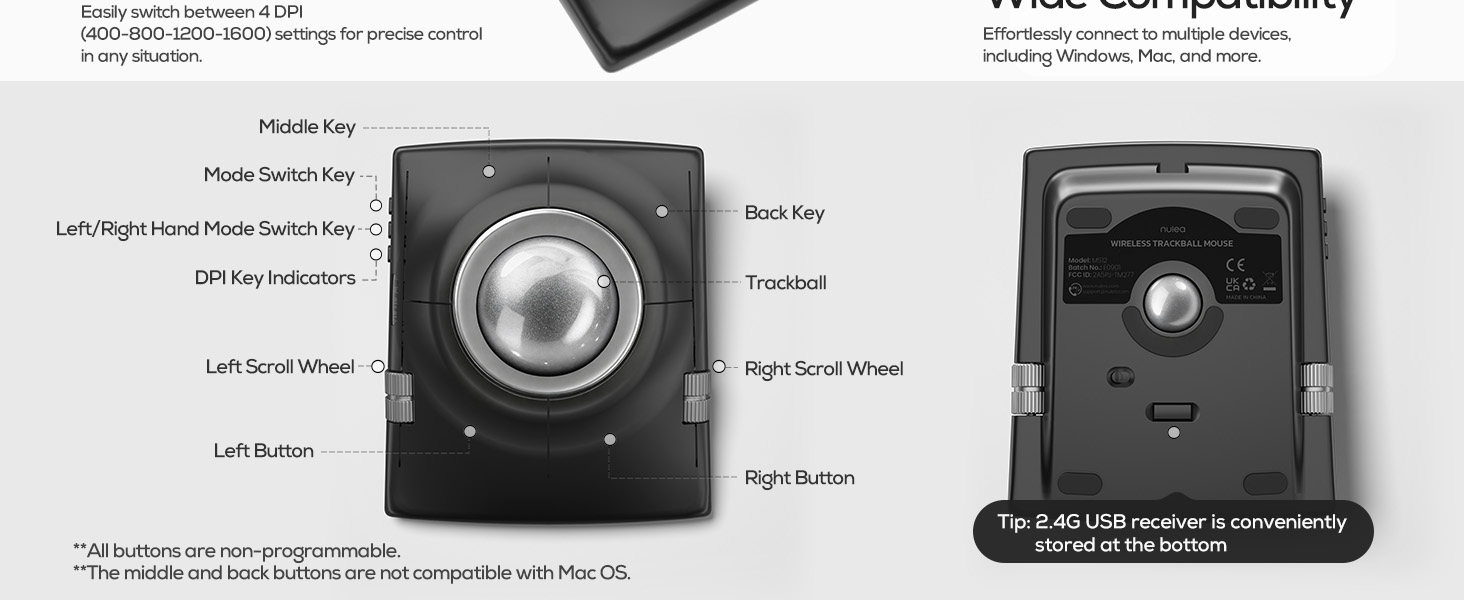
2. The following controls will be automatically swapped to match the selected hand control mode: left and right buttons; center and back buttons; up/down buttons and left/right scroll wheel functions.
What are the functions of the left and right scroll wheels?
In the right-handed state
1?Left wheel controls scrolling up and down.
2?Right wheel controls left and right scrolling.
Automatically switch between left and right hand modes by pressing the left and right hand mode switching buttons.
Cursor moves erratically or is hard to control?
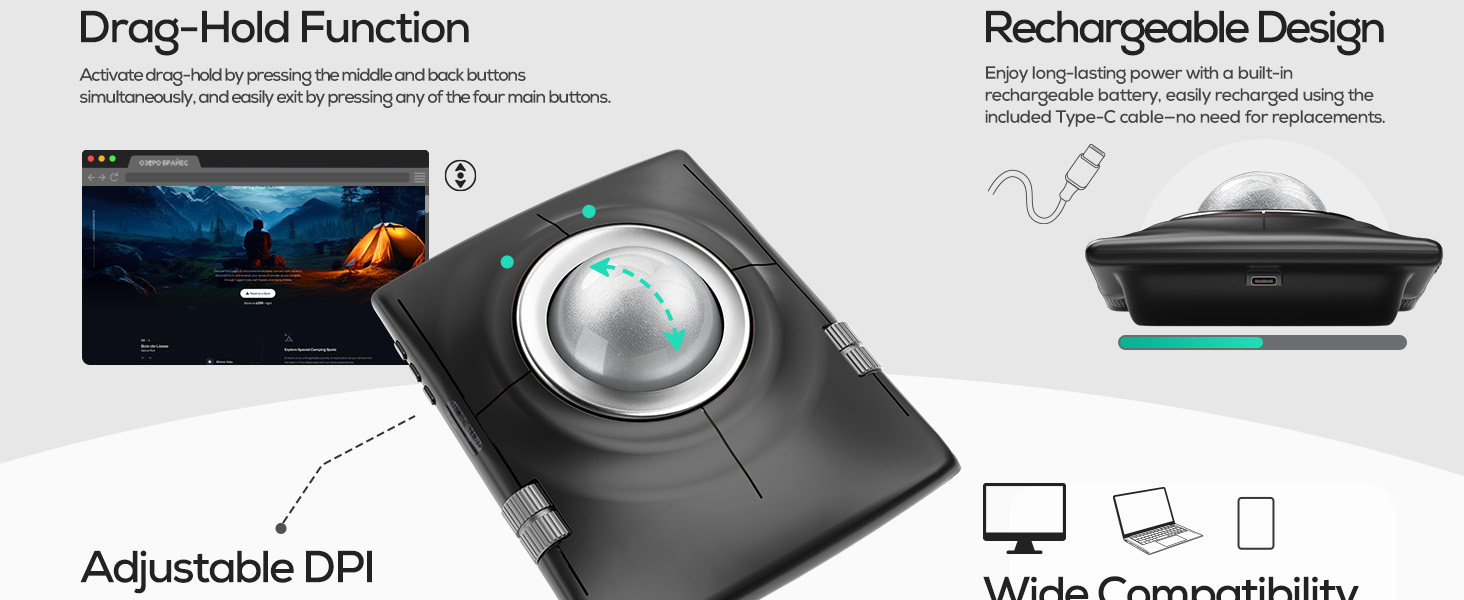
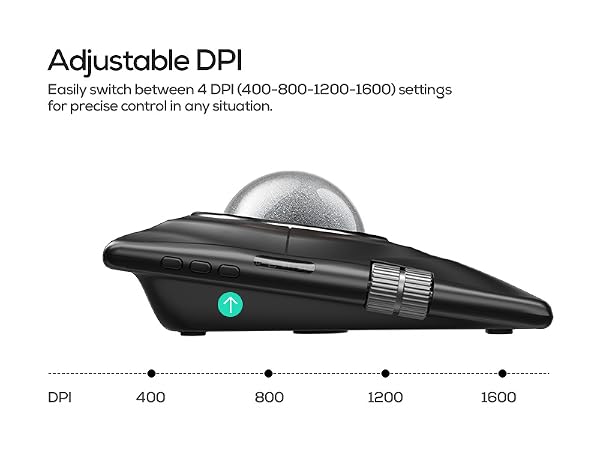
This mouse features 4-level adjustable DPI (400 800 1200 1600) for precise control. If cursor feels unsteady at first, start with a lower DPI setting and gradually increase as you get used to it.
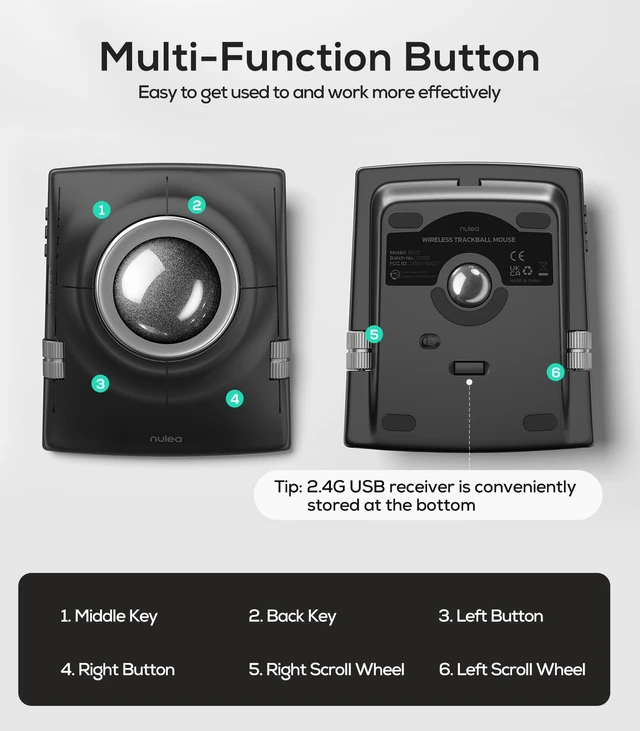
How many buttons does the M512 have, and what do they do?
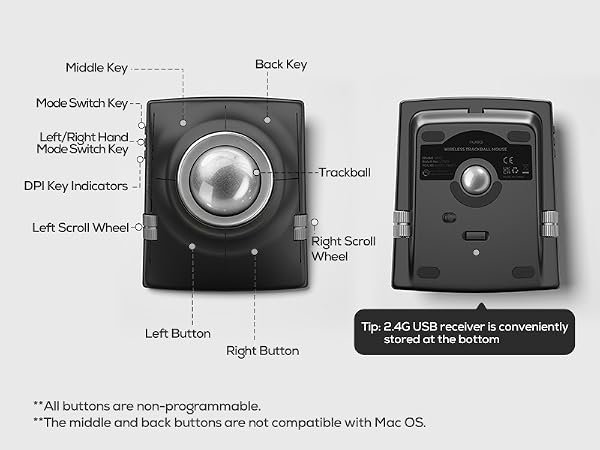
4 buttons total:
1?Top-left: Replaces middle mouse button for smooth scrolling.
2?Top-right: Acts as a back button.
3?Two bottom buttons: Standard left/right clicks (same as regular mice).
How to reprogram mouse buttons?
1. All keys are not programmable.
2.The middle and back buttons are not compatible with Mac OS.


How to perform left/right hand mode switching?
1. Press the mode switching key.
2. The following controls will be automatically swapped to match the selected hand control mode: left and right buttons; center and back buttons; up/down buttons and left/right scroll wheel functions.
What are the functions of the left and right scroll wheels?
In the right-handed state
1?Left wheel controls scrolling up and down.
2?Right wheel controls left and right scrolling.
Automatically switch between left and right hand modes by pressing the left and right hand mode switching buttons.
Cursor moves erratically or is hard to control?
This mouse features 4-level adjustable DPI (400 800 1200 1600) for precise control. If cursor feels unsteady at first, start with a lower DPI setting and gradually increase as you get used to it.
How many buttons does the M512 have, and what do they do?
4 buttons total:
1?Top-left: Replaces middle mouse button for smooth scrolling.
2?Top-right: Acts as a back button.
3?Two bottom buttons: Standard left/right clicks (same as regular mice).
How to reprogram mouse buttons?
1. All keys are not programmable.
2.The middle and back buttons are not compatible with Mac OS.