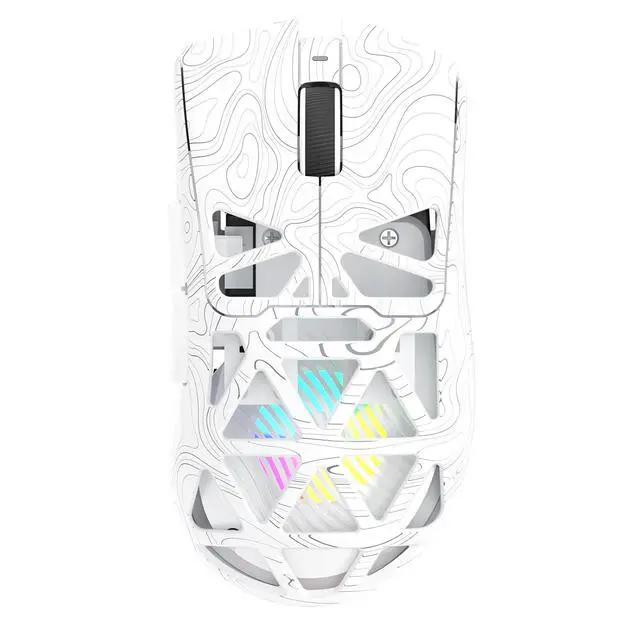
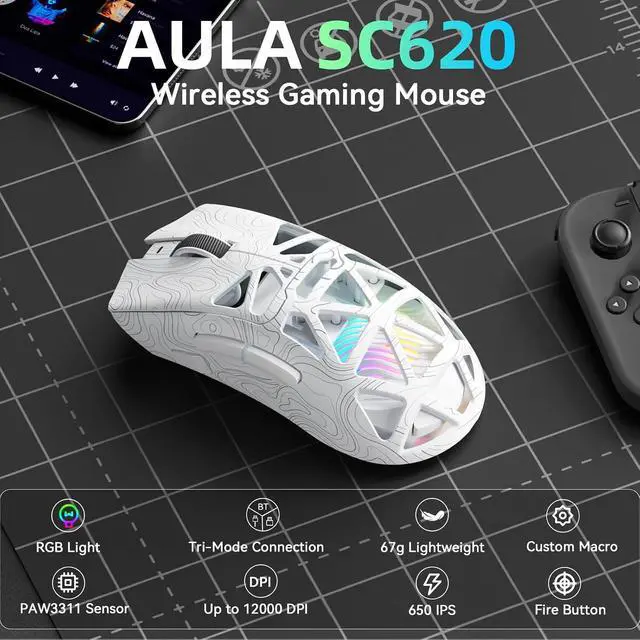
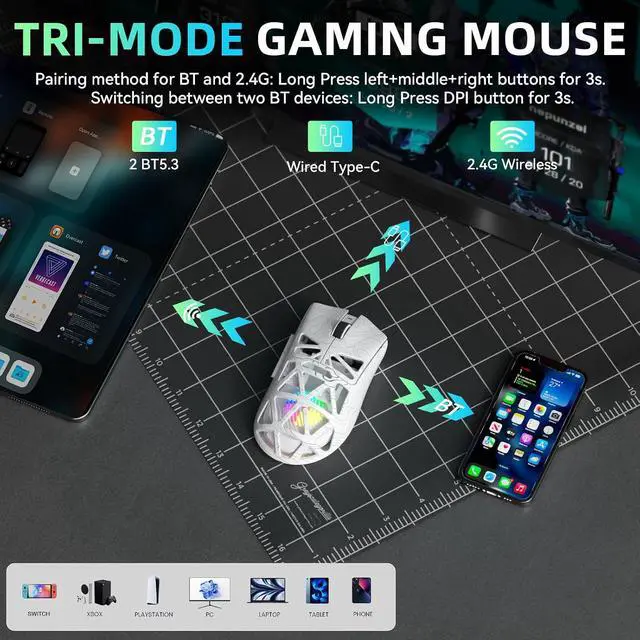
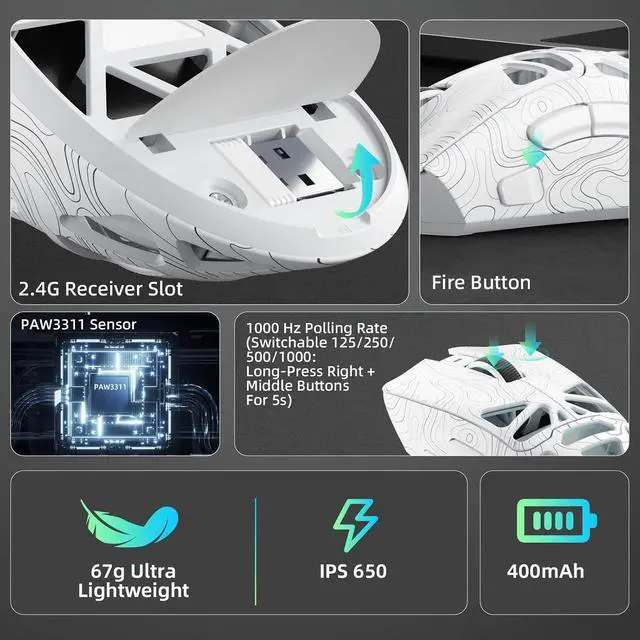
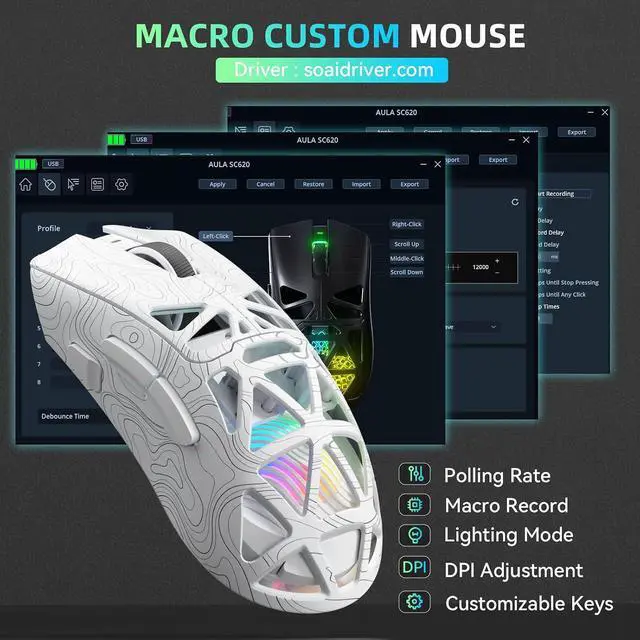
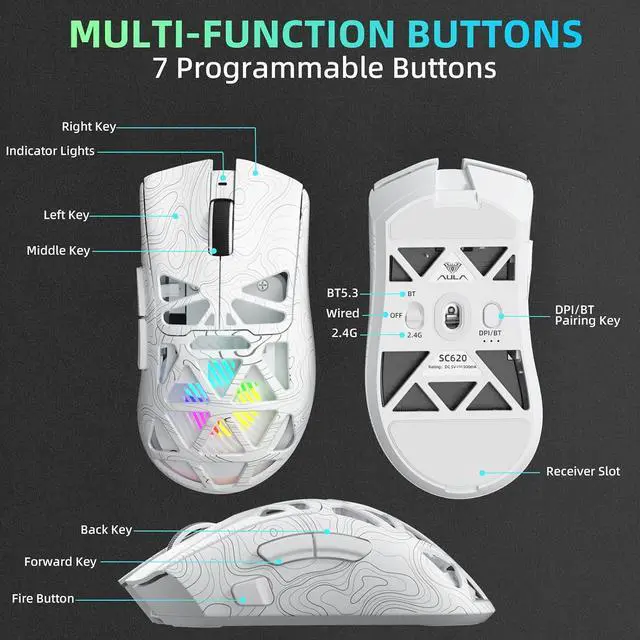
Triple Mode Connection: Seamlessly switch between 2.4GHz wireless, BT5.3, and wired USB modesthis gaming mouse can store up to 4 devices for quick switching between gaming and office scenarios. As a wireless gaming mouse, it offers broad compatibility with Windows, Mac OS, Linux, and Android systems, suitable for desktops, laptops, Macs, and more; Macro Programming & Fire Button: This Aula gaming mouse wireless features 7 programmable buttons, supporting remapping, macro recording, DPI adjustment, polling rate, sleep time, and lighting mode settings via the AULA driver (soaidriver.com). Dedicated Fire Button for One-Click Critical Commands: Map game burst fire, MMO skill combos, or office app shortcutseliminating repetitive clicks and complex keybinds. Whether eliminating enemies or optimizing workflows, it transforms complex actions into single-click execution, elevating your wireless mouse gaming experience. Note: Supports Windows systems in 2.4GHz wireless and wired modes; BT mode is unavailable; Adjustable 12,000 DPI: The AULA SC620 wireless mouse features 6 adjustable DPI levels800, 1600, 3200, 4800, 8000, and 12000perfectly suited for FPS sniping or spreadsheet operations. Paired with a 1000Hz polling rate, it delivers low latency and high fluidity. This programmable mouse ensures instant response with every movement, making it the ultimate computer mouse for competitive play and precision tasks; Dynamic RGB Backlighting: Elevate your setup with dynamic RGB custom
+
+
Overview
Specs
Reviews
Any questions? Ask CelesteSM will help you find out quickly.
Try me now
Product description 1 Adjustable Backlight 2 Adjustable DPI 3 Macro Software 4 Ergonomic Design Is this mouse suitable for users with large hands? How do I adjust the RGB backlight? How do I use the fire button on this mouse? Does it support driver programming?
Learn more about the Detailed Specifications
Additional Information
First Listed on Newegg
October 08, 2026
There are no reviews yet.
Do you own this product?
Warranty & Returns
Warranty, Returns, And Additional Information
Warranty
Please contact the Seller directly for warranty information. Warranty information may also be found on the Manufacturer's website.