






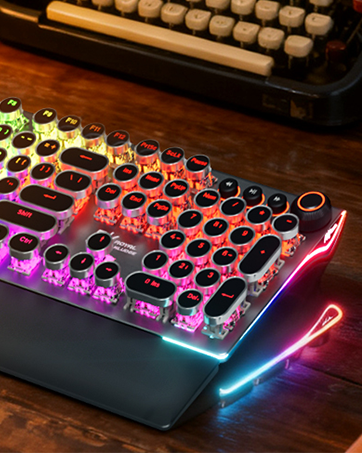
Welcome to RK ROYAL KLUDGE, where passion and innovation unite to bring you the casual life companion. We are driven by our unwavering love for gaming, typing experience and the belief that every keystroke matters. Join us on a journey where colorful aesthetics meet the fiery passion of gaming, and let's make games and life come alive together.
WE DESIGN MORE
We're creating innovative mechanical keyboards not only be functional reliable, but also customizable and visually appealing.
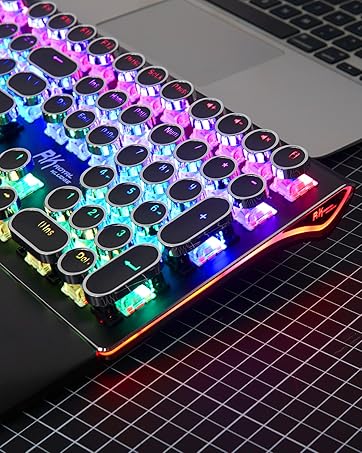
RK IS READY FOR EVERYONE
Whether you're a gamer or a professional seeking an efficient typing experience, we have a keyboard that's right for you.
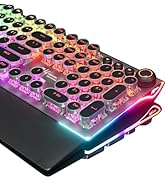
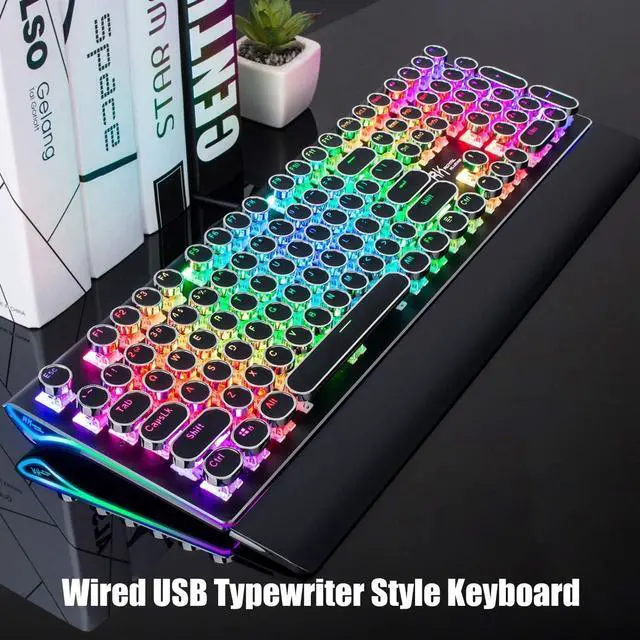
Retro Typewriter Keyboard

Note: S108 may need to be 'woken up' after computer boots by hitting some keys several times.
Fix the problem through this firmware: bit.ly/RKS108Fix

Clicky Mechanical Blue Switches
Mechanical blue switch for ultimate gaming performance. The mechanical keys offer medium resistance, audible click sound & tactile feedback. PS: The switches are not swappable.

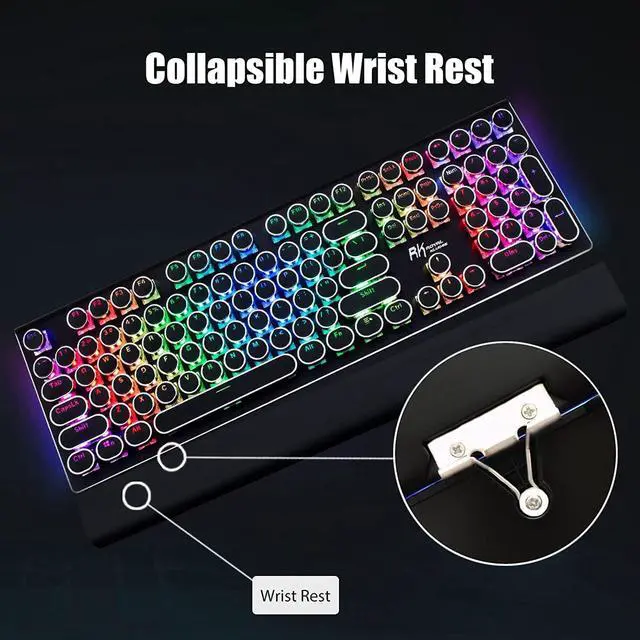
Collapsible Wrist Rest
The ergonomic ABS wrist pad provides firm support that alleviates pressure on your wrist from gaming or typing at an elevated angle.

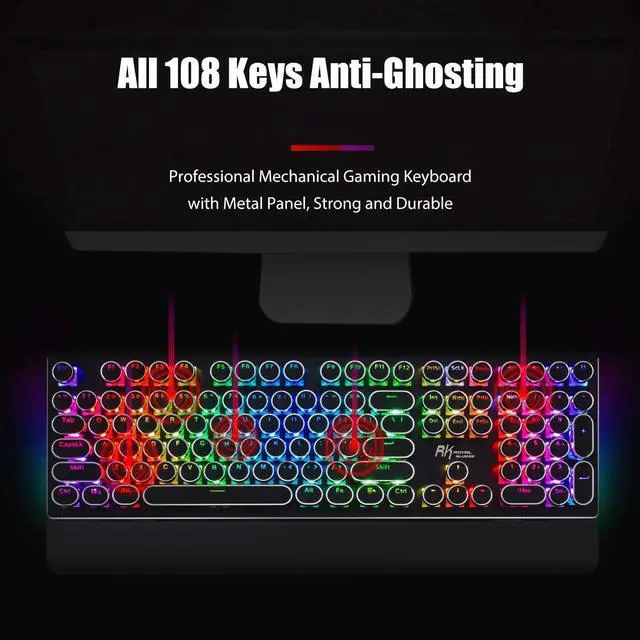
All 108 Keys Anti-Ghosting
N-key rollover. It allows you to press multiple keys at a time to execute intricate moves with precision. No delay, no error.

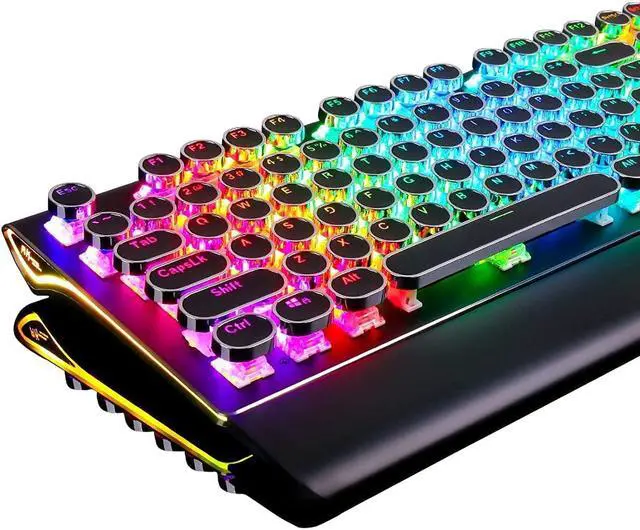
Retro Typewriter Style Round Keycaps
With vintage steampunk round keycaps looks like a old school fashion typewriter, brings you comfortable typing feeling & stable clicking touch.

True RGB Backlit
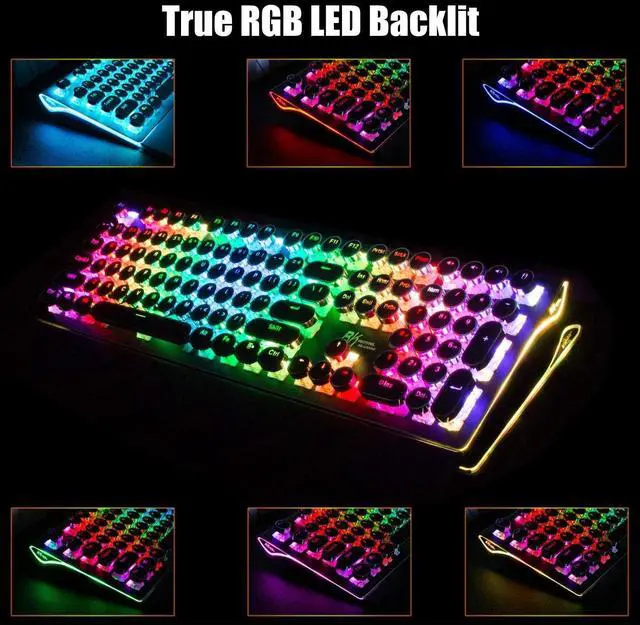
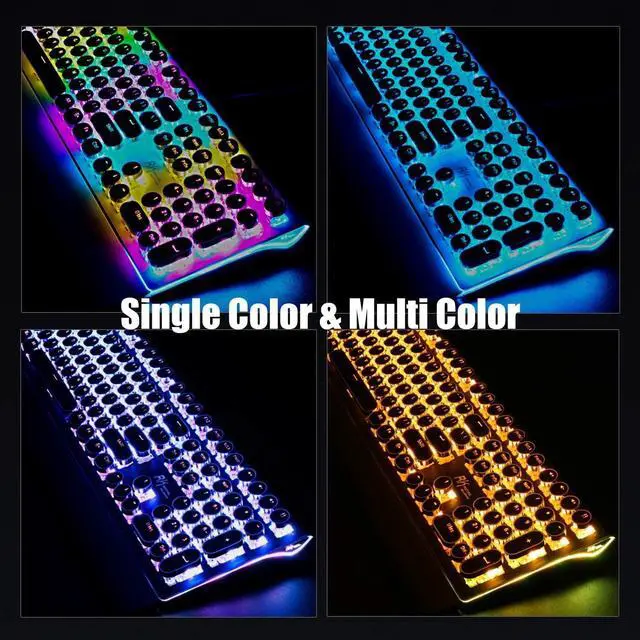
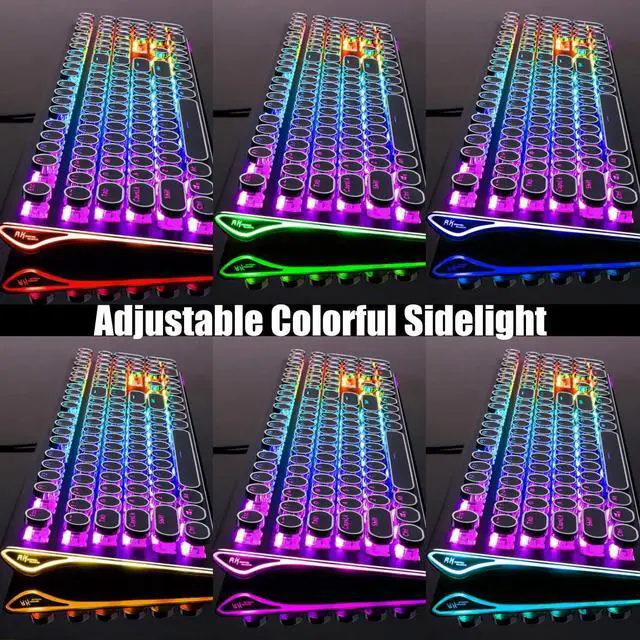
Up to 168 RGB backlit modes and 7-color sidelight. Press "Fn+Pause" to change the global backlight color, supports solid color and RGB color.
How to reset the keyboard:
Fn+Esc: Press and hold for 3 seconds

3 Wire Trunking Design
In order to adapt to different usage scenarios, the three-cable slot design allows USB cables to be arranged in various directions, eliminating desktop clutter and keeping the workspace neat.


Convenient Shortcuts:
- Fn+F1: My Computer
- Fn+F2: Browser
- Fn+F3: Calculator, Fn+F4: Music
- Fn+F5: Previous, Fn+F6: Play/Pause
- Fn+F7: Next, Fn+F8: Stop
- Fn+F9: Search, Fn+F10: Favorite
- Fn+F11: None, Fn+F12: Email
- Fn+Win: Win Key Lock/Unlock
Typewriter Style Mechanical Gaming Keyboard with True RGB Backlit
Shortcuts You Should Know Before Getting in the colorful world:
1.Pick up a keyboard backlight effect:
Fn+Del: Dynamic effects; Fn+Ins: Interactive effects;
Fn+Home: Breathing effect;
Fn+PgUp: Switch the stars/7-color gradient backlight
2.Select the color:
Fn+Pause: Switch Global backlight color;
Fn+ScLk: Switch the interactive part color (Only work for interactive backlight effects)
3.Brightness and Lighting Speed:
Fn+"?"/"?": Lighting speed ; Fn+"?"/"?": Lighting brightness
4.Sidelight: Fn+PgDn (Dynamic Effect and light OFF included)
- How to Customize the Backlight:
- 1. Press Fn+1 to start customize mode.
- 2. Press Fn+F11 to start recording the LED lights of backlight (The Caps, Win and Scrlk keys are flashing)
- 3. Press any key by any need to LED ON/OFF. Press same key multiple times to change color.
- 4. Press Fn+F11 again to save it. (The Caps, Win and Scrlk keys stop flashing)
- 5. Press Fn+1 switch to the customized backlight.
- Ps: When keys are shorted, they may stay light up.
Specification
 RK S108 Black |  RK X108 |  RK M65 Red |  RK R75 Blue | |
|---|---|---|---|---|
| Customer Reviews | — | — | — | — |
| Price | — | — | — | — |
| Switches | Blue Switches | Blue Switches | Cream Switches | Cream Switches |
| Connectivity Technology | Wired | Wired | Triple Mode | Triple Mode |
| Number of Keys | 108 | 108 | 65 | 75 |
| Vol Knob | no data | ? | ? | ? |
| Battery Display | no data | no data | ? | no data |
Note: S108 may need to be 'woken up' after computer boots by hitting some keys several times.
Fix the problem through this firmware: bit.ly/RKS108Fix
Clicky Mechanical Blue Switches
Mechanical blue switch for ultimate gaming performance. The mechanical keys offer medium resistance, audible click sound & tactile feedback. PS: The switches are not swappable.
Collapsible Wrist Rest
The ergonomic ABS wrist pad provides firm support that alleviates pressure on your wrist from gaming or typing at an elevated angle.
All 108 Keys Anti-Ghosting
N-key rollover. It allows you to press multiple keys at a time to execute intricate moves with precision. No delay, no error.
Retro Typewriter Style Round Keycaps
With vintage steampunk round keycaps looks like a old school fashion typewriter, brings you comfortable typing feeling & stable clicking touch.
True RGB Backlit
Up to 168 RGB backlit modes and 7-color sidelight. Press "Fn+Pause" to change the global backlight color, supports solid color and RGB color.
How to reset the keyboard:
Fn+Esc: Press and hold for 3 seconds
3 Wire Trunking Design
In order to adapt to different usage scenarios, the three-cable slot design allows USB cables to be arranged in various directions, eliminating desktop clutter and keeping the workspace neat.
Typewriter Style Mechanical Gaming Keyboard with True RGB Backlit
Convenient Shortcuts:
- Fn+F1: My Computer
- Fn+F2: Browser
- Fn+F3: Calculator, Fn+F4: Music
- Fn+F5: Previous, Fn+F6: Play/Pause
- Fn+F7: Next, Fn+F8: Stop
- Fn+F9: Search, Fn+F10: Favorite
- Fn+F11: None, Fn+F12: Email
- Fn+Win: Win Key Lock/Unlock
Shortcuts You Should Know Before Getting in the colorful world:
1.Pick up a keyboard backlight effect:
Fn+Del: Dynamic effects; Fn+Ins: Interactive effects;
Fn+Home: Breathing effect;
Fn+PgUp: Switch the stars/7-color gradient backlight
2.Select the color:
Fn+Pause: Switch Global backlight color;
Fn+ScLk: Switch the interactive part color (Only work for interactive backlight effects)
3.Brightness and Lighting Speed:
Fn+"?"/"?": Lighting speed ; Fn+"?"/"?": Lighting brightness
4.Sidelight: Fn+PgDn (Dynamic Effect and light OFF included)
- How to Customize the Backlight:
- 1. Press Fn+1 to start customize mode.
- 2. Press Fn+F11 to start recording the LED lights of backlight (The Caps, Win and Scrlk keys are flashing)
- 3. Press any key by any need to LED ON/OFF. Press same key multiple times to change color.
- 4. Press Fn+F11 again to save it. (The Caps, Win and Scrlk keys stop flashing)
- 5. Press Fn+1 switch to the customized backlight.
- Ps: When keys are shorted, they may stay light up.
Specification
| Dimension | 440*182*42mm, 17.4*7.2*1.6in |
| Net Weight | 0.9kg, 1.98lb |
| Backlit Lighting Effects | 168 lighting effects |
| Dynamic Sidelight Rim | 7 lighting effects |
| Number of Keys | 108 keys |
| Switch | blue switch |
| Switch Lifespan | >50 million |
| Actuation Force | 60gf±5gf |
| Keystroke Travel | 2.0mm |
| Keycaps | double-shot injection molded |
| Connection | wired USB |
| USB Cable Length | 1.8m, 70.9in |
| Voltage | 5V |
| Current | 200mA |
RK S108 Black | RK X108 | RK M65 Red | RK R75 Blue | |
|---|---|---|---|---|
| Customer Reviews | — | — | — | — |
| Price | — | — | — | — |
| Switches | Blue Switches | Blue Switches | Cream Switches | Cream Switches |
| Connectivity Technology | Wired | Wired | Triple Mode | Triple Mode |
| Number of Keys | 108 | 108 | 65 | 75 |
| Vol Knob | no data | ? | ? | ? |
| Battery Display | no data | no data | ? | no data |
Welcome to RK ROYAL KLUDGE, where passion and innovation unite to bring you the casual life companion. We are driven by our unwavering love for gaming, typing experience and the belief that every keystroke matters. Join us on a journey where colorful aesthetics meet the fiery passion of gaming, and let's make games and life come alive together.
WE DESIGN MORE
We're creating innovative mechanical keyboards not only be functional reliable, but also customizable and visually appealing.
RK IS READY FOR EVERYONE
Whether you're a gamer or a professional seeking an efficient typing experience, we have a keyboard that's right for you.
Retro Typewriter Keyboard